1. Pengenalan
Thank you for choosing the Wkzay V29 Wireless Backup Camera System. This manual provides detailed instructions for the installation, operation, and maintenance of your new system. Designed for trucks, cars, SUVs, and fleet vehicles, this system enhances safety and convenience with its HD 1080P display, color night vision, and stable wireless signal. Please read this manual thoroughly before use to ensure proper functionality and longevity of the product.
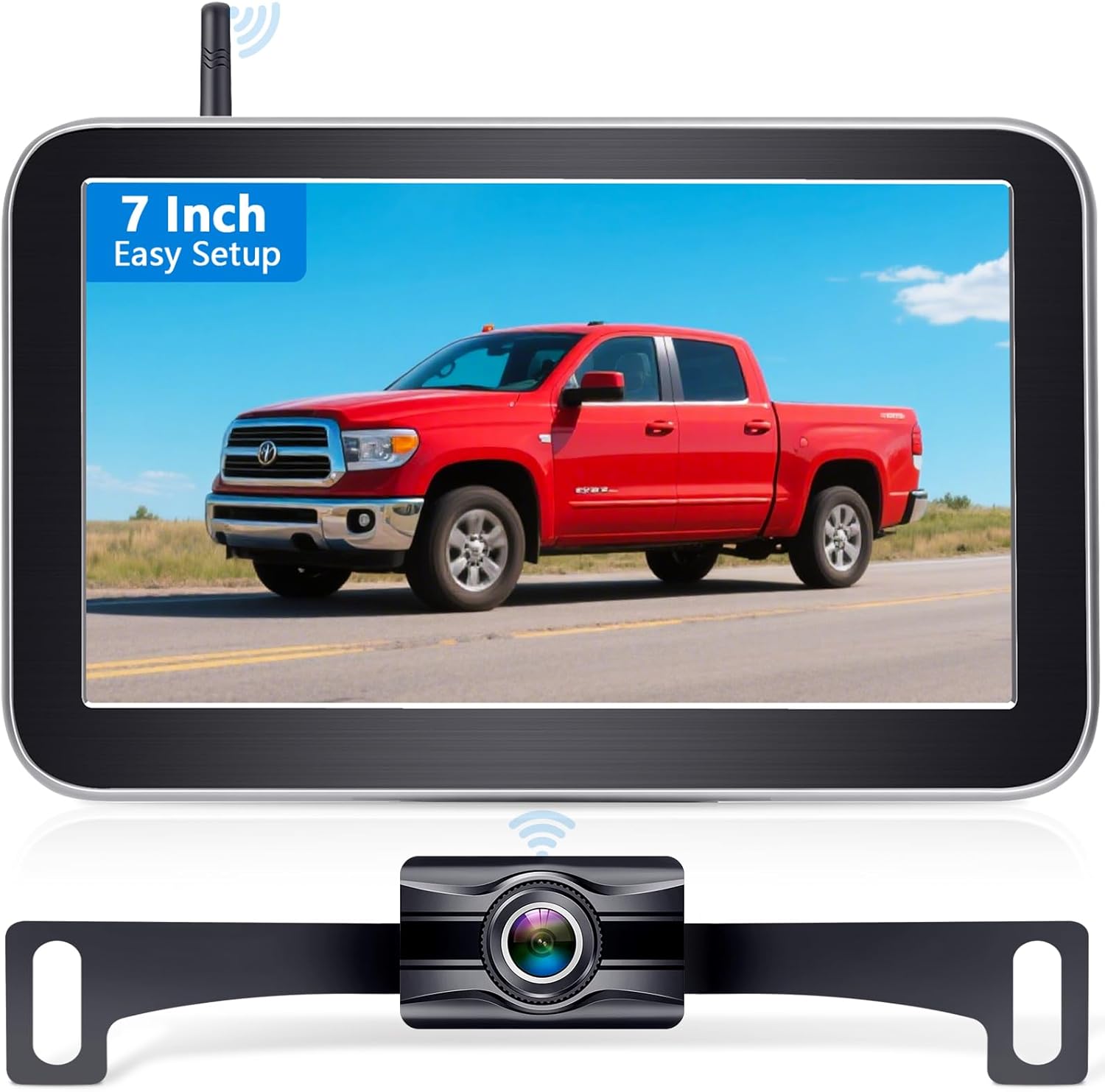
Image: The Wkzay V29 Wireless Backup Camera System, featuring the 7-inch monitor and the rear camera designed for license plate mounting.
2. Apa yang ada di dalam Kotak
Sila sahkan bahawa semua komponen yang disenaraikan di bawah disertakan dalam pakej anda:
- Monitor 1 x 7 inci
- 1 x Pemasangan Piala Suction
- 1 x Kamera Sandaran Tanpa Wayar
- 1 x Kuasa Kuasa
- 1 x Antena
- 1 x Kabel USB
- 1 x Penyesuai Pemetik Rokok
- 1 x Manual Pengguna
- Other Accessories (e.g., wiring, connectors)
3. Ciri-ciri Utama
- Pemasangan Mudah: Designed for quick setup, typically under 30 minutes, without requiring professional assistance.
- Crystal-Clear HD 1080P Display: A 7-inch high-definition monitor provides sharp, real-time visuals for precise maneuvering.
- 2 Channels Monitoring: Supports dual camera input for comprehensive coverage and reduced blind spots (second camera not included).
- Penglihatan Malam Warna: Equipped with 940nm infrared lights for clear and detailed visibility in low-light conditions without disturbing other drivers.
- IP69 Waterproof Durability: Constructed from robust ABS+PC materials, the camera is rated IP69 for resistance against rain, dust, and extreme temperatures.
- DIY Parking Lines: Customizable parking guidelines allow users to tailor the guides for various scenarios and vehicle setups.
- Lebar 150° Viewsudut: Minimizes blind spots by providing an expansive rear and side field of view.
- Stable Wireless Signal: Utilizes advanced 2.4G frequency hopping technology for reliable, lag-free connection over long distances.
- 360° Adjustable Suction Bracket: Allows for optimal positioning of the monitor without drilling, preserving vehicle aesthetics.
- Keserasian Serbaguna: Suitable for a wide range of vehicles including trucks, cars, SUVs, and fleet vehicles, enhancing safety for towing, camping, and general driving.
4. Persediaan dan Pemasangan
The Wkzay V29 system is designed for straightforward installation. Follow these steps for a successful setup:
4.1 Pemasangan Kamera
- Lekapkan Kamera: The wireless backup camera is typically mounted near the license plate. Secure it using the provided screws or mounting hardware. Ensure the camera has a clear, unobstructed view bahagian belakang.
- Connect Power to Camera: Connect the camera's power cable to your vehicle's reverse lights. This allows the camera to activate automatically when the vehicle is put into reverse. For continuous monitoring, you may connect it to a constant 12V power source (professional installation recommended for this option).
- Kabel Laluan: Carefully route the camera's power cable to protect it from damage and ensure a neat installation.
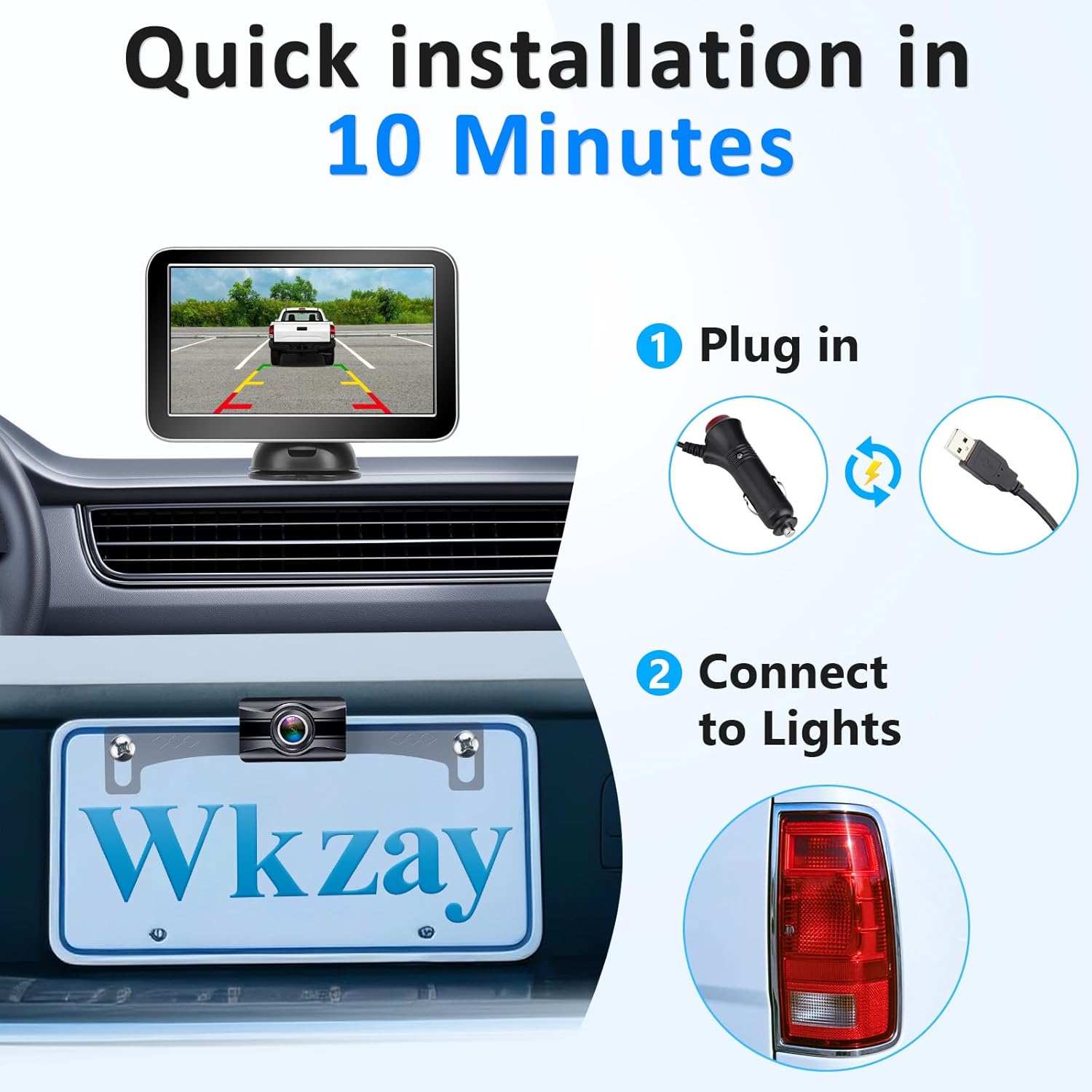
Image: Visual guide for quick installation, illustrating plugging in the monitor and connecting the camera to the vehicle's lights.
4.2 Pemasangan Monitor
- Pasangkan Pemasangan Cawan Sedutan: Secure the suction cup mount to your windshield or dashboard. Ensure the surface is clean and dry for optimal adhesion.
- Pasang Monitor: Attach the 7-inch monitor to the suction cup mount. The 360° adjustable bracket allows you to position the monitor for your preferred viewsudut tanpa menghalang pemanduan anda view.
- Connect Power to Monitor: Plug the monitor's power cord into your vehicle's cigarette lighter adapter or a suitable 12V power outlet.
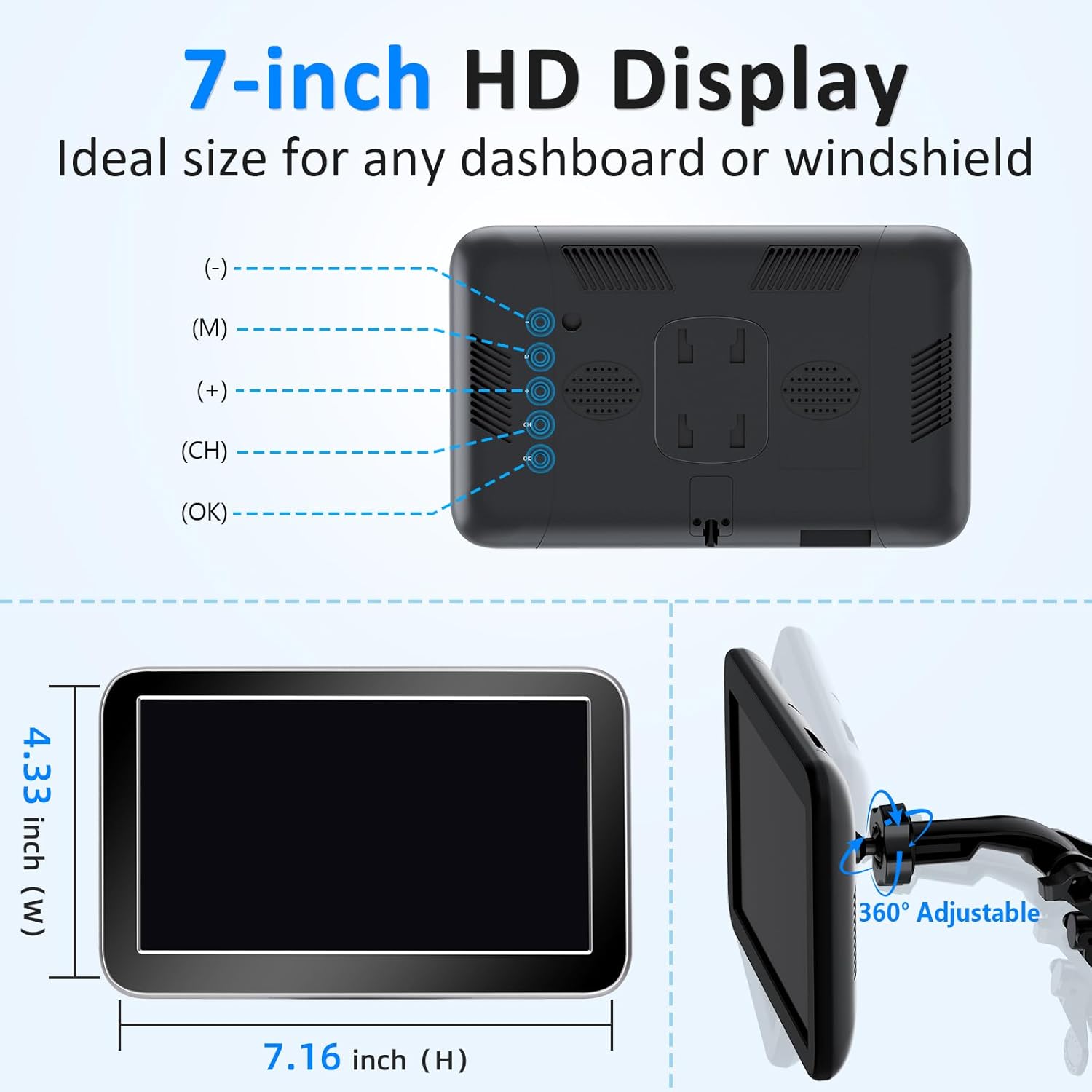
Image: Details on the 7-inch HD display's dimensions and the flexibility of the 360° adjustable suction bracket for optimal placement.
Once both the camera and monitor are powered, the system should automatically pair and display the camera feed. The advanced 2.4G frequency hopping technology ensures a stable wireless signal up to 28 feet.
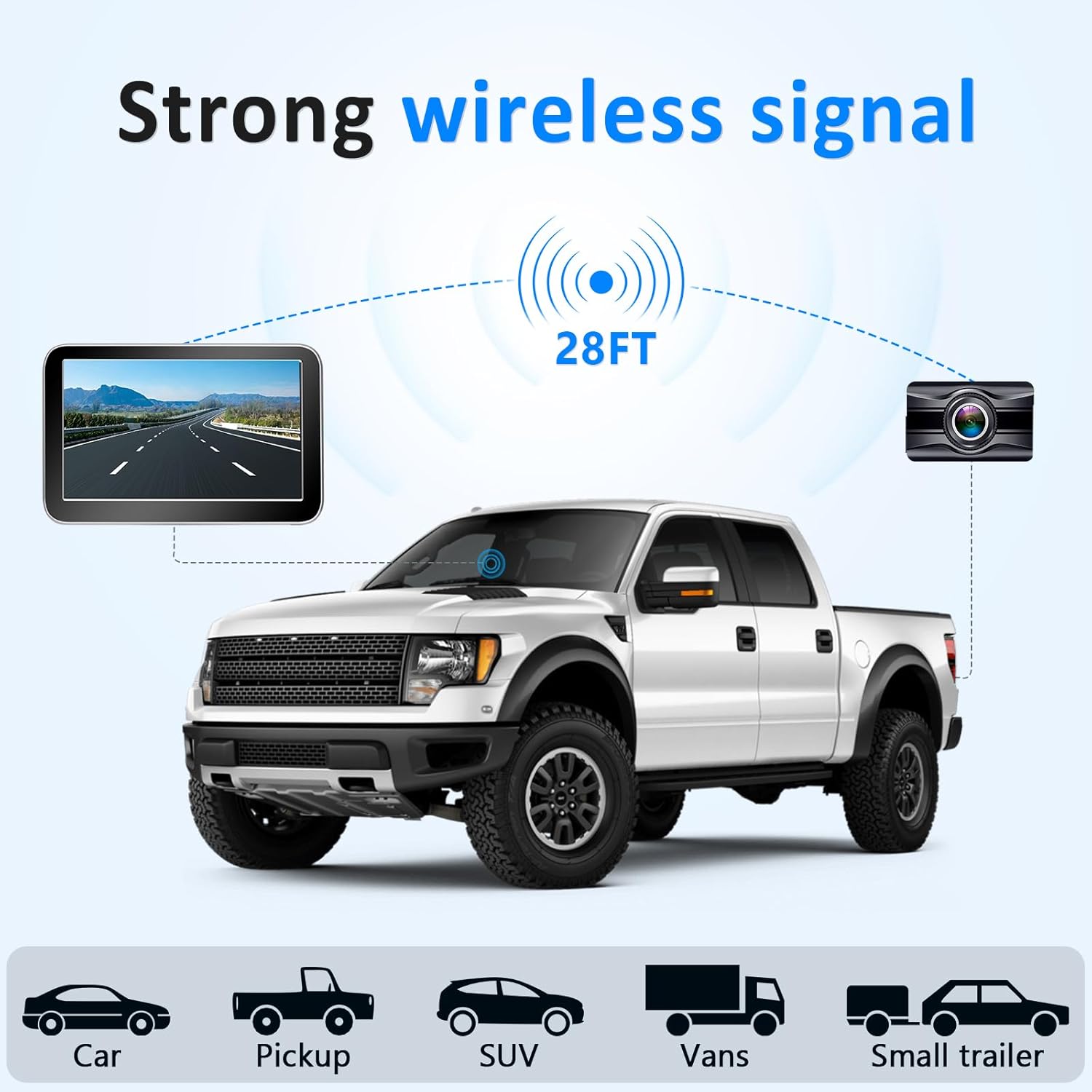
Image: Illustration of the strong wireless signal range, demonstrating compatibility with cars, pickups, SUVs, vans, and small trailers.
5. Arahan Operasi
5.1 Display Modes and Clarity
The 7-inch HD 1080P monitor provides a clear view of your surroundings. The system supports multiple display modes:
- CAM1 Screen: Displays the primary camera feed.
- CAM2 Screen: Displays the secondary camera feed (if a second camera is connected).
- Skrin Pisah: Shows both CAM1 and CAM2 feeds simultaneously for comprehensive monitoring.
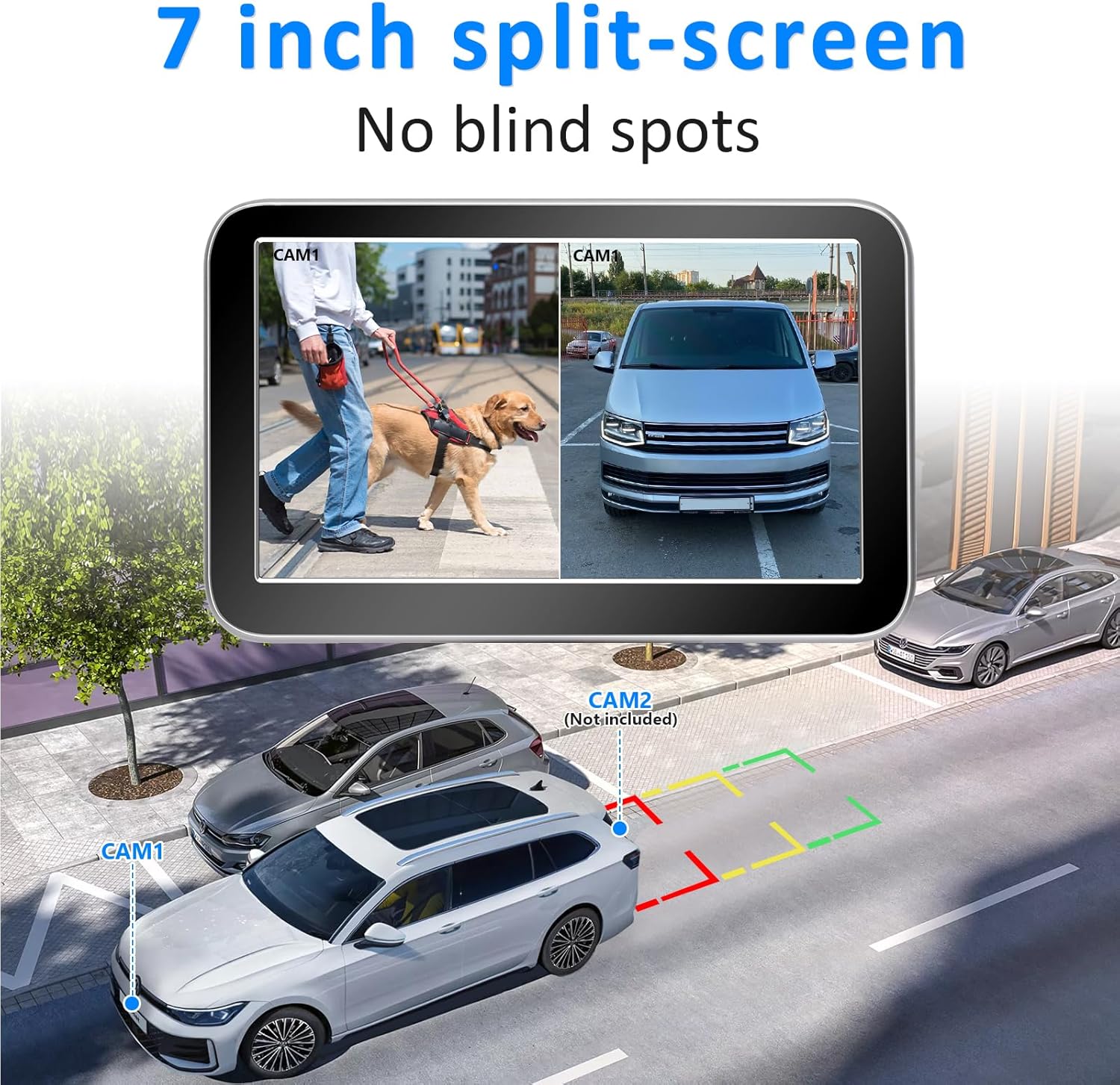
Image: The 7-inch monitor displaying a split-screen view, allowing simultaneous monitoring from two cameras to eliminate blind spots.
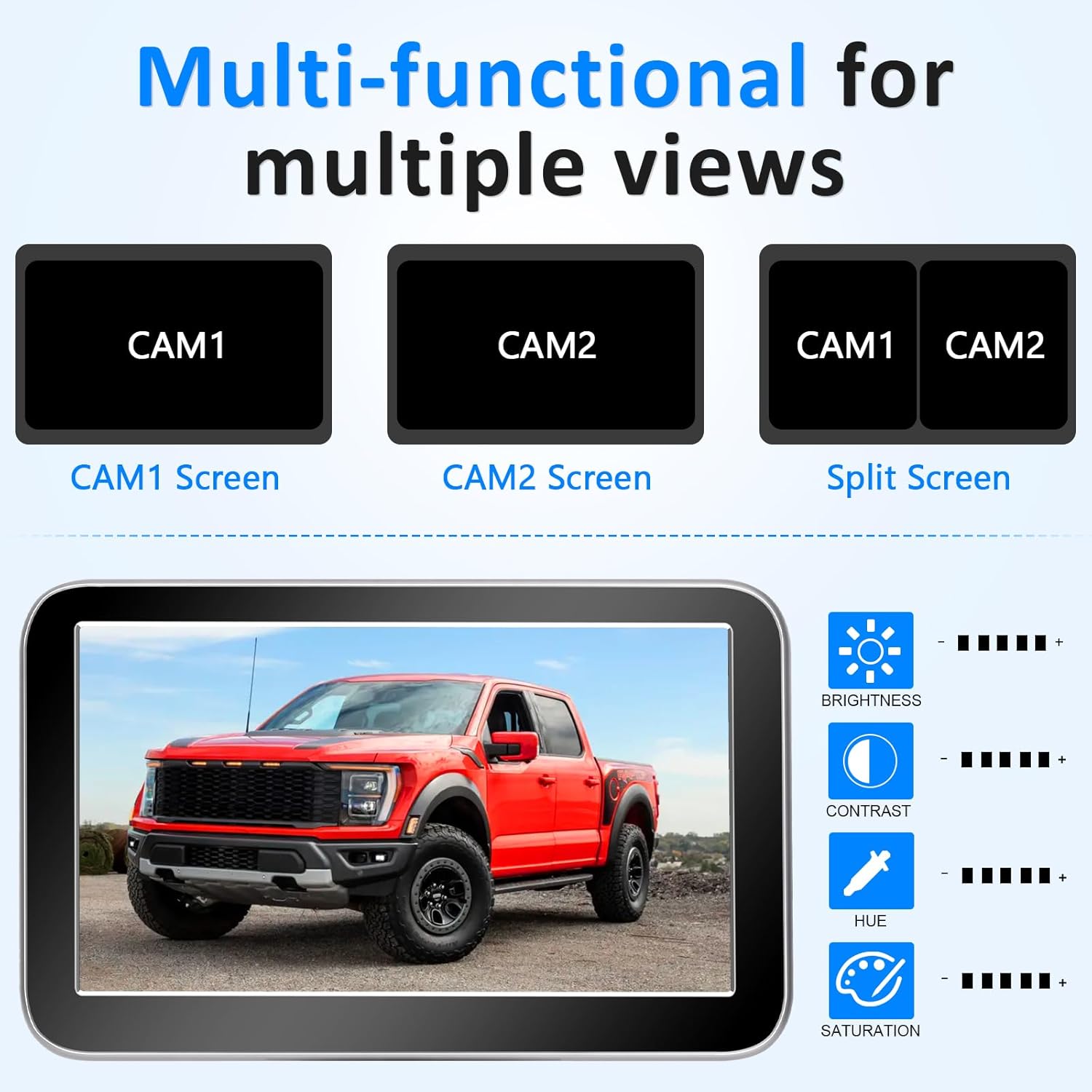
Imej: Selesaiview of multi-functional display options (CAM1, CAM2, Split Screen) and adjustable settings like brightness, contrast, hue, and saturation.
5.2 Penglihatan Malam
The camera features advanced color night vision with 940nm infrared lights. This ensures clear visibility even in low-light conditions or at night, providing detailed images without causing glare for other drivers.
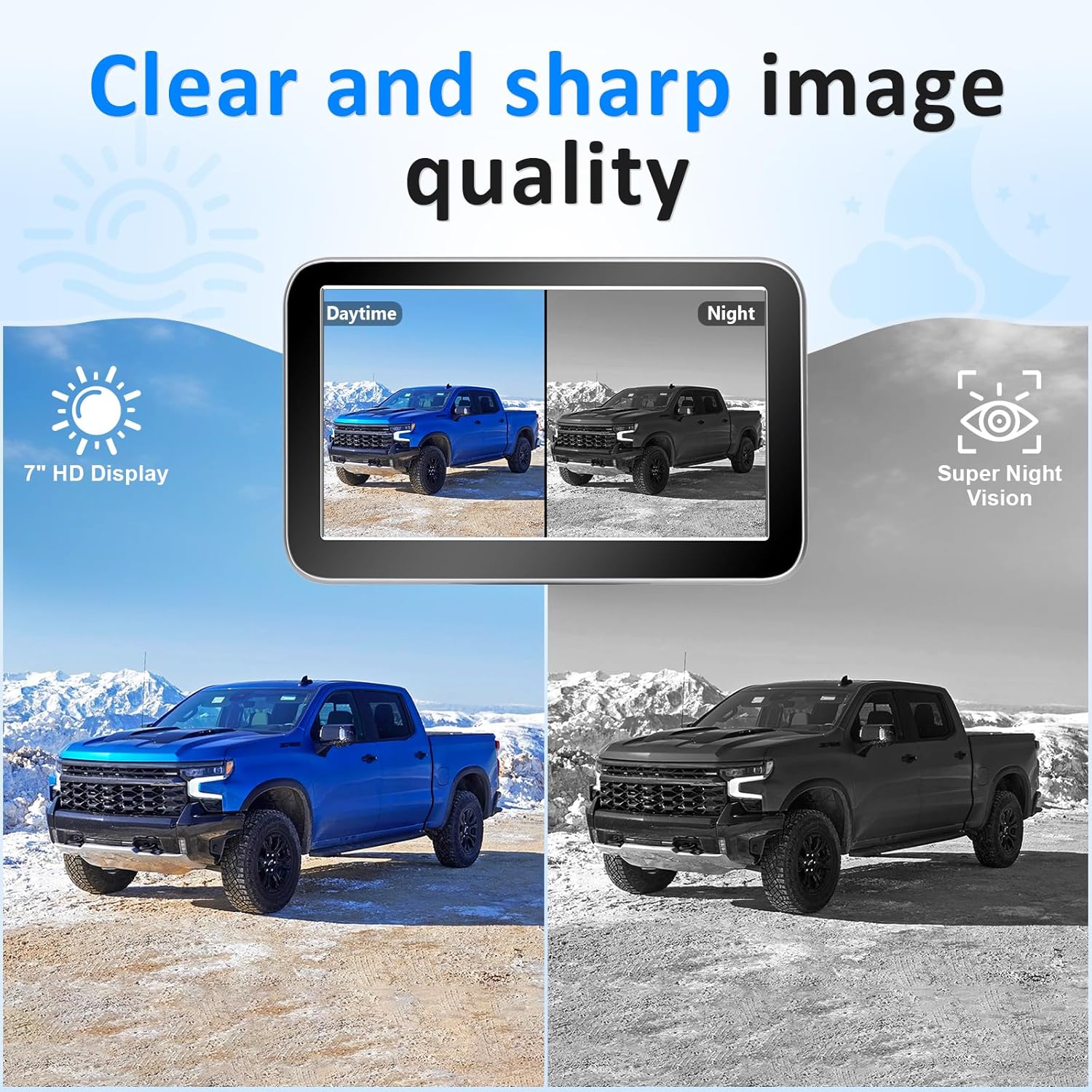
Image: A split image demonstrating the clear and sharp image quality during the daytime and the effective super night vision capability.
5.3 DIY Parking Lines
Customize your reversing experience with adjustable parking lines. You can turn them on/off, adjust their width, and move them up or down to suit your vehicle and parking preferences. Refer to the monitor's menu for these settings.
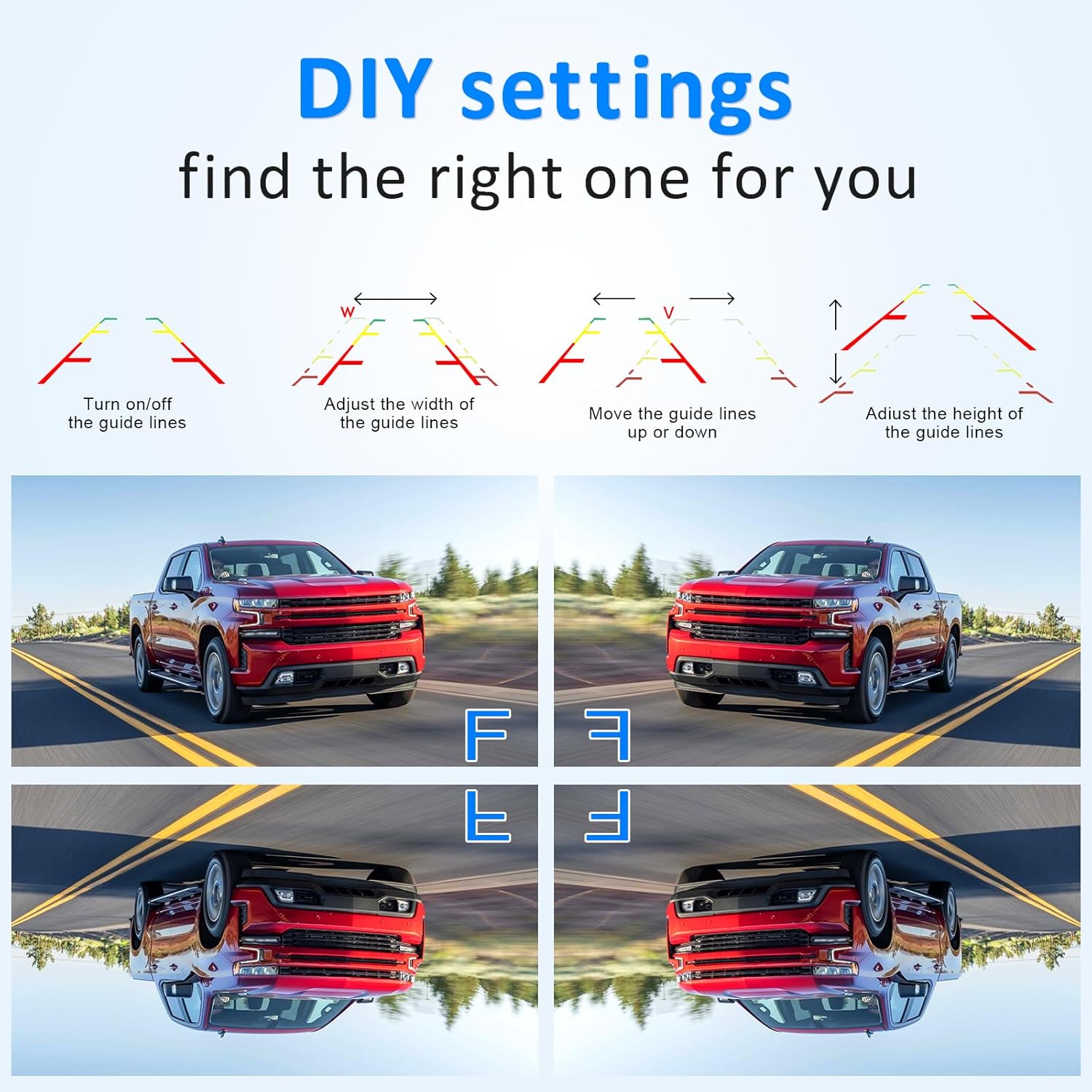
Image: Diagram illustrating DIY settings for parking lines, showing options to turn them on/off, adjust width, and move them vertically.
6. Penyelenggaraan
To ensure the longevity and optimal performance of your Wkzay V29 system, follow these maintenance guidelines:
- Pembersihan: Bersihkan kanta kamera dan skrin monitor secara berkala dengan kain lembutamp kain. Elakkan pembersih atau pelarut yang kasar yang boleh merosakkan permukaan.
- Rintangan Cuaca: The camera is IP69 waterproof, designed to withstand harsh weather conditions. However, avoid directing high-pressure water jets directly at the camera for extended periods.
- Pemeriksaan Kabel: Periodically check all cables and connections for any signs of wear, fraying, or corrosion. Ensure connections remain secure.
- Storan: If storing the vehicle for an extended period, consider disconnecting the monitor to prevent battery drain.
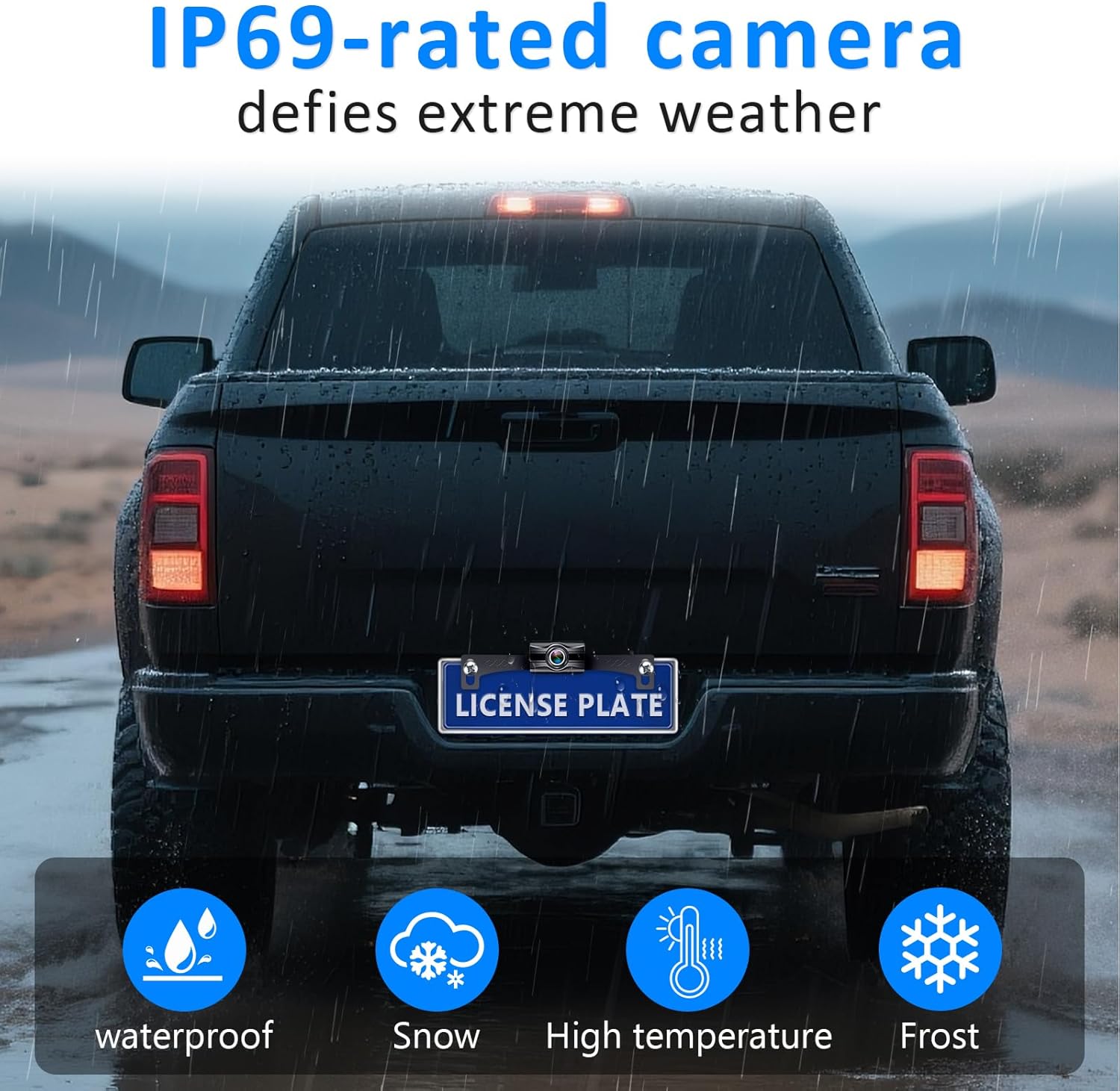
Image: The IP69-rated camera demonstrating its durability against various extreme weather conditions, including rain, snow, high temperatures, and frost.
7. Penyelesaian masalah
If you encounter issues with your Wkzay V29 system, please refer to the following common troubleshooting steps:
| Masalah | Kemungkinan Punca | Penyelesaian |
|---|---|---|
| No Signal on Monitor |
|
|
| Flickering or Unstable Image |
|
|
| Image is Upside Down or Mirrored |
|
|
8. Spesifikasi
| Ciri | Perincian |
|---|---|
| Nombor Model | V29 |
| Saiz Skrin | 7 Inci |
| Resolusi Paparan | HD 1080P |
| Penilaian Kalis Air Kamera | IP69 |
| Viewsudut | 150 Darjah |
| Teknologi Tanpa Wayar | 2.4G Frequency Hopping |
| Voltage | 12 Volt (DC) |
| Dimensi Produk | 4.9"L x 3.9"W x 8.2"H |
| Berat Barang | 1.32 paun |
| warna | Hitam |
9. Waranti dan Sokongan
For warranty information, technical support, or any inquiries regarding your Wkzay V29 Wireless Backup Camera System, please refer to the contact details provided on the product packaging or visit the official Wkzay webtapak. Simpan resit pembelian anda sebagai bukti pembelian untuk tuntutan waranti.