1. Pengenalan
Thank you for choosing the RIVERSONG Airfly L12 True Wireless Earbuds. This manual provides detailed instructions on how to set up, operate, and maintain your earbuds to ensure optimal performance and longevity. Please read this manual thoroughly before using the product and retain it for future reference.
2. Kandungan Pakej
Please check the package contents upon unboxing. If any items are missing or damaged, contact your retailer or RIVERSONG customer support.
- RIVERSONG Airfly L12 True Wireless Earbuds (Left and Right)
- Kes Pengecasan
- Kabel Pengecas USB
- Manual Pengguna
3. Produk Lebihview
Familiarize yourself with the components of your Airfly L12 earbuds and charging case.
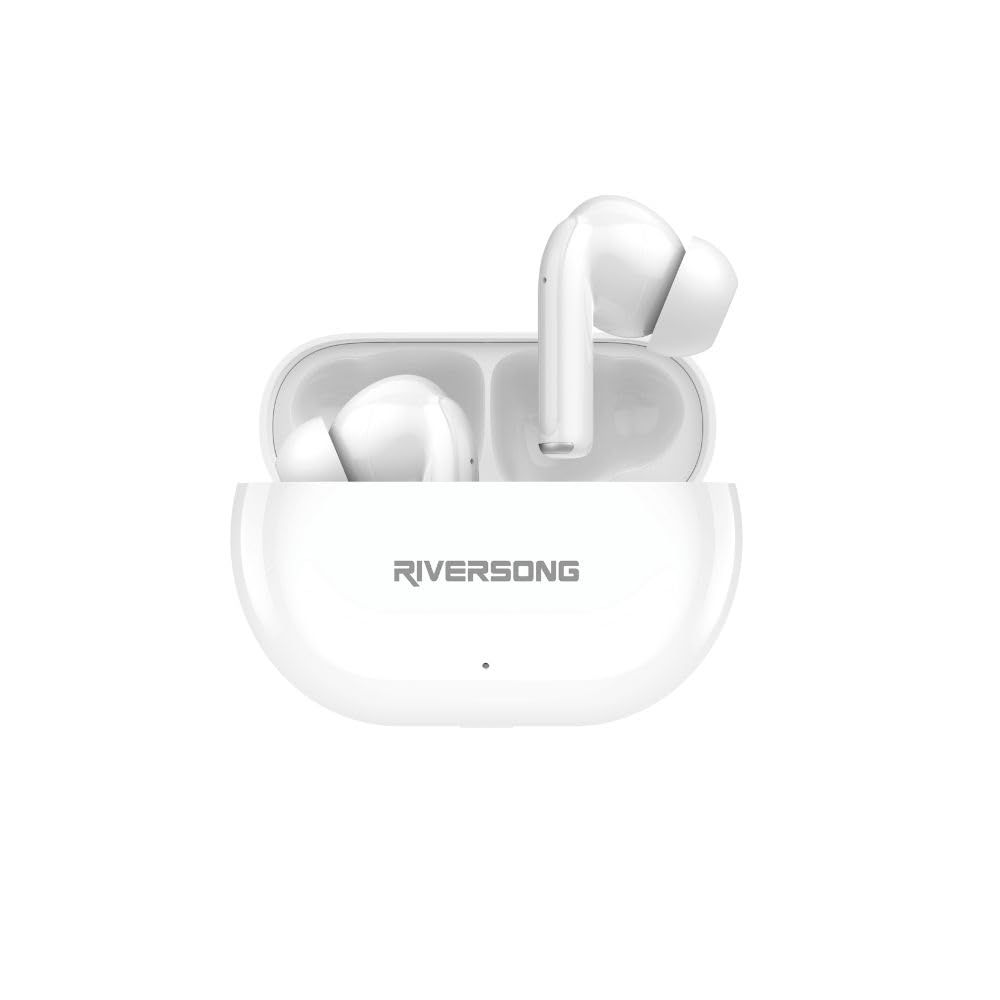
Imej 1: RIVERSONG Airfly L12 True Wireless Earbuds and Charging Case. This image displays both earbuds nestled within their compact charging case, illustrating their sleek white design.
Komponen Fon Telinga
- Kawasan Kawalan Sentuh: Untuk mengurus muzik, panggilan dan pembantu suara.
- mikrofon: Untuk panggilan dan arahan suara.
- Penunjuk LED: Shows connection and battery status.
- Mengecas Kenalan: Untuk pengecasan di dalam kes.
Charging Case Components
- Slot Pengecasan Earbud: Memegang dan mengecas fon telinga dengan selamat.
- Port Pengecasan: Port USB untuk mengecas bekas.
- Penunjuk LED Kes: Displays charging status and battery level of the case.
4. Persediaan
4.1 Mengecas Fon telinga dan Sarung
Sebelum penggunaan pertama, cas sepenuhnya kedua-dua fon telinga dan bekas pengecasan.
- Caskan Kes Pengecasan: Connect the provided USB charging cable to the charging port on the case and a USB power adapter (not included). The case LED indicator will show charging progress.
- Cas fon telinga: Place the earbuds into their respective slots in the charging case. Ensure the charging contacts align. The earbud LED indicators will light up to confirm charging.
A full charge typically takes approximately 1.5 hours for the earbuds and 2 hours for the charging case. The case provides up to 30 hours of total playtime.
4.2 Berpasangan dengan Peranti Anda
The Airfly L12 earbuds automatically enter pairing mode when removed from the charging case.
- Dayakan Bluetooth: Hidupkan Bluetooth pada telefon pintar anda atau peranti lain.
- Keluarkan Earbud: Buka bekas pengecasan dan keluarkan kedua-dua fon telinga. Mereka akan dihidupkan secara automatik dan cuba berpasangan antara satu sama lain.
- Select 'Airfly L12': On your device's Bluetooth settings, search for available devices and select 'Airfly L12'.
- Sahkan Sambungan: Once connected, the earbud LED indicators will turn off or flash slowly, and you will hear an audible confirmation.
Nota: If pairing fails, place the earbuds back into the case, close the lid, wait a few seconds, and then repeat the steps. The earbuds will automatically reconnect to the last paired device when removed from the case, if Bluetooth is enabled on the device.
5. Arahan Operasi
The Airfly L12 earbuds feature intuitive touch controls for various functions.
5.1 Hidupkan/Mati Kuasa
- Hidupkan kuasa: Buka bekas pengecas dan fon telinga akan dihidupkan secara automatik. Secara alternatif, tekan dan tahan kawasan kawalan sentuh pada kedua-dua fon telinga selama 3 saat.
- Matikan: Place the earbuds back into the charging case and close the lid. Alternatively, disconnect Bluetooth and the earbuds will power off after 5 minutes, or press and hold the touch control area on both earbuds for 5 seconds.
5.2 Kawalan Muzik
| Fungsi | Tindakan |
|---|---|
| Main/Jeda | Ketik sekali pada salah satu fon telinga |
| Trek Seterusnya | Ketik dua kali pada betul gegendang telinga |
| Trek Sebelumnya | Ketik dua kali pada kiri gegendang telinga |
| Kelantangan Naik | Ketik tiga kali pada betul gegendang telinga |
| Kelantangan Kurang | Ketik tiga kali pada kiri gegendang telinga |
5.3 Kawalan Panggilan
| Fungsi | Tindakan |
|---|---|
| Jawab/Tamatkan Panggilan | Ketik sekali pada salah satu fon telinga |
| Tolak Panggilan | Tekan dan tahan pada salah satu fon telinga selama 2 saat |
5.4 Pembantu Suara AI
Activate your device's AI voice assistant (Siri, Google Assistant, etc.) with a simple command.
- Aktifkan Pembantu Suara: Press and hold the touch control area on either earbud for 2 seconds (when not on a call).
6. Penyelenggaraan
Proper care ensures the longevity and performance of your Airfly L12 earbuds.
6.1 Pembersihan
- Gunakan kain lembut, kering dan tidak berbulu untuk membersihkan fon telinga dan bekas pengecas.
- Jangan gunakan bahan kimia yang keras, pelarut pembersih atau detergen yang kuat.
- Gently clean the charging contacts on both the earbuds and the case with a cotton swab to ensure good connection.
6.2 Penyimpanan
- Simpan fon telinga dalam bekas pengecasnya apabila tidak digunakan untuk melindunginya dan memastikan ia dicas.
- Avoid storing in extreme temperatures (hot or cold) or in highly humid environments.
7. Penyelesaian masalah
If you encounter issues with your Airfly L12 earbuds, refer to the following common solutions.
7.1 Earbuds Not Pairing with Device
- Pastikan Bluetooth didayakan pada peranti anda.
- Pastikan fon telinga dicas.
- Place earbuds back in the case, close the lid, then open and remove them to re-enter pairing mode.
- Forget 'Airfly L12' from your device's Bluetooth list and try pairing again.
7.2 Hanya Satu Fon Telinga yang Berfungsi
- Pastikan kedua-dua fon telinga dicas.
- Place both earbuds back into the charging case, close the lid, and then remove them simultaneously to allow them to re-sync with each other.
- If the issue persists, try resetting the earbuds (refer to the full reset instructions in the comprehensive manual if available, or contact support).
7.3 Isu Pengecasan
- Periksa sama ada kabel pengecasan disambungkan dengan selamat ke kedua-dua bekas dan sumber kuasa.
- Pastikan sesentuh pengecasan pada fon telinga dan bahagian dalam kotak bersih dan bebas daripada serpihan.
- Cuba gunakan kabel USB atau penyesuai kuasa yang lain.
7.4 Poor Sound Quality / Disconnections
- Pastikan fon telinga berada dalam julat Bluetooth peranti anda (biasanya 10 meter/33 kaki).
- Elakkan halangan fizikal antara fon telinga dan peranti anda.
- Semak gangguan daripada peranti wayarles lain.
- Pastikan fon telinga bersih dan bebas daripada pengumpulan tahi telinga.
8. Spesifikasi
Key technical specifications for the RIVERSONG Airfly L12 True Wireless Earbuds:
- Nama Model: RS.AIRFLYL12-EA572.WT
- Teknologi Ketersambungan: Wayarles (Bluetooth)
- Teknologi Komunikasi Tanpa Wayar: Bluetooth
- Kawalan Bunyi: Pembatalan Kebisingan Alam Sekitar (ENC)
- Peletakan Telinga: Di Telinga
- Faktor Bentuk: Di Telinga
- Kaedah Kawalan: Sentuh
- Tahap Rintangan Air: IPX5 (Kalis Peluh & Air)
- Berat Barang: 0.07 Kilogram
- Pengeluar: RIVERSONG
- Negara Asal: China
- Peranti Serasi: Smartphones, Tablets, Smart Speakers, Laptops, Desktops, Car Audio Systems
9. Waranti dan Sokongan
RIVERSONG products are designed and manufactured to the highest quality standards. For detailed warranty information, please refer to the warranty card included in your package or visit the official RIVERSONG webtapak.
If you require technical assistance or have questions regarding your Airfly L12 earbuds, please contact RIVERSONG customer support through their official website or the contact information provided in your product packaging. Please have your model number (RS.AIRFLYL12-EA572.WT) and proof of purchase ready when contacting support.