
1. Pengenalan
This manual provides essential information for setting up, operating, and maintaining your OnePlus Nord 5 smartphone. Please read this guide thoroughly to ensure optimal performance and longevity of your device.

Rajah 1: Depan dan belakang view of the OnePlus Nord 5 smartphone.
2. Kandungan Kotak
Upon unboxing your OnePlus Nord 5, verify that all the following items are included:
- OnePlus Nord 5 Smartphone
- Penyesuai Kuasa (80W)
- Kabel USB (Jenis-C)
- Ejector Dulang SIM
- Pelindung Skrin (yang telah dipasang atau di dalam kotak)
- Sarung Telefon
- Panduan Mula Pantas
- Kad Waranti
Video 1: Unboxing the OnePlus Nord 5 and reviewing its contents.

Rajah 2: Depan view of the OnePlus Nord 5.

Rajah 3: Belakang view of the OnePlus Nord 5.
3. Persediaan
3.1 Pemasangan Kad SIM
- Cari dulang SIM di sisi peranti.
- Masukkan alat ejektor SIM ke dalam lubang kecil di sebelah dulang dan tekan dengan kuat sehingga dulang terkeluar.
- Letakkan kad Nano-SIM anda ke dalam slot yang ditetapkan pada dulang. Pastikan sesentuh emas menghadap ke bawah.
- Masukkan semula dulang SIM dengan berhati-hati ke dalam telefon sehingga ia berbunyi klik pada tempatnya.
3.2 Kuasa Awal Hidup
Press and hold the Power button on the side of the device until the OnePlus logo appears. Follow the on-screen instructions to complete the initial setup, including language selection, Wi-Fi connection, and Google account setup.
4. Mengendalikan Peranti Anda
4.1 Prestasi
The OnePlus Nord 5 is equipped with the Snapdragon 8s Gen 3 processor and LPDDR5X RAM, designed for demanding applications and gaming. The device features a 7300mm² VC cooling system to maintain optimal temperatures during extended use.
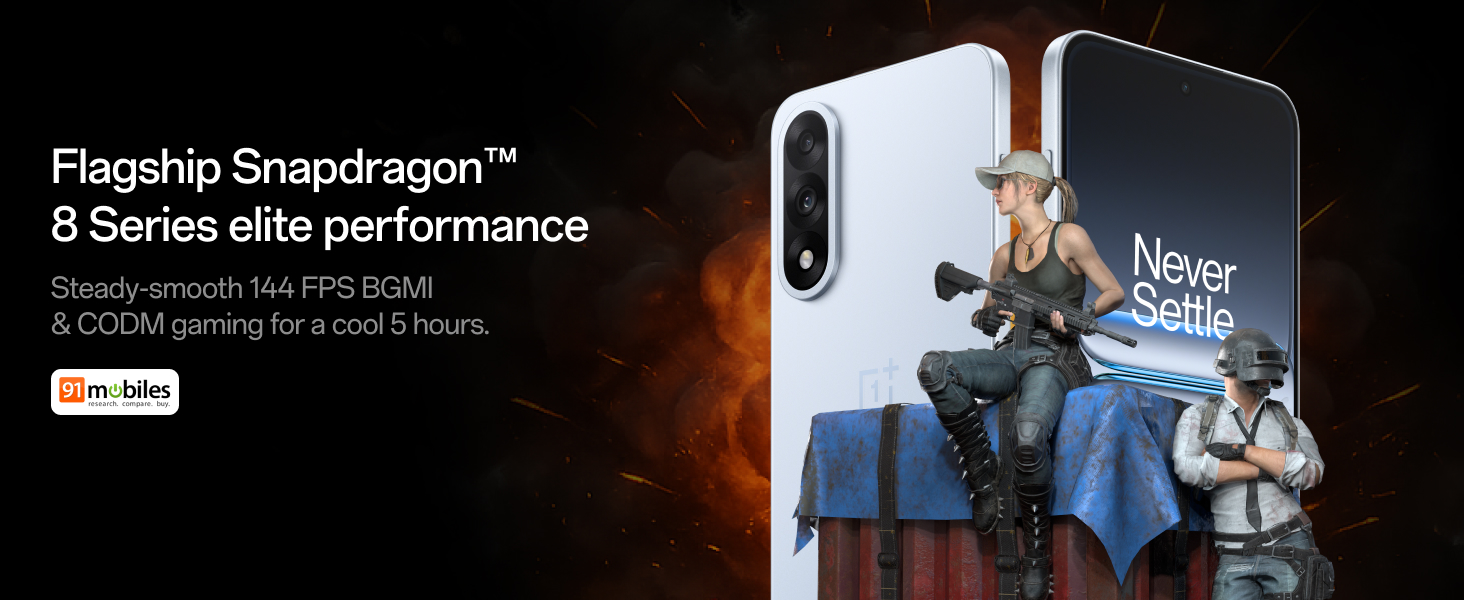
Figure 4: Snapdragon 8s Gen 3 processor for elite performance.
Video 2: Demonstration of gaming performance on the OnePlus Nord 5.
4.2 Ciri-ciri Kamera
The device features a dual 50MP camera system, including a 50MP front camera (ISOCELL JN5 with hardware autofocus) and a 50MP Sony LYT-700 back camera with Optical Image Stabilization (OIS). It supports 4K 60 FPS video capture.
AI Camera Enhancements:
- Pemadam AI: Removes unwanted objects or people from photos.
- AI Detail Boost: Meningkatkan kejelasan dan perincian imej.
- AI Unblur: Corrects blurry images.
- AI Reframe: Suggests improved compositions for photos.
- AI Perfect Shot: Adjusts facial expressions and corrects blinked eyes in group photos.

Figure 5: Dual 50MP camera system overview.

Figure 6: AI features for photo enhancement.
4.3 Bateri dan Pengecasan
The OnePlus Nord 5 features a 6800 mAh battery and supports 80W ultra-fast charging. It also includes an all-new Bypass Charging feature, which powers the phone directly from the charger during gaming to reduce heat and maintain performance.

Figure 7: Illustration of Bypass Charging technology.
4.4 Paparan
Experience visuals on a 144Hz 1.5K AMOLED display with Aqua Touch 2.0 technology, offering a resolution of 2800 x 1272 pixels and up to 1400 nits brightness. Aqua Touch 2.0 improves touch responsiveness, even with wet or oily fingers.

Figure 8: Details of the 144Hz AMOLED display.
4.5 Ciri AI
The OnePlus Nord 5 integrates various AI functionalities to enhance user experience:
- AI Voice Scribe: Transcribe, translate, and summarize meetings or content.
- Bulatan untuk Carian: Quickly search for information by circling content on your screen.
- Gemini Secara Langsung: An AI assistant for queries and information.
- Carian AI: Intuitively understands natural language prompts for searching device content.

Figure 9: AI VoiceScribe interface.
4.6 Multitasking with Open Canvas
The Open Canvas feature allows for enhanced split-screen multitasking, enabling flexible resizing of applications and drag-and-drop functionality between apps. This improves productivity by extending split-screen capabilities beyond physical display limits.
Video 3: Demonstration of multitasking features on the OnePlus Nord 5.

Figure 10: Open Canvas for advanced multitasking.
4.7 Ketersambungan
The Nord 5 supports 5G-Advanced networking, offering faster internet speeds and improved signal stability, particularly in congested areas.

Figure 11: 5G-Advanced network features.
Perisian 4.8
The device runs on OxygenOS 15, based on Android 15. It is guaranteed to receive 4 Android version upgrades and 6 years of security updates, ensuring long-term software support and system smoothness.
5. Penyelenggaraan
- Kemas Kini Perisian: Regularly install system updates to ensure optimal performance, security, and access to new features.
- Penjagaan Bateri: To prolong battery life, avoid extreme temperatures and frequent full discharges. The device includes a 4-year healthy battery promise.
- Pembersihan: Gunakan kain lembut dan tidak berbulu untuk membersihkan skrin dan badan. Elakkan bahan yang melelas atau bahan kimia yang keras.
- Pengurusan Storan: Kosongkan secara berkala yang tidak perlu filedan aplikasi untuk mengekalkan kelajuan peranti dan mengosongkan ruang storan.
6. Penyelesaian masalah
If you encounter issues with your OnePlus Nord 5, consider the following general troubleshooting steps:
- Mulakan semula Peranti: Mula semula yang mudah boleh menyelesaikan banyak gangguan perisian kecil.
- Semak Kemas Kini: Pastikan perisian peranti anda dikemas kini.
- Kosongkan Cache: Untuk isu khusus aplikasi, cuba kosongkan cache aplikasi dalam Tetapan.
- Tetapan semula kilang: Sebagai pilihan terakhir, tetapan semula kilang boleh menyelesaikan masalah perisian yang berterusan. Amaran: Ini akan memadamkan semua data pada peranti anda. Sandarkan maklumat penting sebelum meneruskan.
- Hubungi Sokongan: If the issue persists, refer to the support section for contact information.
7. Spesifikasi
| Ciri | Perincian |
|---|---|
| Sistem Operasi | Android 15, OxygenOS 15 |
| Pemproses | Snapdragon 8s Gen 3 (CPU Speed: 2, 2.8, 3 GHz) |
| RAM | 12 GB (as per current model) |
| Paparan | 144Hz 1.5K AMOLED, 2800 x 1272 Resolution |
| Kamera Belakang | 50MP Sony LYT-700 with OIS |
| Kamera Depan | 50MP ISOCELL JN5 with Autofocus |
| Bateri | 6800 mAh, Pengecasan Pantas 80W |
| Ketersambungan | 5G-Advanced, Bluetooth, NFC, USB, Wi-Fi |
| Dimensi | 16.41 x 7.7 x 0.81 cm |
| Berat badan | 211 g |
| Nombor Model | CPH2707 |
| Pengeluar | Oppo Mobiles India Private Limited |
8. Waranti dan Sokongan
The OnePlus Nord 5 comes with a Lifetime Display Warranty, covering green line issues. For detailed terms and conditions, please refer to the official OnePlus website or the warranty card included in the box.

Figure 12: Lifetime Display Warranty information.
For customer service and technical support, you can contact OnePlus using the following information:
- Customer Service Contact Number: 1800 102 8411
- Sokongan WhatsApp: +91-9289606888
- Alamat Pengilang: PLOT-NO.1, SECTOR ECOTECH-VII, GREATER, NOIDA, UTTAR PRADESH, India-201306