
Insignia NS-24F201CA26
Insignia NS-24F201CA26 24-inch 720p HD HDR LED Fire TV Smart TV User Manual
Model: NS-24F201CA26
pengenalan
Terima kasih kerana membeliasing the Insignia NS-24F201CA26 24-inch 720p HD HDR LED Fire TV Smart TV. This manual provides essential information for the safe and efficient use of your television. Please read these instructions thoroughly before operating your new TV and retain them for future reference.
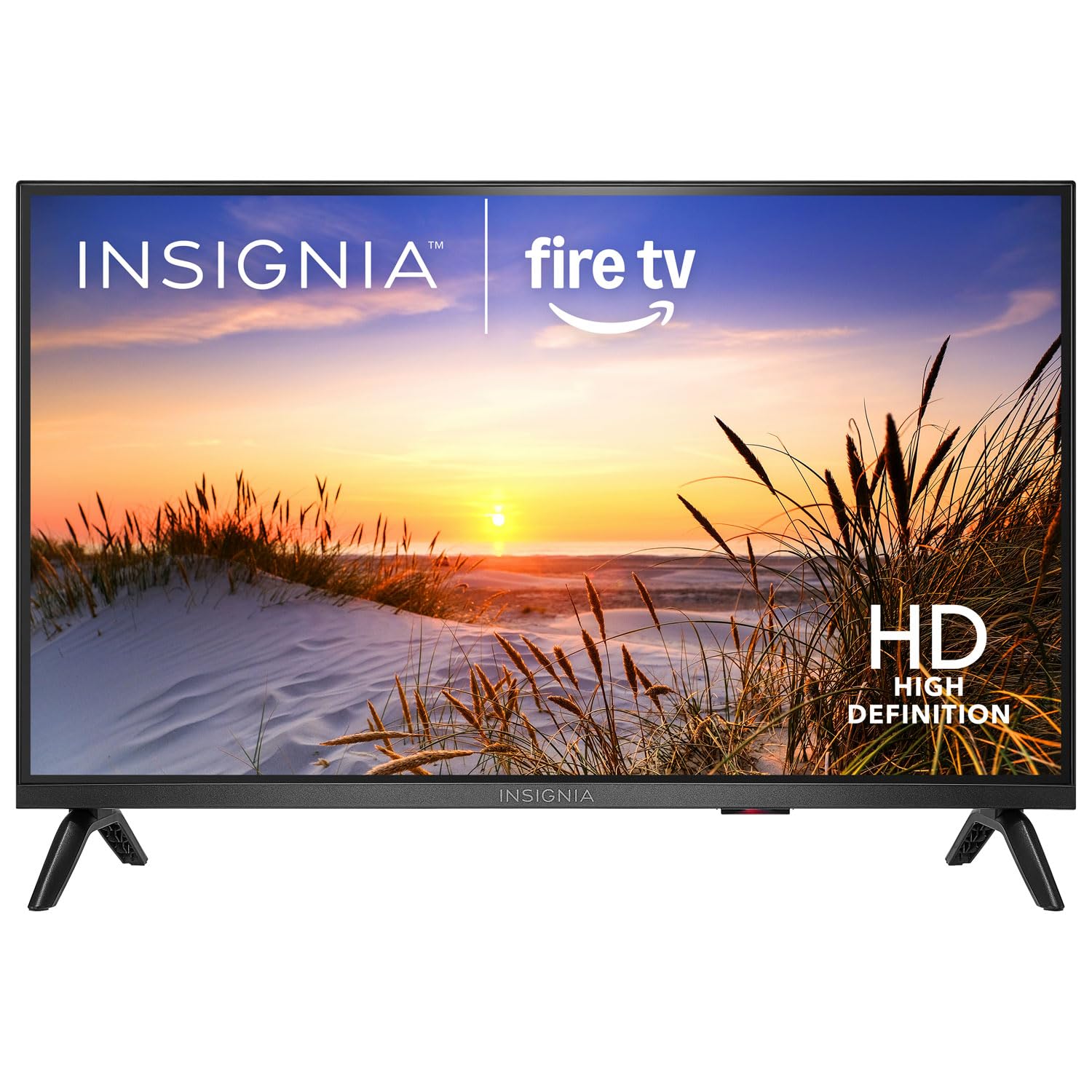
Imej: Depan view of the Insignia NS-24F201CA26 24-inch Fire TV Smart TV, showcasing its slim bezel and screen.
Maklumat Keselamatan Penting
Sentiasa ikuti langkah berjaga-jaga keselamatan asas ini semasa menggunakan televisyen anda untuk mengurangkan risiko kebakaran, kejutan elektrik dan kecederaan:
- Jangan dedahkan TV kepada hujan atau lembapan.
- Do not open the TV cabinet. Refer all servicing to qualified service personnel.
- Pastikan pengudaraan yang betul. Jangan sekat bukaan pengudaraan.
- Lindungi kord kuasa daripada berjalan atau tersepit.
- Cabut palam TV semasa ribut petir atau apabila tidak digunakan untuk tempoh yang lama.
- Jauhkan TV daripada sumber haba seperti radiator, daftar haba, dapur atau peralatan lain yang menghasilkan haba.
- Gunakan hanya lampiran/aksesori yang ditentukan oleh pengilang.
Apa yang ada dalam Kotak
Carefully unpack your new product and ensure all items are present:
- Insignia NS-24F201CA26 24-inch Fire TV Smart TV
- Suara Jauh dengan Alexa
- Bateri AAA (2)
- Kord Kuasa
- Stand TV (2 keping)
- Skru untuk Kaki TV
- Panduan Persediaan Pantas
- Important Safety Information Sheet
Persediaan
1. Attaching the Stand or Wall Mounting
You can either attach the included stand or mount the TV to a wall. If wall mounting, refer to the instructions provided with your wall mount kit. For stand attachment:
- Place the TV face-down on a clean, cushioned surface to prevent screen damage.
- Sejajarkan kepingan penyangga dengan lubang skru di bahagian bawah TV.
- Pasangkan setiap bahagian penyangga dengan skru yang disediakan. Pastikan ia diketatkan dengan kuat.
Image Description: An illustration showing the process of attaching the two stand feet to the bottom of the television using screws. (Specific image not available in provided data)
2. Menghubungkan Peranti
Connect your external devices (e.g., cable box, Blu-ray player, gaming console) to the TV's HDMI ports. The TV has 2 HDMI ports.
- HDMI: Untuk video dan audio definisi tinggi.
- USB: Untuk menyambungkan peranti storan USB.
- Antena/Kabel: Untuk menyambungkan antena atau suapan TV kabel.
- Audio Digital Optik Keluar: Untuk menyambung ke bar bunyi atau penerima audio.
- Kuasa: Sambungkan kord kuasa ke TV dan kemudian ke saluran keluar dinding.
Image Description: A diagram illustrating the various input/output ports on the back of the television, including HDMI, USB, and power connections. (Specific image not available in provided data)
3. Kuasa Awal Hidup dan Persediaan Kali Pertama
- Palamkan kord kuasa ke salur keluar elektrik.
- Tekan ke KUASA butang pada alat kawalan jauh.
- Follow the on-screen instructions to complete the initial setup, which includes selecting your language, connecting to a Wi-Fi network, and signing in to your Amazon account for Fire TV features.
Mengendalikan TV Anda
Kawalan Jauh Lebihview
The included Voice Remote with Alexa allows you to navigate the Fire TV interface, control playback, and use voice commands.
Image Description: A detailed diagram of the Voice Remote with Alexa, highlighting each button and its function. (Specific image not available in provided data)
- Butang Kuasa: Menghidupkan atau mematikan TV.
- Butang Suara (Alexa): Tekan dan tahan untuk mengaktifkan arahan suara Alexa.
- Cincin Navigasi: Gunakan untuk bergerak melalui menu dan memilih item.
- Butang rumah: Kembali ke skrin utama Fire TV.
- Butang Belakang: Kembali ke skrin sebelumnya.
- Kelantangan Naik/Turun: Melaraskan kelantangan TV.
- Butang Bisukan: Membisukan atau menyahredamkan bunyi.
- Butang Apl: Quick access to popular streaming apps.
Fungsi Asas
- Hidupkan/Mati Kuasa: Tekan ke KUASA butang pada alat kawalan jauh.
- Kawalan Kelantangan: Gunakan VOL+ or VOL - butang.
- Pemilihan Input: From the Fire TV home screen, navigate to the "Inputs" section to switch between HDMI inputs, live TV, or other sources.
Smart TV Features (Fire TV)
Your Insignia Fire TV provides access to a vast library of streaming content, apps, and live TV options.
- Skrin Utama: Displays recommended content, recently used apps, and input options.
- Apl: Download and manage streaming applications from the Amazon Appstore.
- Kawalan Suara Alexa: Press and hold the Voice button on your remote and speak commands to search for content, launch apps, control smart home devices, and more.
Kawalan Ibu Bapa
To manage content access for children, you can set up parental controls:
- From the Fire TV home screen, navigate to tetapan.
- Pilih Keutamaan, kemudian Kawalan Ibu Bapa.
- Follow the on-screen prompts to enable parental controls and set a PIN. You can restrict purchases, app launches, and content based on ratings.
Penyelenggaraan
Membersihkan Skrin
- Sentiasa cabut plag TV sebelum membersihkan.
- Gunakan kain lembut yang tidak berbulu dampdiisi dengan air atau pembersih skrin khusus.
- Wipe the screen gently. Do not apply excessive pressure.
- Never use abrasive cleaners, waxes, or solvents.
Penjagaan Am
- Simpan TV di kawasan yang mempunyai pengudaraan yang baik.
- Elakkan meletakkan objek di atas TV.
- Jangan dedahkan TV kepada cahaya matahari langsung atau suhu yang melampau.
Menyelesaikan masalah
Sebelum menghubungi sokongan, cuba penyelesaian biasa ini:
| Masalah | Penyelesaian yang Mungkin |
|---|---|
| Tiada kuasa | Pastikan kord kuasa dipasang dengan selamat ke dalam TV dan salur keluar elektrik yang berfungsi. Cuba outlet lain. |
| Tiada gambar, tetapi bunyi hadir | Semak sumber input. Pastikan peranti yang disambungkan dihidupkan dan berfungsi dengan betul. |
| Tiada bunyi, tetapi ada gambar | Check the volume level and ensure the TV is not muted. Verify audio cables are connected correctly. |
| Alat kawalan jauh tidak berfungsi | Replace the batteries (2 AAA batteries). Ensure there are no obstructions between the remote and the TV. |
| Tidak dapat menyambung ke Wi-Fi | Ensure your Wi-Fi router is on and within range. Re-enter the Wi-Fi password. Restart the TV and router. |
Spesifikasi
| Ciri | Perincian |
|---|---|
| Nombor Model | NS-24F201CA26 |
| Saiz Skrin | 24 inches (Display Size Class) |
| Resolusi | 720p HD |
| Teknologi Paparan | LED |
| Kadar Segar Semula | 60 Hz |
| Picture Quality Enhancement | HDR |
| Sistem Operasi | FireOS |
| Teknologi Ketersambungan | Wi-Fi |
| Jumlah Port HDMI | 2 |
| Dimensi Produk (D x W x H) | 17.7D x 53.7W x 36.3H cm (with stand) |
| Wattage | 35 W |
| Bateri Diperlukan | 2 AAA (termasuk untuk alat kawalan jauh) |
| Ciri Khas | Parental Controls, Smart Home Compatible |
Waranti dan Sokongan
This Insignia product is covered by a limited warranty. For specific warranty terms and conditions, please refer to the warranty card included with your product or visit the official Insignia webtapak.
For technical support, troubleshooting assistance, or service inquiries, please contact Insignia Customer Support. Contact information can typically be found on the manufacturer's website or in the quick setup guide.
- Sokongan dalam talian: melawat www.insigniaproducts.com/support (cthamppautan le, pautan sebenar mungkin berbeza-beza).
- Sokongan Telefon: Refer to your product documentation for regional phone numbers.
Ask a question about this manual
Ask about setup, troubleshooting, compatibility, parts, safety, or missing instructions. Manuals+ will review the question and use this page’s manual context to help answer it.