
1. Produk Lebihview
This manual provides detailed instructions for the installation, operation, and maintenance of your Jufodrca Android 13 Car Radio. This advanced car stereo system features a 9-inch IPS touchscreen, Android 13 operating system, 4GB RAM, 64GB storage, wireless CarPlay and Android Auto, 5G WiFi, Bluetooth 5.4, GPS navigation, DSP audio processing, steering wheel control compatibility, and a 1080P backup camera.
Ciri-ciri Utama:
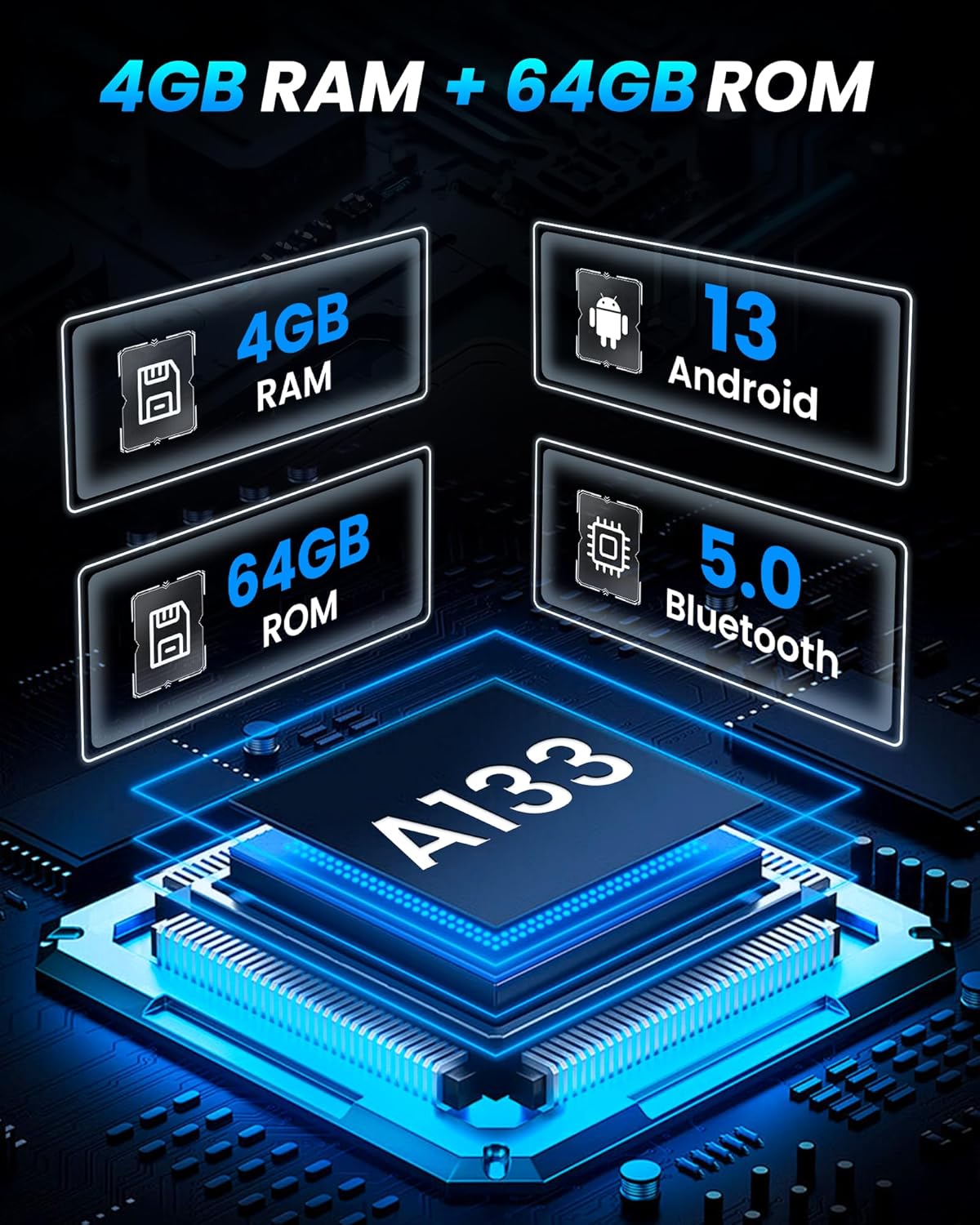
- OS Android 13: Powered by Android 13 with 4GB RAM and 64GB internal storage for smooth performance and ampruang le.
- 9-Inch HD IPS Touchscreen: 1280x800 QLED IPS display with a 178° wide viewing angle and anti-glare technology.
- CarPlay Wayarles & Android Auto: Seamless integration with your smartphone for navigation, music, and calls via voice control.
- Dual-band 2.4G/5G WiFi & Bluetooth 5.4: Fast and stable wireless connectivity for internet access and device pairing.
- Navigasi GPS terbina dalam: Supports real-time 3D navigation and offline maps (Google Maps pre-installed).
- Premium DSP Audio: 32-band DSP EQ for enhanced sound quality and customizable audio experience.
- 1080P Backup Camera: Includes a waterproof rear-view camera with 170° wide-angle lens and night vision.
- Kawalan Roda Stereng (SWC): Manage calls, music, and navigation directly from your steering wheel.
- Mod Skrin Terpisah: View navigation and media simultaneously for enhanced multitasking.
2. Keserasian Kenderaan
This Jufodrca car radio is designed for specific Chevrolet and GMC models from 2007 to 2014. Please verify your vehicle's make, model, and trim level for proper fitment before installation.
Kenderaan yang Serasi:
- GMC Yukon/Yukon XL: 2007-2014 (SLE/SLT/Denali trims)
- Chevrolet Tahoe/Suburban: 2007-2014 (LS/LT/LTZ trims)
- GMC Sierra: 2007-2013 (DenaliT trims)
- Chevrolet Silverado: 1500/2500HD/3500HD 2007-2013 (LTZ trims)

3. Persediaan dan Pemasangan
The Jufodrca Android 13 Car Radio is designed for a direct fit in compatible vehicles. Professional installation is recommended to ensure correct wiring and functionality. The unit comes with a dashboard mount for integration.
Langkah Pemasangan (Umum):
- Penyediaan: Putuskan sambungan bateri kenderaan sebelum memulakan sebarang kerja elektrik.
- Keluarkan Unit Lama: Carefully remove the existing car radio and dashboard trim.
- Sambungan Pendawaian: Connect the new car radio's wiring harness to the vehicle's harness. Ensure all connections for power, speakers, antenna, and accessories (like the backup camera and steering wheel controls) are secure.
- Pemasangan: Secure the Jufodrca car radio into the dashboard using the provided mounting hardware.
- Kefungsian Ujian: Reconnect the battery and test all functions of the new radio, including audio, touchscreen, GPS, Bluetooth, and camera.
- Pasang semula: Pasang semula pemangkas papan pemuka.
4. Arahan Operasi
4.1 Sistem Android 13
The car radio operates on Android 13, providing a familiar smartphone-like interface. Navigate through apps, settings, and media using the responsive 9-inch touchscreen. The 4GB RAM ensures smooth multitasking, while 64GB storage allows for extensive app and media storage.
4.2 CarPlay Wayarles & Android Auto
Connect your iPhone or Android smartphone wirelessly to access navigation, music, calls, and messages directly on the car radio's display. Use voice commands via Siri or Google Assistant for hands-free operation, enhancing driving safety.

4.3 5G WiFi & Bluetooth 5.4
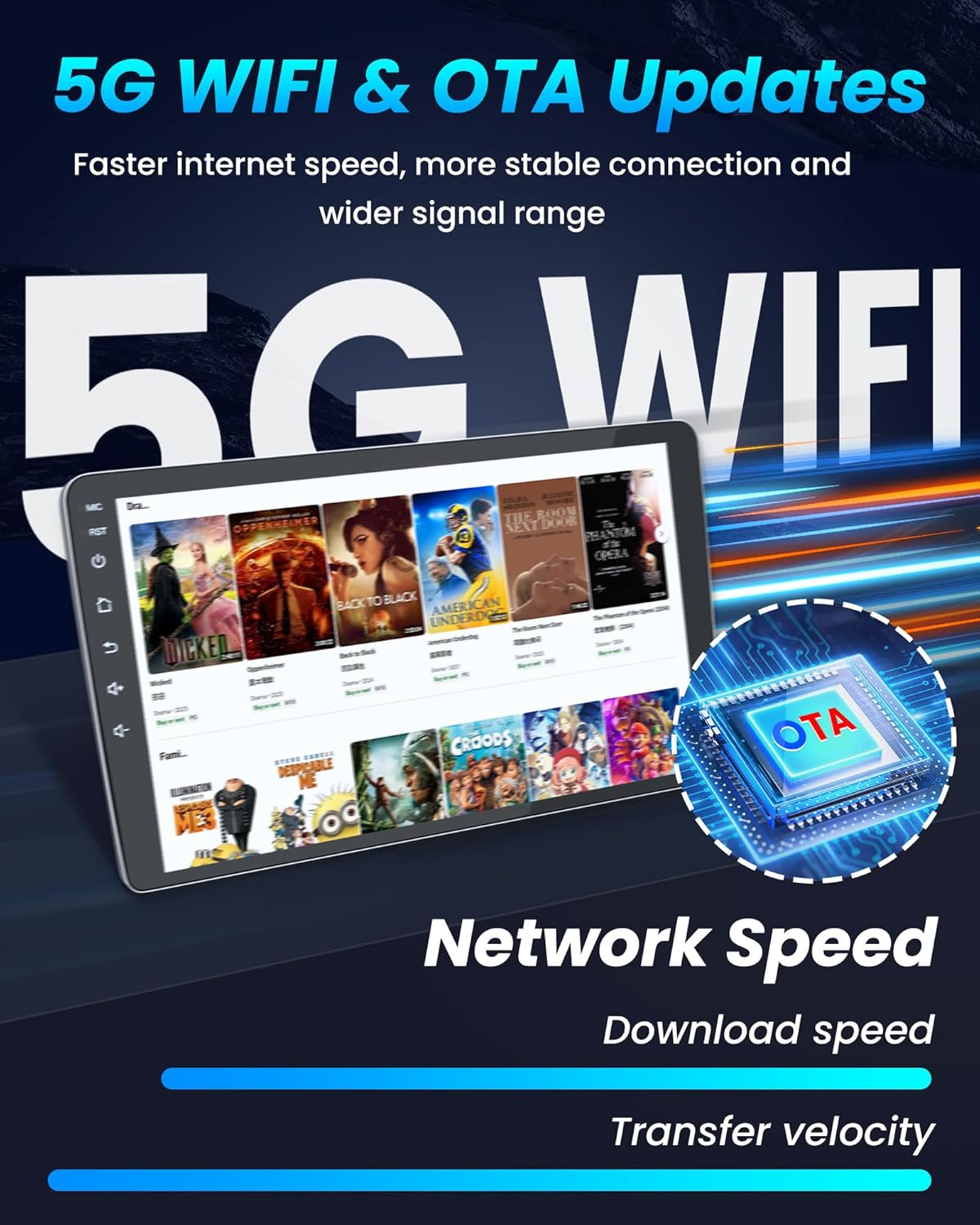
The integrated dual-band 2.4G/5G WiFi module allows for fast internet access, enabling streaming from apps like YouTube, Spotify, and Netflix. Bluetooth 5.4 ensures quick pairing with your devices for hands-free calls and audio streaming with A2DP support.
4.4 Navigasi GPS
The built-in GPS module supports real-time 3D navigation. Pre-installed Google Maps allows for offline map usage, ensuring accurate guidance even without an internet connection. The system supports BeiDou, GLONASS, and GPS satellite navigation systems.

4.5 DSP Audio Experience
Customize your audio output with the 32-band Digital Signal Processor (DSP) equalizer. Adjust sound fields, stereo sound enhancement, bass, and sound filters to achieve optimal sound quality through your vehicle's factory speakers.

4.6 9-Inch HD IPS Touchscreen
The 1280x800 QLED IPS display provides clear visuals with vibrant colors and a wide 178° viewing angle. Anti-glare technology ensures readability even in direct sunlight. The capacitive touchscreen offers smooth and responsive operation.
4.7 Kawalan Roda Stereng (SWC)
Connect your vehicle's existing steering wheel controls to the car radio. This allows you to manage audio volume, track selection, answer/end calls, and navigate menus without taking your hands off the steering wheel, promoting safer driving.

4.8 1080P Backup Camera
The included 1080P waterproof rear-view camera provides a clear, wide-angle (170°) view of the area behind your vehicle. It automatically displays the rearview mirror image on the screen when you engage reverse gear, assisting with parking and maneuvering in various lighting conditions.

4.9 Radio FM
The built-in FM radio tuner provides clear reception and allows you to save up to 18 preset stations. Stay updated with news, traffic, and enjoy your favorite music channels.
4.10 Split-screen Mode
Gunakan ciri skrin pisah untuk menjalankan dua aplikasi secara serentak. Contohnyaample, awak boleh view navigation on one side of the screen while controlling music playback or browsing the web on the other, optimizing your in-car experience.

5. Spesifikasi
| Ciri | Spesifikasi |
|---|---|
| Jenama | Jufodrca |
| Sistem Operasi | Android 13 |
| RAM | 4GB |
| Kapasiti Penyimpanan Memori | 64 GB |
| Saiz Skrin | 9 Inci |
| Jenis Paparan | IPS |
| Jenis Skrin Sentuh | Kapasitif |
| Resolusi Paparan | 1280*800P |
| Teknologi Ketersambungan | Bluetooth, USB, Wi-Fi (2.4G/5G) |
| Versi Bluetooth | 5.4 |
| Sokongan GPS | Built-in GPS, supports BeiDou, GLONASS, GPS |
| Mod Keluaran Audio | Stereo with 32-band DSP EQ |
| Input Antara Muka Manusia | Touchscreen, App, Voice |
| Komponen yang Disertakan | Dashboard Mount, 1080P Backup Camera |
| Berat Barang | 2.25 Kilogram |
| UPC | 750880901835 |
6. Penyelenggaraan
To ensure the longevity and optimal performance of your Jufodrca car radio, follow these general maintenance guidelines:
- Pembersihan Skrin: Gunakan kain lembut dan tidak berbulu untuk mengelap skrin sentuh dengan lembut. Untuk calitan degil, sedikit dampen kain dengan air atau pembersih selamat skrin. Elakkan bahan kimia yang keras atau bahan yang melelas.
- Kemas Kini Perisian: Periodically check for and install available software updates (OTA updates) to ensure the system runs efficiently and securely.
- Keadaan Persekitaran: Elakkan daripada mendedahkan unit kepada suhu yang melampau, cahaya matahari langsung untuk tempoh yang lama, atau kelembapan yang berlebihan.
- Sambungan Kabel: Ensure all cables are securely connected and free from damage. Loose connections can lead to intermittent issues.
7. Penyelesaian masalah
If you encounter issues with your Jufodrca car radio, refer to the following common troubleshooting steps:
- Tiada Kuasa: Check the vehicle's fuse box and the radio's power connections. Ensure the battery is properly connected.
- Tiada Bunyi: Verify speaker connections, check volume levels, and ensure the audio source is correctly selected. Check DSP settings for any muted channels or extreme EQ settings.
- Skrin sentuh Tidak Responsif: Try restarting the unit. If the issue persists, a factory reset might be necessary (note: this will erase personal data).
- GPS Tidak Berfungsi: Pastikan antena GPS dipasang dengan betul dan mempunyai jelas view of the sky. Check GPS settings within the Android system.
- Isu Kesambungan Bluetooth/WiFi: Ensure Bluetooth/WiFi is enabled on both the car radio and your device. Try unpairing and re-pairing devices. Check for interference from other electronic devices.
- CarPlay/Android Auto Tidak Bersambung: Ensure your phone's operating system is up to date. Check the connection settings on both the car radio and your phone. Try using a different USB cable if connecting via wired method.
- Kamera Sandaran Tidak Dipaparkan: Check the camera's power and video signal connections. Ensure the vehicle is in reverse gear.
For persistent issues not resolved by these steps, please contact Jufodrca customer support.
8. Waranti dan Sokongan
Your Jufodrca car radio is covered by a manufacturer's warranty. Please refer to the warranty card included with your product for specific terms and conditions, including warranty duration and coverage details.
For technical assistance, troubleshooting, or warranty claims, please contact Jufodrca customer support through the retailer where the product was purchased or visit the official Jufodrca webtapak untuk maklumat hubungan.