
ZIBOO FT-1000W
ZIBOO FT-1000W Solar Panel Tester MPPT Meter Instruction Manual
Model: FT-1000W | Brand: ZIBOO
1. Pengenalan
The ZIBOO FT-1000W Solar Panel Tester MPPT Meter is a professional-grade device designed for evaluating the performance of photovoltaic (PV) modules. It accurately measures maximum power (Pmax), open-circuit voltage (Voc), and short-circuit current (Isc), making it an essential tool for R&D, manufacturing, and field maintenance of solar systems.
1.1. Kandungan Pakej
Selepas membuka bungkusan, pastikan semua item berikut ada:
- 1x ZIBOO FT-1000W Solar Panel Tester MPPT Meter
- 1x Special Test Lead (MC4 connectors)
- 1x Manual Pengguna
- 1x Beg Pembawa
- 1x Tali
- 2x Special Interface Wrench Tools

Figure 1: All items included in the ZIBOO FT-1000W package.
2. Ciri-ciri Utama
- Professional-Grade PV Testing: Measures maximum power (Pmax) up to 1000W, open-circuit voltage (Voc: 12-80V), and short-circuit current (Isc: 35A) with ±0.8% accuracy.
- MPPT Efficiency Optimization: Tracks Vmp (80V) & Amp (35A) in real-time to identify panel degradation or shading issues.
- Industrial Safety & Durability: Rated CAT III 1000V/CAT IV 600V with double-insulated probes, meeting IEC/EN 61010 standards.
- Smart Data Management: Features data hold and a backlit LCD for reading values in various environments.
- Reka Bentuk Mesra Pengguna: Auto-ranging simplifies operation, while IP54 dust/water resistance and low-power auto-off ensure reliability.
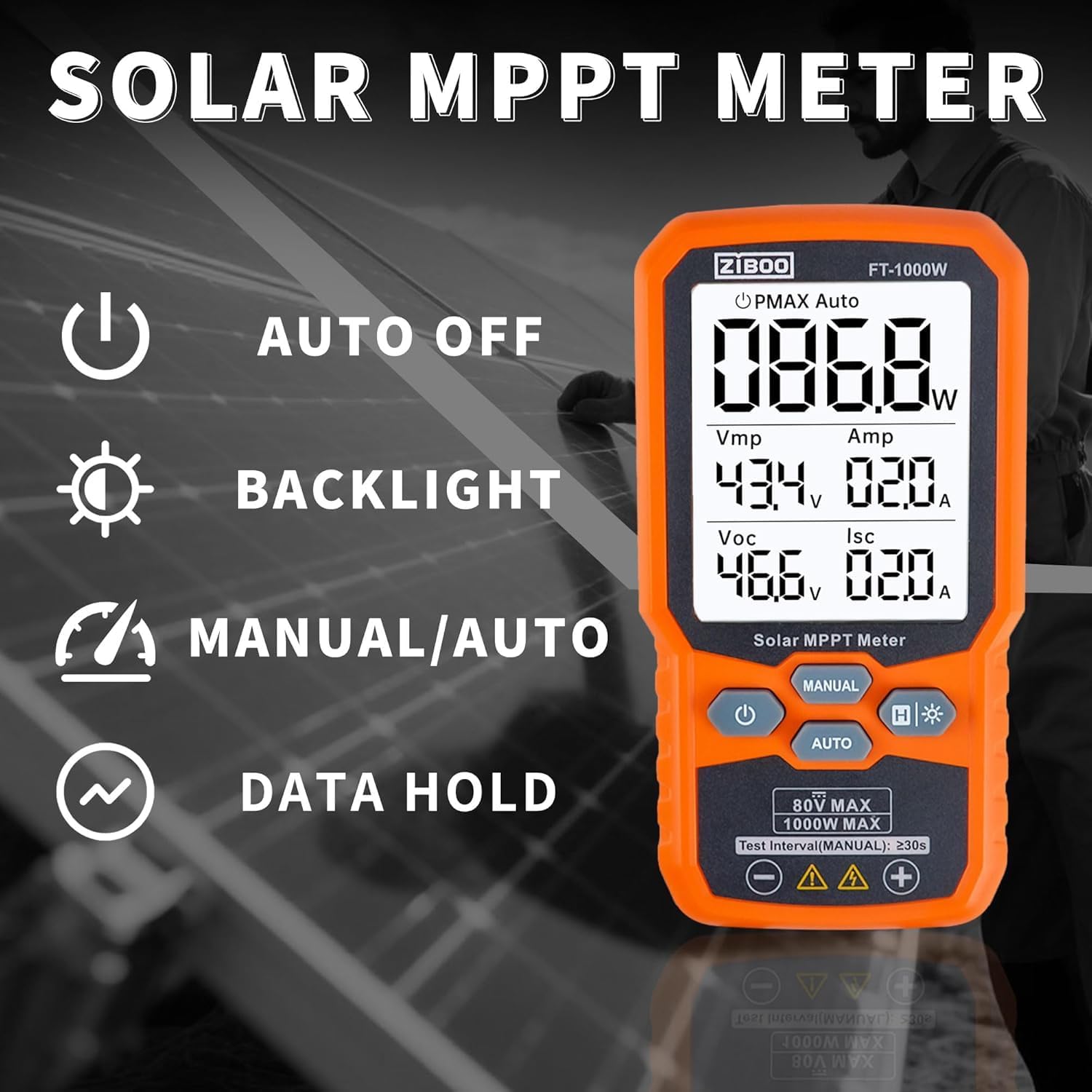
Gambar 2: Lebihview of the ZIBOO FT-1000W's operational features.
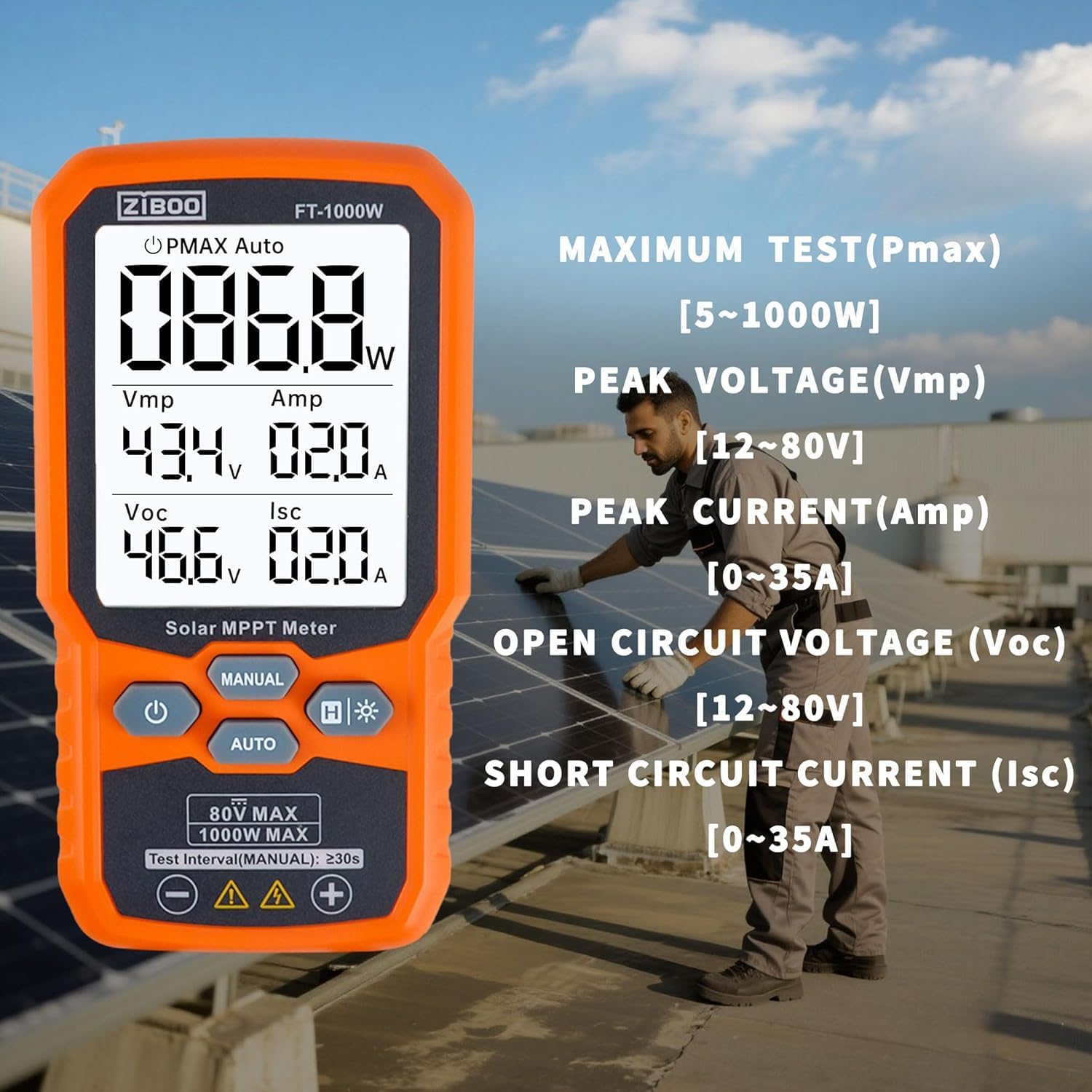
Figure 3: Detailed display of test parameters on the ZIBOO FT-1000W.
3. Spesifikasi Teknikal
| Parameter | Nilai |
|---|---|
| Kuasa Maksimum (Pmax) | 1000 Watt |
| Litar Terbuka Voltage (Voc) | 12-80V |
| Arus Litar Pendek (Isc) | 35A |
| Kuasa Puncak Voltage (Vmp) | 80V |
| Peak Power Current (Amp) | 35A |
| Ketepatan | ±0.8% |
| Penilaian Keselamatan | CAT III 1000V/CAT IV 600V, IEC/EN 61010 |
| Dimensi | 5.51"L x 2.99"W x 1.26"H |
| Berat Barang | 10.4 auns |
| bahan | Aluminium, Silikon Monocrystalline, Kaca Terbaja |
| Sumber Kuasa | 3x Bateri AAA (tidak termasuk) |

Figure 4: Product dimensions of the ZIBOO FT-1000W.
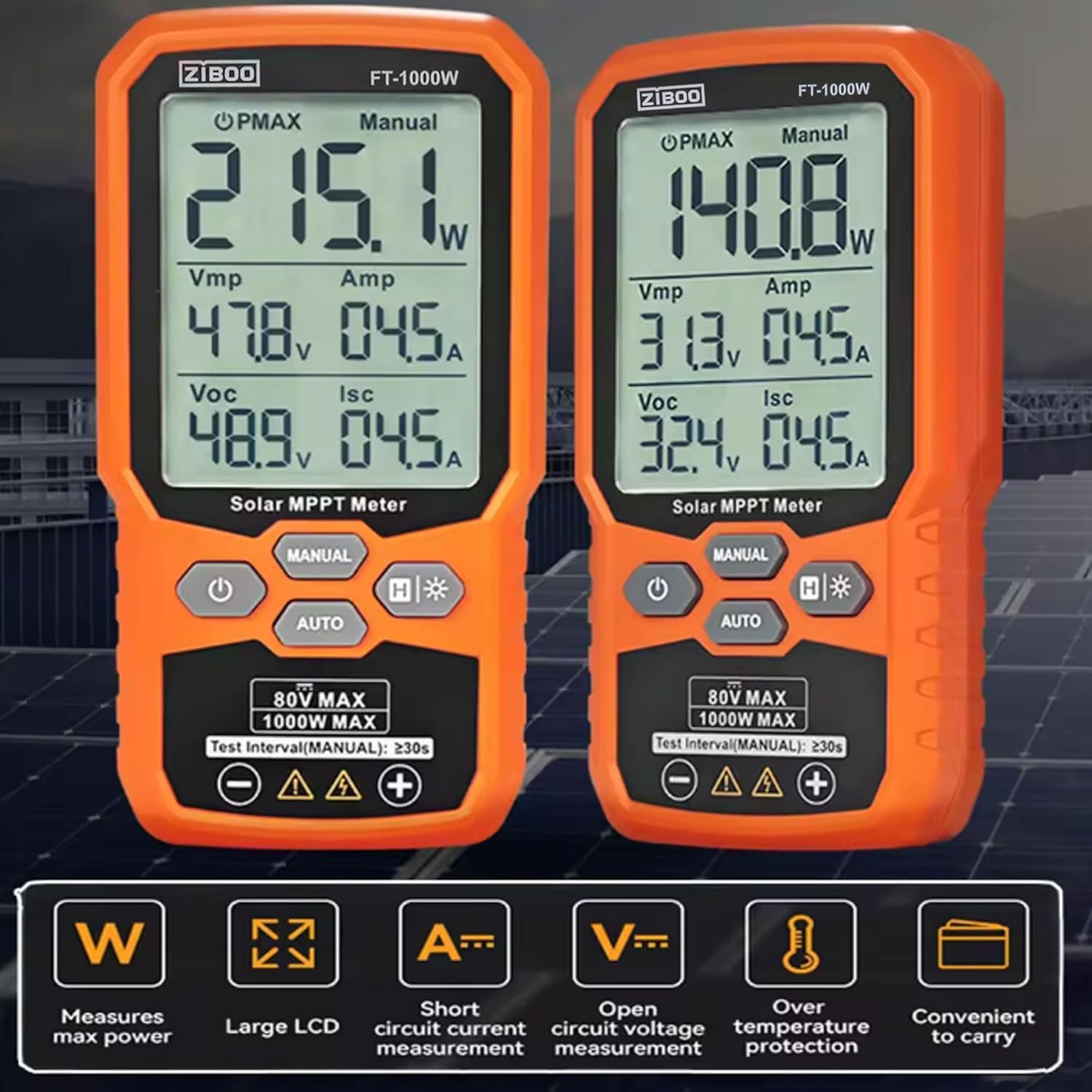
Figure 5: Comparison of FT-1000W and FT-2000W models.
4. Persediaan
4.1. Pemasangan Bateri
- Cari petak bateri di belakang meter.
- Gunakan pemutar skru kecil untuk membuka penutup bateri.
- Insert 3x AAA batteries, ensuring correct polarity (+/-).
- Gantikan penutup bateri dan kencangkannya dengan skru.
4.2. Menghubungkan Petunjuk Ujian
The ZIBOO FT-1000W comes with special MC4 test leads for direct connection to solar panels.
- Connect the red test lead to the positive (+) input terminal on the meter.
- Connect the black test lead to the negative (-) input terminal on the meter.
- Ensure the MC4 connectors on the test leads are securely attached to the corresponding connectors on your solar panel or array.

Figure 6: Standard MC4 Test Leads included with the meter.
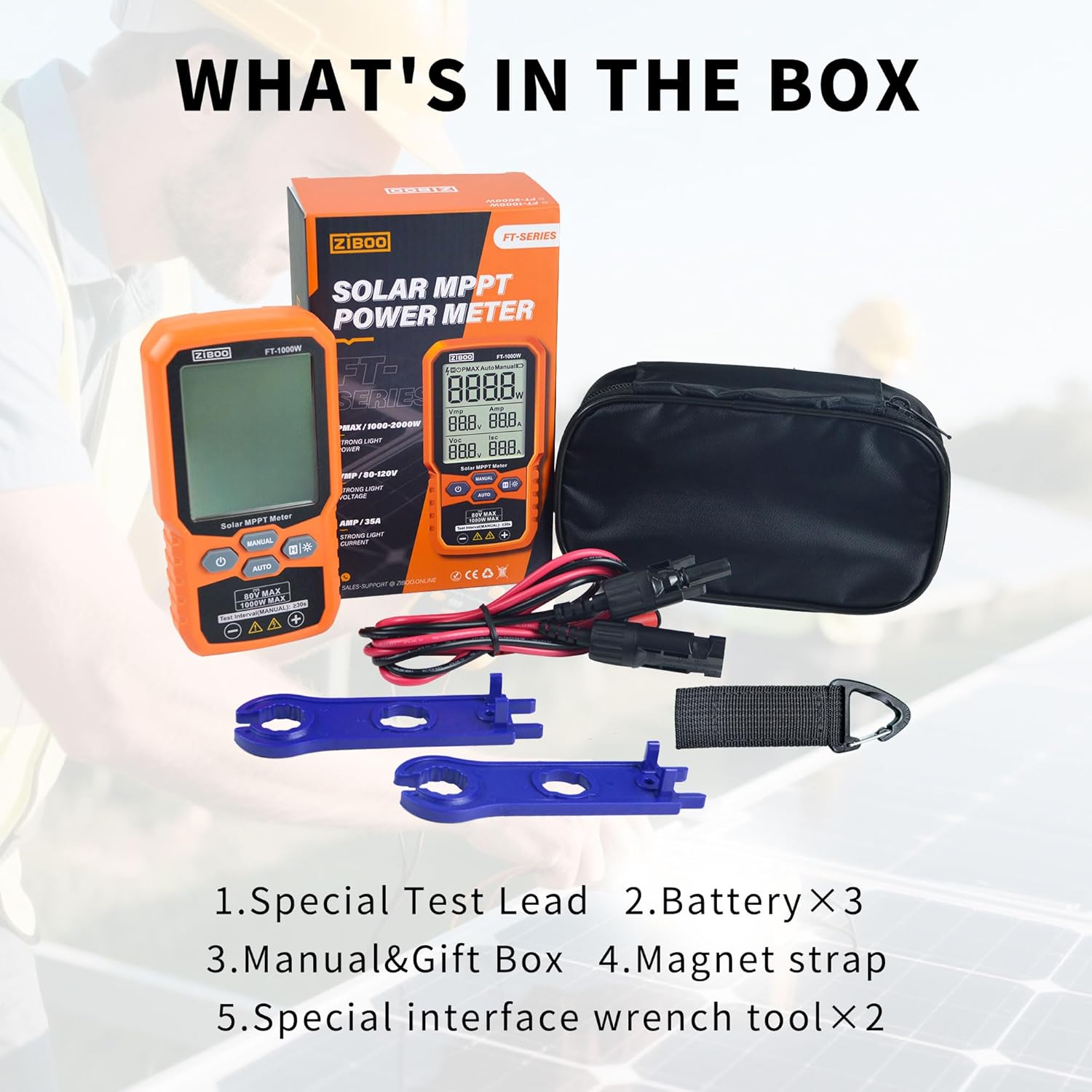
Figure 7: Special Interface Wrench Tools for MC4 connectors.
Video 1: Demonstrates the connection process of the ZIBOO FT-1000W Solar Panel Tester to a solar panel using MC4 connectors, and shows the device in operation.
5. Arahan Operasi
5.1. Hidupkan/Mati Kuasa
- Untuk menghidupkan: Tekan dan tahan butang kuasa (U) selama lebih kurang 3 saat.
- To power off: Press and hold the power button (U) for approximately 2 seconds. The device also features an auto-off function to conserve battery.
5.2. Measurement Modes (Manual/Auto)
The meter offers two measurement modes:
- Mod Auto: Tekan ke AUTO button. The meter will automatically scan and display the PV module's parameters (Pmax, Vmp, Amp, Voc, Isc) every few seconds. This mode is ideal for quick, continuous monitoring.
- Mod Manual: Tekan ke MANUAL button. In this mode, each press of the button initiates a single measurement cycle. Wait for approximately 3 seconds after pressing to allow the measurement to complete and display.
5.3. Fungsi Pegangan Data
To freeze the current readings on the display, press the H button. Press it again to release the data hold and resume live readings.
5.4. Pengaktifan Lampu Latar
For improved visibility in low-light conditions, press and hold the backlight button (H*) to activate the display backlight. Press and hold again to turn it off.

Figure 8: ZIBOO FT-1000W in operation, displaying real-time solar panel data.
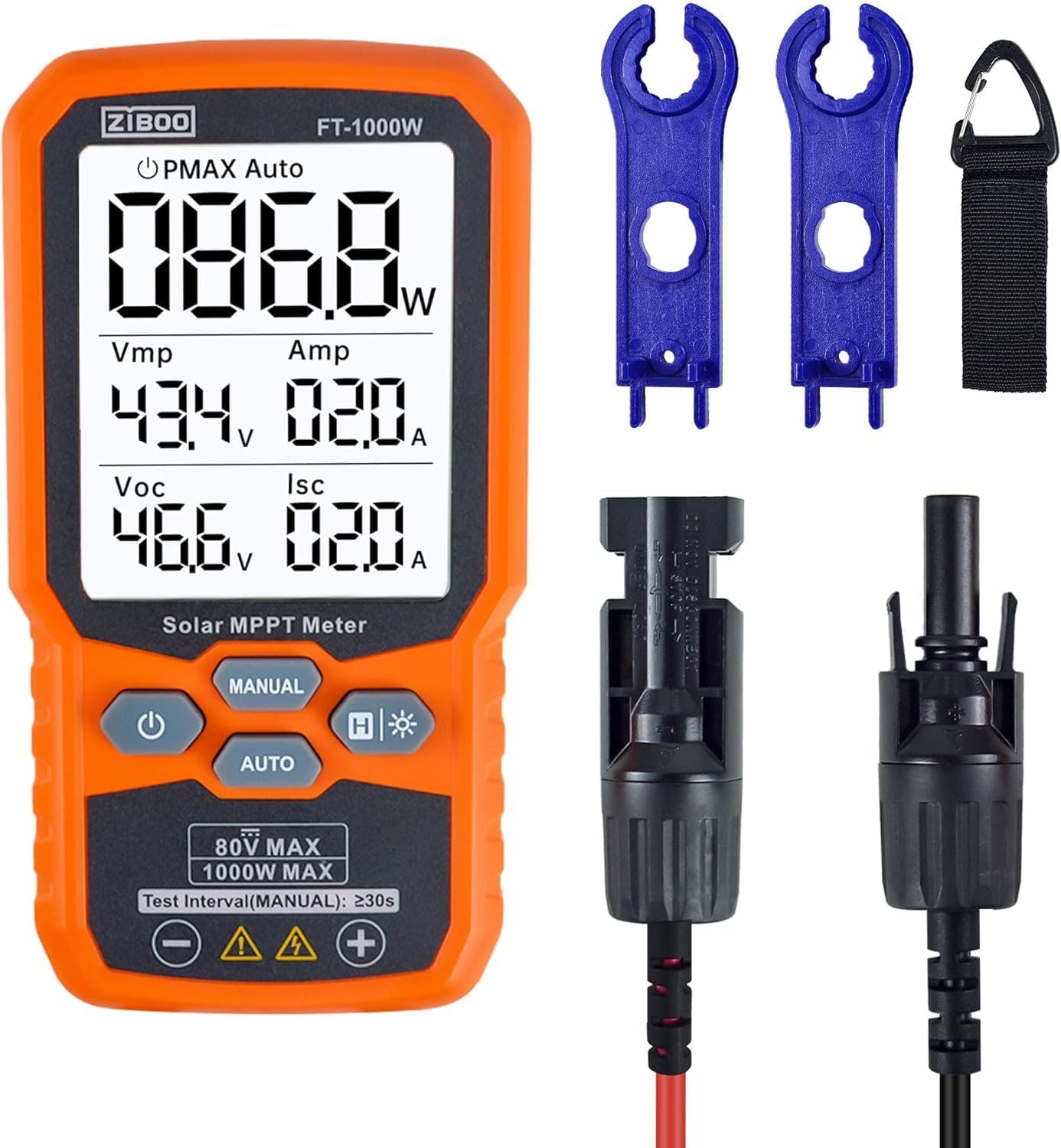
Rajah 9: Depan view of the ZIBOO FT-1000W meter with accessories.
6. Penyelenggaraan
- Pembersihan: Gunakan kain lembut dan kering untuk membersihkan bahagian luar meter. Jangan gunakan pembersih atau pelarut yang kasar.
- Storan: Store the meter and its accessories in the provided carrying pouch in a cool, dry place away from direct sunlight and extreme temperatures.
- Penggantian Bateri: Replace batteries promptly when the low battery indicator appears to ensure accurate readings and prevent damage.
- Pemeriksaan: Regularly inspect test leads and connectors for any signs of wear or damage. Replace damaged components immediately to ensure safety and performance.
7. Penyelesaian masalah
| Masalah | Kemungkinan Punca | Penyelesaian |
|---|---|---|
| Meter tidak dihidupkan | Bateri rendah atau mati; Pemasangan bateri yang salah | Gantikan bateri; Periksa polariti bateri |
| No readings displayed | Incorrect connection to solar panel; Insufficient sunlight; Faulty test leads | Ensure secure and correct connection; Test under adequate sunlight; Inspect and replace test leads if damaged |
| Bacaan tidak tepat | Environmental factors (e.g., shading, temperature); Damaged meter or leads | Ensure clear, direct sunlight; Verify connections; Contact support if issues persist |
| Display backlight not working | Backlight function not activated; Low batteries | Press and hold backlight button; Replace batteries |
8. Waranti dan Sokongan
For warranty information, technical support, or service inquiries, please refer to the contact details provided in the product packaging or visit the official ZIBOO webtapak. Simpan resit pembelian anda sebagai bukti pembelian untuk tuntutan waranti.
Ask a question about this manual
Ask about setup, troubleshooting, compatibility, parts, safety, or missing instructions. Manuals+ will review the question and use this page’s manual context to help answer it.