
Pengenalan dan Maklumat Keselamatan
Thank you for choosing the CREATE WIND CALM SLIM LIGHT Ceiling Fan with Light. This manual provides essential information for the safe installation, operation, and maintenance of your new ceiling fan. Please read these instructions carefully before installation and use, and retain them for future reference.
Arahan Keselamatan Penting:
- Always disconnect power at the main circuit breaker before installation, maintenance, or cleaning.
- Installation must be performed by a qualified electrician and in accordance with all local electrical codes.
- Pastikan struktur pelekap dapat menyokong berat kipas.
- Jangan masukkan objek ke dalam bilah kipas semasa kipas beroperasi.
- Jauhkan kanak-kanak dan haiwan peliharaan dari kipas semasa operasi.
- Kipas ini direka untuk kegunaan dalaman sahaja.
- The light intensity is not adjustable.
Persediaan dan Pemasangan
Carefully unpack all components and ensure all parts are present before beginning installation. Refer to the diagrams below for visual guidance.
Kandungan Pakej:
- Ceiling Fan Unit (Motor, Blades, Integrated Light)
- Pendakap Pemasangan
- Alat Kawalan Jauh
- Perkakasan Pemasangan (skru, sauh)
Langkah Pemasangan:
- Pemutusan Kuasa: Matikan kuasa pada pemutus litar utama untuk mengelakkan renjatan elektrik.
- Pemasangan Braket Pemasangan: Secure the mounting bracket to the ceiling joist or a suitable electrical junction box. Ensure the bracket is firmly attached and can support the fan's weight.
Nota: Some ceiling installations, particularly those with a DCL box or existing porthole-style light openings, may require additional modifications or drilling new holes in the mounting plate to ensure secure attachment. The provided mounting holes may not align with all existing ceiling setups. Consult a qualified electrician if you encounter difficulties.
- Sambungan Pendawaian: Sambungkan wayar elektrik kipas ke pendawaian rumah mengikut kod elektrik tempatan. Pastikan semua sambungan kukuh.
- Pemasangan Kipas: Attach the fan motor assembly to the mounting bracket. Follow the specific instructions provided in the detailed manual (if available) for blade attachment and securing the main unit.
- Pemasangan Lampu: The LED light is integrated into the fan's body. Ensure it is properly seated and connected.
- Semakan Akhir: Verify all connections are secure and the fan is properly mounted before restoring power.
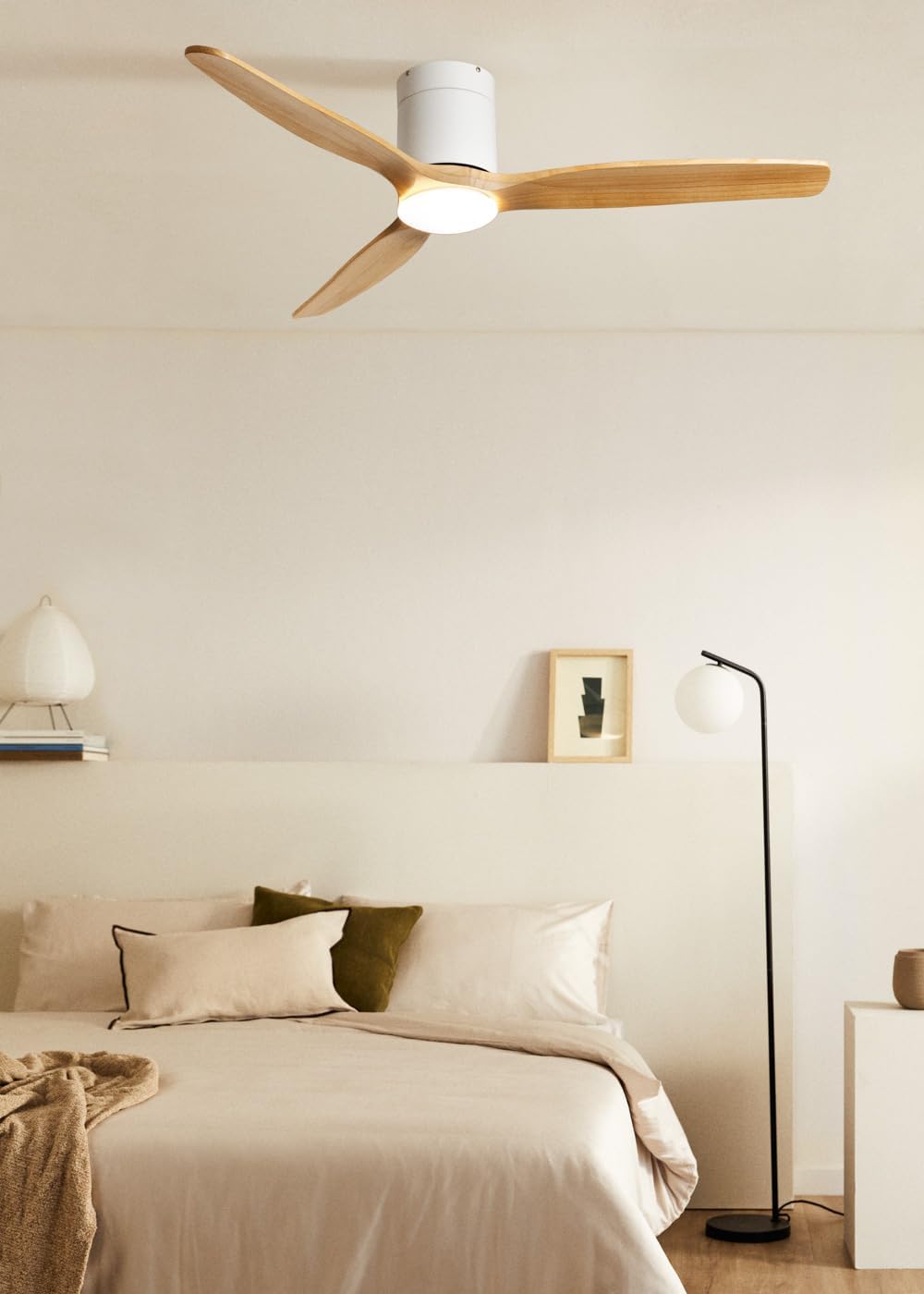
Image: The CREATE WIND CALM SLIM LIGHT ceiling fan with light wood blades and a white body, installed in a modern bedroom setting.

Image: Technical diagram illustrating the top-down dimensions of the fan, showing a total diameter of 132 cm.

Image: Technical diagram illustrating the side dimensions of the fan, showing a height of 27 cm from ceiling to blade tip.
Arahan Operasi
Your CREATE WIND CALM SLIM LIGHT ceiling fan is controlled via the included remote control. Ensure the remote has working batteries.
Fungsi Kawalan Jauh:
- Hidupkan/Mati Kuasa: Menghidupkan atau mematikan kipas dan lampu.
- Kawalan Kelajuan Kipas: Laraskan kelajuan kipas melalui 6 tetapan yang tersedia.
- Nyala / Mati: Controls the integrated LED light independently.
- Pelarasan Suhu Cahaya: Cycles through 3 color temperatures: warm (2700K), neutral (3300K), and cool (4000K). Note: Light intensity is not adjustable.
- Fungsi Pemasa: Menetapkan kipas untuk dimatikan secara automatik selepas 1, 2, 3 atau 4 jam.
- Mod Musim Panas/Musim Sejuk: Menukar arah putaran bilah.
Summer/Winter Function:
This feature optimizes air circulation for different seasons:
- Mod Musim Panas (Putaran lawan jam): Menghasilkan aliran udara ke bawah, menghasilkan angin penyejuk.
- Mod Musim Sejuk (Putaran mengikut arah jam): Creates an upward airflow, circulating warm air accumulated near the ceiling throughout the room, improving heating efficiency.

Image: Diagram illustrating the airflow patterns for Winter mode (upward circulation of warm air) and Summer mode (downward cooling breeze).
Ciri-ciri Lampu LED:
The integrated LED light offers three distinct color temperatures to suit your preference:
- Putih Hangat (2700K): For a cozy and relaxing ambiance.
- Putih Neutral (3300K): Untuk pencahayaan umum.
- Putih Sejuk (4000K): For bright, task-oriented lighting.

Imej: Dari dekat view of the integrated LED light module at the center of the fan, emitting a bright white light.

Image: Diagram illustrating the three available LED light temperatures: warm (2700K), neutral (3300K), and cool (4000K).
Audible Feedback (Beep):
The fan emits an audible "beep" sound with each command from the remote control or when power is restored. This beep can be muted via the remote control settings. However, if the main power supply to the fan is cut (e.g., by a wall switch), the mute setting may reset, and the beep will return upon power restoration.
Penyelenggaraan
Penyelenggaraan tetap memastikan prestasi optimum dan jangka hayat kipas siling anda.
- Pembersihan: To clean the fan, wipe the blades and motor housing with a soft, damp kain. Jangan gunakan pembersih atau pelarut yang melelas, kerana ini boleh merosakkan kemasan.
- Penyingkiran habuk: Periodically dust the fan blades and light fixture to prevent dust buildup, which can affect performance and light output.
- Imbangan Bilah: If the fan wobbles, check that all blade screws are tight. Minor wobbling can sometimes be corrected using a blade balancing kit (not included).
- Pemutusan Kuasa: Always ensure the power is disconnected at the circuit breaker before performing any cleaning or maintenance.
Menyelesaikan masalah
| Masalah | Kemungkinan Punca | Penyelesaian |
|---|---|---|
| Kipas tidak beroperasi. | No power supply; Remote control batteries are dead; Incorrect wiring. | Check circuit breaker and wall switch. Replace remote control batteries. Verify wiring connections are secure (consult an electrician if unsure). |
| Cahaya tidak menyala. | No power supply; Light function not activated on remote; LED module fault. | Check power. Ensure light button on remote is pressed. If problem persists, contact support. |
| Kipas bergoyang secara berlebihan. | Loose mounting screws; Unbalanced blades; Improper installation. | Ensure mounting bracket and fan screws are tight. Check for bent blades. Use a blade balancing kit if necessary. Re-check installation steps. |
| Kipas membuat bunyi yang luar biasa. | Loose screws; Obstruction; Motor issue. | Check all screws. Ensure nothing is touching the blades or motor housing. If noise persists, contact support. |
| Alat kawalan jauh tidak bertindak balas. | Dead batteries; Remote not paired (unlikely for this model but general); Obstruction. | Replace batteries. Ensure clear line of sight to the fan's receiver. |
| Audible "beep" sound persists after muting. | Main power supply was cut. | The mute setting may reset if the fan's main power is disconnected. Re-apply the mute setting using the remote control. |
Spesifikasi Teknikal
| Jenama | CIPTA |
| Nama Model | WIND CALM SLIM LIGHT |
| Nombor Model | 198506_515822 |
| warna | Kayu Ringan |
| Reka Bentuk Kipas | Kipas siling |
| Sumber Kuasa | Kabel Elektrik |
| Gaya | Siling |
| Dimensi (Diameter x Tinggi) | 132 cm x 29 cm |
| Fungsi Khas | LED Light, Timer, Summer-Winter Function, Remote Control |
| Jenis Pemasangan | Pemasangan Siling |
| Jenis Pengawal | Alat Kawalan Jauh |
| Bilangan Kelajuan | 6 |
| Tahap Kebisingan | 40 Desibel |
| kuasa | 40 Watt |
| Bilangan Bilah | 3 |
| Kapasiti Aliran Udara | 180 meter padu seminit |
| Voltage | 240 Volt |
| Persekitaran Penggunaan | Dalaman |
| Jenis Motor | DC Motor with Brushes |
| Bahan Bilah | kayu |
Maklumat Waranti
Specific warranty details for the CREATE WIND CALM SLIM LIGHT Ceiling Fan are not provided in this manual. For information regarding warranty coverage, terms, and conditions, please refer to the documentation included with your purchase or contact CREATE customer support directly.
Sokongan Pelanggan
If you have any questions, require technical assistance, or need to report an issue with your CREATE WIND CALM SLIM LIGHT Ceiling Fan, please contact CREATE customer support. Contact information can typically be found on the manufacturer's webtapak atau pada pembungkusan produk.
Manufacturer: CREATE