
pengenalan
Thank you for choosing the boAt Rockerz 413 Bluetooth Over-Ear Headphones. This manual provides essential information for setting up, operating, and maintaining your headphones. Please read it carefully to ensure optimal performance and longevity of your device.
Kandungan Pakej:
- boAt Rockerz 413 Fon Kepala
- Kabel Pengecasan
- Manual Pengguna
Persediaan
1. Mengecas Fon Kepala Anda
Before first use, fully charge your Rockerz 413 headphones. Connect the provided charging cable to the charging port on the headphones and a USB power source. The LED indicator will show charging status and turn off or change color when fully charged.
The boAt Rockerz 413 offers up to 60 hours of playback on a single charge.
2. Hidupkan/Mati Kuasa
- Untuk Menghidupkan: Tekan dan tahan butang Kuasa sehingga penunjuk LED berkelip.
- Untuk Mematikan: Tekan dan tahan butang Kuasa sehingga penunjuk LED dimatikan.
3. Berpasangan Bluetooth
The Rockerz 413 supports Bluetooth version 5.2 for stable connectivity.
- Pastikan fon kepala dimatikan.
- Press and hold the Power button for approximately 5 seconds until the LED indicator flashes blue and red alternately, indicating pairing mode.
- Enable Bluetooth on your device (smartphone, laptop, etc.) and search for available devices.
- Pilih "boAt Rockerz 413" daripada senarai peranti.
- Once connected, the LED indicator will flash blue periodically.
4. Gandingan Berganda
The Rockerz 413 allows simultaneous connection to two devices. This feature enables you to attend calls from your phone while listening to audio on your laptop without manually disconnecting.
- Pasangkan fon kepala dengan peranti pertama seperti yang diterangkan di atas.
- Lumpuhkan Bluetooth pada peranti pertama.
- Put the headphones back into pairing mode.
- Pasangkan dengan peranti kedua.
- Re-enable Bluetooth on the first device. The headphones should now be connected to both devices simultaneously.
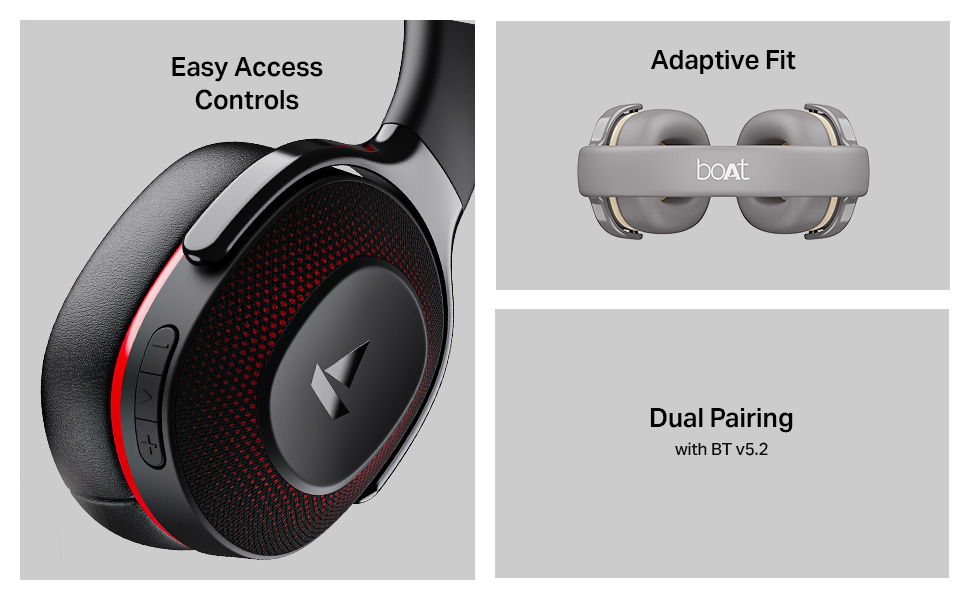
Image: The boAt Rockerz 413 headphones featuring easy access controls on the earcup, an adaptive fit headband, and the dual pairing capability with Bluetooth v5.2.
5. App Support
Enhance your audio experience by downloading the boAt Hearables App. Scan the QR code below to access the app for additional features and user guides.
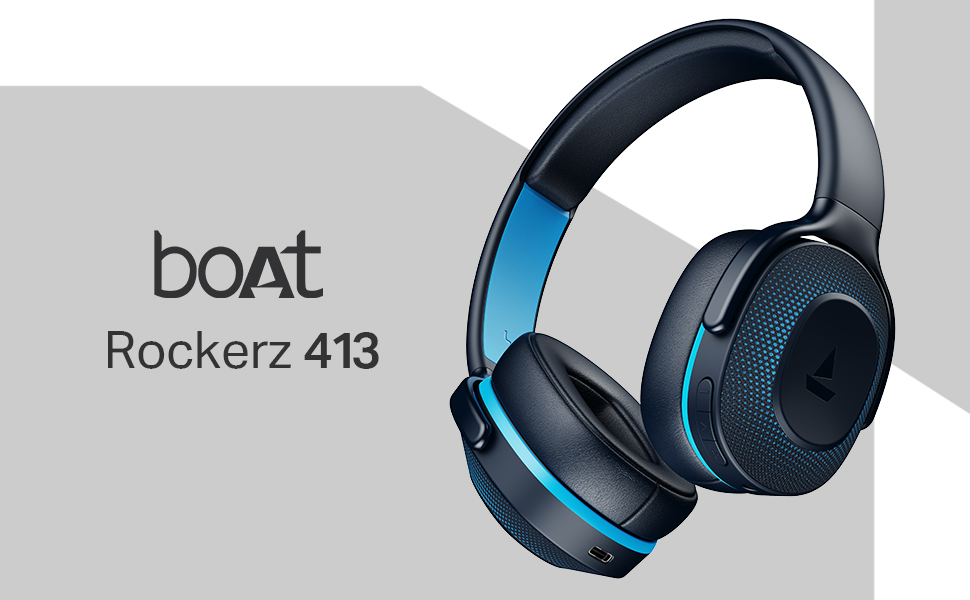
Image: A smartphone displaying the boAt Hearables App, prompting users to scan a QR code to explore features like streaming music, audiobooks, and accessing the user help guide. Download the boAt Hearables App
Arahan Operasi
1. Kawalan
The headphones feature intuitive push-button controls located on the earcup for easy access to various functions.
- Butang Kuasa: Power On/Off, Play/Pause, Answer/End Calls.
- Kelantangan Naik (+): Tingkatkan kelantangan, Trek seterusnya (tekan lama).
- Perlahankan suara (-): Kurangkan kelantangan, Trek sebelumnya (tekan lama).
- Dedicated BEAST Mode Button: Activate/Deactivate BEAST Mode.
2. Main balik Muzik
Experience boAt Signature Sound with powerful 40mm dynamic drivers, delivering an immersive audio experience for music and movies.
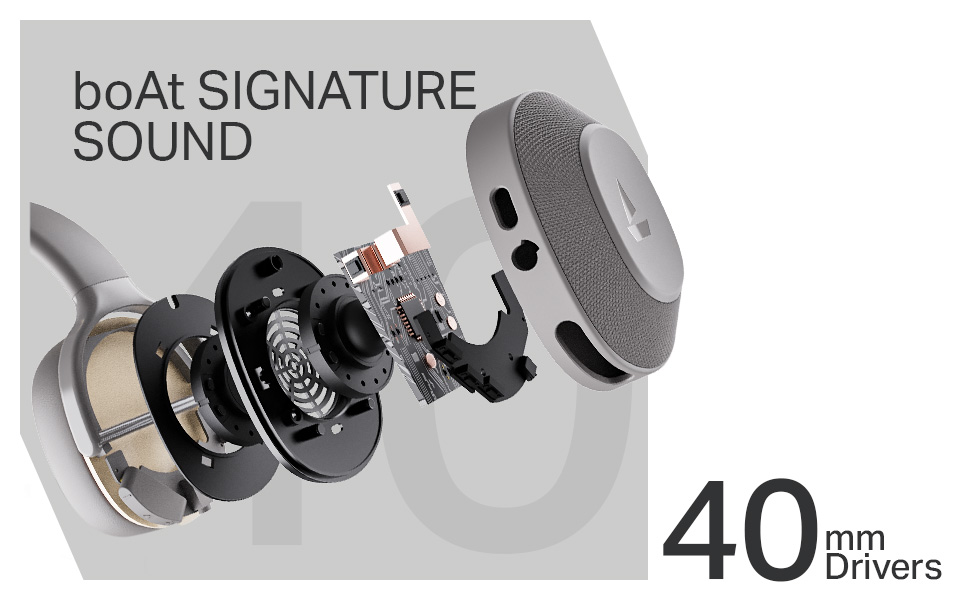
Imej: Meletup view of the boAt Rockerz 413 earcup, highlighting the 40mm drivers responsible for the boAt Signature Sound.
3. Calling with ENx Technology
The integrated ENx Technology ensures clear voice capture and effective cancellation of surrounding noise during calls, allowing for clear communication even in noisy environments.
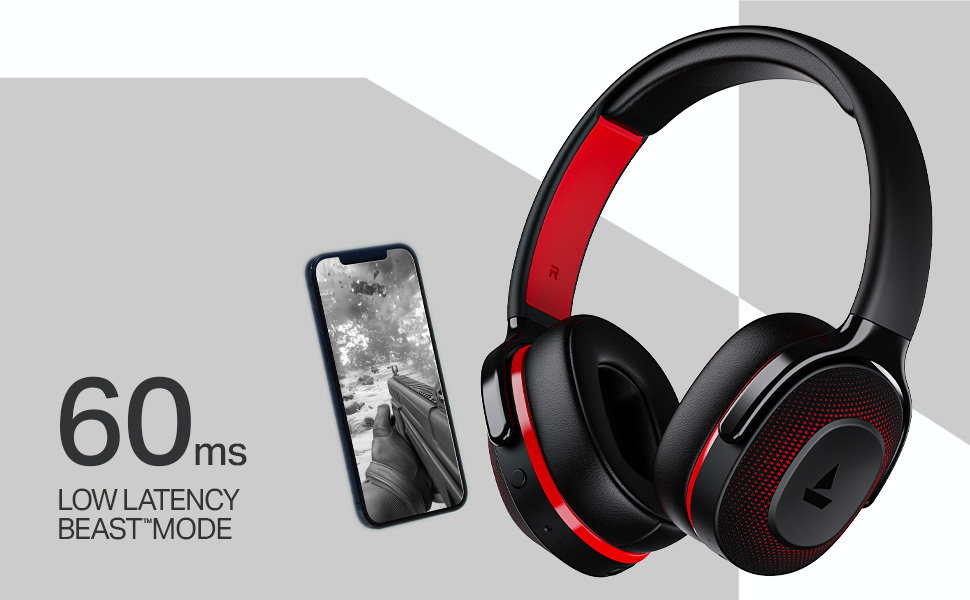
Image: The boAt Rockerz 413 headphones, emphasizing the ENx Technology for enhanced call quality.
4. Mod BEAST (Kependaman Rendah)
Activate BEAST Mode with the dedicated button for ultra-low latency (60ms), providing a competitive edge in gaming by minimizing audio lag.
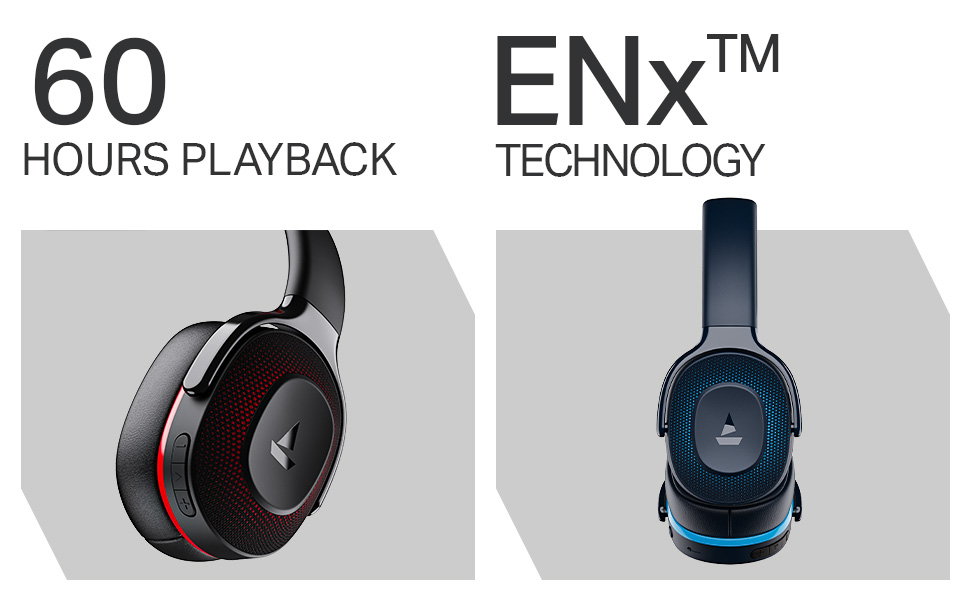
Image: The boAt Rockerz 413 headphones next to a smartphone displaying a game, highlighting the 60ms low latency BEAST Mode for an optimized gaming experience.
Penyelenggaraan
Proper care ensures the longevity of your headphones.
- Bersihkan cup telinga dan ikat kepala dengan kerap menggunakan kain lembut dan kering.
- Elakkan dedahkan fon kepala kepada suhu, kelembapan atau cecair yang melampau.
- Simpan fon kepala di tempat yang sejuk dan kering apabila tidak digunakan.
- Do not attempt to disassemble or repair the headphones yourself. This may void the warranty.
Menyelesaikan masalah
| Masalah | Penyelesaian yang Mungkin |
|---|---|
| Fon kepala tidak dihidupkan | Pastikan fon kepala dicas sepenuhnya. |
| Tidak boleh berpasangan dengan peranti | Ensure headphones are in pairing mode (flashing blue/red). Turn off and on Bluetooth on your device. Forget previous connections and try again. |
| Tiada bunyi | Periksa tahap kelantangan pada kedua-dua fon kepala dan peranti yang disambungkan. Pastikan fon kepala dipasangkan dengan betul. |
| Kualiti panggilan yang lemah | Ensure microphone is not obstructed. Move closer to your connected device. |
| Latency in gaming | Activate BEAST Mode using the dedicated button. |
Spesifikasi
| Ciri | Perincian |
|---|---|
| Nama Model | Rockerz 413 |
| Teknologi Ketersambungan | Bluetooth |
| Teknologi Komunikasi Tanpa Wayar | Bluetooth |
| Versi Bluetooth | 5.2 |
| Jenis Pemacu Audio | Pemandu Dinamik |
| Saiz Pemandu | 40 mm |
| Hayat Bateri | 60 Jam |
| Bentuk alat dengar | Atas Telinga |
| Kaedah Kawalan | Butang Tekan |
| Ciri Khas | ENx Technology, BEAST Mode |
| Peranti Serasi | Laptops, Phones, Bluetooth-enabled Devices |
| bahan | plastik |
| Berat Barang | 300 Gram |
| Dimensi Produk | 20 x 9 x 17 cm |
| Pengeluar | Imagine Marketing Ltd |
| Negara Asal | China |
Waranti & Sokongan
Your boAt Rockerz 413 headphones come with a standard manufacturer's warranty. For detailed warranty terms and conditions, please refer to the warranty card included in your package or visit the official boAt webtapak.
Sokongan Pelanggan:
For any product-related queries, technical assistance, or warranty claims, please contact Imagine Marketing Ltd. (boAt) customer support:
- e-mel: info@imaginemarketingindia.com
- Webtapak: www.boat-lifestyle.com
Please have your product model number (PB0019) and purchase details ready when contacting support.