1. Produk Lebihview
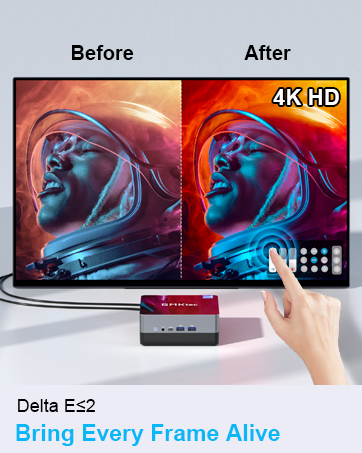
The GMKtec Nucbox G10 is a compact and powerful mini PC designed for various computing tasks, from office productivity to light gaming and multimedia consumption. It features an AMD Ryzen 5 3500U processor, ample memory, and fast storage, along with extensive connectivity options.

2. Kandungan Pakej
Sahkan bahawa semua item terdapat dalam pakej:
- GMKtec Nucbox G10 AMD Ryzen 5 3500U Mini PC Computer
- Bekalan Kuasa & Kabel
- Kabel HDMI
- Pemasangan dan Skru VESA
- Manual Pengguna

3. Arahan Persediaan
3.1 Menyambung Peranti
Before powering on the Mini PC, connect your essential peripherals:
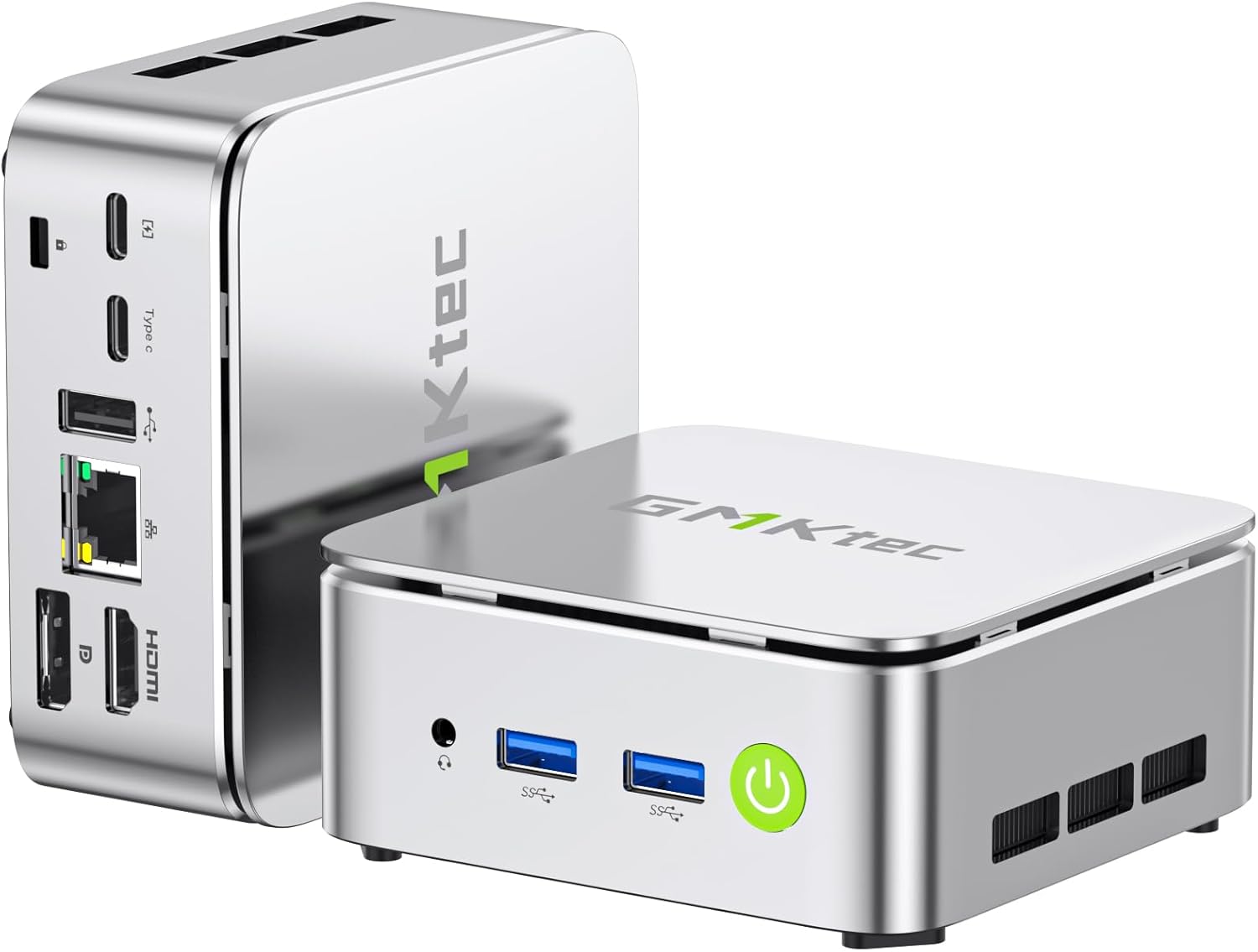
- paparan: Connect your monitor(s) using the HDMI 2.1 TMDS, DisplayPort (DPv1.4), or USB-C (DP Alt Mode) ports. The Nucbox G10 supports up to three 4K displays simultaneously.
- Papan Kekunci dan Tetikus: Connect your USB keyboard and mouse to the available USB 3.2 (5Gbps) or USB 2.0 ports.
- Rangkaian: For a wired connection, connect an Ethernet cable to the 2.5GbE LAN port. For wireless, ensure your WiFi network is available.
- Audio: Connect speakers or headphones to the 3.5mm audio jack (CTIA standard).
- Kuasa: Sambungkan penyesuai kuasa ke port DC-in pada Mini PC dan kemudian ke soket kuasa.

3.2 Kuasa Awal Hidup
Press the power button located on the front of the device. The system will boot up, and you will be guided through the initial operating system setup (Windows 11 Pro is pre-installed).
3.3 Pemasangan Pemasangan VESA
The Nucbox G10 includes a VESA mount for attaching the Mini PC to the back of a compatible monitor or TV. This helps save desk space and creates a cleaner setup.
- Locate the VESA mounting holes on your monitor (typically 75x75mm or 100x100mm).
- Attach the VESA bracket to the Mini PC using the provided screws. You may need to remove two of the foot pads on the Mini PC to properly secure the bracket.
- Secure the Mini PC with the attached VESA bracket to your monitor's VESA mounting holes using the appropriate screws.
4. Arahan Operasi
4.1 Hidupkan/Mati Kuasa
- Hidupkan kuasa: Tekan butang kuasa sekali.
- Matikan: From the operating system, select 'Shut down'. Alternatively, press and hold the power button for 5-7 seconds to force a shutdown (use only when necessary).
4.2 Tatarajah Paparan
The Nucbox G10 supports up to three independent 4K displays. Connect your displays to the HDMI, DisplayPort, and USB-C (DP Alt Mode) ports. Configure display settings within your operating system to extend or duplicate your desktop.

4.3 Kesambungan Rangkaian
- LAN berwayar: Connect an Ethernet cable to the 2.5GbE port for high-speed internet access.
- Wi-Fi: The device supports Wi-Fi 5 for wireless internet. Access network settings in your operating system to connect to available Wi-Fi networks.
- Bluetooth: Bluetooth 5.0 is integrated for connecting wireless peripherals such as keyboards, mice, and headphones.

4.4 Storan dan Pengembangan Memori
The Nucbox G10 comes with 16GB DDR4 RAM and a 256GB M.2 2280 SSD. Both are expandable:
- RAM: The dual-channel DDR4 SO-DIMM RAM can be expanded up to 64GB.
- Storan: The device features dual M.2 2280 PCIe 3.0 slots, supporting storage expansion up to 16TB (2x 8TB SSDs).
Note: Upgrades are not included and should be performed by a qualified technician if you are unfamiliar with hardware installation.

5. Penyelenggaraan
5.1 Sistem Penyejukan
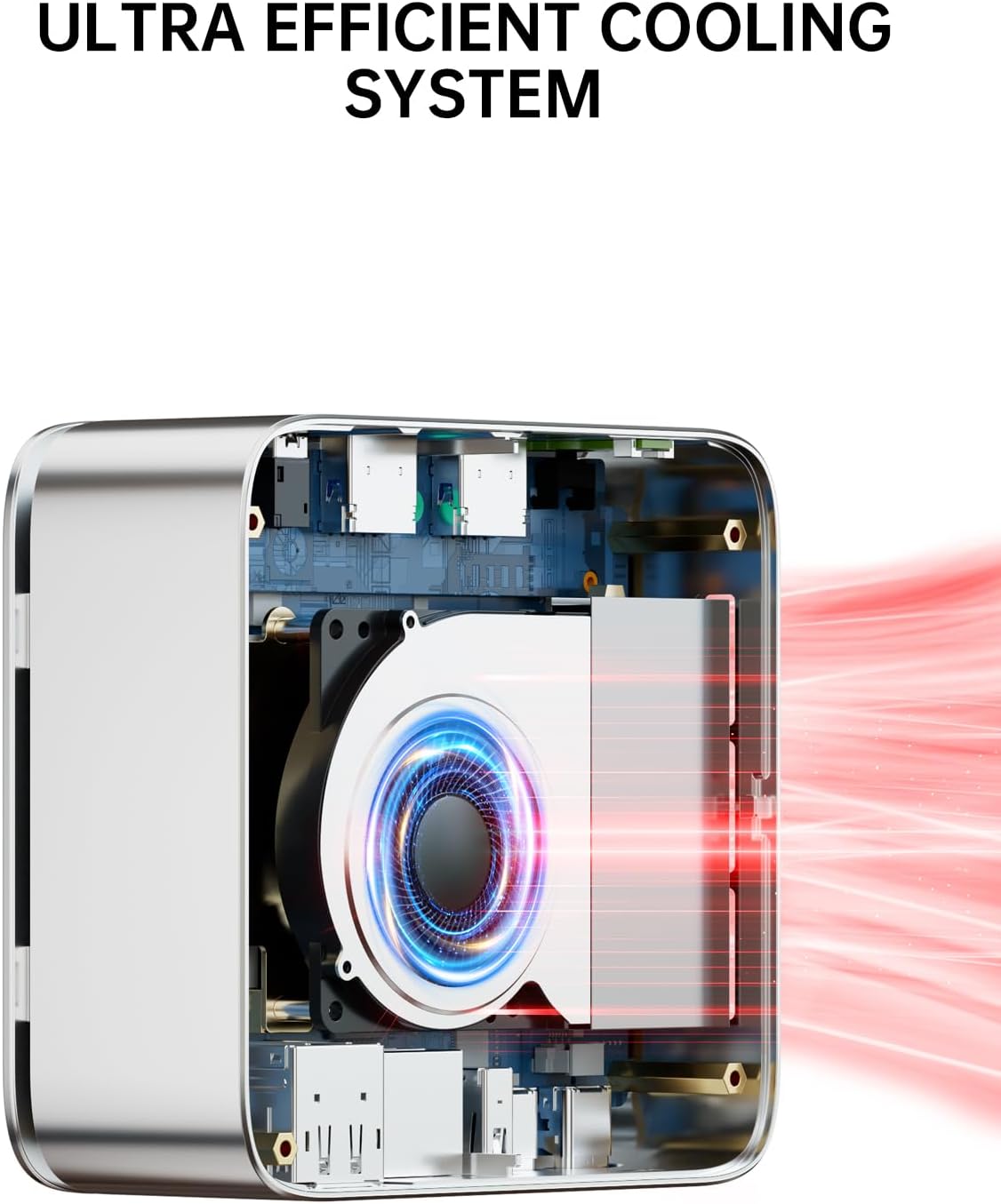
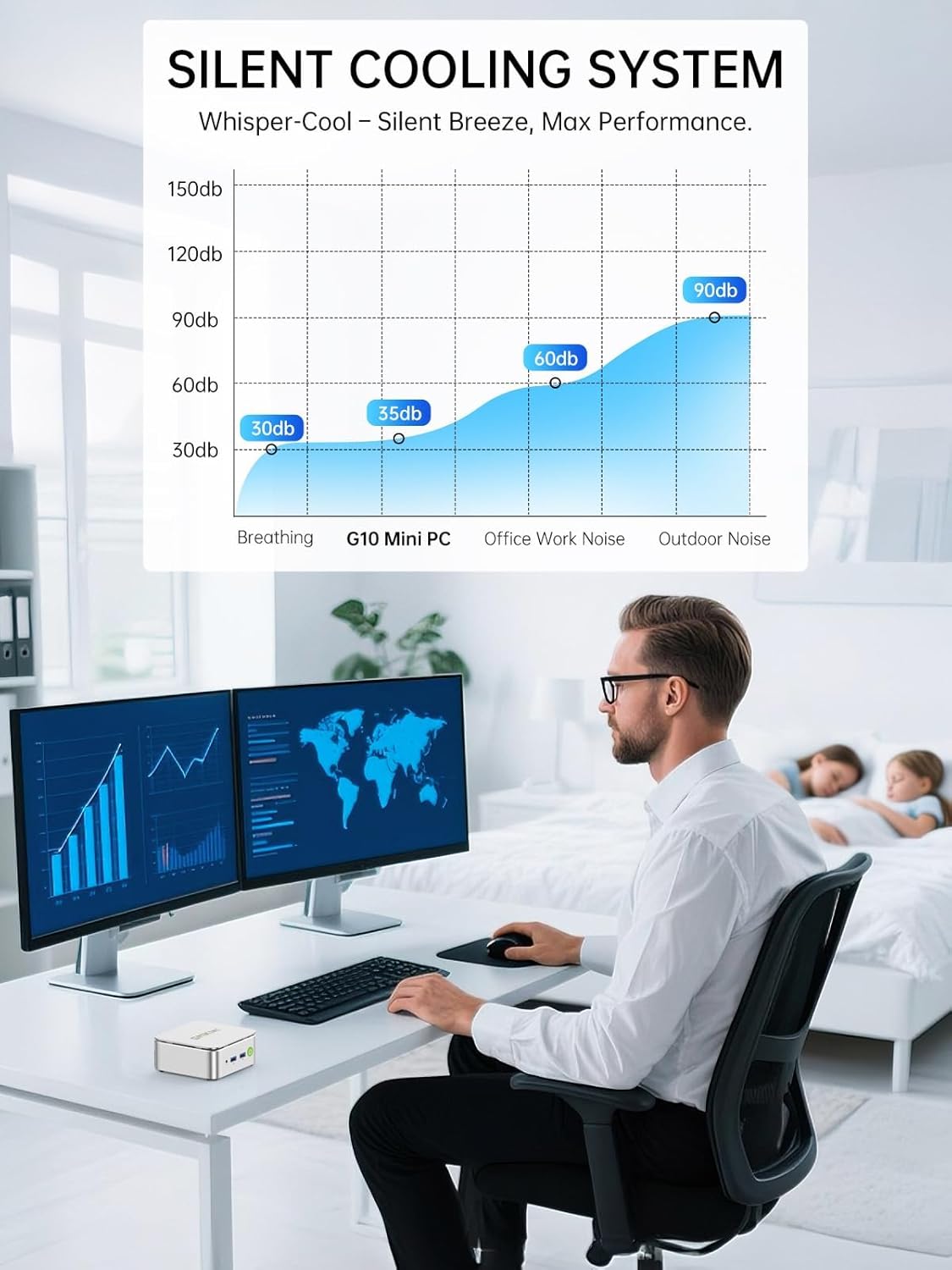
The Nucbox G10 features an ultra-efficient silent turbo cooling system designed to maintain optimal performance and quiet operation. Ensure the ventilation openings are not obstructed to allow for proper airflow.
5.2 Penjagaan Am
- Simpan peranti ini di persekitaran yang bersih dan kering, jauh daripada cahaya matahari langsung dan suhu yang melampau.
- Elakkan menumpahkan cecair pada peranti.
- Clean the exterior with a soft, dry cloth. Do not use harsh chemicals.
6. Penyelesaian masalah
6.1 Tiada Kuasa
- Pastikan penyesuai kuasa disambungkan dengan selamat ke PC Mini dan salur keluar kuasa yang berfungsi.
- Sahkan alur keluar kuasa berfungsi dengan memasang peranti lain.
6.2 Tiada Output Paparan
- Check that the display cables (HDMI, DP, USB-C) are securely connected to both the Mini PC and the monitor.
- Pastikan monitor dihidupkan dan ditetapkan kepada sumber input yang betul.
- Cuba sambungkan ke paparan lain atau gunakan kabel lain.
6.3 Isu Ketersambungan Rangkaian
- Berwayar: Ensure the Ethernet cable is properly connected and the router/modem is working. Check network adapter settings in the operating system.
- Wi-Fi: Verify that Wi-Fi is enabled in the operating system and you are connected to the correct network with the correct password. Ensure the Wi-Fi signal is strong.
6.4 Isu Prestasi Sistem
- Close unnecessary applications to free up system resources.
- Ensure the cooling vents are clear and not obstructed.
- Check for operating system updates and driver updates.
7. Spesifikasi
| Ciri | Spesifikasi |
|---|---|
| Pemproses | AMD Ryzen 5 3500U (4 Cores, 8 Threads, 2.1 GHz Base, 3.7 GHz Boost) |
| Grafik | Grafik AMD Radeon Vega 8 (1200 MHz) |
| RAM | 16GB DDR4 SO-DIMM (2x8GB), expandable to 64GB |
| Penyimpanan | 256GB M.2 2280 NVMe SSD, dual slot expandable to 16TB (2x 8TB) |
| Sistem Operasi | Windows 11 Pro |
| Output Video | 1x HDMI 2.1 TMDS (4K@60Hz), 1x DisplayPort 1.4 (4K@60Hz), 1x USB-C (DP Alt Mode) |
| Port USB | 2x USB 3.2 (5Gbps), 1x USB 2.0, 1x Full Function USB-C (PD/DP/Data), 1x USB-C (PD Only) |
| Rangkaian | LAN 2.5GbE, Wi-Fi 5, Bluetooth 5.0 |
| Audio | 1x Bicu Audio CTIA 3.5mm |
| Dimensi | 6.46 x 6.26 x 4.21 inci (Pakej) |
| Berat badan | 2.29 paun (Item) |
8. Waranti dan Sokongan
GMKtec menawarkan waranti terhad 1 tahun untuk setiap Mini PC, berkuat kuasa dari tarikh pembelian. Waranti ini melindungi kecacatan akibat reka bentuk dan mutu kerja.
8.1 Sokongan Pelanggan
Untuk bantuan teknikal atau tuntutan jaminan, sila hubungi sokongan GMKtec:
- Sokongan E-mel: support@gmktec.com (Sokongan Pelanggan 24/7)
- Sokongan Amazon: For purchases made on Amazon, log in to your Amazon account, navigate to 'Your Orders', and select 'Ask Product Question' for the relevant order.
GMKtec komited untuk menyediakan produk yang boleh dipercayai dan perkhidmatan selepas jualan profesional.