
1. Pengenalan
Welcome to the RORSOU B8 Over-Ear Bluetooth Headphones. These headphones are designed to deliver a high-fidelity audio experience with deep bass, versatile connectivity, and exceptional comfort. This manual will guide you through the features and functions of your new headphones.
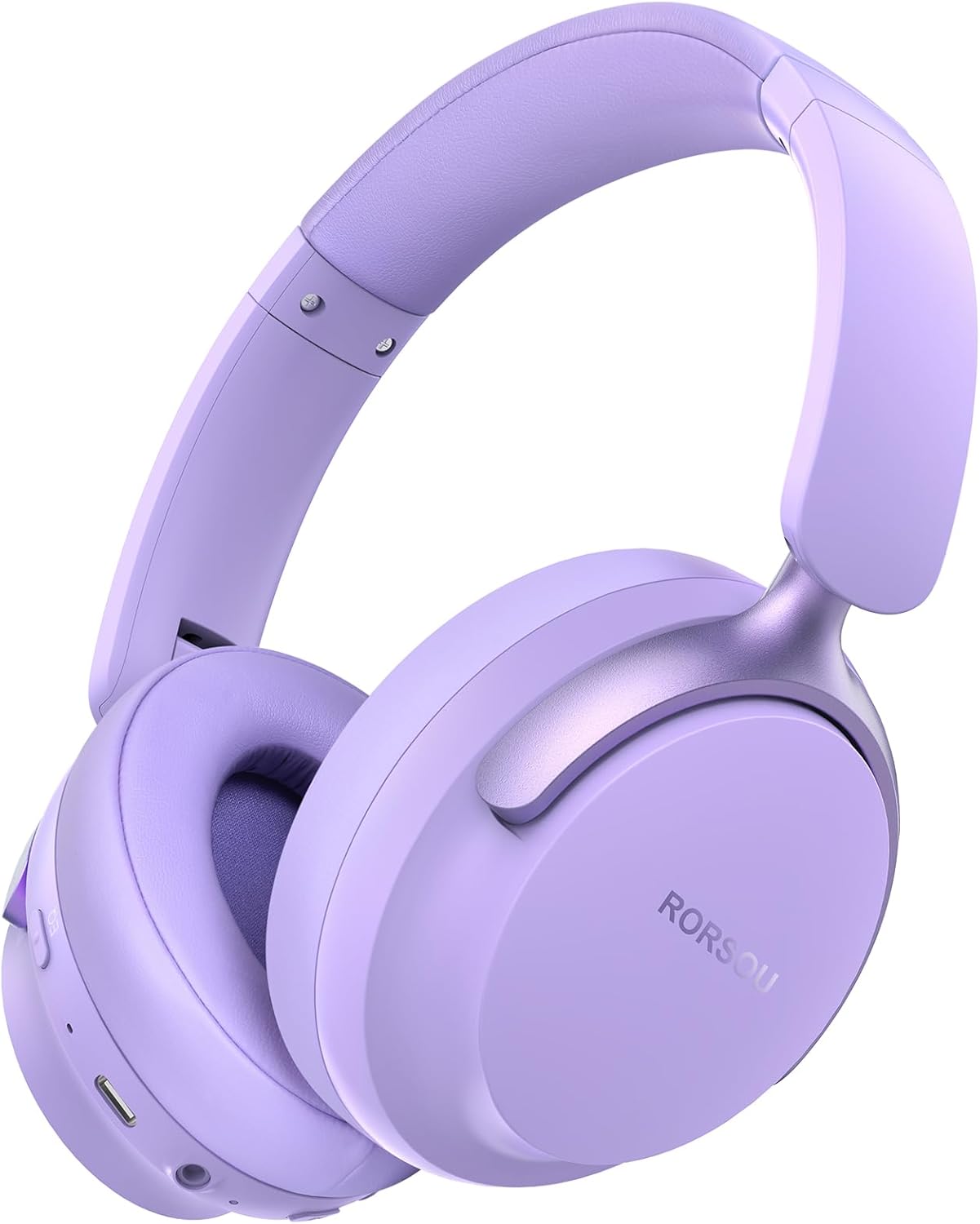
Figure 1: RORSOU B8 Over-Ear Bluetooth Headphones (Purple)
Ciri-ciri Utama:
- Hi-Fi Stereo and Deep Bass Sound: Equipped with 40mm audio drivers and an advanced Bluetooth 5.4 chip for clear sound, full dynamic range, rich bass, and crisp mids.
- Strong Bluetooth 5.4 & Wired Connection: Offers faster, more stable data transmission, dual-device pairing, and a 3.5mm audio jack for wired use.
- Optimized Sound Quality with 6 EQ Modes: Allows switching between six preset EQ settings (Standard, Classical, Metal, Jazz, Rock, Bass) for different music styles. Features a built-in microphone for clear calls.
- All-day Comfort & Foldable Design: Ultra-soft protein leather earcups and an adjustable headband ensure comfort during extended use. The foldable and lightweight design enhances portability.
- Masa Main Dilanjutkan: 400mAh battery provides up to 50 hours of playtime. Can be used in wired mode when the battery is depleted.
2. Apa yang ada di dalam Kotak
- RORSOU B8 Over-Ear Bluetooth Headphones
- Kabel Pengecas USB-C
- Kabel Audio 3.5mm
- Manual Pengguna
- Beg Bawa
3. Persediaan
3.1 Mengecas Fon Kepala
Before first use, fully charge your RORSOU B8 headphones. Connect the provided USB-C charging cable to the charging port on the headphone and the other end to a USB power source (e.g., computer, wall adapter). The LED indicator will show charging status and turn off when fully charged. A full charge takes approximately 2 hours.
3.2 Menghidupkan/Mematikan
- Untuk Menghidupkan: Press and hold the Power button for 3 seconds until the LED indicator lights up.
- Untuk Mematikan: Tekan dan tahan butang Kuasa selama 3 saat sehingga penunjuk LED dimatikan.
3.3 Berpasangan Bluetooth
To connect your RORSOU B8 headphones to a Bluetooth-enabled device:
- Pastikan fon kepala dimatikan.
- Press and hold the Power button for approximately 5 seconds until the LED indicator flashes blue and red alternately. This indicates pairing mode.
- Pada peranti anda (telefon pintar, tablet, PC), dayakan Bluetooth dan cari peranti yang tersedia.
- Select "RORSOU B8" from the list of available devices.
- Once connected, the LED indicator on the headphones will flash blue slowly or remain solid blue.
The headphones can be paired with two devices simultaneously and seamlessly switch between them.
3.4 Sambungan Berwayar
For a wired connection, use the provided 3.5mm audio cable. Plug one end into the 3.5mm audio jack on the headphones and the other end into your audio source. This mode does not require battery power.
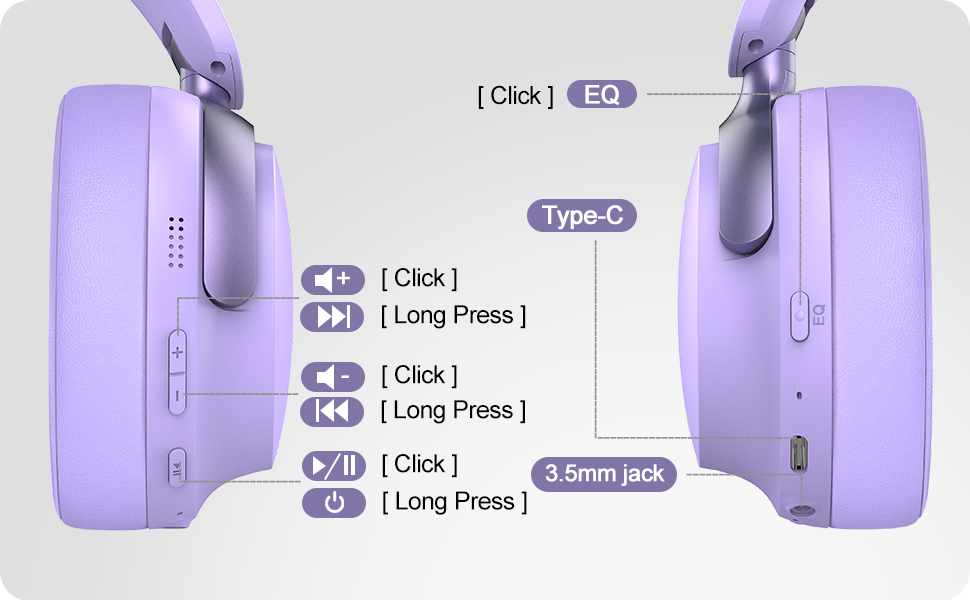
Figure 2: Bluetooth 5.4 Wireless vs. 3.5mm Wired Connection
4. Arahan Operasi
4.1 Kawalan Ke Atasview
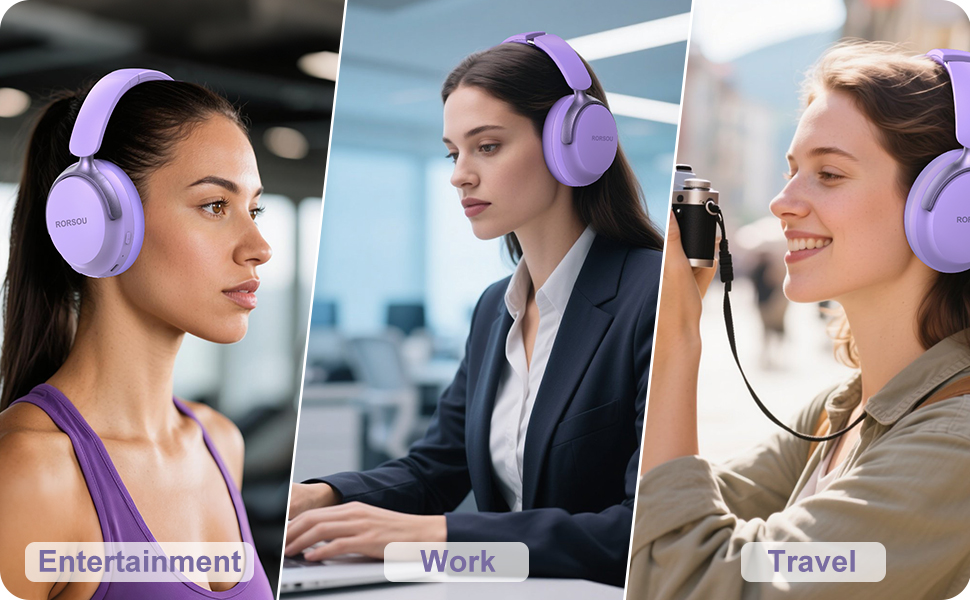
Figure 3: RORSOU B8 Headphone Controls
- Butang Kuasa: Tekan dan tahan untuk menghidupkan/mematikan kuasa.
- Kelantangan Naik (+): Click to increase volume. Long press for next track.
- Perlahankan suara (-): Click to decrease volume. Long press for previous track.
- Butang Pelbagai Fungsi (Main/Jeda): Click to play/pause music, answer/end calls. Long press to activate voice assistant.
- Butang EQ: Click to cycle through 6 preset EQ modes (Standard, Classical, Metal, Jazz, Rock, Bass).
4.2 Mod EQ
The RORSOU B8 headphones feature 6 distinct EQ modes to enhance your listening experience based on music genre:
- Standard
- Klasik
- logam
- Jazz
- Rock
- Bass
Press the EQ button to switch between these modes and find the optimal sound profile for your audio.
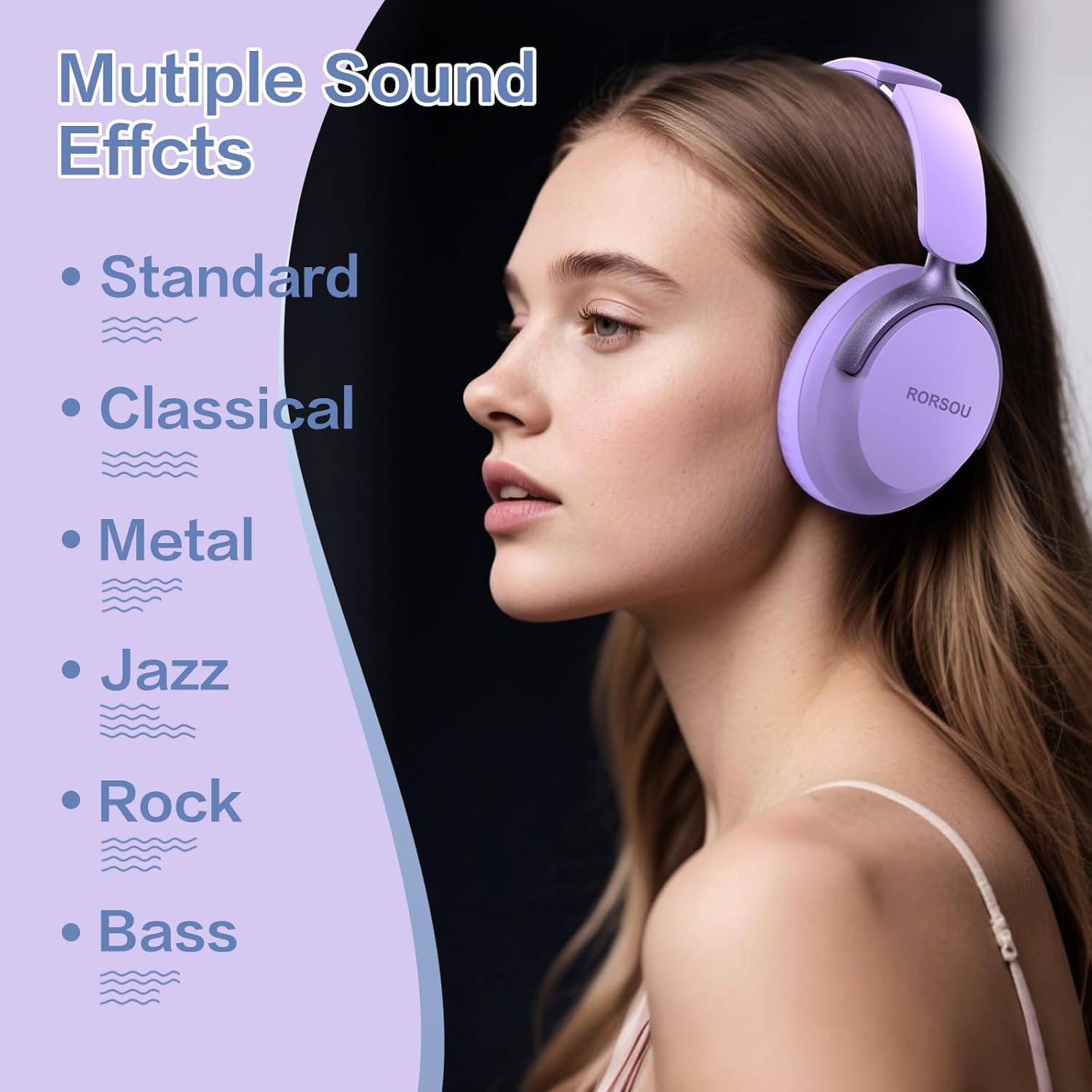
Figure 4: Multiple Sound Effects (EQ Modes)
5. Comfort and Portability
The RORSOU B8 headphones are designed for extended wear and easy transport.
- Ultra-soft Protein Leather Earcups: Provides comfort for long listening sessions.
- Destar boleh laras: Memastikan kesesuaian yang selamat dan selesa untuk pelbagai saiz kepala.
- Reka Bentuk Lipat: Earcups swivel 90 degrees and the headphones fold compactly for easy storage in the included carrying pouch, ideal for travel.

Figure 5: Comfort and Foldable Design
6. Penyelenggaraan
To ensure the longevity and optimal performance of your RORSOU B8 headphones, follow these maintenance guidelines:
- Pembersihan: Wipe the headphones with a soft, dry cloth. For earcups, use a slightly damp cloth with mild soap if necessary, then wipe dry immediately. Avoid harsh chemicals or abrasive materials.
- Storan: When not in use, store the headphones in the provided carrying pouch to protect them from dust and scratches. Store in a cool, dry place.
- Elakkan Keadaan Melampau: Jangan dedahkan fon kepala kepada suhu yang melampau, kelembapan atau cahaya matahari langsung. Mereka tidak tahan air.
- Penjagaan Kabel: Handle the charging and audio cables gently. Avoid sharp bends or excessive pulling to prevent damage.
7. Penyelesaian masalah
If you encounter any issues with your RORSOU B8 headphones, refer to the following common solutions:
| Masalah | Kemungkinan Punca | Penyelesaian |
|---|---|---|
| Fon kepala tidak dapat dihidupkan | Bateri lemah | Cas fon kepala sepenuhnya (lebih kurang 2 jam). |
| Tidak boleh berpasangan melalui Bluetooth | Fon kepala tidak dalam mod berpasangan; Bluetooth peranti dimatikan; gangguan | Ensure headphones are in pairing mode (flashing blue/red). Turn off and on your device's Bluetooth. Move closer to the device. |
| Tiada bunyi atau kualiti bunyi yang buruk | Volume too low; incorrect EQ mode; loose wired connection; device issue | Increase headphone/device volume. Cycle through EQ modes. Re-insert 3.5mm cable firmly. Test with another audio source. |
| Mikrofon tidak berfungsi | Device settings; microphone blocked | Check device's audio input settings. Ensure microphone port is clear. |
| Headphones disconnect frequently | Out of range; interference; low battery | Stay within Bluetooth range (up to 10 meters). Avoid obstacles. Charge headphones. |
If the issue persists after trying these steps, please contact RORSOU customer service for further assistance.
8. Spesifikasi
| Ciri | Perincian |
|---|---|
| Nama Model | B8 |
| Jenama | RORSOU |
| Teknologi Ketersambungan | Bluetooth 5.4, Wired, Wireless |
| Jack Fon Kepala | Jack 3.5 mm |
| Kawalan Bunyi | Pembatalan Bunyi Pasif |
| Saiz Pemacu Audio | 40 Milimeter |
| Hayat Bateri | 50 Jam |
| Masa Mengecas | 2 Jam |
| Berat Barang | 0.23 Kilogram (8.1 auns) |
| bahan | Polikarbonat (PC) |
| Jenis Kawalan | Kawalan Kelantangan, Butang Tekan |
| Komponen yang Disertakan | User Manual, USB-C Charging Cable, 3.5mm Audio Cable, Carrying Pouch |
9. Waranti dan Sokongan
RORSOU is dedicated to providing high-quality products with excellent after-sale service. Your RORSOU B8 headphones come with a 180-day Hassle-Free Limited Protection.
If you have any questions, concerns, or require technical support, please contact RORSOU customer service. We aim to respond to all inquiries within 24 hours.
For the most up-to-date support information, please visit the official RORSOU webtapak atau rujuk butiran hubungan yang diberikan bersama pembungkusan produk anda.