
pengenalan
Thank you for choosing the mingwear K68-B Military Smartwatch. This device is designed to provide a robust and versatile experience, featuring a 1.7-inch display, call answering capabilities, over 100 sport modes, fitness tracking, and message alerts. This manual will guide you through the setup, operation, and maintenance of your smartwatch to ensure optimal performance and longevity. Please read these instructions carefully before using your device.
Kandungan Pakej
Sila semak pakej untuk item berikut:
- mingwear K68-B Smartwatch
- Kabel Pengecasan
- Manual Pengguna (dokumen ini)
- Silica gel packet (for moisture absorption)
Jika ada item yang hilang atau rosak, sila hubungi sokongan pelanggan.
Persediaan
1. Mengecas Jam Pintar
Before first use, fully charge your smartwatch. Connect the charging cable to the charging port on the back of the watch and plug the USB end into a standard USB power adapter (not included) or a computer's USB port.
- Pengecasan penuh biasanya mengambil masa lebih kurang 2 jam.
- Ikon bateri pada skrin akan menunjukkan status pengecasan.
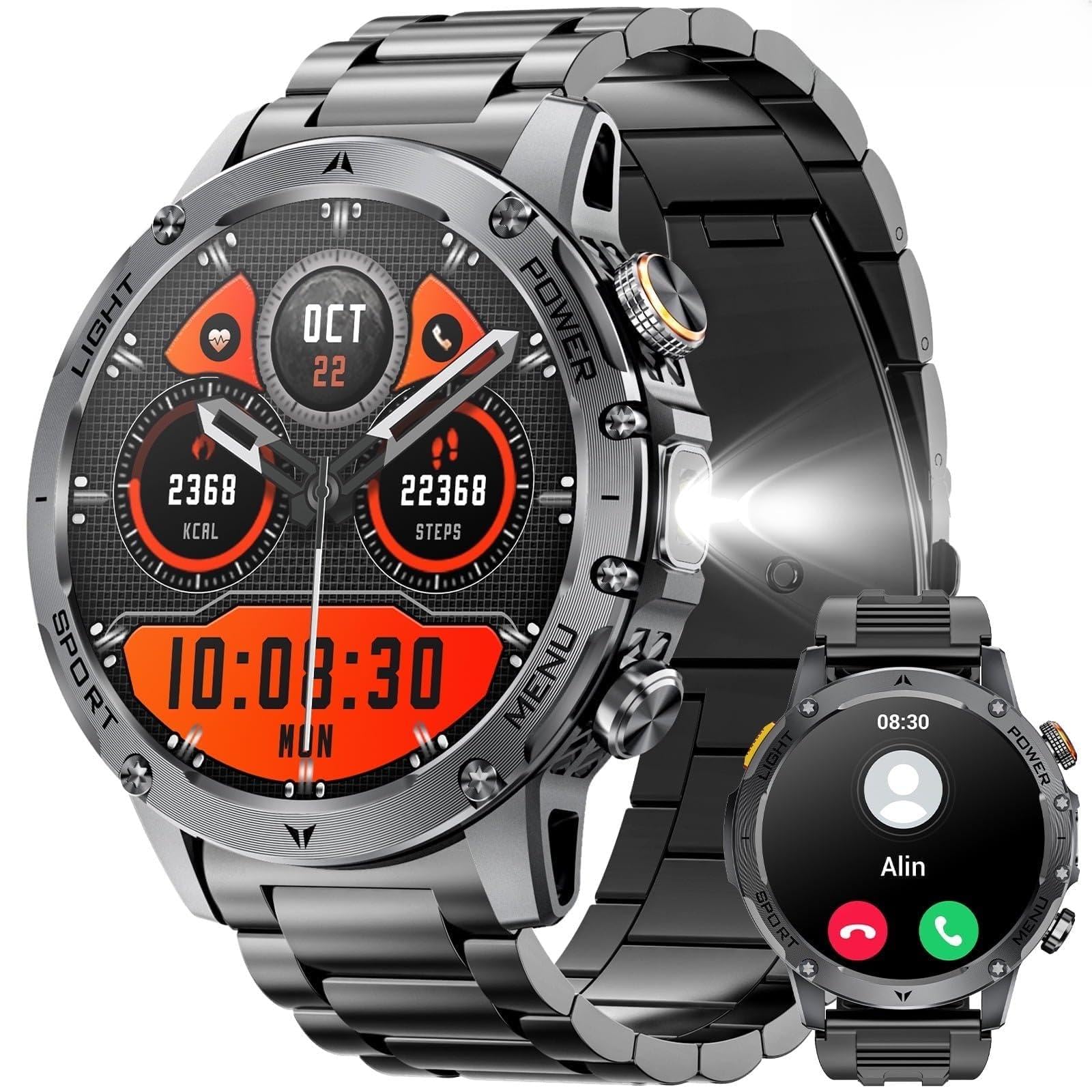
Image: The mingwear K68-B Smartwatch connected to its charging cable.
2. Hidupkan/Mati Kuasa
- Hidupkan kuasa: Press and hold the side button for 3-5 seconds until the screen lights up.
- Matikan: Tekan dan tahan butang sisi, kemudian pilih "Matikan Kuasa" pada skrin.
3. Pemasangan Apl dan Berpasangan
To unlock the full features of your smartwatch, you need to install the companion app on your smartphone (compatible with Android and iPhone devices).
- Muat turun Apl: Scan the QR code provided in the quick start guide (or on the watch screen) or search for "[App Name, e.g., 'SmartHealth']" in the Apple App Store or Google Play Store.
- Daftar/Log Masuk: Buka apl dan ikut arahan pada skrin untuk membuat akaun atau log masuk.
- Pasangkan Peranti:
- Pastikan Bluetooth didayakan pada telefon pintar anda.
- In the app, navigate to "Add Device" or "Pair Smartwatch."
- Select "K68-B" from the list of available devices.
- Sahkan permintaan pasangan pada telefon dan jam tangan pintar anda.
- Berikan Kebenaran: Benarkan kebenaran yang diperlukan (cth., pemberitahuan, lokasi, kenalan) agar aplikasi berfungsi dengan betul.
Note: The exact app name and pairing steps may vary slightly. Refer to the quick start guide for specific app details.
Arahan Operasi
1. Navigasi Asas
- Leret ke atas: Access quick settings/control center.
- Leret ke Bawah: View pemberitahuan.
- Leret Kiri/Kanan: Navigate through widgets (e.g., heart rate, activity, weather).
- Ketik: Pilih item atau buka aplikasi.
- Butang Sisi: Press once to return to the home screen or wake the screen. Press and hold for power options.
2. Call Functions (Answer/Make Calls)
Once paired via Bluetooth, your smartwatch can handle calls directly.
- Menjawab Panggilan: When an incoming call rings, tap the green phone icon on the watch screen to answer.
- Membuat Panggilan: Access the dial pad or contact list from the watch menu. Tap to dial a number or select a contact.
- Panggilan Akhir: Tap the red phone icon on the watch screen to end a call.
3. Sport Modes and Fitness Tracking
The K68-B offers over 100 sport modes and comprehensive fitness tracking.
- Mengakses Mod Sukan: From the main menu, select the "Workout" or "Sport" icon. Choose your desired activity (e.g., running, cycling, swimming).
- Memulakan Senaman: Tap to start the selected activity. The watch will begin tracking duration, calories burned, heart rate, and other relevant metrics.
- Menamatkan Senaman: Swipe right or press the side button, then select "End" or "Pause."
- Penjejakan Kecergasan: The watch continuously tracks steps, distance, calories, and sleep. View detailed data in the companion app.
4. Message Alerts
Receive notifications from your smartphone directly on your smartwatch.
- Ensure notification permissions are granted in the companion app.
- When a message or alert arrives, the watch will vibrate and display the content.
- Leret ke bawah dari skrin utama ke view sejarah pemberitahuan anda.
Penyelenggaraan
1. Membersihkan Jam Pintar Anda
- Lap skrin dan badan dengan kain lembut dan tidak berbulu.
- Untuk kotoran degil, sedikit dampen kain dengan air. Elakkan bahan kimia yang keras atau bahan yang melelas.
- Pastikan sesentuh pengecasan bersih dan kering sebelum mengecas.
2. Penjagaan Bateri
- Elakkan menyahcas sepenuhnya bateri dengan kerap.
- Do not expose the watch to extreme temperatures (hot or cold) for extended periods.
- If storing the watch for a long time, charge it to about 50% before storage.
Menyelesaikan masalah
Smartwatch will not power on:
- Pastikan bateri telah dicas. Sambungkan ke pengecas selama sekurang-kurangnya 30 minit.
- Try pressing and holding the side button for 10-15 seconds for a forced restart.
Tidak boleh berpasangan dengan telefon pintar:
- Pastikan Bluetooth didayakan pada telefon dan jam tangan anda.
- Pastikan jam tangan berada dalam julat Bluetooth (biasanya 10 meter).
- Mulakan semula kedua-dua telefon anda dan jam tangan pintar.
- Clear Bluetooth cache on your phone (Android) or "Forget This Device" in Bluetooth settings (iOS) and try pairing again.
- Pastikan apl pendamping yang betul dipasang dan dikemas kini.
Notifications are not received:
- Sahkan bahawa jam tangan berjaya dipasangkan dengan telefon anda.
- Check notification permissions in the companion app and your phone's system settings.
- Ensure "Do Not Disturb" mode is not active on either the watch or phone.
Spesifikasi
| Nama Model | K68-B |
| Jenama | pakaian bercampur |
| Saiz Skrin | 1.85 Inci |
| Sistem Operasi | Android Wear 1.0 |
| Teknologi Ketersambungan | Bluetooth |
| Kapasiti Bateri | 730 Miliamp Jam (Litium Polimer) |
| Ciri Khas | Activity Tracker, Call Function, Message Alerts, 100+ Sport Modes |
| GPS | Tiada GPS |
| Keserasian | Android dan iPhone |
Waranti dan Sokongan
For warranty information and technical support, please refer to the warranty card included in your product packaging or visit the official mingwear website. If you encounter any issues not covered in this manual, please contact mingwear customer service for assistance.
Maklumat Hubungan:
- Webtapak: www.mingwear.com (Examppautan le, gantikan dengan yang sebenar jika ada)
- e-mel: support@mingwear.com (Example email, replace with actual if available)