pengenalan
Thank you for choosing the SABLUTE Multi-Device Wireless Keyboard and Mouse Combo. This manual provides detailed instructions for setting up, operating, maintaining, and troubleshooting your new device. Please read this manual carefully before use to ensure optimal performance and longevity of your product.

Image: The SABLUTE Wireless Keyboard and Mouse Combo displayed on a desk, connected to a laptop, tablet, and smartphone, highlighting its multi-device compatibility.
Kandungan Pakej
- Papan Kekunci Wayarles SABLUTE
- Tetikus Tanpa Wayar SABLUTE
- Penerima USB (untuk sambungan 2.4GHz)
- Kabel Pengecas USB
- Manual Pengguna
Persediaan dan Sambungan
Mengecas Peranti
Before initial use, ensure both the keyboard and mouse are fully charged. Use the provided USB charging cable to connect them to a power source (e.g., computer USB port, USB wall adapter).
- Charging time: Approximately 4.5 hours for full charge.
- Battery life: Keyboard up to 460 hours (no backlight), Mouse up to 50 hours (no backlight).
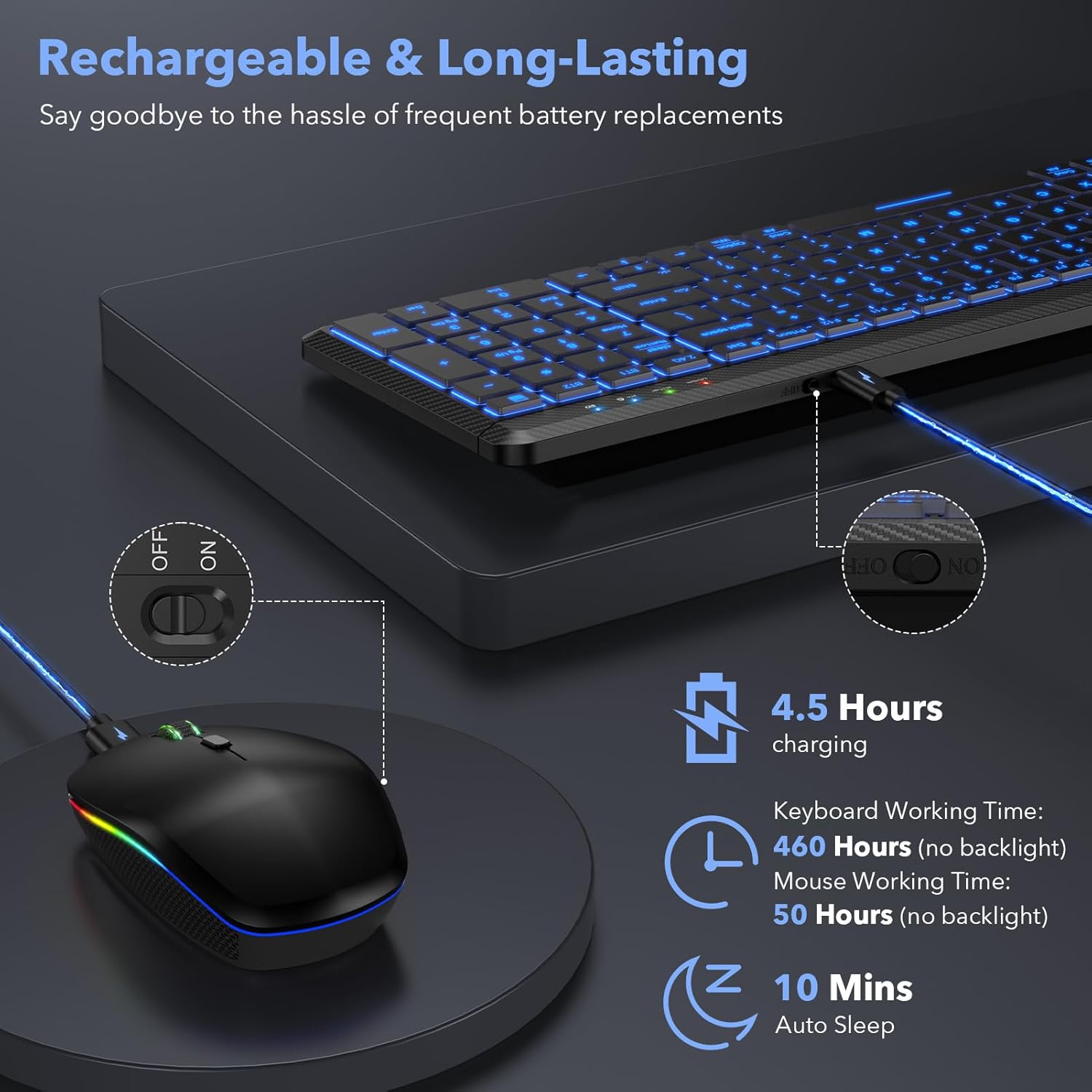
Image: The keyboard and mouse connected to a charging cable, illustrating the rechargeable feature.
Connecting to Devices (Multi-Mode)
The combo supports three connection methods: 2.4GHz USB receiver, Bluetooth 3.0 (BT1), and Bluetooth 5.0 (BT2). You can connect up to three devices simultaneously and switch between them.
- 2.4GHz USB Connection:
a. Masukkan penerima USB ke dalam port USB yang tersedia pada komputer anda.
b. Turn on the keyboard and mouse. They should automatically connect to the 2.4GHz channel. - Sambungan Bluetooth (BT1/BT2):
a. Turn on the keyboard and mouse.
b. On the keyboard, press Fn + BT1 or Fn + BT2 to select the desired Bluetooth channel. The indicator light will flash.
c. On your device (Mac, iOS, Android, iPad, etc.), go to Bluetooth settings and search for 'SABLUTE Keyboard' or 'SABLUTE Mouse'.
d. Select the device to pair. Once paired, the indicator light will stop flashing.
e. Repeat for the other Bluetooth channel if connecting a third device.

Image: A visual representation of the keyboard and mouse connected to a laptop, tablet, and smartphone, demonstrating the 2.4GHz, BT1, and BT2 connection options.
Bertukar Antara Peranti Bersambung
To switch between connected devices on the keyboard, simply press Fn + 2.4G, Fn + BT1, atau Fn + BT2.
Video: Demonstrates the multi-device switching functionality of the SABLUTE Wireless Keyboard, showing how to seamlessly transition between different connected devices.
Arahan Operasi
Kawalan Lampu Latar Papan Kekunci
Papan kekunci mempunyai lampu latar 7 warna dengan 3 tahap kecerahan.
- Melaraskan Kecerahan: Tekan Fn + Shift to cycle through 3 brightness levels.
- Changing Backlight Color: Tekan Fn + Enter to switch between the 7 available backlight colors.
- Turning Off Backlight: Teruskan menekan Fn + Shift until the backlight turns off, or simply turn off the keyboard when not in use to conserve battery.

Image: The keyboard displaying various backlight colors and illustrating the key combinations for adjusting brightness and changing colors.
Operasi Senyap
Both the keyboard and mouse are designed for quiet operation, reducing noise by over 95% compared to traditional peripherals. This allows for a more focused working environment.

Image: A visual representation emphasizing the quiet operation of the keyboard and mouse, suitable for undisturbed work or rest.
Comfortable Typing Experience
The keyboard features slightly concave, ultra-thin keycaps designed to conform to your fingertips, reducing strain during extended typing sessions. The ergonomic design provides a comfortable 6-degree tilt.
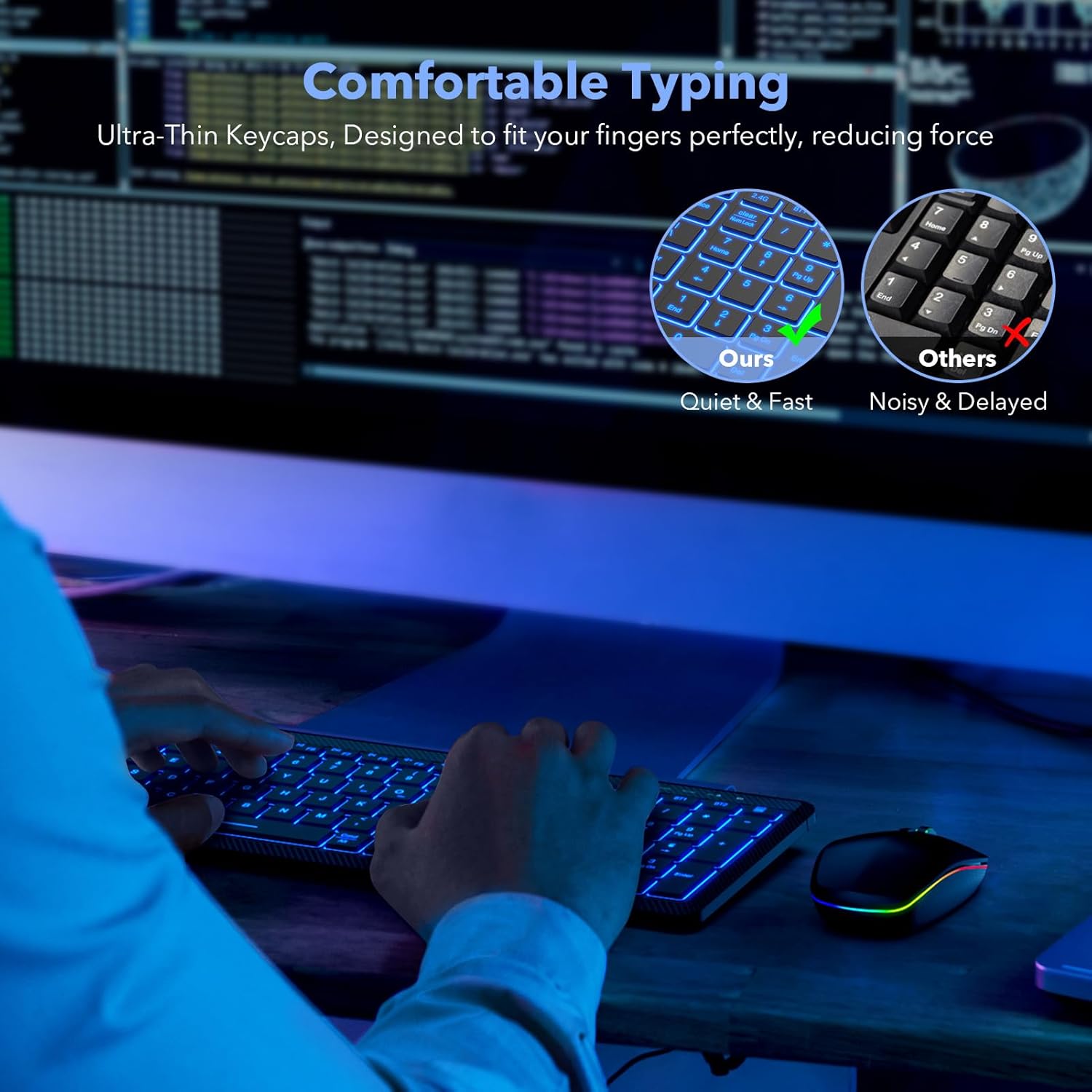
Imej: Dari dekat view of the keyboard's keycaps and its ergonomic profile, highlighting the comfortable typing experience.
Ciri Tetikus
The RGB silent mouse offers:
- 3 Tracking Speeds: Adjustable DPI settings for precise control.
- 3 Mod Sambungan: 2.4GHz, Bluetooth 3.0, and Bluetooth 5.0.
- 15 Mod Pencahayaan: Customizable RGB lighting effects.
- Reka bentuk boleh dicas semula: Bateri 650mAh terbina dalam.

Image: The SABLUTE RGB rechargeable mouse with its key features such as tracking speed, connection modes, and lighting modes visually indicated.
Penyelenggaraan
Pembersihan
The keyboard is designed to be waterproof and dustproof, as well as spill-resistant. To clean, gently wipe the surfaces with a soft, damp kain. Elakkan menggunakan bahan kimia yang keras atau bahan yang melelas.
Pengurusan Bateri
The devices feature an energy-saving management system:
- Auto-Tidur: After 10 minutes of inactivity, the keyboard and mouse will enter auto-sleep mode to conserve power.
- Bangun: Press any key or click the mouse to wake the devices.

Image: The keyboard and mouse illustrating their power-saving features, including auto-sleep and long battery life.
Menyelesaikan masalah
- Peranti tidak bersambung:
a. Ensure the keyboard and mouse are charged.
b. Verify the correct connection mode (2.4G, BT1, BT2) is selected on the keyboard.
c. For Bluetooth, ensure your device's Bluetooth is enabled and the devices are in pairing mode.
d. Try restarting your device and the keyboard/mouse. - Lampu latar tidak berfungsi atau malap:
a. Ensure the keyboard is charged.
b. Tekan Fn + Shift untuk melaraskan tahap kecerahan.
c. The backlight may automatically turn off in low battery situations. - Keys sticking or unresponsive:
a. Ensure the keyboard is clean and free from debris.
b. If the issue persists, contact customer support. - Kursor tetikus tidak menentu atau tidak responsif:
a. Ensure the mouse is charged.
b. Check the mouse's optical sensor for any obstructions.
c. Try adjusting the tracking speed.
Spesifikasi
| Ciri | Perincian |
|---|---|
| Jenama | SABLUT |
| Model | B0FB39YF43 |
| warna | Hitam |
| Teknologi Ketersambungan | Bluetooth (3.0, 5.0), 2.4GHz USB |
| Ciri Khas | Lightweight, Backlit (7 colors, 3 brightness), Waterproof & Dustproof, Spill Resistant, Silent Click Mouse |
| Peranti Serasi | Laptop, Smartphone, Tablet (MacBook Pro/Air, iPad, iMac, iOS, Android, Ipad, Windows) |
| Kapasiti Bateri Papan Kekunci | 1500mAh |
| Kapasiti Bateri Tetikus | 650mAh |
| Keyboard Working Time (no backlight) | Sehingga 460 jam |
| Mouse Working Time (no backlight) | Sehingga 50 jam |
| Fungsi Auto-Tidur | 10 minit tidak aktif |
| Berat Barang | 1.9 paun |
| Dimensi Pakej | 15.24 x 6.34 x 2.48 inci |
Waranti dan Sokongan
SABLUTE komited untuk menyediakan produk yang berkualiti dan kepuasan pelanggan. Produk anda dilindungi oleh perkara berikut:
- Penggantian 90 Hari: For any manufacturing defects.
- 360 Days Manufacturer Warranty: Melindungi kecacatan pada bahan dan mutu kerja.
- Penjagaan Jenama: Perkhidmatan pelanggan yang berdedikasi.
For technical support or warranty claims, please contact us:
- Telefon (AS): 1-888-905-9607
- Waktu Operasi: Monday - Friday, 9:00 AM - 1:00 PM PST and 2:00 PM - 6:00 PM PST
- e-mel: (Please refer to product packaging or official website for email contact)

Image: SABLUTE customer support details, including response time, replacement policy, manufacturer warranty, and contact number.