
pengenalan
This manual provides detailed instructions for the setup, operation, and maintenance of your anyfree ML01 Wireless Doorbell Camera. Please read this manual thoroughly before installation and use to ensure optimal performance and safety.
Produk Selesaiview
The anyfree ML01 is a smart wireless video doorbell designed to enhance home security. It features HDR video quality, PIR motion detection with AI human recognition, dual-band Wi-Fi connectivity (2.4 GHz/5 GHz), and a solar-assisted battery for extended life. The device includes two-way audio, night vision, and local/cloud storage options.

Image: The anyfree ML01 Wireless Doorbell Camera and its accompanying chime unit.
Apa yang Termasuk
Pakej mengandungi komponen berikut:
- 1x Video Doorbell with Chime (main unit)
- 1x Signal Station with Chime (indoor unit)
- 1x USB cable (for charging)
- 1x Double-sided tape (for adhesive mounting)
- 2x kurungan pemasangan
- 1x Security Screw
- 2x Anchor screws
- 2x KA3*30 screws
- 2x KA3*10 screws
- Manual Arahan
Video: Unboxing the anyfree Security Video Doorbell, demonstrating its components and ease of installation.
Persediaan dan Pemasangan
The anyfree ML01 doorbell offers two primary installation methods: screw-in or adhesive mounting.
1. Prepare the Doorbell
- Before mounting, ensure the doorbell is fully charged using the provided USB cable.
- Activate the doorbell by removing the protective sticker from the battery compartment.
2. Pilih Kaedah Pemasangan
Screw-in Installation:
- Position the mounting bracket on your desired wall surface.
- Tandakan lubang skru.
- Drill pilot holes and insert the anchor screws if necessary.
- Kencangkan pendakap pelekap dengan skru yang disediakan.
Pemasangan pelekat:
- Pastikan permukaan pelekap bersih, kering dan licin.
- Attach the double-sided tape to the back of the mounting bracket.
- Firmly press the bracket onto the desired location for a few seconds to ensure secure adhesion.

Image: Illustration of the two installation methods: screw-in and adhesive mounting for the doorbell.
3. Attach Doorbell to Bracket
- Slide the doorbell unit onto the mounted bracket until it clicks securely into place.
4. App Pairing and Wi-Fi Connection
- Download the companion mobile application (refer to the user manual for specific app name and QR code).
- Follow the in-app instructions to pair your doorbell camera with your smartphone.
- Connect the doorbell to your home Wi-Fi network. The device supports both 2.4 GHz and 5 GHz dual-band Wi-Fi for stable connectivity.
- Plug the indoor chime unit into a power outlet within range of the doorbell.
Video: Demonstrating three installation methods for the anyfree doorbell camera on various wall surfaces.
Arahan Operasi
Langsung View dan Audio Dua Hala
- Access the live video feed from your doorbell camera through the mobile app.
- Use the two-way audio feature to communicate with visitors at your door from anywhere.

Image: A user interacting with a visitor via the two-way audio feature on the mobile app.
Motion Detection and AI Recognition
- The doorbell features PIR motion detection and AI human recognition to identify family members, couriers, and other individuals.
- Receive real-time notifications on your mobile device when motion is detected, with events categorized by visitor type.
- Adjust motion detection sensitivity and customize push notification times within the app.
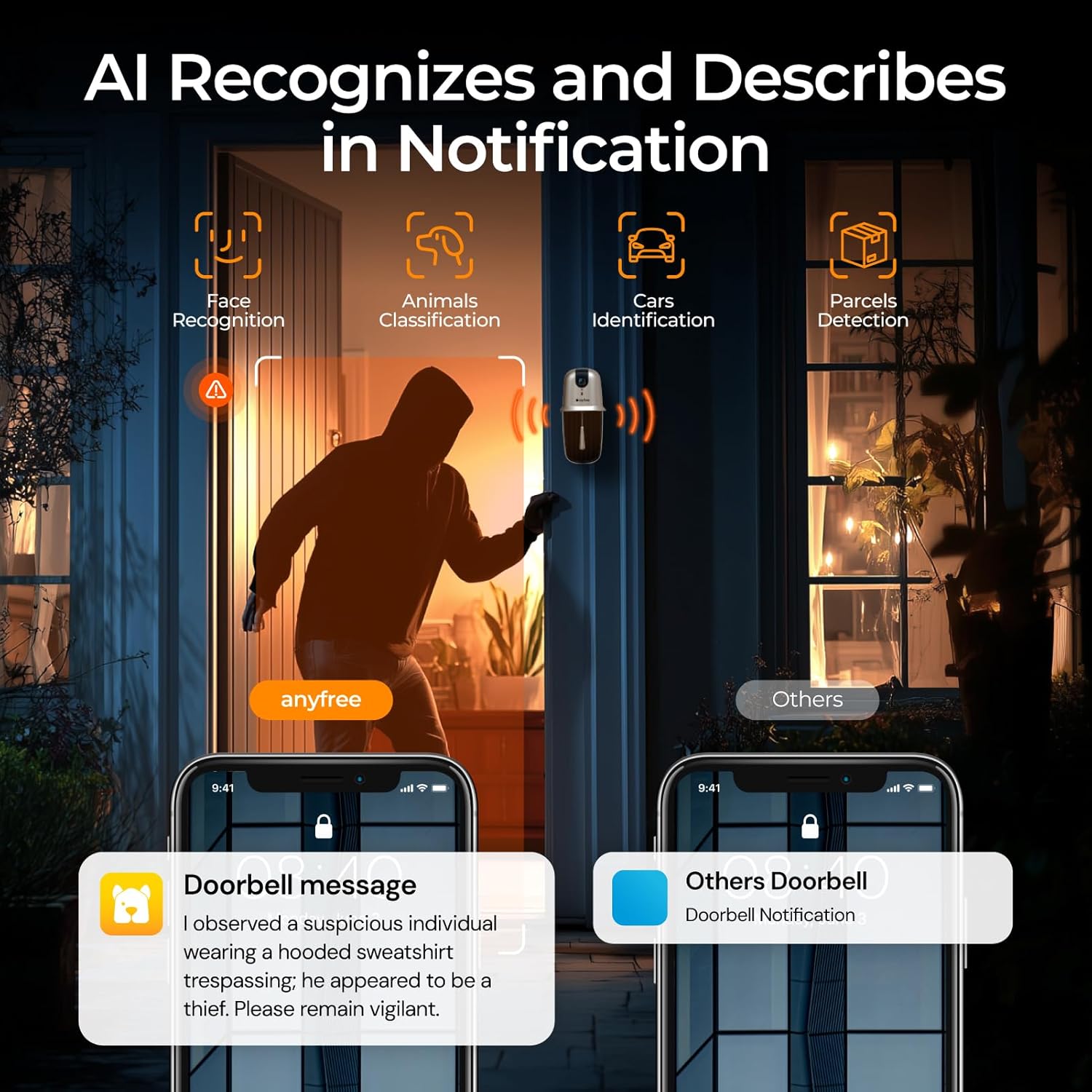
Image: Visual representation of the AI recognition feature, identifying individuals and sending detailed notifications.
Video: Demonstrating the AI recognition capabilities of the anyfree video doorbell, correctly identifying and intercepting events.
Penglihatan Malam
- The doorbell provides clear HDR night vision, allowing you to see visitors and packages clearly in low-light conditions.

Image: Comparison of daytime HDR video and infrared night vision from the doorbell camera.
Customizable Ringtones
- Select from various customizable ringtones for your indoor chime unit.
Pilihan Storan
Storan Tempatan
- The doorbell supports local storage via an SD card (up to 128GB, not included) for motion detection recordings without monthly fees.
Storan Awan
- Unlimited cloud storage is available with a 90-day free trial. Recordings are categorized based on visitor type and event nature.

Imej: Selesaiview of local SD card storage and cloud storage options for recorded video clips.
Pengurusan Bateri
The doorbell camera features a solar-assisted built-in battery (5800mAh). The solar panel extends battery life but does not fully replace USB charging. Regular USB charging may still be required.

Image: Diagram illustrating the solar-assisted battery charging mechanism and long standby time.
Ciri Keselamatan
Destruction Alarm and Privacy Protection
- If someone attempts to disassemble the doorbell, a disassembly alarm will trigger, and you will receive a phone notification.
Perkongsian Peranti
- The doorbell can be shared with up to 4 family members, allowing multiple users to monitor and receive notifications.
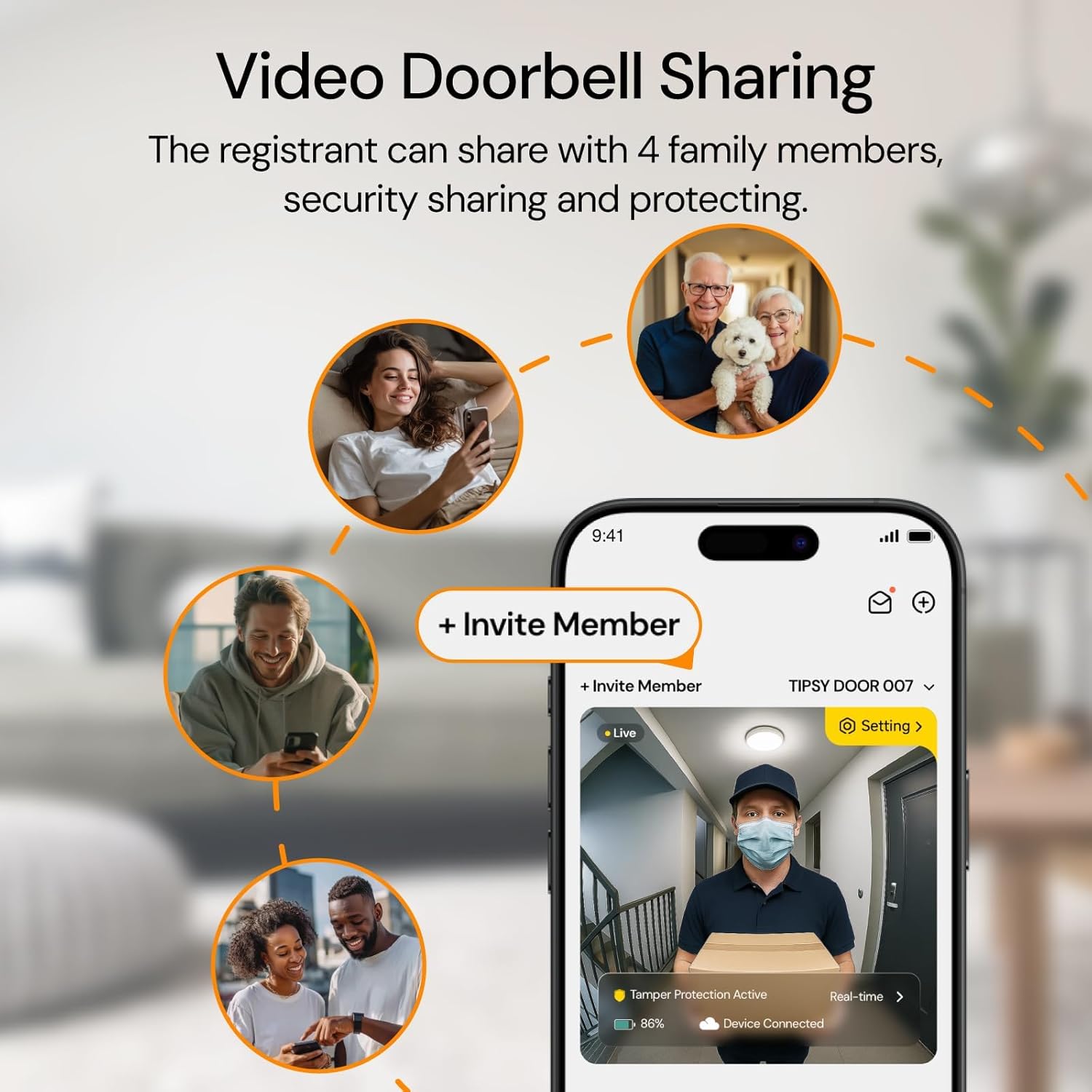
Image: Illustration of how the video doorbell can be shared with up to four family members for collective security.
Spesifikasi
| Ciri | Spesifikasi |
|---|---|
| Nombor Model | ML01 |
| Penggunaan Dalaman/Luar | Luar |
| Sumber Kuasa | Solar Assist Powered |
| Protokol Ketersambungan | 2.4G & 5G Dual-band WiFi |
| Jenis Pengawal | Kawalan APP |
| Jenis Pemasangan | Doorbell Mount (Screw In & Self Adhesive) |
| Resolusi Tangkapan Video | HDR Ultra-Clear |
| Julat Penglihatan Malam | 50 Kaki |
| Tahap Ketahanan Air | IPX5 Kalis Air |
| Dimensi Item L x W x H | 11.6 x 9.5 x 5.5 inci |
| Jenis Bateri | 1 Bateri Lithium Ion diperlukan |
| Ciri Khas | 2-Way Audio, Customize Chimes, Video Recording, Solar Assist Battery Powered, Directly Video Calling, Support 2.4GHz & 5G, Image Sensor, Easy to Install (1min), Signal Station with Chime, HD Resolution, Local Recording & Cloud Storage, Night Vision |
Menyelesaikan masalah
- Isu Ketersambungan: Ensure your Wi-Fi network (2.4 GHz or 5 GHz) is stable and within range. Try restarting your router and the doorbell.
- Bateri Tidak Dicas: While solar-assisted, the battery may require direct USB charging periodically. Ensure the USB cable is properly connected to a power source.
- Makluman Gerakan Palsu: Adjust the motion detection sensitivity settings within the mobile app to reduce unwanted notifications.
- Tiada Bunyi Loceng: Verify the indoor chime unit is plugged into a working outlet and properly paired with the doorbell.
Waranti dan Sokongan
anyfree provides lifetime technical support for your product. For assistance, please contact:
- Sembang Langsung: Open the 'Hello Doorbell' App > ABOUT/FAMILY > Talk to us
- E-mel Selepas Jualan: info@anyfree.com
- Jenama Web: anyfree.com > Contact Us