1. Pengenalan
This manual provides detailed instructions for the installation and care of your JayTong LCD Replacement Screen for the Vortex Z22 smartphone. This product is designed to replace old, broken, cracked, damaged, or non-functional LCD screens with touch response issues. Please read all instructions carefully before proceeding with installation.
2. Maklumat Keselamatan dan Langkah Berjaga-jaga Penting
- Pengujian Pra-Pemasangan adalah Penting: We strongly recommend testing the received item before installation. Do not remove any protective films or tags during testing. Failure to test may void return eligibility if installation attempts have been made.
- Komponen rapuh: All screen components are fragile. Handle with extreme care to prevent damage.
- Pemasangan Profesional Disyorkan: Installation instructions are not included. Do not attempt installation without prior experience or professional guidance. Incorrect installation can damage your phone or the new screen.
- Correct Model Identification: Ensure you have correctly identified your phone model (Vortex Z22) before purchase and installation. Using the wrong model screen can cause damage.
- Elakkan Paksa: Do not force any components during installation. If you encounter resistance, re-evaluate the step.
3. Kandungan Pakej
Sahkan bahawa pakej anda mengandungi item berikut:
- 1 x JayTong LCD Replacement Screen for Vortex Z22
- 1 x Set of Essential Device Opening Tools (may vary)

Image 1: JayTong LCD Replacement Screen for Vortex Z22. This image shows the front and back of the replacement LCD display and touch screen assembly.
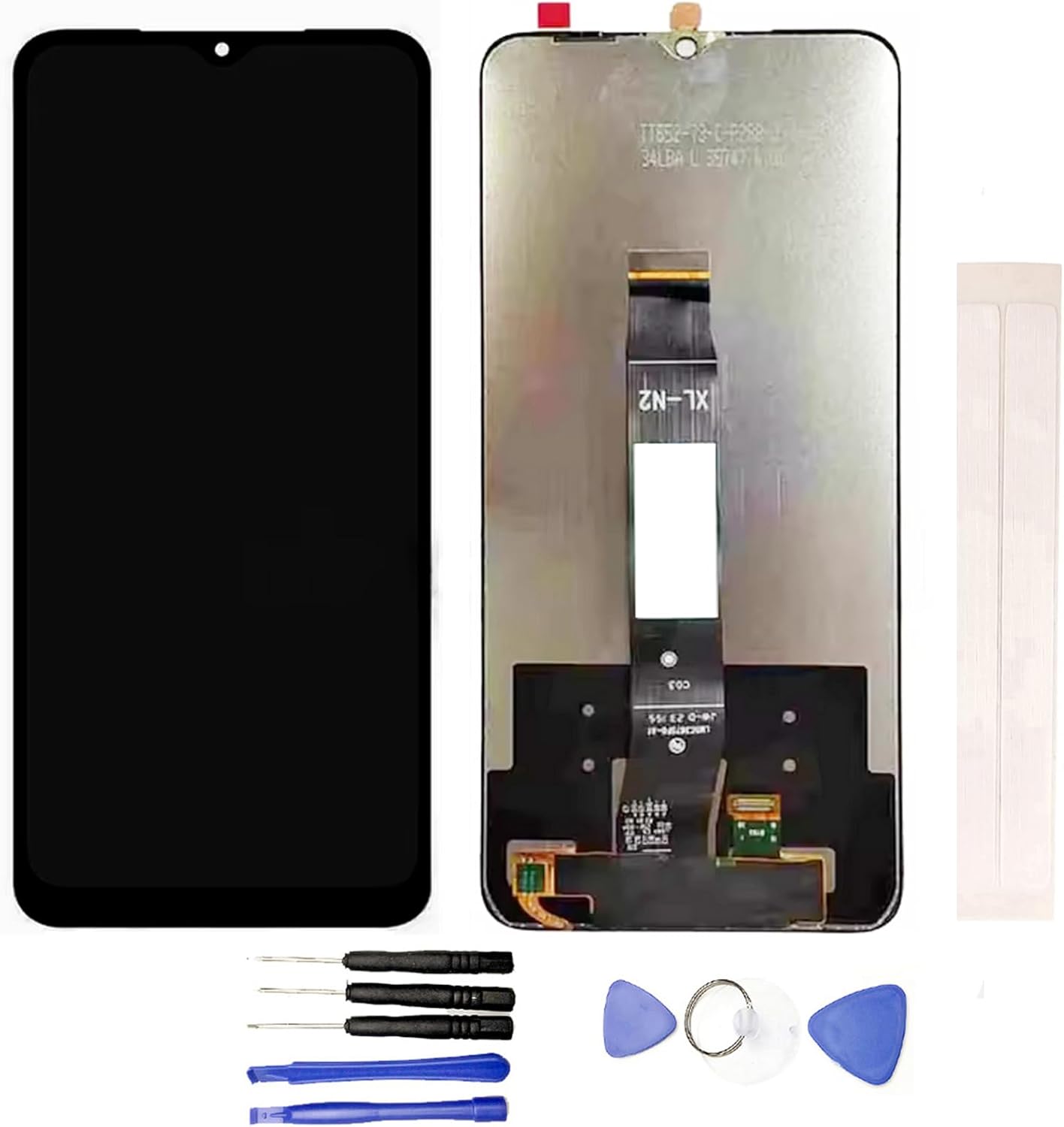
Image 2: Essential Device Opening Tools. This image displays a set of tools typically included for phone repair, including screwdrivers, plastic prying tools, and a suction cup.
Nota: Customers may need to purchase additional tools beyond the essential device opening tools provided, depending on the specific requirements of the Vortex Z22 disassembly.
4. Panduan Pemasangan
Follow these steps carefully for testing and installation. It is highly recommended to seek professional assistance if you are not experienced with phone repairs.
4.1 Pre-Installation Testing Procedure
- Sambungan Bersih: Before testing, thoroughly clean the flex cable of the new screen and the corresponding slot on your phone's motherboard. Ensure no dust or debris is present.
- Connect Screen: Carefully and securely connect the new screen's flex cable to the motherboard. Ensure it is seated correctly without bending or damaging the cable.
- Pemeriksaan Bateri: Confirm that your phone's battery is fully charged. Also, ensure your phone's motherboard is not damaged.
- Hidupkan dan Uji: Power on your phone. Test all functions of the screen, including display quality, touch responsiveness across the entire screen, and any other relevant features.
- penyiapan: Once testing is complete and satisfactory, you may proceed with the full installation. If any issues arise during testing, do not proceed with installation and contact customer support.
4.2 Full Installation (Advanced Users Only)
After successful pre-installation testing, you can proceed with the full installation. This typically involves:
- Carefully removing the old, damaged screen.
- Transferring any necessary components (e.g., home button, front camera, earpiece speaker) from the old screen to the new one, if applicable.
- Securing the new screen into the phone's frame.
- Reassembling the phone.
Amaran: This process requires specialized tools and knowledge. Any damage incurred during installation due to inexperience is not covered by warranty. If you are unsure, please consult a professional repair service.
5. Operating the Screen
Once successfully installed, the JayTong LCD Replacement Screen for Vortex Z22 will function identically to the original screen. You can operate your smartphone as usual, utilizing the display and touch functionalities for all applications and system interactions.
6. Penyelenggaraan dan Penjagaan
- Pembersihan: Gunakan kain yang lembut dan tidak berbulu, sedikit dampdibilas dengan air atau pembersih khusus skrin, untuk mengelap skrin dengan lembut. Elakkan bahan kimia yang keras atau bahan yang melelas.
- Perlindungan: Consider using a screen protector and a protective case for your phone to minimize the risk of future damage from drops or scratches.
- Elakkan Kesan: The screen is made of glass and can break if dropped or subjected to significant impact.
- Suhu: Avoid exposing your phone to extreme temperatures, which can affect screen performance and longevity.
7. Penyelesaian masalah
Jika anda menghadapi masalah selepas pemasangan, pertimbangkan langkah penyelesaian masalah berikut:
- No Display or Partial Display:
- Ensure the flex cable is securely and correctly connected to the motherboard.
- Check for any visible damage to the flex cable or connector.
- Mulakan semula telefon anda.
- Touch Not Responding or Inaccurate:
- Ensure the screen surface is clean and free of debris or liquids.
- Verify the touch screen flex cable is properly connected.
- Mulakan semula telefon anda.
- Screen Flickering or Lines:
- Check the screen's flex cable connection for looseness or damage.
- Ensure the motherboard itself is not damaged.
If these steps do not resolve the issue, please contact customer support for further assistance. Do not attempt further repairs if you are not qualified.
8. Spesifikasi
- Keserasian Model: Vortex Z22
- Jenis: LCD Display Touch Screen Assembly
- warna: Hitam
- Dimensi Pakej: 6 x 3 x 0.4 inci
- Berat Barang: 3.52 auns
- Pengeluar: Generik
9. Waranti dan Sokongan
Each screen is tested before shipping to ensure functionality. If you have any questions or encounter issues with your product, please feel free to contact the seller directly for support. Please note that returns may not be accepted for screens where an installation attempt has been made, especially if pre-installation testing was not performed or if the item is physically damaged during installation.
For further assistance, please refer to your purchase documentation or contact the retailer.


