
1. Pengenalan
The Elitech RCW-360Plus-WG-DC is a professional WiFi+4G data logger designed for reliable real-time monitoring of temperature, humidity, and light. This device combines both WiFi and 4G connectivity to ensure continuous data transmission. It features 100,000 local storage points, automatic cloud synchronization, and provides alerts via SMS, email, or app notifications. The RCW-360Plus-WG-DC is suitable for various applications including food storage, pharmaceutical facilities, and laboratories. It supports 5 types of interchangeable probes (sold separately) and displays data on a clear color screen, with easy switching between Celsius (°C) and Fahrenheit (°F).
2. Ciri-ciri Utama
- Dual Connectivity (WiFi & 4G): Ensures continuous data logging and cloud synchronization, even if one network fails.
- Real-time Monitoring & Alerts: Track live data via the dedicated app or web interface. Receive instant alerts through cloud alarms, SMS, email, app notifications, or the integrated signal LED/speaker.
- Akses Berbilang Pengguna: Allows multiple users to log in and receive data/alarms simultaneously, ideal for team environments.
- Large Local Storage: Stores up to 100,000 readings locally, ensuring data integrity even without an internet connection. Data automatically uploads to the cloud once connectivity is restored.
- Keserasian Probe: Compatible with 5 different types of interchangeable probes (sold separately) for various customized applications.
- Clear TFT Display: Features a clear TFT screen that shows current, minimum, and maximum values, along with time and date. Supports easy switching between °C and °F.
3. Produk Lebihview
The Elitech RCW-360Plus-WG-DC data logger is designed for robust environmental monitoring. Below is an image illustrating the device.
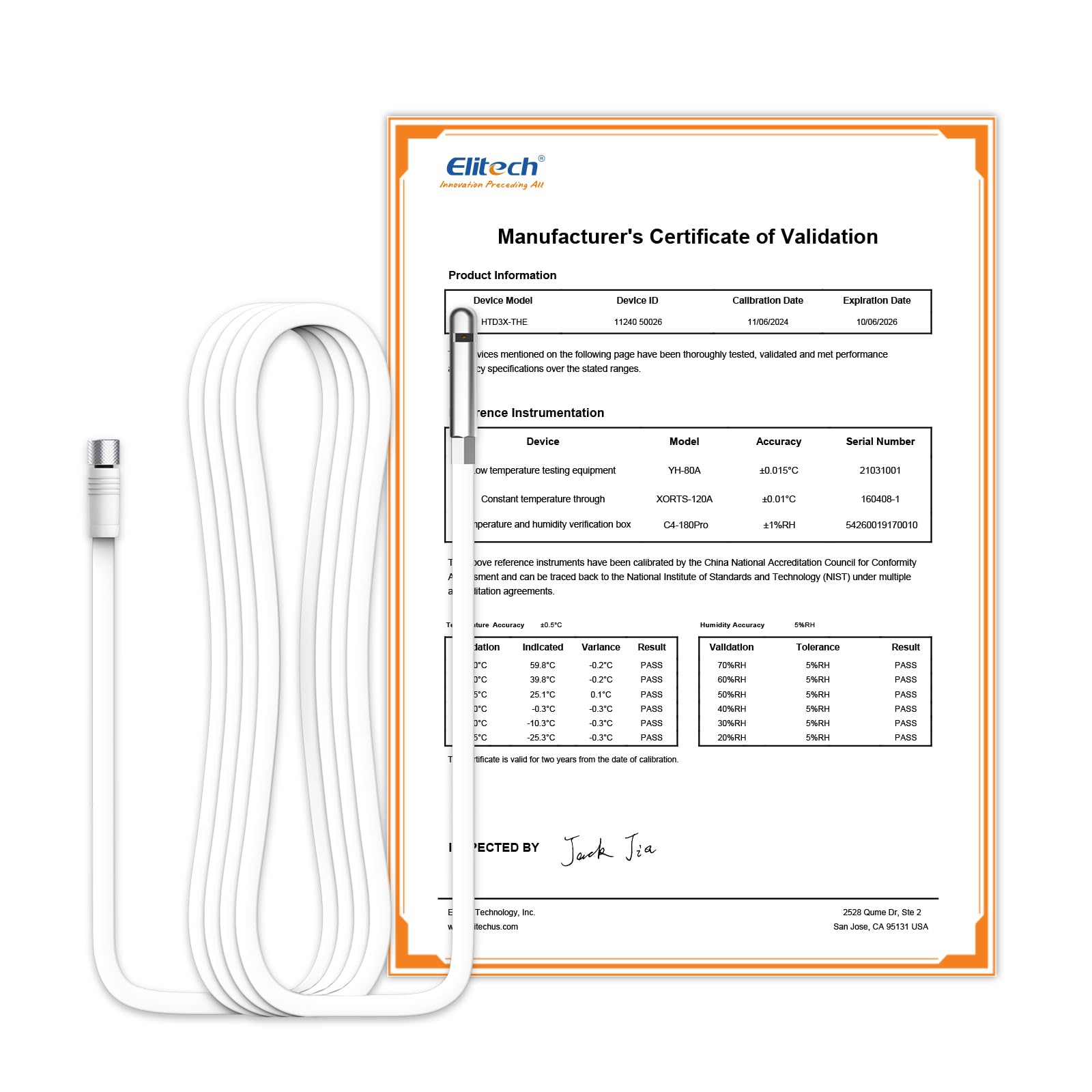
Figure 3.1: Elitech RCW-360Plus-WG-DC Data Logger. This image shows the main unit with its color display and a connected probe, illustrating its compact design and user interface.
The device typically includes the main data logger unit, a power adapter, and may come with a specific probe like the HTD3X-THE-H-5M for combined temperature and humidity measurement. Ensure all components are present upon unboxing.
4. Arahan Persediaan
- Buka bungkusan Peranti: Carefully remove the RCW-360Plus-WG-DC data logger and all accessories from its packaging.
- Sambungkan Probe: Connect the desired temperature and/or humidity probe (e.g., HTD3X-THE-H-5M) to the designated port on the data logger. Ensure a secure connection.
- Hidupkan kuasa: Connect the power adapter to the data logger and plug it into a suitable power outlet. The device will power on automatically.
- Konfigurasi Awal:
- Follow the on-screen prompts to set the date, time, and preferred temperature unit (°C/°F).
- Persediaan Rangkaian: Access the network settings menu.
- WiFi: Select your WiFi network from the list and enter the password.
- 4G: If using 4G, ensure a compatible SIM card is inserted (if applicable) and configured according to local network provider instructions. The device should automatically connect to the 4G network.
- Cloud Platform Registration: Download the Elitech app or visit the Elitech cloud platform website. Register an account and add your RCW-360Plus-WG-DC device using its unique ID. This enables remote monitoring and data access.
- penempatan: Position the data logger and its probe in the desired monitoring location, ensuring the probe is exposed to the environment you wish to measure.
5. Arahan Operasi
5.1. Data Pemantauan
- Paparan Pada Peranti: The TFT screen continuously displays current temperature, humidity, min/max values, time, and date. Use the navigation buttons to cycle through different display modes or settings.
- Mobile App/Web Platform: Log in to the Elitech app or web platform ke view real-time data, historical graphs, and device status from anywhere.
5.2. Menetapkan Penggera
Configure alarm thresholds for temperature and humidity through the Elitech app or web platform. You can set upper and lower limits. When readings exceed these limits, the device will trigger alerts.
- Jenis Penggera: Alerts can be sent via SMS, email, app push notifications, or indicated by the device's integrated LED and speaker.
- Kelewatan Penggera: Some settings allow for an alarm delay to prevent false alarms from brief fluctuations.
5.3. Data Export and Reporting
Data sejarah boleh viewed, analyzed, and exported from the Elitech cloud platform. Reports can typically be generated in various formats (e.g., PDF, Excel) for compliance or record-keeping purposes.
6. Penyelenggaraan
- Pembersihan: Lap peranti dan prob dengan kain lembut dan kering. Jangan gunakan pembersih yang kasar atau rendam peranti di dalam air.
- Penentukuran Probe: Periodically check the accuracy of your probes. If significant drift is observed, consider recalibration or replacement of the probe as per manufacturer guidelines.
- Kemas kini Firmware: Check the Elitech app or website for available firmware updates for your device. Keeping the firmware updated ensures optimal performance and access to new features.
- Keadaan Persekitaran: Ensure the device is operated within its specified environmental limits to prevent damage and ensure accurate readings.
7. Penyelesaian masalah
| Masalah | Kemungkinan Punca | Penyelesaian |
|---|---|---|
| Peranti tidak dihidupkan | Tiada bekalan kuasa; penyesuai rosak | Check power connection; try a different power outlet or adapter. |
| No data uploaded to cloud | No WiFi/4G connection; incorrect network settings | Verify WiFi password and signal strength. Check 4G SIM card and network coverage. Restart the device. |
| Bacaan tidak tepat | Probe not connected properly; damaged probe; probe needs calibration | Ensure probe is securely connected. Inspect probe for damage. Consider recalibrating or replacing the probe. |
| No alarm notifications | Alarm settings incorrect; app notifications disabled; network issues | Check alarm thresholds in the app/web platform. Ensure app notifications are enabled on your phone. Verify network connectivity. |
8. Spesifikasi
| Ciri | Perincian |
|---|---|
| Main Unit Model | RCW-360Plus-WG-DC |
| Compatible Probe Model | HTD3X-THE-H-5M (5m combined Temperature + Humidity probe) |
| Pengeluar | Elitech |
| Ketersambungan | WiFi, 4G |
| Kapasiti Storan Tempatan | 100,000 bacaan |
| Julat Suhu Probe | -40 ~ 85 ℃ (-40 ~ 185 °F) |
| Probe Temperature Accuracy | ±0.5 ℃ |
| Probe Humidity Range | 0 ~ 100% RH |
| Probe Humidity Accuracy | ±0.5% RH |
| Panjang Kabel Probe | 5 m |
| Berat Probe | 10 g |
| Dimensi Pakej | 10 x 5 x 3 cm |
| Bateri Diperlukan | No (for main unit, typically adapter powered) |
| Tarikh Tersedia Pertama | 28 Mei 2025 |
9. Waranti dan Sokongan
For warranty information, technical support, or service inquiries regarding your Elitech RCW-360Plus-WG-DC data logger, please refer to the official Elitech website or contact their customer service directly. Keep your purchase receipt and product serial number handy for faster assistance.
You can visit the Elitech store on Amazon for more products and support information: Elitech Amazon Store