
1. Produk Lebihview
This manual provides instructions for the Surakey Car Stereo Radio, designed for Mercedes Benz Sprinter models from 2006 to 2017. This unit features a 9-inch touch screen, runs on Android 13, and includes 2GB RAM and 32GB ROM. Key functionalities include wireless CarPlay and Android Auto, built-in GPS navigation, WiFi, Bluetooth connectivity, and support for steering wheel controls and a backup camera.
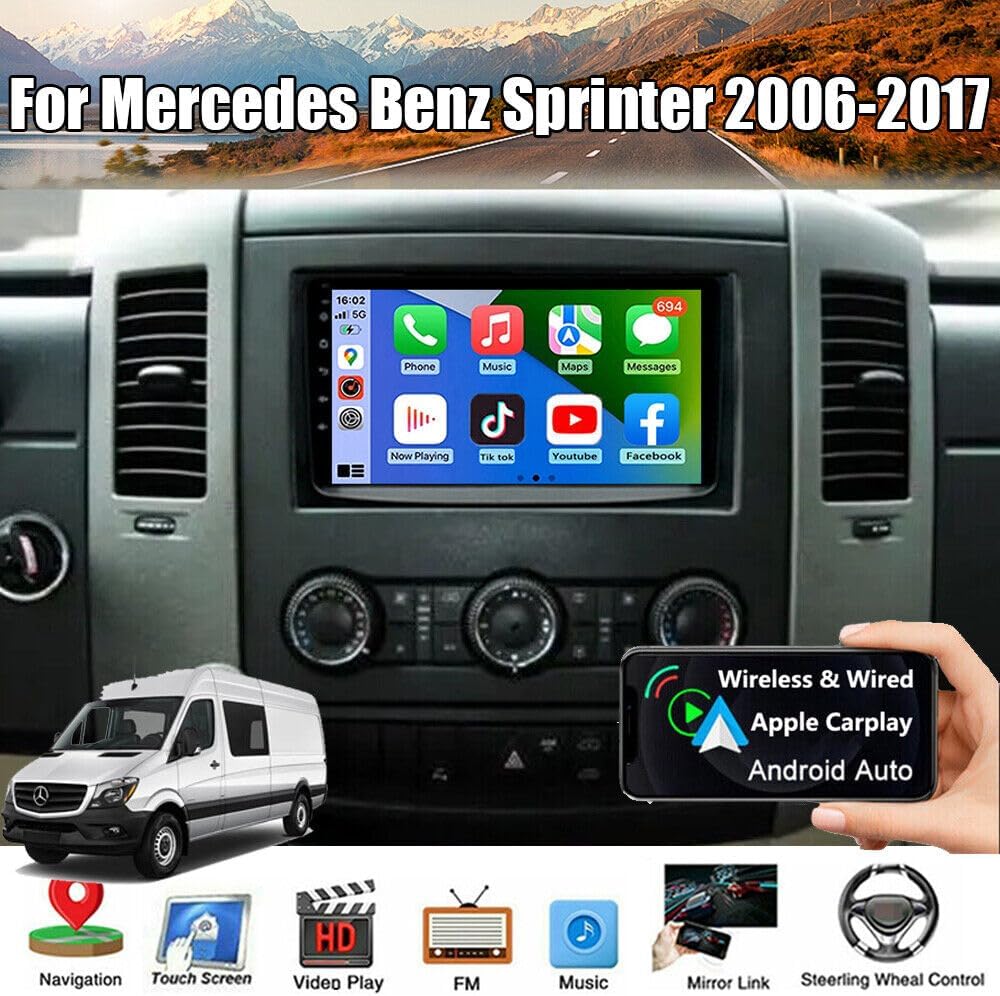
Image 1.1: The Surakey Car Stereo Radio installed in a Mercedes Benz Sprinter dashboard, showcasing its 9-inch display with various application icons.
2. Persediaan dan Pemasangan
2.1 Semakan Keserasian
Before installation, verify that your vehicle is a Mercedes Benz Sprinter manufactured between 2006 and 2017. It is crucial to compare your vehicle's dashboard and existing wiring with the product's specifications. If unsure, provide a complete image of the plugs on the back of your center console and the original head unit to the seller for confirmation of compatibility and any necessary additional wiring harnesses or adapters.

Image 2.1: A visual comparison showing the original car radio setup (top) versus the Surakey Car Stereo Radio installed (bottom) in a Mercedes Benz Sprinter dashboard.
2.2 Komponen yang Disertakan
Pakej ini biasanya merangkumi perkara berikut:
- 9-inch Radio Stereo with Frame
- Kabel GPS
- 2 x Kabel USB
- Original Power Cable with Canbus Box
- RCA kabel
- Kabel Input Kamera
- Kabel Penyesuai Radio
- Manual Pengguna

Image 2.2: An illustration detailing the dimensions of the car stereo unit and a layout of all included cables and accessories, such as the power cable, RCA input/output, USB cables, GPS antenna, instruction manual, Canbus box, and radio adapter.
2.3 Sambungan Pendawaian
Connect the provided cables to their respective ports on the car stereo and your vehicle's wiring harness. Ensure all connections are secure to prevent signal loss or malfunction.
- Kabel kuasa: Connect the main power harness to the vehicle's power supply. The Canbus Box integrates with your vehicle's system for functions like steering wheel control.
- Kabel RCA: For external audio/video input/output, such as amplifiers or additional displays.
- Kabel USB: For connecting USB devices, including wired CarPlay/Android Auto, USB drives, or charging.
- Kabel GPS: Sambungkan antena GPS dan letakkannya di lokasi yang jelas view langit untuk penerimaan isyarat yang optimum.
- Kabel Input Kamera: For connecting a backup camera. Ensure proper wiring for reverse trigger functionality.
- Radio Adapter Cable: Connects to the vehicle's existing radio antenna.

Image 2.3: The rear panel of the car stereo unit, illustrating the various ports and connected wiring harnesses for power, audio, video, and data.
3. Arahan Operasi
3.1 Power On/Off and Basic Interface
Press the power button (usually located on the front panel or integrated into the volume knob) to turn the unit on or off. The 9-inch touch screen provides access to all functions. Navigate through menus by tapping icons and swiping.
3.2 CarPlay dan Android Auto
This unit supports both wireless and wired CarPlay for iOS devices and Android Auto for Android smartphones. Connect your phone via a USB cable or wirelessly via Bluetooth and WiFi. Once connected, you can access your phone's navigation, music, calls, messages, and other compatible apps directly on the car stereo screen. Voice control is also supported.

Image 3.1: The car stereo display showing both CarPlay and Android Auto interfaces, demonstrating how phone applications like navigation and music are integrated.
3.3 Navigasi GPS
The unit has built-in GPS reception. You can use offline navigation by installing maps directly from the Play Store or by utilizing the included GPS module. For online navigation, connect the unit to a WiFi network, and use applications like Google Maps.
3.4 Kesambungan Bluetooth
Pair your smartphone via Bluetooth for hands-free calling and audio streaming. Access your phone's contact list and call history directly from the stereo after granting necessary permissions.
3.5 Sambungan WiFi
Connect the car stereo to a WiFi hotspot (e.g., from your smartphone) to access online features such as web browsing, app downloads from the Play Store, and online navigation services.
3.6 Mirror Link and Split Screen
The Mirror Link function allows you to mirror your iOS or Android smartphone screen onto the car stereo display via WiFi. The split-screen feature enables you to view two applications simultaneously, for example, navigasi di satu pihak dan main balik muzik di sisi lain.
3.7 Kawalan Roda Stereng
If your vehicle supports it and the Canbus box is correctly installed, you can control essential functions like answering calls, changing music tracks, and adjusting volume directly from your steering wheel buttons.
4. Penyelenggaraan
Untuk memastikan jangka hayat dan prestasi optimum stereo kereta anda, ikut garis panduan penyelenggaraan ini:
- Pembersihan: Gunakan kain lembut dan kering untuk membersihkan skrin dan bahagian luarnya. Untuk kotoran degil, sapukan sedikitampen kain dengan air atau pembersih selamat skrin. Elakkan bahan yang melelas atau bahan kimia yang keras.
- Kemas Kini Perisian: Periodically check for and install software updates to ensure the system runs efficiently and has the latest features and security patches. Updates can usually be performed via a WiFi connection.
- Keadaan Persekitaran: Elakkan daripada mendedahkan unit kepada suhu yang melampau, cahaya matahari langsung untuk tempoh yang lama, atau kelembapan yang berlebihan.
5. Penyelesaian masalah
Jika anda menghadapi masalah dengan stereo kereta anda, rujuk langkah penyelesaian masalah biasa berikut:
- Tiada Kuasa:
- Periksa semua sambungan kabel kuasa.
- Sahkan fius kenderaan untuk stereo adalah utuh.
- Pastikan pencucuhan dihidupkan.
- Tiada Bunyi:
- Periksa sambungan wayar pembesar suara.
- Pastikan kelantangan tidak diredamkan atau ditetapkan terlalu rendah.
- Sahkan tetapan output audio dalam menu sistem.
- GPS Tidak Berfungsi/Tidak Tepat:
- Pastikan antena GPS disambungkan dengan betul dan diletakkan dengan jelas view dari langit.
- Semak tetapan GPS dalam menu sistem.
- If using online maps, verify WiFi connectivity.
- Isu Sambungan Bluetooth:
- Pastikan Bluetooth diaktifkan pada stereo dan telefon anda.
- Padamkan gandingan sebelumnya dan cuba pasangkan semula peranti.
- Mulakan semula stereo dan telefon anda.
- Skrin Sentuh Tidak Responsif:
- Mulakan semula unit.
- Pastikan skrin bersih dan bebas daripada serpihan.
Jika masalah berterusan selepas mencuba langkah-langkah ini, hubungi khidmat pelanggan untuk bantuan lanjut.
6. Spesifikasi
| Ciri | Spesifikasi |
|---|---|
| Nombor Model | JIAQI-QA1732X-WYQ-2505 |
| Sistem Operasi | Android 13 |
| RAM | 2GB |
| ROM (Storan Dalaman) | 32GB |
| Saiz Skrin | 9 Inci |
| Resolusi Skrin | 1024x600 |
| Output Stereo | 4x45W |
| Julat Penalaan FM | 87.5-108MHz |
| Ketersambungan | Bluetooth, USB, Wi-Fi |
| Supported Navigation | GPS (Offline/Online) |
| Dimensi Produk | 37 x 23 x 14 cm |
| Berat Barang | 1.55 kg |
7. Waranti dan Sokongan
For warranty information, technical support, or service inquiries, please refer to the documentation provided with your purchase or contact the seller directly. Warranty terms and conditions may vary.