
pengenalan
Thank you for choosing the TECKNET TK-MS058 Bluetooth Wireless Mouse. This ultra-thin, rechargeable mouse offers versatile connectivity with Bluetooth 5.2/3.0 and 2.4G USB, allowing control of up to three devices simultaneously. Featuring 6-level adjustable DPI up to 4800, a silent click design, and an ergonomic shape, it is designed for comfort and efficiency across various operating systems and devices.
Kandungan Pakej
- TECKNET TK-MS058 Bluetooth Wireless Mouse
- Kabel Pengecas USB-C
- Penerima USB 2.4G (disimpan di dalam tetikus)
- Manual Pengguna
Persediaan dan Sambungan
The TECKNET TK-MS058 mouse supports three connection modes: 2.4G USB, Bluetooth 5.2 (BT1), and Bluetooth 3.0 (BT2). You can switch between these modes to control up to three different devices.
Sambungan Penerima USB 2.4G
- Locate the 2.4G USB receiver in the compartment on the bottom of the mouse.
- Palamkan penerima USB ke dalam port USB yang tersedia pada komputer anda.
- Hidupkan tetikus menggunakan suis kuasa di bahagian bawah.
- Press the mode switch button on the bottom of the mouse until the green indicator light illuminates, indicating 2.4G mode.
- Your mouse should now be connected and ready for use.
Sambungan Bluetooth (BT1 / BT2)
- Hidupkan tetikus menggunakan suis kuasa di bahagian bawah.
- Press the mode switch button on the bottom of the mouse to select either BT1 (Bluetooth 5.2) or BT2 (Bluetooth 3.0). The corresponding blue indicator light will flash.
- On your device (laptop, tablet, etc.), go to Bluetooth settings and search for new devices.
- Select "TECKNET Mouse" from the list of available devices to pair.
- Once paired, the blue indicator light on the mouse will stop flashing and remain solid, indicating a successful connection.
- Repeat these steps for a second Bluetooth device using the other Bluetooth channel (BT1 or BT2).
Bertukar Antara Peranti
To switch between connected devices, simply press the mode switch button on the bottom of the mouse. The indicator light will change to reflect the active connection mode (green for 2.4G, blue for BT1, blue for BT2).

Image: The TECKNET TK-MS058 mouse connected to a laptop via 2.4G USB, and to a desktop and tablet via Bluetooth, demonstrating multi-device control.
Video: This video demonstrates the setup process for the TECKNET Silent Bluetooth Mouse, including how to connect via 2.4G USB and Bluetooth, and how to switch between devices.
Pengecasan dan Hayat Bateri
The TECKNET TK-MS058 mouse features a built-in rechargeable battery for extended use.
- mengecas: Connect the mouse to a power source using the provided USB-C charging cable. The scroll wheel will glow red while charging. A full charge takes approximately 2.5 hours.
- Hayat Bateri: A full charge provides up to 60 days of use (based on 2 hours of daily use). The mouse has a 12-month standby time.
- Auto-Tidur: To conserve power, the mouse automatically enters sleep mode after 30 minutes of inactivity. Simply click any button to wake it up.
- Penunjuk Bateri Rendah: When the battery is low, the scroll wheel will glow orange, signaling that it's time to recharge.

Image: The TECKNET TK-MS058 mouse being charged via a USB-C cable, highlighting its rechargeable design and battery indicators.
Operasi dan Ciri
Tetapan DPI Boleh Laras
The mouse offers 6 adjustable DPI (Dots Per Inch) levels, allowing you to customize cursor sensitivity for different tasks. Press the DPI switch button (located below the scroll wheel) to cycle through the settings:
- 800 DPI
- 1200 DPI (default for general office work)
- 1600 DPI
- 2400 DPI
- 3200 DPI
- 4800 DPI (for high-precision tasks or gaming)

Image: A visual representation of the 6 adjustable DPI settings (800 to 4800) available on the TECKNET TK-MS058 mouse, illustrating precision customization.
Reka Bentuk Klik Senyap
The TECKNET TK-MS058 features a silent click design, reducing click noise by approximately 90%. This allows for a quiet working environment, ideal for libraries, offices, or late-night use without disturbing others.

Image: The TECKNET TK-MS058 mouse highlighting its silent operation feature, ensuring a quiet user experience.
Ergonomic and Ultra-Thin Design
Designed for comfort and portability, the mouse has an ultra-slim body (2.26 × 4.48 × 0.93 inches) and an ergonomic curve that fits perfectly in your hand, reducing wrist fatigue during prolonged use. Its compact size makes it easy to carry in a laptop bag or pocket.

Image: A user demonstrating the ergonomic design of the TECKNET TK-MS058 mouse while working on a laptop, showing a comfortable hand position.
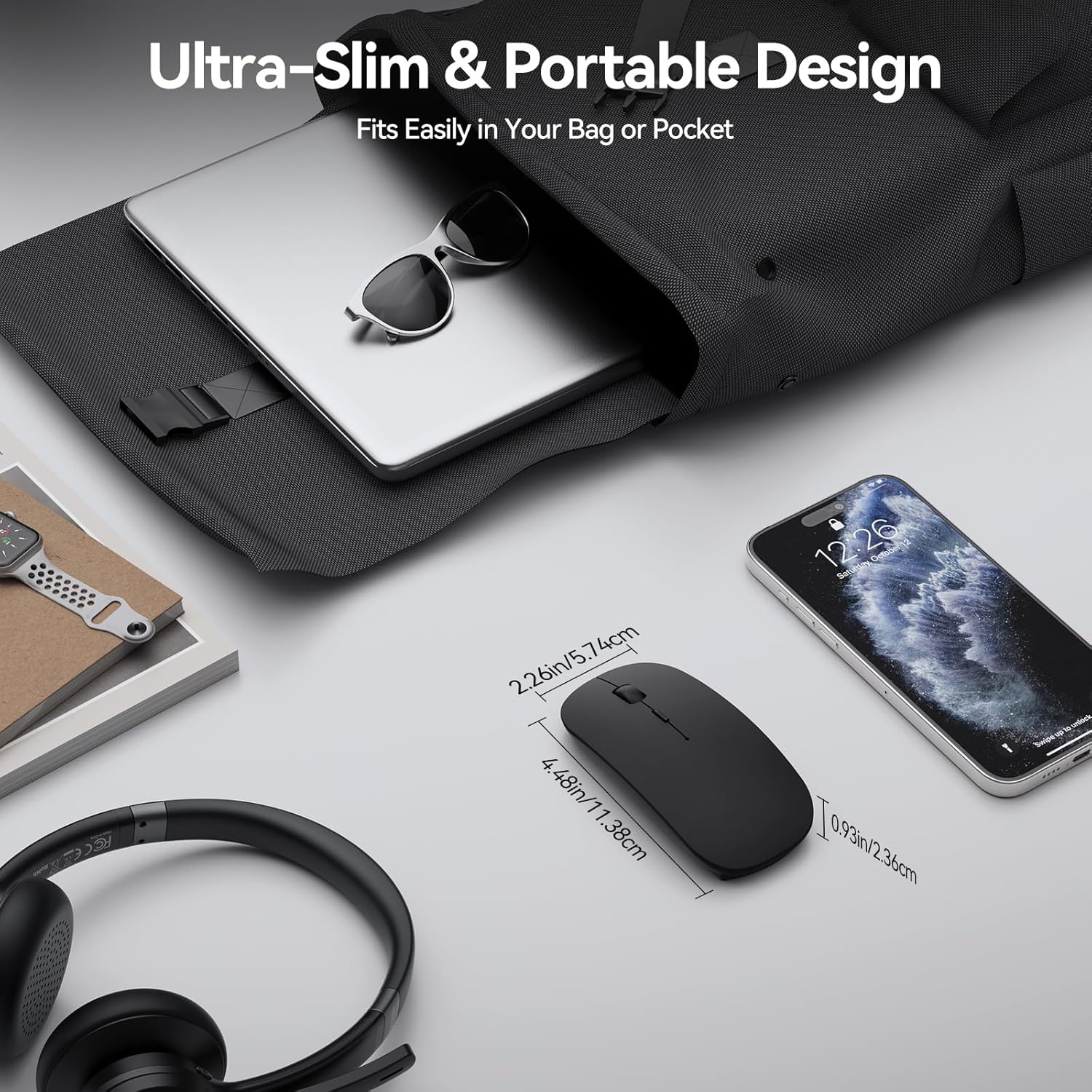
Image: The TECKNET TK-MS058 mouse displayed next to a laptop and smartphone, emphasizing its ultra-slim profile and portability for travel.
Penjejakan Optik
The mouse utilizes precise optical tracking technology, allowing it to glide effortlessly and accurately across most daily surfaces, including resin, wood, paper, cloth, and leather.
Keserasian
The TECKNET TK-MS058 mouse offers wide compatibility with various devices and operating systems:
- Peranti Serasi: Laptops, Desktops, MacBooks, iPads, iPhones, PCs.
- Sistem Operasi: Windows, macOS, Android, Linux, iOS, ChromeOS.

Image: The TECKNET TK-MS058 mouse shown with icons representing compatibility with Mac OS, Android, Windows, Linux, iOS, and ChromeOS, along with various device types.
Spesifikasi
| Ciri | Perincian |
|---|---|
| Jenama | TEKNET |
| Nama Model | TK-MS058 |
| Teknologi Ketersambungan | Bluetooth Wireless USB (2.4G, Bluetooth 5.2, Bluetooth 3.0) |
| Teknologi Pengesanan Pergerakan | Optik |
| Tahap DPI | 800, 1200, 1600, 2400, 3200, 4800 |
| Butang | 5 |
| Ciri Khas | Wireless, Ultra-slim, Silent, Rechargeable, Ergonomic, Lightweight, Portable |
| Hayat Bateri | 60 days (average use) |
| Masa Mengecas | lebih kurang 2.5 jam |
| Julat Operasi | 10-15 meter |
| Orientasi Tangan | Ambidextrous |
| Berat Barang | 3.2 auns |
Waranti dan Sokongan
The TECKNET TK-MS058 Bluetooth Wireless Mouse comes with a Waranti Pengeluar 2 Tahun. For any support inquiries, please refer to the contact information provided in your user manual or visit the official TECKNET webtapak.