1. Pengenalan
This manual provides detailed instructions for the installation, operation, and maintenance of your Kviflon 36-inch Modern Flush Mount Ceiling Fan with Light. This fan features a low-profile design, 5 reversible curved blades, 6 speed settings, 3 CCT dimmable LED lights, and convenient control via remote or smartphone application. Please read this manual thoroughly before installation and use to ensure safe and efficient operation.
2. Maklumat Keselamatan Penting
Sentiasa ikuti langkah berjaga-jaga keselamatan asas semasa memasang dan mengendalikan peralatan elektrik untuk mengurangkan risiko kebakaran, kejutan elektrik dan kecederaan diri.
- Pastikan kuasa dimatikan pada pemutus litar sebelum pemasangan atau penyelenggaraan.
- Semua pendawaian mestilah mengikut kod elektrik nasional dan tempatan.
- Rujuk juruelektrik yang berkelayakan jika anda tidak pasti tentang pendawaian atau pemasangan.
- Pasang kipas pada joist siling atau struktur sokongan yang mampu menyokong berat kipas.
- Jangan kendalikan kipas jika ada bahagian yang rosak.
- Jauhkan tangan, rambut dan pakaian daripada bilah yang bergerak.
3. Apa yang ada di dalam Kotak
Sahkan bahawa semua komponen hadir sebelum memulakan pemasangan:
- Pemasangan Motor Kipas
- Papan Gantung
- 5 Bilah Kipas
- Lampteduh
- Penerima
- Alat Kawalan Jauh
- Beg Skru
- Manual Arahan
Rajah 1: Included components of the Kviflon 36-inch ceiling fan. This image displays the fan body assembly, hanging board, five fan blades, lampshade, receiver, remote control, screw bag, and the instruction manual.
4. Persediaan dan Pemasangan
Follow these steps for proper installation. It is recommended to install the fan blades and light fixtures first, then mount the fan to the ceiling.
- Prepare the Fan Body: Attach the LED light board to the fan motor assembly using the provided screws. Ensure the screws are tightened securely.
- Pasangkan Bilah Kipas: The screws for the blades are pre-installed on the motor. Align each of the 5 fan blades with the designated holes on the motor assembly and secure them.
- Pasang Lampteduh: Berhati-hati meletakkan lampshade onto the fan body, twisting or clicking into place as per the design.
- Mount the Hanging Board: Secure the hanging board to the ceiling junction box using appropriate screws. Ensure it is firmly attached to a structural support.
- Sambungan Pendawaian: Connect the household wiring to the fan's wiring. Typically, this involves connecting live, neutral, and ground wires. Refer to the wiring diagram in the included instruction manual for specific color codes.
- Gantungkan Kipas: Carefully lift the fan assembly and hang it onto the safety hook of the ceiling mounting bracket. This allows for hands-free wiring.
- Selamatkan Kipas: Once wiring is complete, align the fan body with the hanging board and secure it with the remaining screws.
- Wall Control Compatibility: This fan is designed for use with conventional wall switches for light on/off control. It is bukan compatible with dimmer switches or fan gear switches.
Video 1: Installation steps for the Kviflon 8922 ceiling fan light, demonstrating LED board and blade attachment.

Rajah 2: Terperinci view of the fan's components and wiring connections for installation.

Rajah 3: Illustration of wall switch compatibility. The fan works with standard on/off switches but not dimmer or gear switches.
5. Arahan Operasi
Your Kviflon ceiling fan can be controlled using the included remote control or the dedicated smartphone application.
5.1 Alat Kawalan Jauh
The remote control allows for easy adjustment of fan speed, light settings, and other functions from anywhere in the room.

Rajah 4: Layout of the remote control, detailing buttons for power, light on/off, fan off, 6 speed settings, color temperature adjustment, night light, brightness control, forward/reverse function, 2-hour timer, and code matching.
- Hidupkan/Mati Kuasa: Tekan butang kuasa untuk menghidupkan atau mematikan kipas dan lampu.
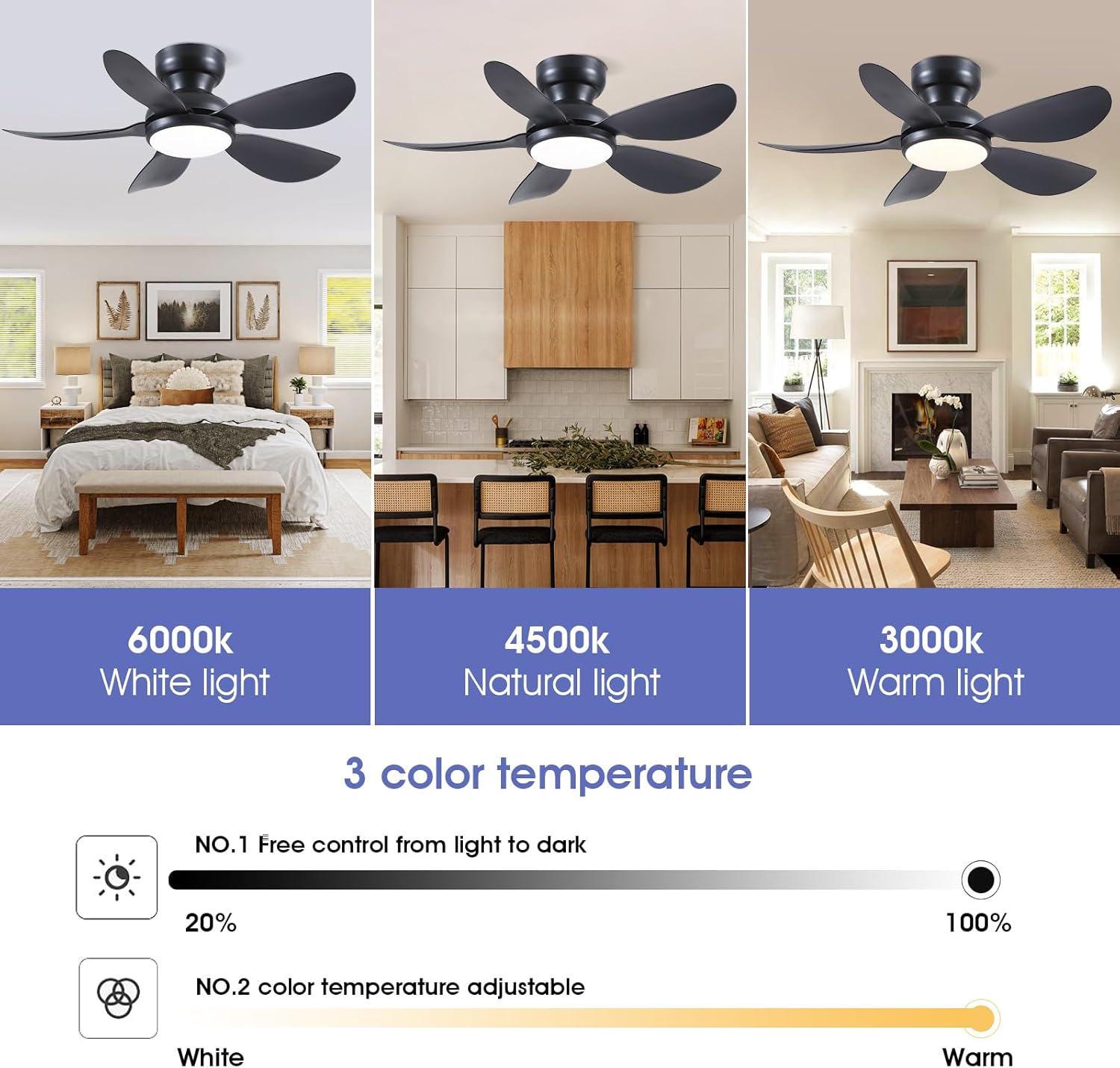
- Kawalan Cahaya: Use the light on/off button to toggle the light. Adjust brightness (20%-100%) and color temperature (3000K Warm, 4500K Natural, 6000K White) using the dedicated buttons. A night light mode is also available.
- Kelajuan Kipas: Select from 6 fan speeds using the numbered buttons (1-6). Speed 1-2 is suitable for sleep, 3-4 for leisure, and 5-6 for fitness/strong airflow.
- Fungsi terbalik: Press the F/R (Forward/Reverse) button to change the direction of the fan blades. This function helps circulate air efficiently in both summer (downward airflow) and winter (upward airflow to redistribute warm air). The fan will stop completely for 5-8 seconds before reversing direction.
- Pemasa: Set the fan to turn off automatically after 2 hours using the 2H timer button.

Rajah 5: The fan's LED light offers three color temperatures (Warm, Natural, Cool) and adjustable brightness from 20% to 100%.
Rajah 6: The fan provides 6 adjustable speeds to suit various activities and comfort levels.

Rajah 7: Reversible motor function for year-round comfort, providing downward airflow in summer and upward airflow in winter.
5.2 Kawalan Apl
Control your fan conveniently from your smartphone using the "Fan Lamp Pro" application.
- Muat turun Apl: Scan the QR code provided in the manual or on the product page to download the "Fan Lamp Pro" app. You can also visit http://www.jasonghost.com/fanlamppro/.
- Dayakan Bluetooth: Hidupkan Bluetooth pada telefon pintar anda.
- Open App and Add Device: Open the "Fan Lamp Pro" app, navigate to the main page, and tap the "+" icon to add a new fan lamp.
- Berpasangan: Turn on the main power to the fan. Within 5 seconds, repeatedly click the connecting button in the app until the fan light blinks twice or beeps, indicating a successful connection.
- Fungsi Kawalan: Once paired, you can control fan speed, light brightness, color temperature, and set timers directly from the app interface.
Video 2: Demonstrates the process of connecting and controlling the ceiling fan via the smartphone application.
6. Penyelenggaraan
Penyelenggaraan tetap memastikan jangka hayat dan prestasi optimum kipas siling anda.
- Pembersihan: Untuk mengelakkan kerosakan pada kemasan, bersihkan kipas dengan kain lembutamp kain. Jangan gunakan pembersih atau pelarut yang melelas.
- Pembersihan Bilah: Dust the fan blades regularly to prevent dust buildup, which can affect airflow and balance.
- Ketatkan Skru: Periodically check all screws for tightness. Due to the fan's movement, some connections may loosen over time.
- Lampu LED: The integrated LED light is designed for long-term use and is not user-replaceable.
7. Penyelesaian masalah
Jika anda menghadapi masalah dengan kipas anda, rujuk penyelesaian biasa berikut:
| Masalah | Kemungkinan Punca | Penyelesaian |
|---|---|---|
| Kipas tidak bermula | No power to the fan; loose wiring; remote/app not paired. | Check circuit breaker. Ensure all wiring connections are secure. Re-pair remote/app following instructions in Section 5. |
| Cahaya tidak berfungsi | No power to the light; incorrect light setting; remote/app issue. | Check power supply. Verify light is turned on via remote/app. Ensure brightness is not set to minimum. |
| Kipas bergoyang | Loose blades; improper mounting; unbalanced blades. | Ensure all blade screws are tight. Verify mounting bracket is securely fastened to the ceiling. Check for bent or damaged blades. |
| Remote/App not responding | Low battery in remote; app not connected; interference. | Replace remote batteries. Re-pair the app with the fan. Ensure no strong interference sources are nearby. |
| Kipas membuat bising | Loose screws; motor issue; blades hitting an obstruction. | Check all screws for tightness. Ensure no objects are in the path of the blades. If noise persists, contact customer support. |
8. Spesifikasi
| Ciri | Perincian |
|---|---|
| Jenama | Kviflon |
| Nombor Model | 8922 |
| Dimensi Produk | 36"D x 36"W x 9.8"H |
| Reka Bentuk Kipas Elektrik | Kipas siling |
| Sumber Kuasa | DC |
| Gaya | moden |
| Ciri Khas | App Operable, LED Light, Remote Control, Reversible |
| Jenis Pemasangan | Gunung siram |
| Jenis Pengawal | App Control, Button Control, Remote Control |
| Bilangan Kelajuan | 6 |
| Tahap Kebisingan | 30 Desibel |
| Wattage | 24 watt |
| Bilangan Bilah | 5 |
| Voltage | 110 Volt |
| bahan | Logam, Plastik |
| Bahan Bilah | plastik |
9. Maklumat Waranti
This Kviflon ceiling fan comes with a Waranti terhad 1 tahun from the date of purchase. This warranty covers manufacturing defects in materials and workmanship under normal use. It does not cover damage resulting from improper installation, accident, misuse, abuse, or unauthorized modifications. Please retain your proof of purchase for warranty claims.
10. Sokongan Pelanggan
For further assistance, technical support, or warranty inquiries, please contact Kviflon customer service:
- e-mel: support@kviflon.com
- Webtapak: Lawati Kviflon Store on Amazon untuk Soalan Lazim dan sumber tambahan.