
1. Pengenalan
This manual provides instructions for the MEIYA Industrial Counting Scale, Model MEIYA-233. This high-precision digital scale is designed for accurate weighing and counting of various items, including coins, parts, and other small objects. It features a maximum capacity of 30kg (66lb) with an accuracy of 0.5g (0.001lb), an RS232 port for data connectivity, and multiple unit conversion options (g/kg/lb).
Please read this manual thoroughly before operating the scale to ensure proper use and to maximize its functionality and lifespan.
2. Persediaan dan Pemasangan
2.1 Membongkar
Carefully remove all components from the packaging. Verify that all items listed in the packaging details are present. The package typically includes the counting scale (with battery), a charging cable, and this user manual.
2.2 Penempatan dan Aras
Place the scale on a stable, flat surface, free from vibrations and drafts. Ensure the surface is level. The scale includes a built-in level indicator and adjustable non-slip feet for precise leveling.

Rajah 2.2.1: Adjustable non-slip feet and built-in level for accurate measurement.
Adjust the feet until the bubble in the level indicator is centered. Proper leveling is crucial for accurate measurements.
2.3 Bekalan Kuasa
The scale can be powered by either plugging into an electrical outlet or using the rechargeable battery.
- Kuasa AC: Connect the provided charging cable to the scale and plug it into a standard electrical outlet (110V).
- Bateri boleh dicas semula: The scale includes a pre-installed 6V 4Ah sealed lead-acid battery for portable operation. Ensure the battery is charged before initial use. The scale will operate on battery power when not connected to an AC outlet.
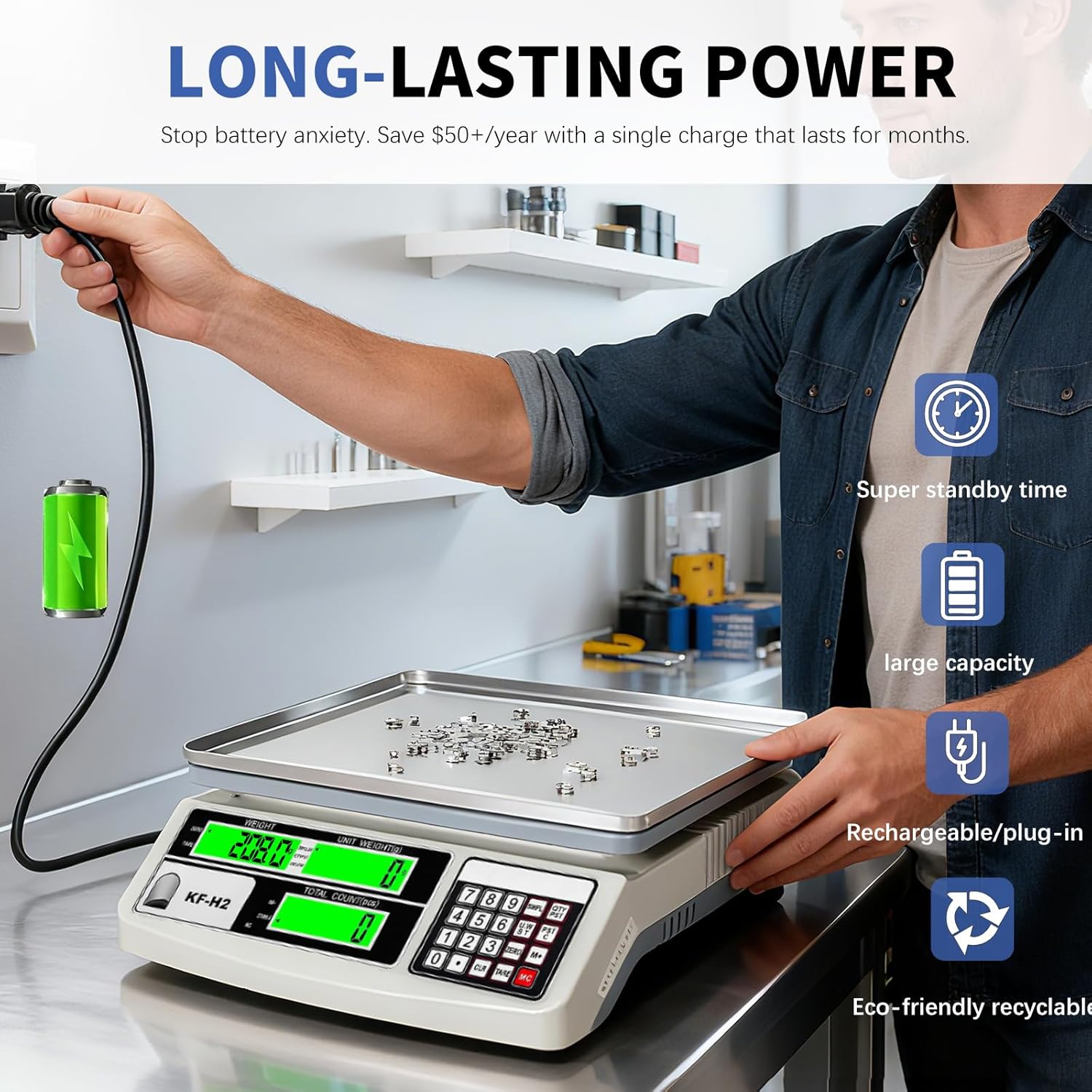
Rajah 2.3.1: Dual power supply options: AC adapter and internal rechargeable battery.
3. Operasi
3.1 Hidupkan/Mati Kuasa
Tekan ke HIDUP/MATI button to turn the scale on or off. The LCD display will illuminate.
3.2 Unit Conversion (g/kg/lb)
To switch between weighing units (grams, kilograms, pounds), press the UNIT button. The current unit will be displayed on the LCD.

Rajah 3.2.1: Switching between grams (g), kilograms (kg), and pounds (lb).
3.3 Fungsi Tara
Fungsi Tare membolehkan anda menolak berat bekas, jadi hanya berat kandungannya yang diukur.
- Place the empty container on the weighing pan.
- Tekan ke SASARAN button. The display will reset to zero.
- Masukkan barang yang hendak ditimbang ke dalam bekas. Paparan hanya akan menunjukkan berat bersih barang tersebut.

Rajah 3.3.1: Steps for using the Tare function.
3.4 Fungsi Pengiraan
This scale can count a large number of small, identical items quickly and accurately.
- Place a known quantity of items (e.g., 10, 20, 50, 100 pieces) on the weighing pan.
- Enter the quantity using the numeric keypad.
- Tekan ke SAMPLE button (or equivalent, refer to specific button labels on your model). The scale will calculate the average unit weight.
- Keluarkan sample items and place the bulk quantity of items to be counted on the pan. The display will show the total count.

Rajah 3.4.1: Using the counting function for small parts.
3.5 RS232 Data Output
The integrated RS232 port allows for data transmission to a computer or printer. This enables automated data recording and reduces manual input errors.
- Connect the RS232 cable (not included) from the scale to your computer or compatible printer.
- Ensure your computer or printer is configured to receive data via RS232. Refer to your computer/printer manual for specific settings.
- Data such as weight and count can be transmitted for logging or printing.

Rajah 3.5.1: Connecting the scale to a computer via RS232 for data output.
3.6 Fungsi Lain
- Fungsi Sifar: Tekan ke SIFAR button to reset the display to zero when the pan is empty or to clear minor fluctuations.
- Upper/Lower Limit Alarm: This feature allows you to set weight or count thresholds. The scale will alert you if the measured value falls outside the set limits. Refer to the full user manual for detailed instructions on setting these limits.
4. Penyelenggaraan dan Penjagaan
4.1 Pembersihan
The scale features a stainless steel weighing pan and an ABS body, making it resistant to wear and easy to clean. To clean the scale:
- Ensure the scale is turned off and unplugged from the power source.
- Wipe the weighing pan and body with a soft, damp kain.
- For stubborn dirt, use a mild detergent. Avoid abrasive cleaners or solvents.
- Jangan rendam kerak di dalam air.
4.2 Penyimpanan
When not in use, store the scale in a dry, clean environment, away from extreme temperatures and direct sunlight.
5. Penyelesaian masalah
If you encounter issues with your MEIYA Industrial Counting Scale, please refer to the following common problems and solutions:
| Masalah | Kemungkinan Punca | Penyelesaian |
|---|---|---|
| Penimbang tidak boleh dihidupkan. | No power from AC adapter; Battery discharged; Power button not pressed correctly. | Check AC connection; Charge battery; Press power button firmly. |
| Bacaan yang tidak tepat. | Scale not level; Unstable surface; Overload; Drafts or vibrations. | Ensure scale is level using the bubble indicator; Place on a stable surface; Do not exceed maximum capacity; Operate in a stable environment. |
| Paparan menunjukkan "Err" atau kod ralat. | Overload; Internal error. | Remove excess weight; Turn off and restart the scale. If the error persists, contact customer support. |
| Counting function is inaccurate. | Tidak betul sample size; Items not uniform in weight. | Pastikan sample size is accurate and items are identical. Use a larger sample for better accuracy. |
For issues not listed here, or if problems persist, please contact MEIYA customer service.
6. Spesifikasi Produk
| Ciri | Perincian |
|---|---|
| Jenama | MEIYA |
| Nombor Model | MEIYA-233 |
| Kapasiti Maksimum | 30 kg / 66 lb |
| Ketepatan Bacaan | 0.5 g / 0.001 lb |
| Unit | g, kg, lb |
| Jenis Paparan | Paparan LCD Lampu Latar |
| Ciri Khas | High Precision Sensor, Multiple Functions (Tare, Counting, Alarm), RS232 Port, Unit Conversion |
| bahan | Stainless Steel Weighing Pan, ABS Body |
| Bekalan Kuasa | 110V AC / 6V 4Ah Lead-acid rechargeable battery |
| Dimensi | 12.2 in × 12 in × 4.53 in (approx. 31cm × 30.5cm × 11.5cm) |
| Berat Produk | 7.4 paun / 3.35 kg |

Rajah 6.1.1: Dimensi produk dan spesifikasi utama.
7. Sokongan Pelanggan
MEIYA is dedicated to providing high-quality service. If you have any questions, concerns, or require assistance with your industrial counting scale, please contact us via the email address provided in your product packaging or original user manual.
Please have your model number (MEIYA-233) and purchase details ready when contacting support.