
SweetLF SWS7105
SweetLF Electric Razor SWS7105 User Manual
Model: SWS7105 | Brand: SweetLF
pengenalan
This manual provides detailed instructions for the safe and effective use, maintenance, and troubleshooting of your SweetLF Electric Razor SWS7105. Please read this manual thoroughly before first use and retain it for future reference.
Ciri-ciri Utama:
- 360° Floating Head: Adapts to facial contours for a close shave.
- Long-Lasting Battery & Fast Charging: Up to 120 minutes of runtime on a 60-minute Type-C charge.
- Kalis Air IPX7: Suitable for wet or dry shaving and easy cleaning under running water.
- Pemangkas Pop Timbul: For precise detailing of sideburns and necklines.
- Operasi senyap: Low-noise motor for a comfortable shaving experience.
Apa yang ada dalam Kotak
Sahkan bahawa semua item ada semasa menyahkotak:
- 1x SweetLF Electric Razor
- 1x Berus Pembersih
- 1x Kabel Pengecasan USB
- 1x Manual Arahan (dokumen ini)
- 1x Penutup Pelindung

Image: SweetLF Electric Razor SWS7105 with its included accessories.
Maklumat Keselamatan
Sila patuhi langkah berjaga-jaga keselamatan berikut:
- Always unplug the razor and allow it to cool before cleaning.
- Do not use the razor while charging or near water if it is not explicitly designed for wet use while charging.
- Exercise caution when using the pop-up trimmer to prevent injury.
- Clean the razor after each use and ensure it dries completely to prevent bacterial growth.
Persediaan
Pengecasan Awal
- Connect the provided USB Type-C charging cable to the razor's charging port.
- Pasangkan hujung kabel USB yang satu lagi ke dalam penyesuai kuasa USB yang serasi (tidak disertakan) atau port USB komputer.
- The battery indicator lights on the razor will illuminate to show charging progress.
- A full charge takes approximately 60 minutes and provides up to 120 minutes of shaving time.

Image: The SweetLF Electric Razor SWS7105 being charged via its USB-C port, displaying battery level.
Arahan Operasi
Pencukuran Asas
The SweetLF Electric Razor SWS7105 supports both wet and dry shaving.
- Pencukuran Kering: For a quick shave, ensure your face is clean and dry.
- Mencukur Basah: For a more comfortable shave, apply shaving gel or foam to your face. The IPX7 waterproof design allows for safe use in the shower.
- Press the power button to turn on the razor.
- Gently move the razor in small, circular motions over your skin. The 360° floating head will adapt to your facial contours.
- Untuk hasil terbaik, regangkan kulit anda dengan tegang menggunakan tangan anda yang bebas.
- After shaving, press the power button to turn off the razor.
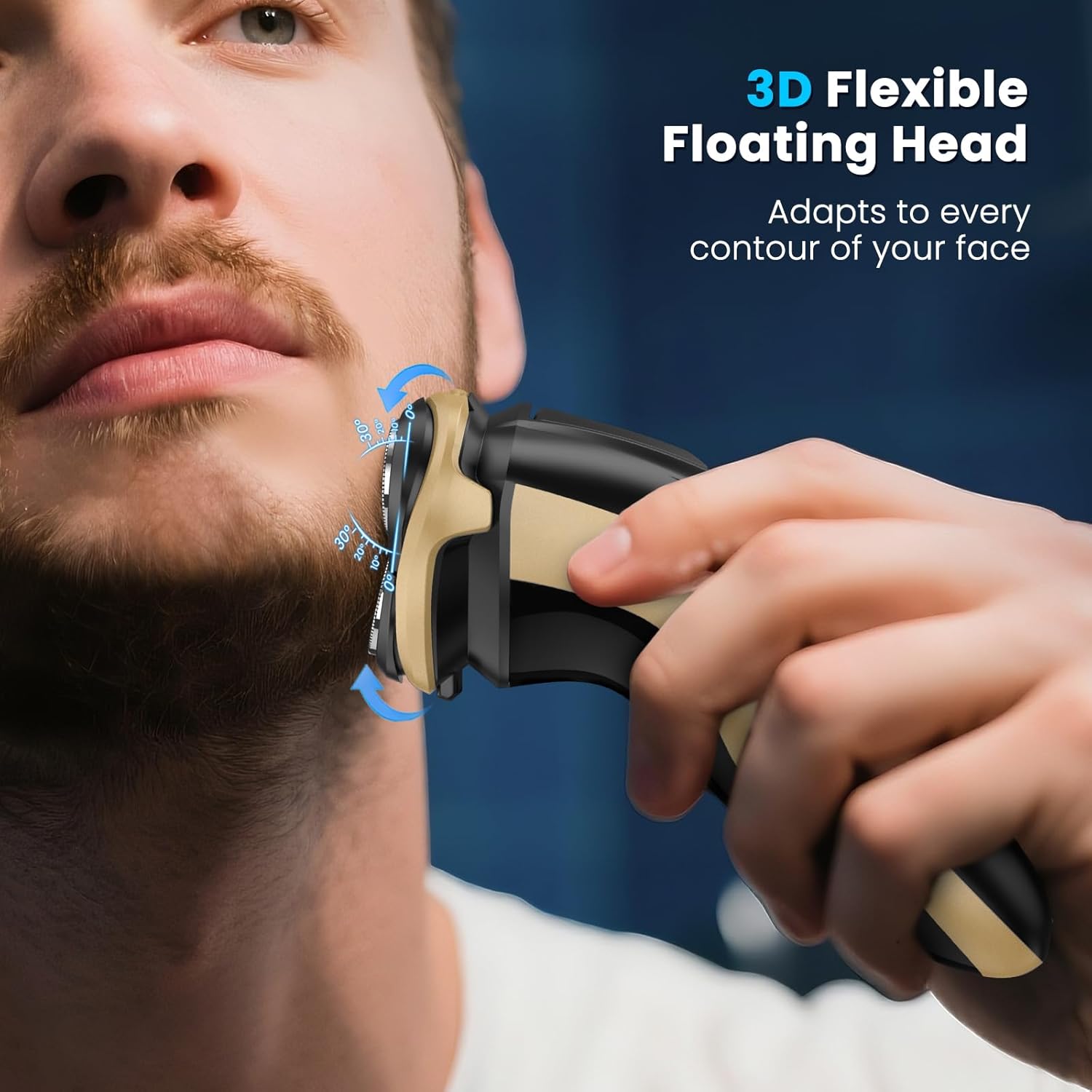
Image: The 3D flexible floating head of the SweetLF Electric Razor SWS7105 conforms to facial curves for an efficient shave.
Menggunakan Pemangkas Pop-Up
The integrated pop-up trimmer is ideal for precise edging and detailing.
- Locate the trimmer switch on the back of the razor.
- Slide the switch upwards to activate the pop-up trimmer.
- Use the trimmer to shape sideburns, mustaches, or define necklines.
- Once finished, slide the switch downwards to retract the trimmer.
Penyelenggaraan
Cleaning the Razor
Pembersihan tetap memastikan prestasi dan kebersihan yang optimum.
- Turn off the razor and unplug it from any charging source.
- Open the shaver head by pressing the release button (if applicable) or gently pulling it open.
- Rinse the shaver head and the internal components under running water. The IPX7 rating allows for full washability.
- Use the provided cleaning brush to remove any stubborn hair clippings from the blades and internal chamber.
- Allow all parts to air dry completely before reassembling the shaver head and attaching the protective cap.

Image: The SweetLF Electric Razor SWS7105 is fully washable and can be rinsed under water for easy cleaning.
Replacing Shaver Heads
For continued optimal shaving performance, it is recommended to replace the shaver heads periodically.
Video: Instructions on how to install the razor head for the SweetLF Electric Razor.
Video: Further guidance on installing the razor head for the SweetLF Electric Razor.
Video: Demonstration on how to replace the black plastic component of the shaver head.
Menyelesaikan masalah
If you encounter issues with your SweetLF Electric Razor SWS7105, please refer to the following common solutions:
- Razor not turning on: Ensure the battery is charged. Connect the charger and check the indicator lights.
- Prestasi pencukuran yang lemah: Clean the shaver heads thoroughly. If performance does not improve, consider replacing the shaver heads.
- Razor making unusual noise: Clean the shaver head to remove any trapped debris. If the noise persists, contact customer support.
- Bateri tidak dicas: Verify that the USB cable is securely connected to both the razor and the power source. Try a different USB port or adapter.
For issues not covered here, please contact SweetLF customer support.
Spesifikasi
| Ciri | Perincian |
|---|---|
| Nombor Model | SWS7105 |
| Nama Jenama | SweetLF |
| Pengeluar | SweetLF |
| Dimensi Pakej | 7.05 x 3.31 x 2.83 inci |
| Berat Barang | 9.91 auns |
| Penilaian Kalis Air | IPX7 |
| Jenis Bateri | Rechargeable Lithium-Ion (Integrated) |
| Masa Mengecas | lebih kurang 60 minit |
| Masa jalan | Sehingga 120 minit |
| Jenis Kepala | Pivoting (360° Floating) |
| Bahan Bilah | Keluli Tahan Karat |
| warna | Kopi |
Waranti dan Sokongan
SweetLF is committed to providing quality products and customer satisfaction.
- Pelan Perlindungan 2 Tahun: Your SweetLF Electric Razor SWS7105 is covered by a 2-year protection plan.
- Bantuan Teknikal Seumur Hidup: Access to technical assistance for the lifespan of your product.
- Sokongan Pelanggan: For any inquiries or assistance, please visit the SweetLF Store on Amazon atau hubungi perkhidmatan pelanggan mereka secara terus.

Image: The SweetLF Electric Razor SWS7105 offers a 2-year protection plan for customer assurance.
Ask a question about this manual
Ask about setup, troubleshooting, compatibility, parts, safety, or missing instructions. Manuals+ will review the question and use this page’s manual context to help answer it.