1. Pengenalan
This manual provides detailed instructions for the operation and maintenance of your Generic Advanced M328 Transistor and Component Tester. This device is designed for automatic identification and testing of various electronic components, including transistors, diodes, resistors, capacitors, and inductors. Its color LCD display and built-in rechargeable battery make it a convenient tool for electronics enthusiasts and professionals.
2. Maklumat Keselamatan
Please read and understand all safety instructions before using the device. Failure to follow these instructions may result in electric shock, fire, or damage to the device or other property.
- Do not attempt to test components that are still connected to a live circuit. Always ensure components are fully discharged before testing, especially capacitors.
- Jangan buka peranti casing. Tiada bahagian yang boleh diservis pengguna di dalamnya.
- Jauhkan peranti daripada air, kelembapan dan suhu yang melampau.
- Use only the specified charging cable and power adapter (if included) to charge the built-in battery.
- Buang peranti dan baterinya mengikut peraturan tempatan.
3. Kandungan Pakej
Sahkan bahawa semua item yang disenaraikan di bawah terdapat di dalam pakej anda.

The package includes one M328 Transistor and Component Tester.
- M328 Transistor and Component Tester (1 unit)
- Charging Cable (if applicable, not explicitly listed in product description but implied by 'built-in rechargeable battery')
4. Produk Lebihview dan Ciri
The M328 Transistor and Component Tester is designed for ease of use and accurate component identification. Key features include:

Terperinci view of the M328 tester's interface, including the ZIF socket and display.
- Automatic Component Detection: Automatically identifies components, eliminating manual input and increasing testing speed.
- Multifunctional Testing: Tests transistors, diodes, resistors, capacitors, and more, suitable for a variety of applications.
- Colorful LCD Display: High-contrast color display makes reading results quick and easy.
- Butang Mudah Digunakan: Simple interface with buttons for easy operation, suitable for both beginners and experts.
- Bateri Boleh Dicas Semula Terbina dalam: Convenient lithium battery power includes a battery indicator for recharging.
5. Persediaan
5.1 Pengecasan Awal
Before first use, ensure the built-in rechargeable battery is fully charged. Connect the device to a suitable USB power source using the provided charging cable. The battery indicator on the display will show the charging status.
5.2 Menghidupkan/Mematikan
To power on the device, press the 'TEST' button. The color LCD display will illuminate. To power off, press the 'OFF' button. The device may also automatically power off after a period of inactivity to conserve battery.
6. Arahan Operasi
The M328 tester simplifies component testing with its automatic detection capabilities.
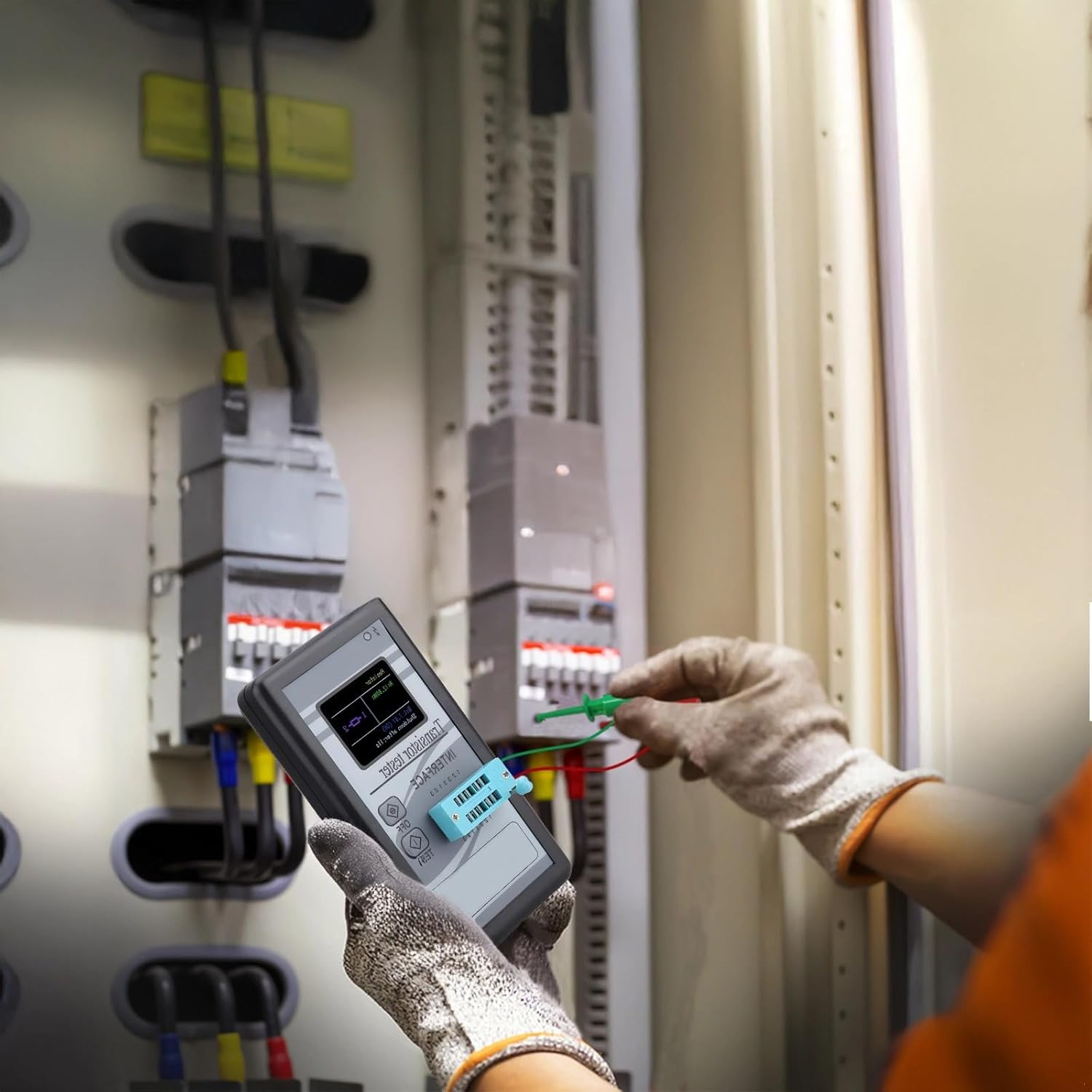
User operating the M328 Transistor and Component Tester to test an electronic component.
6.1 Komponen Penyambung
The device features a Zero Insertion Force (ZIF) socket for easy component connection. Identify the pins of your component and insert them into the corresponding numbered slots (1, 2, 3) on the ZIF socket. Ensure the component leads are fully inserted and make good contact. For two-lead components, you can use any two of the three available test points.
6.2 Initiating a Test
Once the component is securely inserted, press the 'TEST' button. The device will automatically begin the testing process. It will identify the component type and measure its parameters.
6.3 Reading Results
The test results will be displayed on the color LCD screen. The display will show the component type (e.g., NPN transistor, resistor, capacitor), pinout configuration, and measured values such as resistance, capacitance, inductance, forward voltage drop for diodes, and hFE for transistors.
7. Penyelenggaraan
7.1 Pembersihan
Lap peranti dengan kain lembut dan kering. Jangan gunakan pembersih atau pelarut yang kasar, kerana ini boleh merosakkannya.asing and screen. Ensure no dust or debris accumulates in the ZIF socket.
7.2 Penjagaan Bateri
To prolong battery life, avoid fully discharging the battery frequently. Recharge the battery when the indicator shows low power. If storing the device for an extended period, charge it to approximately 50% and recharge every few months.
7.3 Penyimpanan
Simpan peranti ini di tempat yang sejuk dan kering, jauh daripada cahaya matahari langsung dan suhu yang melampau. Simpan di dalam pembungkusan asalnya atau bekas pelindung untuk mengelakkan kerosakan.
8. Penyelesaian masalah
- Peranti tidak dihidupkan: Pastikan bateri dicas. Sambungkan ke sumber kuasa dan cuba lagi.
- No component detected: Check that the component leads are properly inserted into the ZIF socket and make good contact. Ensure the component is not damaged.
- Bacaan yang salah: Verify the component is fully discharged before testing. Ensure there are no short circuits or loose connections.
- Skrin kosong atau berkelip-kelip: Recharge the battery. If the issue persists, contact customer support.
9. Spesifikasi
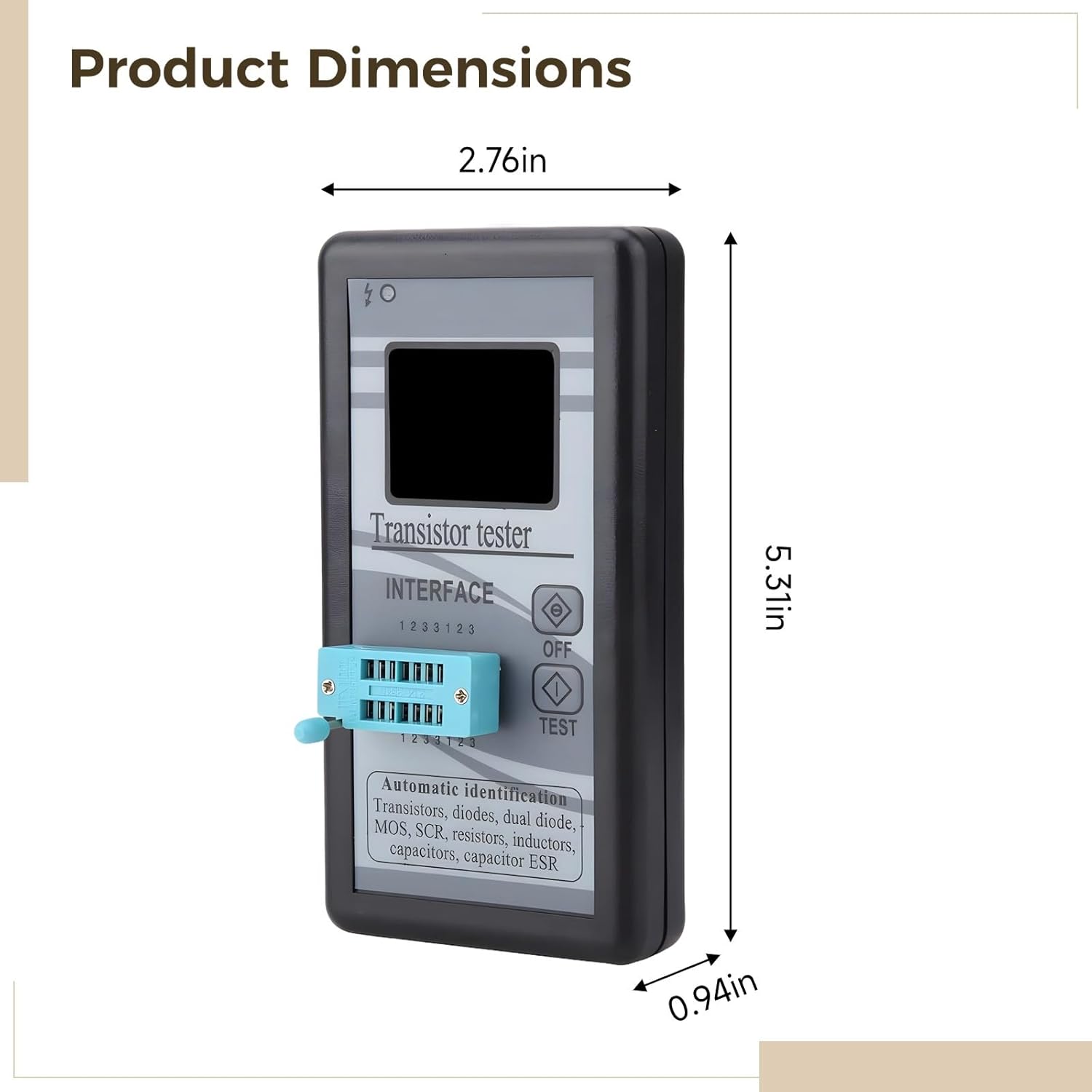
Image showing the physical dimensions of the M328 Transistor and Component Tester.
| Ciri | Spesifikasi |
|---|---|
| Dimensi Produk | 5.51 x 3.15 x 1.18 inci |
| Berat Barang | 4.6 auns |
| bahan | Akrilonitril Butadiena Stirena (ABS) |
| warna | Hitam |
| Paparan | LCD berwarna |
| Bateri | Bateri Lithium boleh dicas semula terbina dalam |
| Testable Components | Transistors (NPN, PNP, MOSFET, JFET), Diodes, Dual Diodes, Resistors, Capacitors, Inductors, SCRs, Triacs |
10. Waranti dan Sokongan
This product comes with a standard manufacturer's warranty. For specific warranty details, please refer to the product packaging or contact your retailer. For technical support or inquiries, please contact the manufacturer or your point of purchase.
Sila simpan bukti pembelian anda untuk tuntutan waranti.


