Maklumat Keselamatan Penting
Please read this manual carefully and watch any available operating videos before using the drone to prevent damage due to improper operation. Always ensure safe flying conditions and adhere to local regulations.
- Ensure all components are correctly assembled before flight.
- Jangan terbang berhampiran orang, haiwan, atau halangan.
- Elakkan terbang dalam angin kencang atau keadaan cuaca buruk.
- Keep hands and face clear of rotating propellers.
- Charge batteries using only the provided or recommended charging equipment.
Kandungan Pakej
Sahkan bahawa semua item terdapat dalam pakej anda:
- 1x Drone
- 1x Remote Control (with built-in 3.7V 500mAh LiPo battery)
- 1x Body Battery (7.4V 1800mAh LiPo)
- 1x Sarung Pembawa
- 1x Memory Card
- 1x Pembaca Kad
- 1x Kabel Pengecasan USB
- Spare Fan Blades (accessory package)
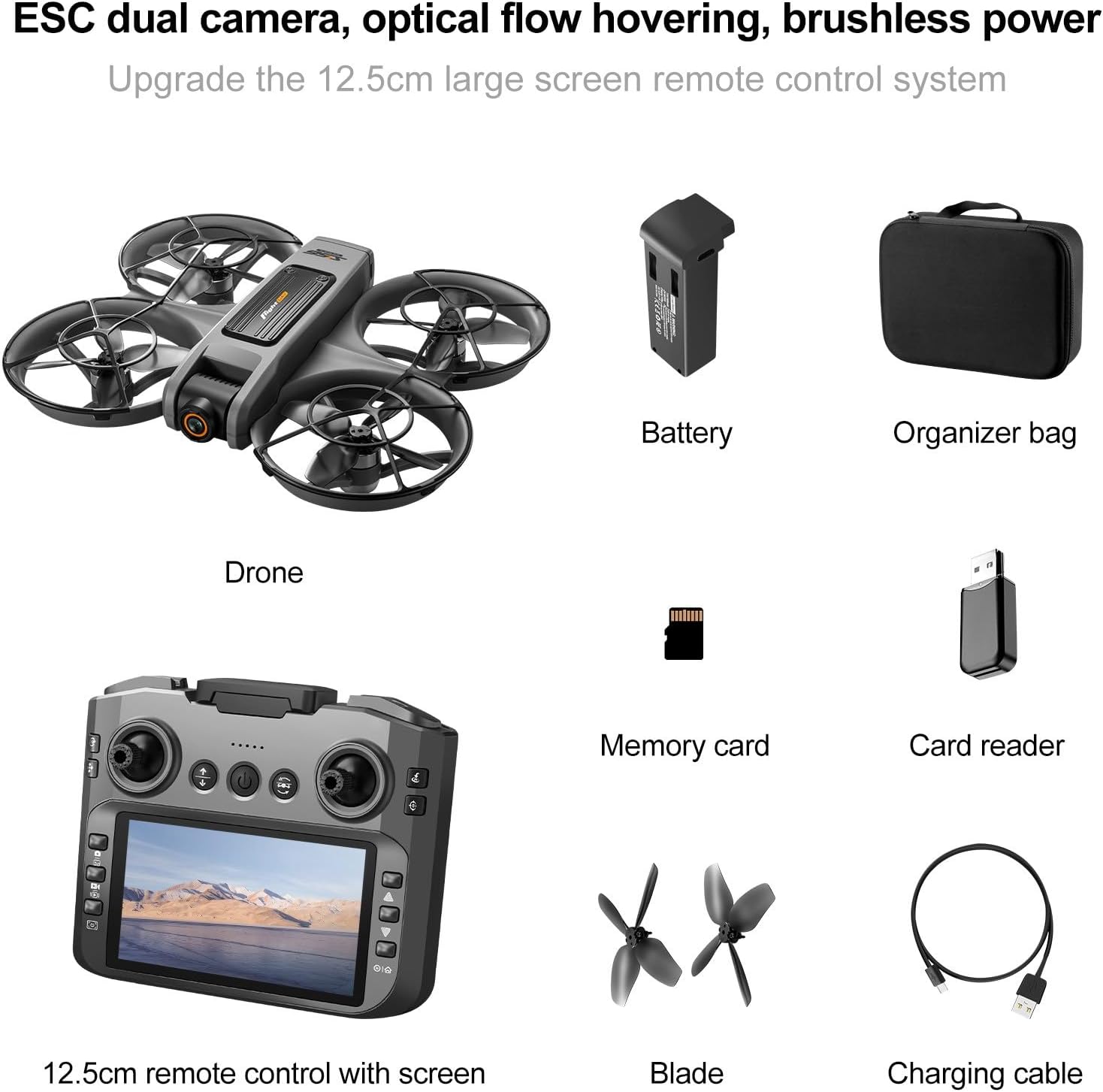
Rajah 1: Semua komponen termasuk dalam pakej.
Produk Selesaiview
The Generic Drone 45798 is a high-performance RC quadcopter designed for adults, featuring a 6-inch screen remote control, LED lights, and advanced obstacle avoidance capabilities. It is equipped with an ESC camera for superior visual experience.

Rajah 2: Depan view of the Generic Drone 45798.
Ciri-ciri Utama:
- 6-Inch Screen Remote Control: Provides a seamless, high-definition flight experience without requiring a smartphone.
- Stylish LED Lighting: Enhances visibility during nighttime flights.
- High Performance Brushless Motor: Offers high-speed performance and stability with strong wind resistance.
- ESC Camera: Captures high-definition images (3840*2160) and videos (1920*1080).
- 360° Obstacle Avoidance: Enhances flight safety by detecting and avoiding obstacles.
- Kedudukan Aliran Optik: Enables stable hovering for clearer aerial photography.
- Ciri-ciri pelbagai fungsi: Includes surround shooting, intelligent tracking, high-speed rotation, headless mode, one-button takeoff/landing, altitude hold, and 360° flip.

Figure 3: Drone dimensions.

Figure 4: Optical flow positioning for stable hovering.
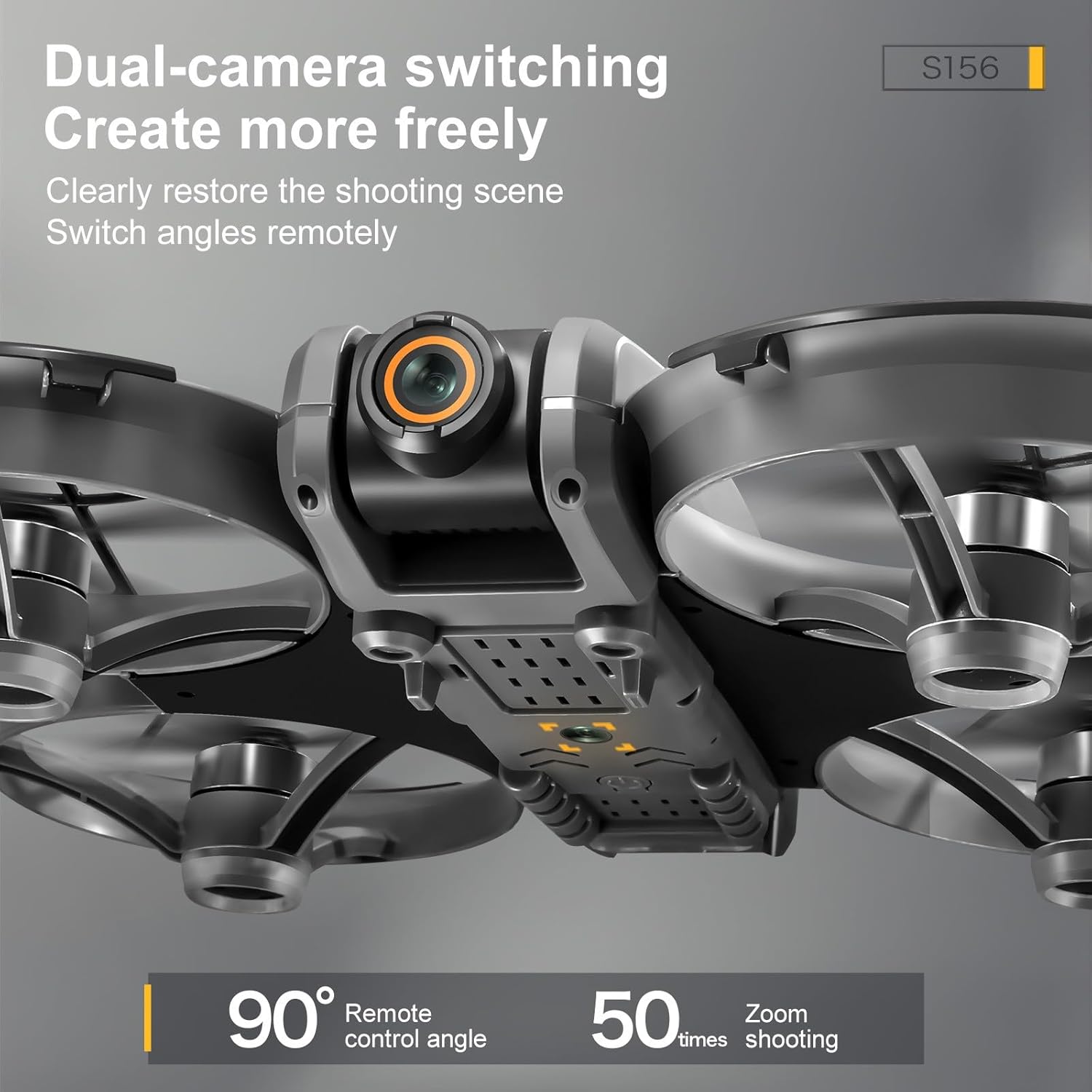
Figure 5: Dual-camera system with remote angle adjustment.
Persediaan
1. Mengecas Bateri
Before first use, fully charge both the drone's body battery and the remote control's built-in battery.
- Drone Body Battery: Connect the USB charging cable to the drone battery and a suitable USB power adapter (not included). Charging time is approximately 60-80 minutes.
- Bateri Kawalan Jauh: Connect the USB charging cable to the remote control. Charging time is approximately 30 minutes.
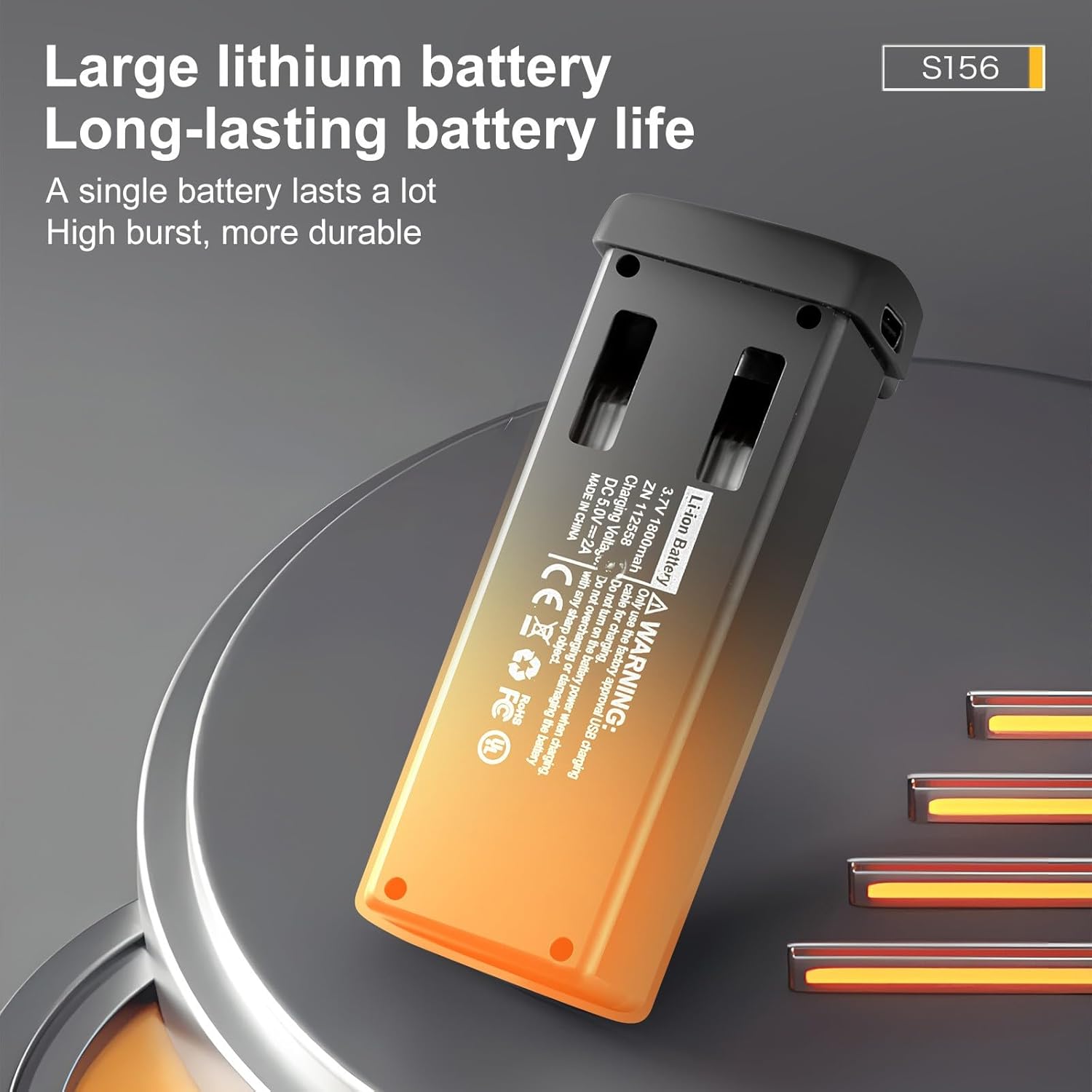
Figure 6: Drone battery and charging indicators.
2. Memasang Bateri Dron
- Pastikan dron dimatikan.
- Insert the fully charged body battery into the drone's battery compartment until it clicks securely into place.
3. Menyiapkan Alat Kawalan Jauh
- Extend the phone holder on the remote control if you plan to use a smartphone for additional features (though the remote has a built-in screen).
- Hidupkan alat kawalan jauh.
Arahan Operasi
1. Kuasa Hidup dan Berpasangan
- Letakkan drone di permukaan rata dan rata.
- Tekan dan tahan butang kuasa pada dron sehingga lampu LED menyala.
- Power on the remote control. The remote control and drone should automatically pair. Refer to the remote control's screen for pairing status.
2. Berlepas dan Mendarat
- One-Button Takeoff: Press the designated one-button takeoff/landing button on the remote control. The drone will automatically ascend and hover at a safe altitude.
- Berlepas Manual: Push both joysticks down and outwards to start the propellers. Then, gently push the left joystick (throttle) upwards to ascend.
- One-Button Landing: Press the one-button takeoff/landing button again. The drone will automatically descend and land.
- Pendaratan Manual: Gently pull the left joystick (throttle) downwards to descend.
3. Kawalan Penerbangan
- Kayu Joy Kiri (Pendikit): Atas/Bawah untuk ketinggian, Kiri/Kanan untuk putaran (yaw).
- Kayu Joy Kanan (Arah): Up/Down for forward/backward flight, Left/Right for left/right sideward flight.
- Gear Kelajuan: Use the speed button on the remote to switch between Fast, Medium, and Slow flight modes.
- Tahan Ketinggian: Drone mengekalkan ketinggian yang stabil secara automatik.
- Mod Tanpa Kepala: Activates a mode where the drone's orientation is relative to the pilot, simplifying control.
4. Operasi Kamera
- The ESC camera allows for remote adjustment of the lens angle (90° regulation).
- Capture photos and videos using the dedicated buttons on the remote control.
- View foo masa nyatatage on the remote control's 6-inch screen or a connected smartphone.
5. Ciri Lanjutan
- 360° Obstacle Avoidance: The drone is equipped with sensors to detect and avoid obstacles in its path, enhancing flight safety.
- Balik 360°: Execute aerial stunts with a press of a button.
- Penjejakan Pintar: Follows a designated subject.
- Tembakan Sekeliling: Circles a point of interest for dynamic video capture.
Official Product Video: S119 RC Quadcopter Function Introduction
This video demonstrates the various functions and features of the S119 RC Quadcopter, including flight modes, camera operation, and obstacle avoidance. It provides a visual guide to help users understand and operate the drone effectively.
Penyelenggaraan
- Pembersihan: Use a soft, dry cloth to clean the drone and remote control. Avoid using harsh chemicals or solvents.
- Pemeriksaan baling-baling: Regularly check propellers for damage or wear. Replace any damaged propellers with spare parts.
- Penjagaan Bateri: Store batteries in a cool, dry place. Do not overcharge or over-discharge batteries. If storing for extended periods, charge to approximately 50% capacity.
- Storan: When not in use, store the drone and its accessories in the provided carrying case to protect them from dust and damage.
Menyelesaikan masalah
| Masalah | Kemungkinan Punca | Penyelesaian |
|---|---|---|
| Drone tidak dihidupkan | Low or uncharged battery; Incorrect battery installation | Charge the drone battery; Reinstall the battery correctly |
| Remote control does not pair | Remote control battery low; Pairing procedure not followed | Charge remote control battery; Repeat pairing steps (power on drone first, then remote) |
| Dron tidak stabil semasa penerbangan | Propellers damaged; Calibration needed; Strong wind interference | Replace damaged propellers; Perform gyroscope calibration; Fly in calm conditions |
| Poor camera image quality | Lens dirty; Insufficient lighting; SD card issue | Clean the camera lens; Ensure adequate lighting; Check SD card for proper insertion/formatting |
| Masa penerbangan yang singkat | Bateri tidak dicas sepenuhnya; Kemerosotan bateri | Ensure battery is fully charged; Consider replacing the battery if it's old or frequently used |
Spesifikasi
- Jenama: Generik
- Nama Model: Drone, 45798
- Bahan: plastik
- warna: Black (also available in Orange)
- Kekerapan: 2.4G
- Model Motor: Motor tanpa berus
- Wind Resistance Grade: 5
- Mod Mengelak Halangan: 360°
- Sudut Kanta: 90° regulation (ESC Camera)
- Umur yang Sesuai: 14+ (Manufacturer recommended age: 16 months and up, but 14+ is more appropriate for complex RC drones)
- Bateri Badan: 7.4V 1800mAh LiPo
- Charging Time (Body Battery): 60-80 minit
- Flying Time (one battery): 15-18 minit
- Jarak R/C: 100 meter (328 kaki)
- Resolusi Gambar: 3840*2160 (4K)
- Resolusi Imej: 1920*1080
- Mod Pengecasan: Kabel pengecas USB
- Gear Kelajuan: Cepat/Sederhana/Lambat
- Bateri Jauh: Built-in 3.7V 500mAh LiPo
- Remote Battery Charging: 30 minit
- Body Battery Weight: 45g (0.1 paun)
- Saiz Produk: 22.5 x 19 x 5 cm (8.85 x 7.48 x 1.96 inci)
- Berat Barang: 6.6 auns
Waranti dan Sokongan
Untuk maklumat waranti dan sokongan pelanggan, sila rujuk dokumentasi yang diberikan bersama pembelian anda atau hubungi terus penjual. Simpan bukti pembelian anda untuk sebarang tuntutan waranti.
If you encounter any issues not covered in this manual, please reach out to the manufacturer's customer service for assistance.
