
TOOBUR IDW17
TOOBUR IDW17 Smart Watch User Manual
Model: IDW17
1. Produk Lebihview
The TOOBUR IDW17 Smart Watch is designed to enhance your daily life with a range of smart features and health tracking capabilities. This manual provides essential information for setting up, operating, and maintaining your device.
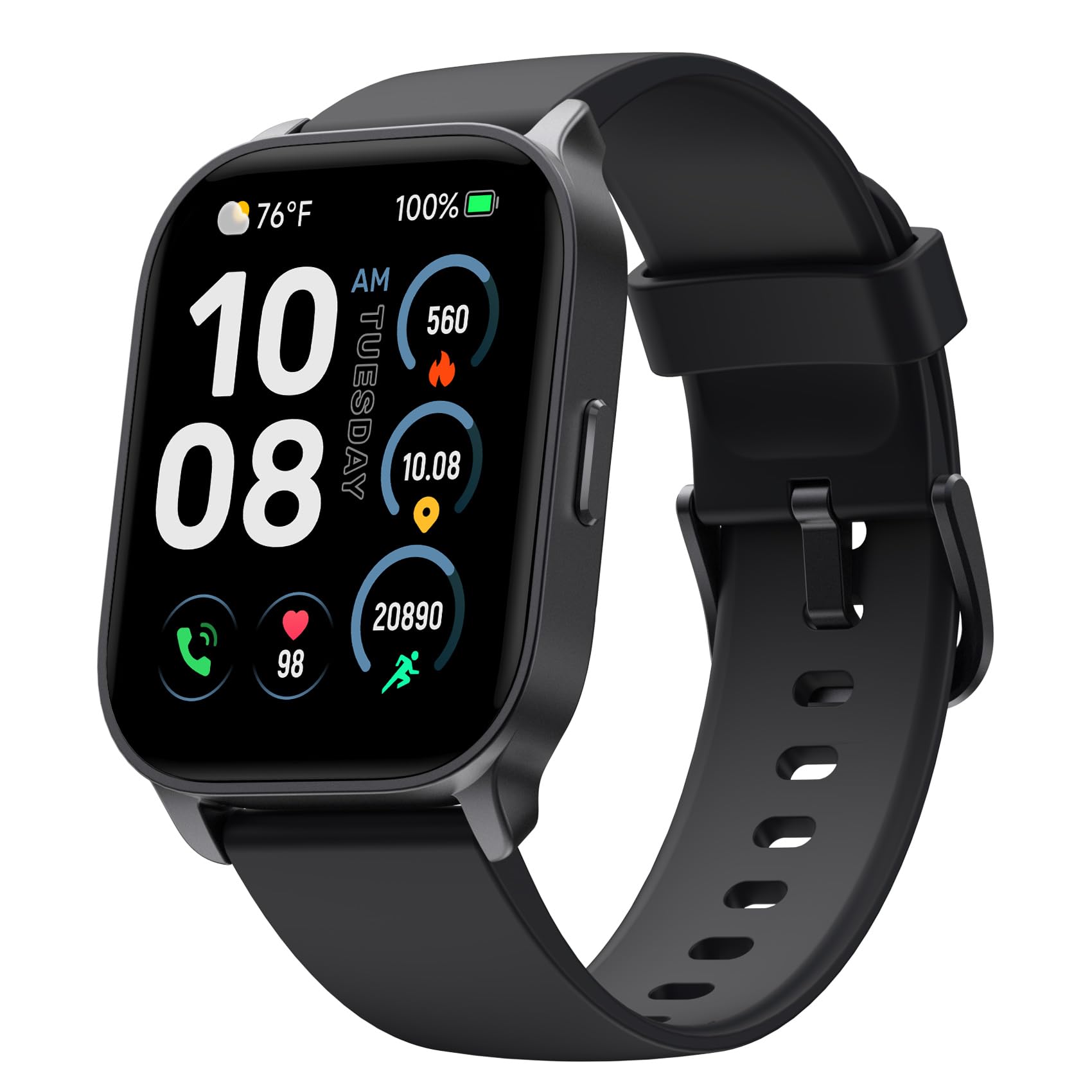
Image: TOOBUR IDW17 Smart Watch, Midnight Black variant.
Ciri-ciri Utama:
- Komunikasi Bebas Tangan: Make and receive calls directly from your wrist. Receive notifications for social media, SMS, and email.
- Penjejakan Kesihatan Komprehensif: Monitor heart rate, stress levels, and daily activity across over 100 workout modes.
- Advanced Sleep Analysis: Track REM, light, and deep sleep patterns to gain insights into your sleep quality.
- Jangka Hayat Bateri: Enjoy up to 10 days of typical use or 30 days on standby with a quick 2.5-hour charge.
- Personalized Style: Features a large 2.01" HD screen with over 100 customizable watch faces, including options to upload your own photos.
- Reka bentuk tahan lasak: IP68 waterproof rating for everyday use and various activities.
2. Apa yang Termasuk
Upon unboxing your TOOBUR IDW17 Smart Watch, please verify that all the following items are present:
- Jam Tangan Pintar TOOBUR IDW17
- Kabel Pengecasan
- Panduan Pengguna

Image: The TOOBUR Smart Watch, charging cable, and user guide as packaged.
3. Panduan Persediaan
3.1 Pengecasan Awal
Before first use, charge the smart watch for at least 1 hour. If the battery is completely drained, charge for at least 30 minutes before powering on.

Image: The smart watch being charged, highlighting its battery life.
3.2 Muat Turun Apl dan Berpasangan
- Muat turun Aplikasi VeryFit from your smartphone's app store (compatible with Android and iOS).
- Open the VeryFit App and follow the on-screen instructions to create an account or log in.
- Dayakan Bluetooth pada telefon pintar anda.
- In the VeryFit App, search for your TOOBUR IDW17 Smart Watch and pair it. Ensure the watch is powered on and within Bluetooth range.
3.3 Bluetooth Connection for Calls and Notifications
To enable call and notification features, ensure your watch is connected to your phone via Bluetooth. Answering calls requires a separate Bluetooth connection to the phone, usually prompted during initial setup or within the app.
To receive phone notifications, the VeryFit App must be running in the background, and Bluetooth must remain connected to both the phone and the VeryFit App.
4. Arahan Operasi
4.1 Navigasi Asas
- Leret ke atas/bawah: Tatal melalui menu dan pemberitahuan.
- Leret Kiri/Kanan: Akses widget pantas atau muka jam tangan yang berbeza.
- Ketik: Pilih item atau sahkan tindakan.
- Butang Sisi: Press to return to the home screen or access the app list. Long press for Smart Voice Assistant.
4.2 Membuat dan Menerima Panggilan
Once connected to your phone via Bluetooth, you can make and receive calls directly from your watch. This feature allows for hands-free communication without needing to reach for your phone.

Image: The smart watch showing an incoming call.
4.3 Pemberitahuan
Receive real-time notifications for SMS, emails, and various social media apps directly on your watch. Please note that replying to messages from the watch is not supported.

Image: The smart watch displaying a message notification.
4.4 Penjejakan Kesihatan
The watch offers comprehensive health monitoring features:
- Pemantauan Denyut Jantung: Pantau kadar denyutan jantung anda secara berterusan sepanjang hari.
- Pemantauan Oksigen Darah (SpO2): Ukur tahap ketepuan oksigen darah anda.
- Pemantauan Tekanan: Gain insights into your stress levels.
- Penjejakan Tidur: Analisis tidur andatages (REM, light, deep) and duration to improve sleep habits.

Image: The smart watch displaying health tracking data.

Image: The smart watch and app interface showing sleep monitoring details.
4.5 Activity Tracking and Sport Modes
The watch supports over 100 sport modes to track your workouts. It monitors steps, distance covered, and calories burned, providing a comprehensive overview of your physical activity.

Image: The smart watch interface showing various sport modes and activity tracking.
4.6 Menyesuaikan Muka Jam
Personalize your watch with over 100 customizable watch faces available through the VeryFit App. You can also upload your own photos to create unique watch faces.

Imej: Cthamples of customizable watch faces on the smart watch.
4.7 Smart Voice Assistant
Long press the side button to activate the Smart Voice Assistant. Use voice commands for various functions, such as checking the weather or setting reminders.

Image: The smart watch interacting with a voice assistant.
4.8 Ciri Tambahan
Explore more functionalities through the watch interface and the VeryFit App, including:
- Cari Telefon Saya
- Weather Reminder
- Kawalan Kamera
- Kawalan Muzik
- Jam Penggera
- Pemasa & Jam randik
- Latihan Pernafasan
- Peringatan Sedentari
- Peringatan Air Minum

Image: The smart watch interface showing icons for various functions.
5. Penyelenggaraan
5.1 Membersihkan Jam Tangan Anda
Kerap bersihkan jam tangan dan tali pinggang anda dengan lembut, damp kain. Elakkan penggunaan bahan kimia yang keras atau bahan kasar yang boleh merosakkan peranti.
5.2 Rintangan Air (IP68)
The TOOBUR IDW17 Smart Watch is IP68 waterproof, meaning it can withstand immersion in water up to 1.5 meters for 30 minutes. It is suitable for daily activities like hand washing, rain, and shallow water swimming.
Note: The watch is NOT suitable for diving, swimming in the sea, or use in a sauna, as these conditions may exceed its water resistance capabilities.

Image: The smart watch shown with water splashes, indicating its waterproof feature.
6. Penyelesaian masalah
6.1 Isu Sambungan
- Jam tangan tidak bersambung ke aplikasi: Ensure Bluetooth is enabled on your phone and the watch is powered on. Try restarting both the watch and your phone's Bluetooth.
- Pemberitahuan tidak diterima: Verify that the VeryFit App is running in the background on your phone and that Bluetooth remains connected. Check app permissions for notifications.
- Terputus sambungan yang kerap: Try restarting the watch and your phone's Bluetooth. Ensure the watch and phone are within close proximity.
6.2 Petua Umum
- Tonton tidak responsif: Try restarting the watch by holding down the side button.
- Data tidak tepat: Ensure the watch is worn snugly on your wrist, but not too tight. For sleep tracking, wear the watch throughout the night.
For more detailed function introductions and precautions, refer to the documents available within the VeryFit App.

Image: Visual representation of common questions or troubleshooting points.
7. Spesifikasi
| Ciri | Perincian |
|---|---|
| Nama Model | IDW17 |
| Jenama | TOOBUR |
| Saiz Skrin | 2.01 Inci |
| bentuk | segi empat tepat |
| Komposisi Sel Bateri | Polimer Litium |
| Standard Komunikasi Tanpa Wayar | Bluetooth |
| Teknologi Ketersambungan | Bluetooth |
| Sistem Operasi | Pakai OS 2.0 |
| Berat badan | 1.41 auns (40 Gram) |
| Dimensi Produk | 9.8 x 1.5 x 0.39 inci |
| Input Antara Muka Manusia | Skrin sentuh |
| Resolusi Pengimbas | 320 x 340 |
| Tahan Air | IP68 |
| Ciri Khas | Bluetooth Calls, Notifications, Heart Rate, Sleep Tracker, Step Calorie Counter, Activity Tracker, 100 Sport Modes, Find My Phone |
8. Waranti dan Sokongan
For warranty information and customer support, please refer to the official TOOBUR website or contact their customer service directly. Additional support resources, including detailed function guides and FAQs, are available within the VeryFit App.
Always ensure you have the latest version of the VeryFit App installed for optimal performance and access to the most current support documentation.