1. Pengenalan
Thank you for choosing the PEJE ZW01 Pro Smartwatch. This manual provides essential information for setting up, operating, and maintaining your device. Please read it carefully to ensure optimal performance and longevity of your smartwatch.
2. Apa yang ada di dalam Kotak
Upon opening your PEJE ZW01 Pro Smartwatch package, you should find the following items:

Image: Contents of the PEJE ZW01 Pro Smartwatch package.
- PEJE ZW01 Pro Smartwatch
- One (1) Spare Watch Band
- One (1) USB Magnetic Fast Charging Cable
- Manual Pengguna (dokumen ini)
3. Persediaan
3.1. Mengecas Jam Pintar
Before initial use, fully charge your smartwatch. Connect the provided USB magnetic fast charging cable to the charging contacts on the back of the watch and to a standard USB power adapter (not included). A full charge typically takes approximately 2 hours.

Image: Smartwatch connected to its magnetic charging cable, showing charging status and battery life.
3.2. Pemasangan Apl dan Berpasangan
To unlock the full functionality of your PEJE ZW01 Pro Smartwatch, you need to install the companion 'PEJE' app on your smartphone. The watch is compatible with both Android and iOS devices.
- Muat turun Apl: Cari untuk 'PEJE' in your smartphone's app store (Google Play Store for Android or Apple App Store for iOS) and download the official application.
- Buat Akaun: Buka aplikasi dan ikut arahan pada skrin untuk membuat akaun pengguna baharu atau log masuk jika anda sudah mempunyainya.
- Dayakan Bluetooth: Pastikan Bluetooth didayakan pada telefon pintar anda.
- Pasangkan Peranti: Within the PEJE app, navigate to the device pairing section. Select your ZW01 Pro Smartwatch from the list of available devices. Follow any prompts on both your phone and watch to complete the pairing process.
4. Arahan Operasi
4.1. Navigasi Asas
The PEJE ZW01 Pro Smartwatch features a 1.83-inch full-color touchscreen for intuitive navigation.

Image: Smartwatch displaying various watch faces and customization options.
- Leret ke atas/bawah: Tatal melalui menu dan pemberitahuan.
- Leret Kiri/Kanan: Akses fungsi pantas atau widget yang berbeza.
- Ketik: Pilih item atau buka aplikasi.
- Tekan Butang Sisi: Kembali ke skrin utama atau hidupkan/matikan peranti.
4.2. Panggilan Bluetooth
Once paired with your smartphone via the PEJE app, you can make and receive calls directly from your smartwatch.
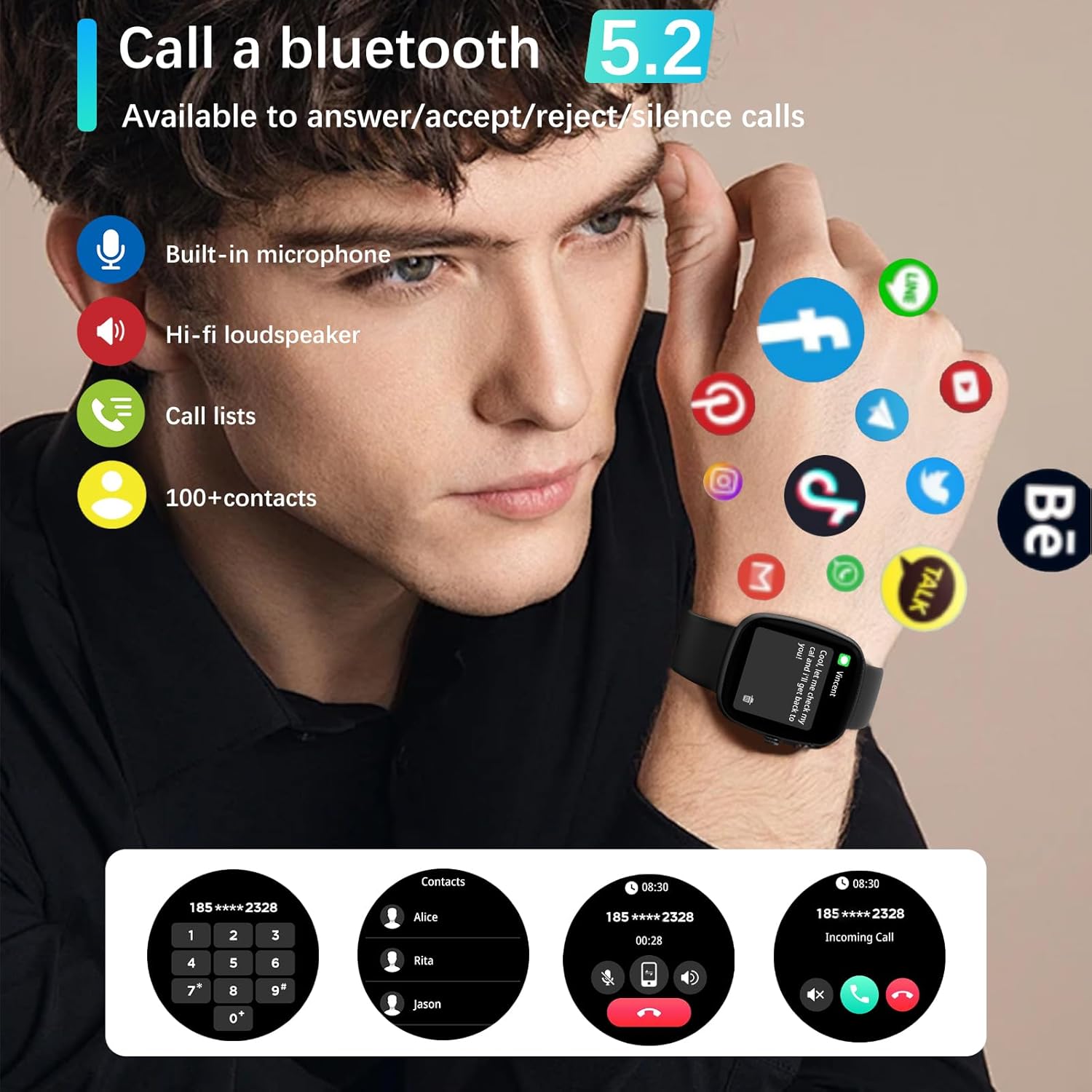
Image: Smartwatch demonstrating Bluetooth call functionality and app notifications.
- Membuat Panggilan: Akses pendail atau senarai kenalan pada jam tangan anda untuk memulakan panggilan.
- Menerima Panggilan: When a call comes in, you can answer, reject, or silence it directly from your watch.
4.3. Pemberitahuan
The smartwatch can display notifications from various apps on your smartphone, including text messages, Skype, WhatsApp, Facebook, Messenger, Twitter, Line, and Instagram. Ensure app notifications are enabled in the PEJE app settings.
4.4. Pemantauan Kesihatan
The ZW01 Pro Smartwatch offers comprehensive health tracking features:
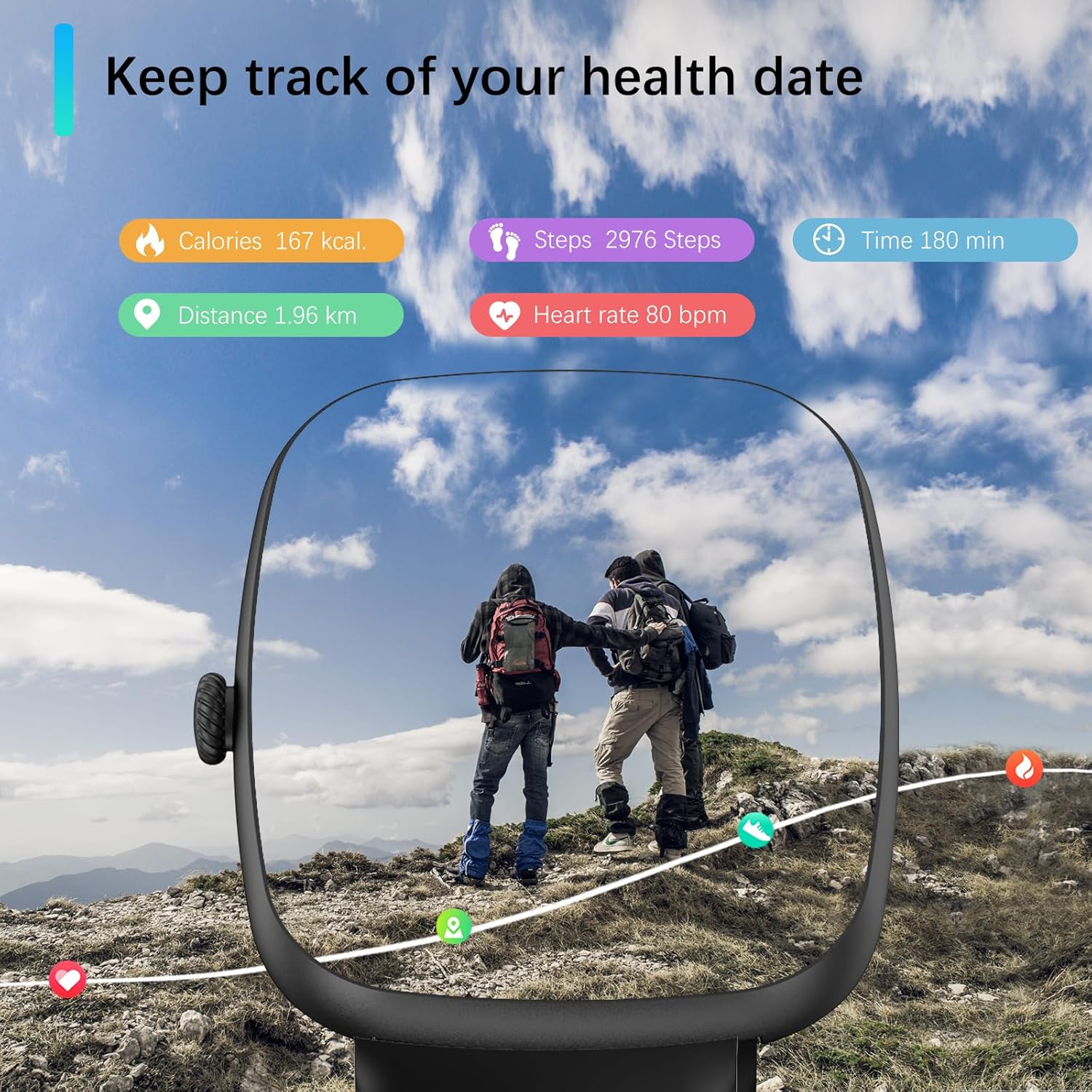
Image: Smartwatch displaying various health metrics during an outdoor activity.
- Pemantauan Denyut Jantung: Provides 24/7 heart rate tracking.
- Pemantauan Oksigen Darah (SpO2): Helps you understand your blood oxygen levels.
- Penjejakan Tidur: Analyzes your sleep quality, including light sleep, deep sleep, and REM cycles.
- Pemantauan Tekanan: Jejaki tahap tekanan anda sepanjang hari.
- Peringatan: Includes sedentary reminders, water intake reminders, and menstrual cycle reminders for females.

Image: Smartwatch displaying detailed sleep tracking data.
Nota: Measurement data from this device is for reference only and should not be used for medical purposes.
4.5. Mod Sukan
The smartwatch supports over 120 sports modes, allowing you to track various activities. During exercise, it automatically records daily steps, heart rate, and calories burned.
- Aktiviti yang Disokong: Running, walking, badminton, tennis, basketball, table tennis, cycling, yoga, rope skipping, rock climbing, elliptical machine, rowing machine, stationary bike, and many more.
- Penjejakan Data: View your exercise data directly on the watch or in the PEJE app for a visual understanding of your performance.
Nota: This device is intended for sports use or aviation environments only, not for medical use.
4.6. Islamic Features
The PEJE ZW01 Pro Smartwatch includes unique Islamic features:
- Prayer Time Alarm: Set alarms for daily prayer times.
- Automatic Prayer Notifications: Receive automatic notifications for Fajr, Sunrise, Dhuhr, Asr, Maghrib, and Isha.
- Adhan Reminder: Includes an Adhan reminder with the '99 Names of Allah'.
- Arah Kiblat: Provides Qibla direction functionality.
4.7. Ciri-ciri Pintar Lain
The smartwatch offers additional features to enhance your daily life:
- Ramalan Cuaca
- NFC Access Control (if supported by your region/system)
- Kawalan Muzik
- Pedometer
- Cari Telefon Saya
- Pemasa
- Jam randik
- Siri Personal Voice Assistant (requires connected iOS device)
- Fotografi Jauh
5. Penyelenggaraan
5.1. Tahan Air
The PEJE ZW01 Pro Smartwatch is rated IP68 for water and dust resistance. This means it can withstand splashes, rain, and brief immersion in shallow water. You can wash your hands and dishes while wearing the watch.

Image: Smartwatch demonstrating water resistance.
Nota Penting: While IP68 rated, it is tidak disyorkan for diving, sauna use, hot showers, or exposure to high-pressure water jets, as this may compromise the water seal over time.
5.2. Pembersihan
To maintain your smartwatch, regularly clean the screen and strap with a soft, dry cloth. If necessary, use a slightly damp cloth for the strap, then dry thoroughly. Avoid using harsh chemicals or abrasive materials.
6. Penyelesaian masalah
If you encounter issues with your PEJE ZW01 Pro Smartwatch, try the following common troubleshooting steps:
- Tonton Tidak Dihidupkan: Pastikan jam tangan dicas sepenuhnya. Sambungkannya ke kabel pengecas dan biarkan ia dicas selama sekurang-kurangnya 30 minit sebelum cuba menghidupkannya semula.
- Tidak Boleh Dipasangkan dengan Telefon:
- Pastikan Bluetooth didayakan pada telefon dan jam tangan anda.
- Pastikan jam tangan berada dalam julat telefon anda.
- Mulakan semula kedua-dua telefon anda dan jam tangan pintar.
- Try unpairing and re-pairing the device through the PEJE app.
- Pemberitahuan Tidak Muncul:
- Check the notification settings within the PEJE app to ensure they are enabled for the desired applications.
- Verify that your phone's operating system allows the PEJE app to send notifications.
- Pastikan jam tangan disambungkan dengan betul melalui Bluetooth.
- Data Kesihatan Tidak Tepat:
- Pastikan jam tangan dipakai dengan kemas pada pergelangan tangan anda, tetapi tidak terlalu ketat.
- Bersihkan penderia di belakang jam tangan.
- Note that environmental factors and movement can affect accuracy.
- Hayat Bateri Pendek:
- Kurangkan kecerahan skrin.
- Disable unnecessary features or frequent heart rate monitoring if not needed.
- Ensure background app usage on your phone is optimized.
Jika langkah-langkah ini tidak menyelesaikan masalah anda, sila hubungi khidmat pelanggan untuk bantuan lanjut.
7. Spesifikasi
| Ciri | Spesifikasi |
|---|---|
| Model | ZW01 Pro |
| Saiz Skrin | 1.83 inci |
| Jenis Paparan | LCD, Touchscreen |
| Sistem Operasi | AndroidOS |
| Kapasiti Penyimpanan Memori | 128 MB |
| Teknologi Ketersambungan | Bluetooth |
| Standard Komunikasi Tanpa Wayar | Bluetooth |
| Kapasiti Bateri | Polimer Litium 230 mAh |
| Masa Pengecasan Bateri | lebih kurang 2 jam |
| Penggunaan Biasa Hayat Bateri | 5-7 hari |
| Hayat Bateri Siap Sedia | 7-15 hari |
| Penilaian Ketahanan Air | IP68 |
| GPS | GPS melalui Telefon Pintar |
| Pemantauan Kesihatan | Heart Rate, SpO2, Sleep Duration, Stress |
| Mod Sukan | 120+ mod |
| Peranti Serasi | iOS and Android Smartphones |
| Input Antara Muka Manusia | Skrin sentuh, Mikrofon |
| Jenis Bahan Band | silikon |
| Jenis Genggam | gesper |
| Dimensi Item | 16 x 10 x 3 cm |
| warna | Hitam |
8. Waranti dan Sokongan
For warranty information, please refer to the warranty card included with your product or visit the official PEJE website. If you require technical support or have questions not covered in this manual, please contact PEJE customer service through the contact information provided on the product packaging or the official webtapak.