
ClokoWe HY300PRO+
Manual Pengguna Projektor Mini CLOKOWE
Model: HY300PRO+
pengenalan
This manual provides detailed instructions for the safe and efficient operation of your CLOKOWE Mini Projector. Please read this manual thoroughly before using the product and retain it for future reference. The CLOKOWE Mini Projector is a portable device designed for versatile projection, featuring built-in streaming apps, Wi-Fi 6, Bluetooth 5.2, 180° rotation, and automatic keystone correction.

Image: The CLOKOWE Mini Projector, a compact white cylindrical device with a lens, shown projecting content onto a curved screen displaying various streaming app logos and a movie scene.
Apa yang ada dalam Kotak
Sahkan bahawa semua item ada semasa membongkar:
- CLOKOWE Mini Projector (Model: HY300PRO+)
- Kord Kuasa
- Kabel HDMI
- Alat Kawalan Jauh
- Manual Pengguna (dokumen ini)
Ciri-ciri Produk
The CLOKOWE Mini Projector offers a range of features for enhanced viewing experiences:
- Apl Penstriman Terbina dalam: Access platforms like YouTube, Disney+, and more directly via Wi-Fi.
- Ketersambungan Serbaguna: Supports wireless mirroring (iPhone, Android, tablet, laptop) and wired connections (HDMI, USB).
- 180° Rotatable Projection: The projector body can rotate 180° for flexible projection angles, including ceiling projection.
- Pembetulan Keystone Automatik: Ensures aligned visuals automatically.
- Fokus Manual: Allows for fine-tuning image clarity.
- Wi-Fi 6 & Bluetooth 5.2: Provides fast, stable wireless streaming and audio pairing with external speakers.
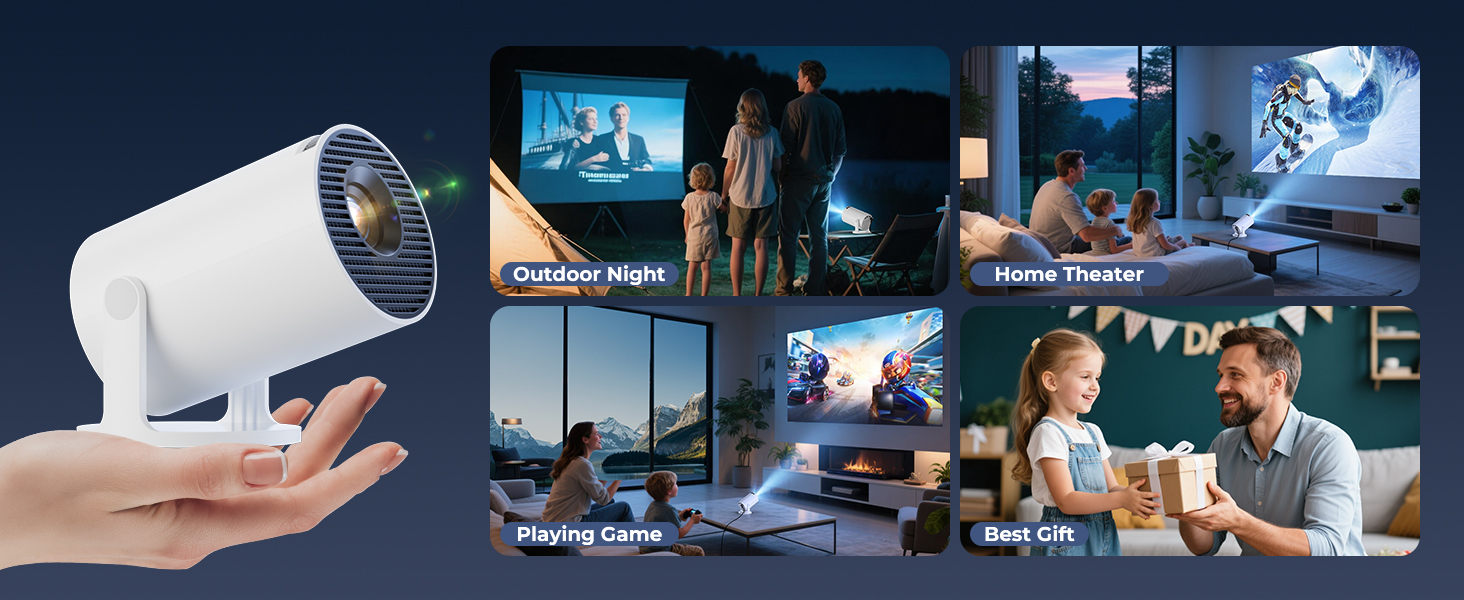
- Reka Bentuk Ultra Mudah Alih: Compact size (3.73 × 3.73 × 6.17 inches) and lightweight (0.77 lb).
- High Clarity Display: 8000 Lux brightness, supports 1080P display, with a 0.9:1 short throw ratio.
- Wallpaper Boleh Disesuaikan: Upload personal background images via USB.
- Pemasa Mati Automatik: Set a timer for controlled usage.

Image: A visual representation of the projector's built-in app store, showing various streaming service icons like Netflix, YouTube, Spotify, and Prime Video on a projected screen.

Image: A family watching a movie projected onto the ceiling of a bedroom, demonstrating the 180° rotation feature for ceiling projection.
Panduan Persediaan
1. Initial Placement and Power
- Letakkan projektor di atas permukaan yang stabil dan rata.
- Sambungkan kord kuasa ke projektor dan kemudian ke soket kuasa.
- Tekan butang kuasa pada projektor atau alat kawalan jauh untuk menghidupkannya.
2. Adjusting Projection Angle (180° Rotation)
The projector features a 180° rotatable body, allowing projection onto walls, screens, or ceilings without needing a tripod.
- Gently rotate the projector body to achieve the desired projection angle.
- Ensure the lens is facing the intended projection surface.
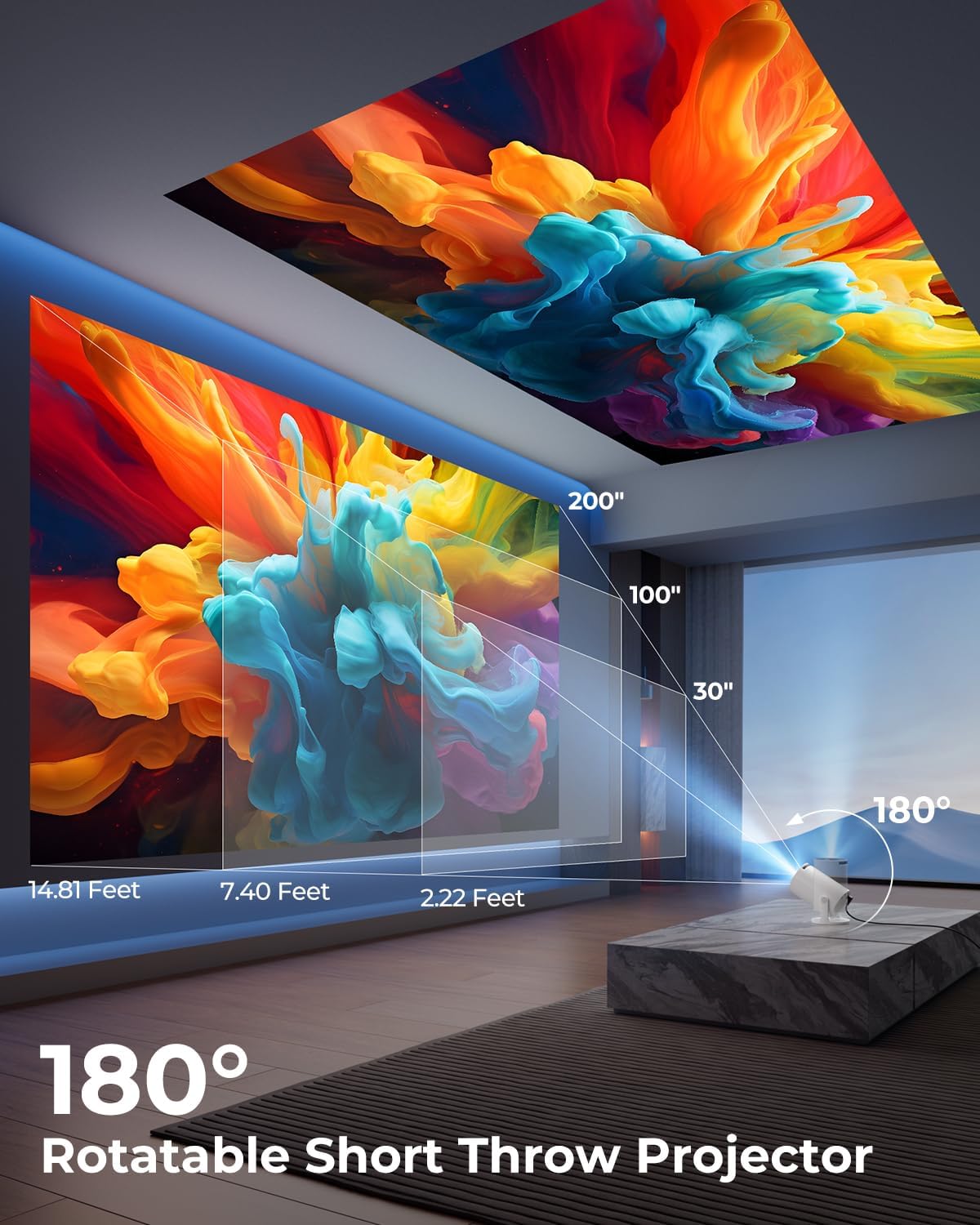
Image: A diagram illustrating the 180° rotation capability of the projector and various projection distances (30", 100", 200") with corresponding throw distances in feet.
3. Pembetulan Fokus dan Keystone
- Pembetulan Keystone Automatik: The projector will automatically adjust the image to be rectangular. If further adjustment is needed, navigate to the settings menu.
- Fokus Manual: Rotate the focus ring around the lens until the image appears sharp and clear.

Image: A projected image on a wall demonstrating automatic keystone correction and manual focus adjustments, with icons for ±45° Auto Keystone, Manual Focus, and 50%-100% Zoom.
4. Rangkaian dan Sambungan Bluetooth
- Sambungan Wi-Fi:
- Navigate to the "Settings" menu on the projector.
- Select "Network" or "Wi-Fi Settings".
- Choose your Wi-Fi network from the list and enter the password. The projector supports Wi-Fi 6 (2.4G and 5G).
- Sambungan Bluetooth:
- Go to "Settings" and select "Bluetooth".
- Dayakan Bluetooth dan cari peranti yang tersedia.
- Select your Bluetooth speaker or headphones from the list to pair.

Image: A projected image showing Wi-Fi 6 and Bluetooth 5.2 connectivity, with a smartphone mirroring content to the projector and a soundbar connected via Bluetooth.
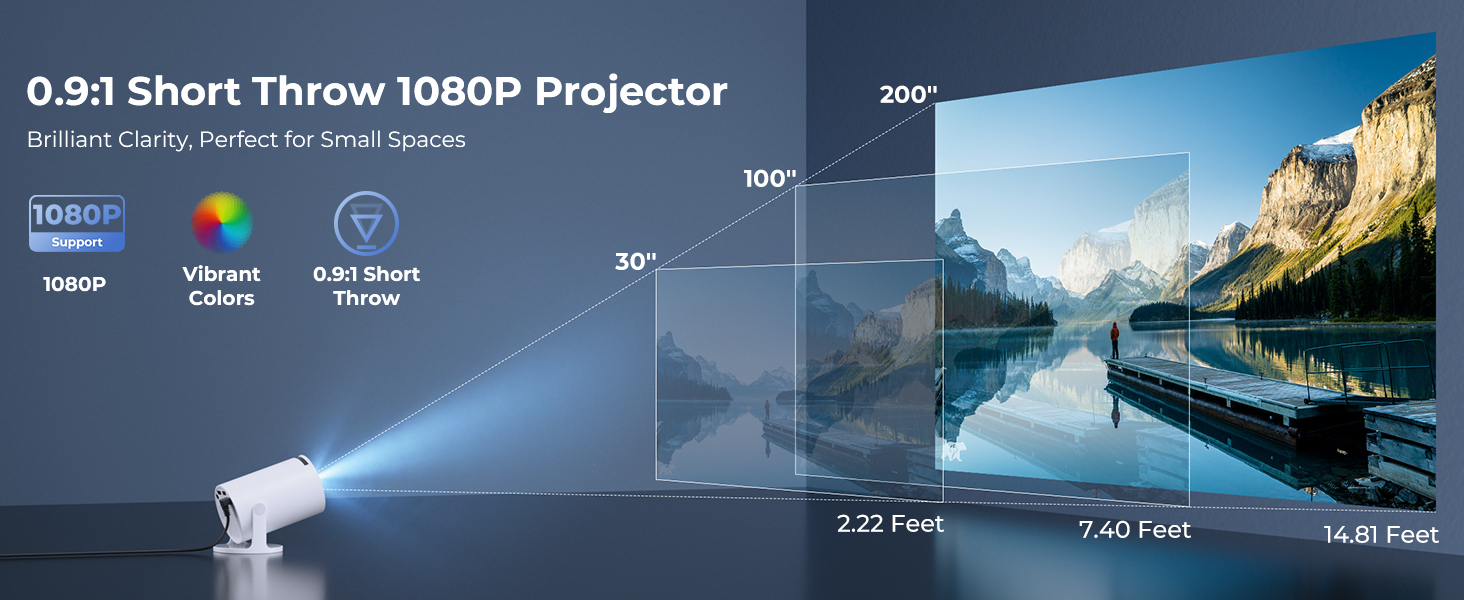
Image: A visual demonstrating Bluetooth 5.2 audio connection, showing the projector wirelessly paired with headphones and a portable speaker.
Arahan Operasi
1. Menavigasi Antara Muka
- Use the provided remote control to navigate through menus and select options.
- Basic navigation buttons are also available on the projector unit.
2. Using Built-in Apps
- Once connected to Wi-Fi, access the main interface to find pre-installed streaming applications.
- Select an app (e.g., YouTube, Disney+) and log in with your credentials to start streaming.
3. Pencerminan Skrin
The projector supports wireless mirroring from compatible smartphones, tablets, and laptops.
- Pastikan peranti dan projektor anda disambungkan ke rangkaian Wi-Fi yang sama.
- Pilih pilihan "Pencerminan Skrin" atau "Paparan Tanpa Wayar" pada menu projektor.
- On your mobile device, activate its screen mirroring feature (e.g., AirPlay for iOS, Smart View untuk Android) dan pilih projektor daripada senarai peranti yang tersedia.
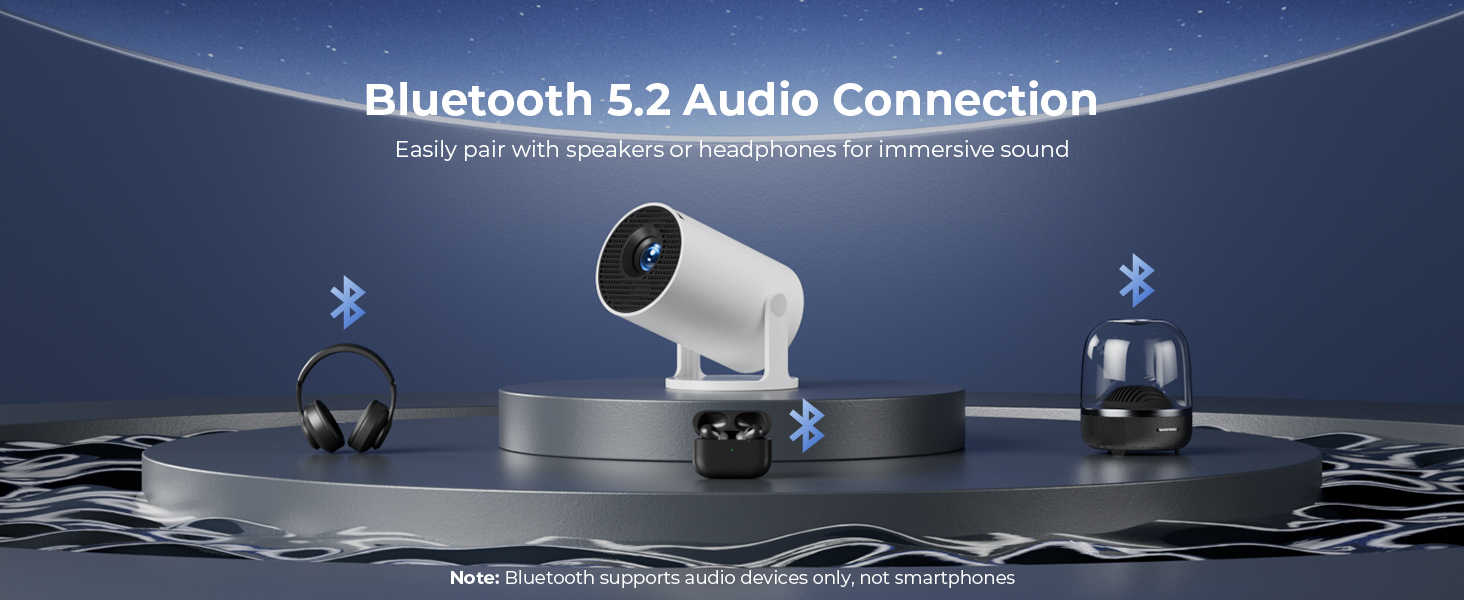
Image: A diagram illustrating Dual-Band Wi-Fi 6 connection for faster, smoother screen mirroring from various devices like smartphones, tablets, and laptops to the projector.
4. Wired Connections (HDMI/USB)
- Connect devices like game consoles, TV sticks, or computers using the HDMI port.
- Gunakan port USB untuk memainkan media files directly from a USB drive or to upload custom wallpapers.
- To select the input source, press the "Source" button on the remote control and choose HDMI or USB.
Imej: Dari dekat view of the projector's rear panel, highlighting the HDMI, USB, and power ports, along with an ON/OFF switch and manual focus ring.
5. Custom Wallpapers and Timer
- Custom Wallpapers: Insert a USB drive containing your desired background images. Navigate to the settings to select and apply them.
- Pemasa Mati Automatik: Access the system settings to set a timer for the projector to automatically power off after a specified duration.
Penyelenggaraan
- Membersihkan Lensa: Gunakan kain lembut dan bebas bulu yang direka khas untuk kanta optik. Jangan gunakan pembersih atau pelarut yang kasar.
- Membersihkan Bahagian Luar: Wipe the projector's exterior with a soft, dry cloth. For stubborn marks, lightly dampen kain dengan air.
- Pengudaraan: Pastikan bukaan pengudaraan projektor tidak tersumbat untuk mengelakkan pemanasan melampau.
- Storan: Apabila tidak digunakan untuk tempoh yang lama, simpan projektor di tempat yang sejuk dan kering, jauh daripada cahaya matahari langsung dan suhu yang melampau.
Menyelesaikan masalah
| Masalah | Kemungkinan Punca | Penyelesaian |
|---|---|---|
| Tiada imej atau imej kabur | Incorrect focus; lens cap on; input source not selected; projector too far/close. | Adjust manual focus; remove lens cap; select correct input source; adjust projection distance. |
| Image is trapezoidal or distorted | Projektor tidak berserenjang dengan skrin. | Utilize automatic keystone correction or manually adjust in settings. Ensure projector is on a level surface. |
| Tiada suara atau kelantangan rendah | Volume too low; external audio device not connected/paired; projector's internal speaker off. | Increase volume on projector/source device; ensure Bluetooth speaker is paired; check audio settings. |
| Alat kawalan jauh tidak bertindak balas | Batteries low/dead; obstruction between remote and projector; remote sensor blocked. | Replace batteries; ensure clear line of sight to projector's IR sensor. |
| Isu sambungan Wi-Fi | Incorrect password; out of range; network interference. | Re-enter password; move projector closer to router; restart router and projector. |
Spesifikasi
| Ciri | Perincian |
|---|---|
| Nombor Model | HY300PRO+ |
| Jenama | ClokoWe |
| Dimensi Produk | 3.73 x 6.17 x 3.73 inci |
| Berat Barang | 1.61 paun (0.73 kg) |
| Resolusi Paparan | 1280 x 720 (Supports 1080P) |
| Kecerahan | 8000 Lux |
| Teknologi Ketersambungan | Bluetooth 5.2, HDMI, USB, Wi-Fi 6 (2.4G & 5G) |
| Ciri Khas | Built-in Apps, Digital Keystone Correction, Short Throw (0.9:1), 50%-100% Zoom, 180° Rotatable Projection, Mini Portable Design |
| Penggunaan yang Disyorkan | Home Cinema, Gaming, Business, Education |
Waranti dan Sokongan
The CLOKOWE Mini Projector includes 2-years factory support. For technical assistance, troubleshooting, or warranty claims, please contact ClokoWe customer support through the retailer where the product was purchased or visit the official ClokoWe webtapak untuk maklumat hubungan.
Sila simpan bukti pembelian anda untuk pengesahan waranti.
Ask a question about this manual
Ask about setup, troubleshooting, compatibility, parts, safety, or missing instructions. Manuals+ will review the question and use this page’s manual context to help answer it.