
1. Pengenalan
Thank you for choosing the BUGANI OWSB11 Open Ear Wireless Bluetooth Headphones. These headphones are designed to provide a comfortable listening experience while maintaining awareness of your surroundings. Featuring advanced Bluetooth 5.4 technology, immersive HiFi sound, and an IPX5 waterproof rating, they are ideal for various activities including workouts, cycling, and daily use. This manual provides detailed instructions for setup, operation, and maintenance to ensure optimal performance and longevity of your device.

Image: BUGANI B18 Open Ear Headphones banner. This image displays the product name and a tagline, showcasing the sleek design of the headphones and charging case.
2. Kandungan Pakej
Sila semak pakej untuk item berikut:
- BUGANI OWSB11 Open Ear Wireless Bluetooth Headphones (Left & Right)
- Kes Pengecasan
- Kabel Pengecas USB-C
- Manual Pengguna
3. Produk Lebihview
Familiarize yourself with the components of your BUGANI OWSB11 headphones and charging case.

Image: BUGANI OWSB11 Open Ear Wireless Headphones in their charging case. This image shows both earbuds securely placed within the compact charging case, ready for use or charging.
Komponen fon telinga:
- Cangkuk Telinga: Provides a secure and comfortable fit over the ear.
- Kawasan Kawalan: Touch-sensitive surface for various functions.
- mikrofon: Untuk panggilan dan arahan suara.
- Penunjuk LED: Displays status (pairing, charging, etc.).
Komponen Kes Pengecasan:
- Port Pengecasan (USB-C): Untuk menyambungkan kabel pengecasan.
- LED Penunjuk Pengecasan: Menunjukkan status pengecasan bekas.
4. Bermula
4.1. Mengecas Peranti
For optimal performance, fully charge your headphones and charging case before first use.
- Mengecas Kes: Connect the provided USB-C cable to the charging port on the case and to a USB power adapter (not included). The case's LED indicator will show charging status and turn solid when fully charged.
- Mengecas fon telinga: Place the earbuds into the charging case. Ensure they are correctly seated. The earbuds will automatically begin charging. The LED indicators on the earbuds will show their charging status.
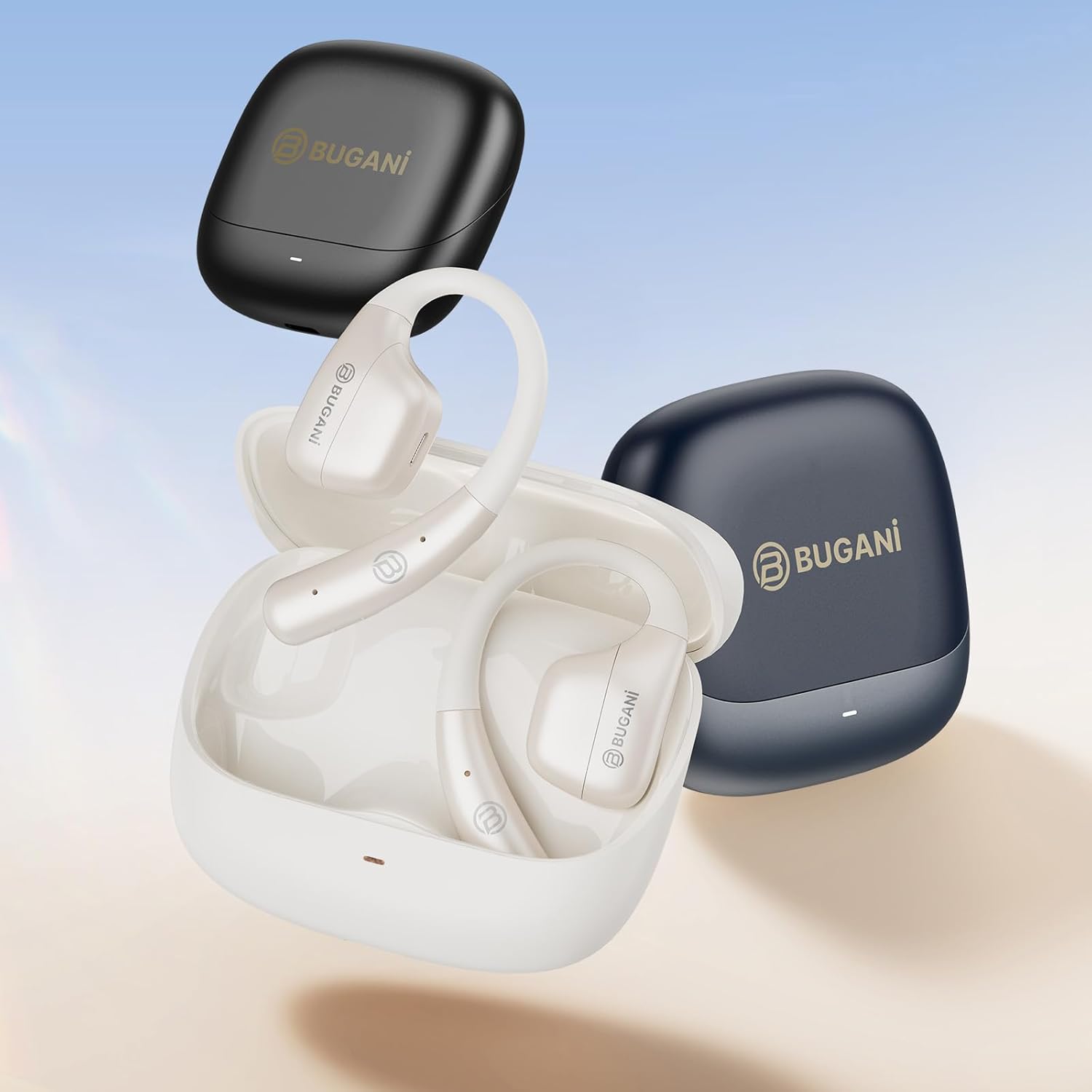
Image: An illustration showing the extended battery life cycle of the BUGANI OWSB11 headphones and charging case. This graphic highlights the 6.5 hours of music time, 1.5 hours of charging time, and 26 hours of total cycle playtime.
4.2. Menghidupkan/Mematikan
- Hidupkan kuasa: Buka bekas pengecas dan fon telinga akan dihidupkan secara automatik. Secara alternatif, tekan dan tahan kawasan kawalan sentuh pada kedua-dua fon telinga selama 3 saat.
- Matikan: Letakkan semula fon telinga ke dalam bekas pengecasan dan tutup penutupnya. Ia akan dimatikan secara automatik. Secara alternatif, tekan dan tahan kawasan kawalan sentuh pada kedua-dua fon telinga selama 5 saat.
4.3. Berpasangan Bluetooth
The BUGANI OWSB11 headphones utilize Bluetooth 5.4 for a fast and stable connection.
- Berpasangan Kali Pertama:
- Buka bekas pengecas. Fon telinga akan memasuki mod berpasangan secara automatik dan penunjuk LEDnya akan berkelip.
- Pada peranti anda (telefon pintar, tablet, dll.), dayakan Bluetooth.
- Cari untuk "BUGANI OWSB11" in the list of available Bluetooth devices and select it to connect.
- Once connected, the earbud LED indicators will turn off or flash slowly.
- Menyambung semula: After initial pairing, the earbuds will automatically connect to the last paired device when removed from the charging case and Bluetooth is enabled on your device.

Image: Diagram illustrating the Bluetooth 5.4 technology chip for stable connectivity. This image highlights the advanced Bluetooth 5.4 chip, emphasizing its role in providing a fast and reliable wireless connection.
5. Mengendalikan Fon Kepala Anda
The touch control area on each earbud allows you to manage music playback, calls, and other functions.
5.1. Main balik Muzik
- Main/Jeda: Ketik sekali pada salah satu fon telinga.
- Lagu Seterusnya: Ketik dua kali pada fon telinga kanan.
- Trek Sebelumnya: Ketik dua kali pada fon telinga kiri.
5.2. Pengurusan Panggilan
- Jawab/Tamatkan Panggilan: Ketik sekali pada salah satu fon telinga.
- Tolak Panggilan: Tekan dan tahan pada salah satu fon telinga selama 2 saat.
5.3. Kawalan Kelantangan
Volume control is typically managed directly from your connected device. Some models may support earbud-based volume control; refer to specific product details if available.
5.4. Situational Awareness (Open-Ear Design)
The open-ear design of the BUGANI OWSB11 allows you to hear your audio while remaining aware of your surroundings. This feature enhances safety during outdoor activities and allows for easy conversations without removing the earbuds.

Image: A person wearing the BUGANI OWSB11 Open Ear Wireless Headphones, demonstrating the secure and comfortable fit. This image illustrates how the open-ear design sits on the ear, allowing for situational awareness.
6. Penjagaan dan Penyelenggaraan
6.1. Pembersihan
Regular cleaning helps maintain the performance and hygiene of your headphones.
- Lap fon telinga dan bekas pengecas dengan kain lembut, kering dan tidak berbulu.
- Jangan gunakan pembersih yang melelas, alkohol atau pelarut kimia.
- Pastikan kenalan pengecas bersih dan kering.
6.2. Rintangan Air (IPX5)
The BUGANI OWSB11 headphones are rated IPX5, meaning they are protected against low-pressure water jets from any direction. This makes them suitable for workouts and light rain.
- Jangan tenggelamkan fon kepala ke dalam air.
- Avoid exposure to saltwater or other corrosive liquids.
- If wet, dry thoroughly before placing them back in the charging case or charging.

Image: The BUGANI OWSB11 Open Ear Wireless Headphones with water droplets, highlighting their IPX5 waterproof rating. This image visually confirms the product's resistance to sweat and splashes.
6.3. Penyimpanan
Simpan fon kepala di dalam bekas pengecas apabila tidak digunakan untuk melindunginya dan memastikan ia sentiasa dicas.
7. Penyelesaian masalah
If you encounter any issues, please refer to the following common solutions:
| Masalah | Penyelesaian yang Mungkin |
|---|---|
| Fon telinga tidak dihidupkan. | Ensure the charging case and earbuds are charged. Place earbuds in the case and close/open the lid. |
| Tidak boleh berpasangan dengan peranti. | Make sure Bluetooth is enabled on your device. Ensure earbuds are in pairing mode. Forget "BUGANI OWSB11" from your device's Bluetooth list and try pairing again. |
| Tiada bunyi daripada satu atau kedua-dua fon telinga. | Check device volume. Ensure earbuds are properly paired. Try resetting the earbuds (refer to manufacturer's webtapak untuk arahan set semula khusus jika perlu). |
| Isu pengecasan. | Check the USB-C cable and power adapter. Ensure charging contacts on earbuds and case are clean and dry. |
8. Spesifikasi
Technical details of your BUGANI OWSB11 Open Ear Wireless Bluetooth Headphones:
- Nombor Model: OWSB11
- Versi Bluetooth: 5.4
- Kapasiti Bateri Earbud: 70mAh (setiap satu)
- Kapasiti Bateri Kes Pengecasan: 500mAh
- Masa Main Earbud: 8-10 jam (cas sekali)
- Jumlah Masa Main (dengan bekas): Sehingga 60 jam
- Penilaian Kalis Air: IPX5
- Berat Barang: 6.3 auns
- Dimensi Pakej: 5.12 x 4.45 x 1.85 inci
9. Maklumat Keselamatan
Please read and follow these safety guidelines to prevent damage or injury:
- Jangan buka, baiki atau ubah suai produk.
- Jauhkan produk daripada suhu ekstrem, cahaya matahari langsung dan nyalaan api terbuka.
- Elakkan mendengar pada tahap kelantangan tinggi untuk tempoh yang lama untuk mengelakkan kerosakan pendengaran.
- Jauhkan daripada kanak-kanak dan haiwan peliharaan.
- Buang produk dan bateri secara bertanggungjawab mengikut peraturan tempatan.
10. Waranti dan Sokongan
BUGANI products are designed for reliability and performance. For warranty information, technical support, or customer service inquiries, please refer to the contact information provided on the BUGANI official website or your purchase platform. Please retain your proof of purchase for warranty claims.
Untuk bantuan lanjut, lawati BUGANI Store on Amazon.