
1. Pengenalan
This manual provides detailed instructions for the safe and effective operation of your Huepar S100G-BT Green Laser Distance Meter. Please read this manual thoroughly before using the device and keep it for future reference.
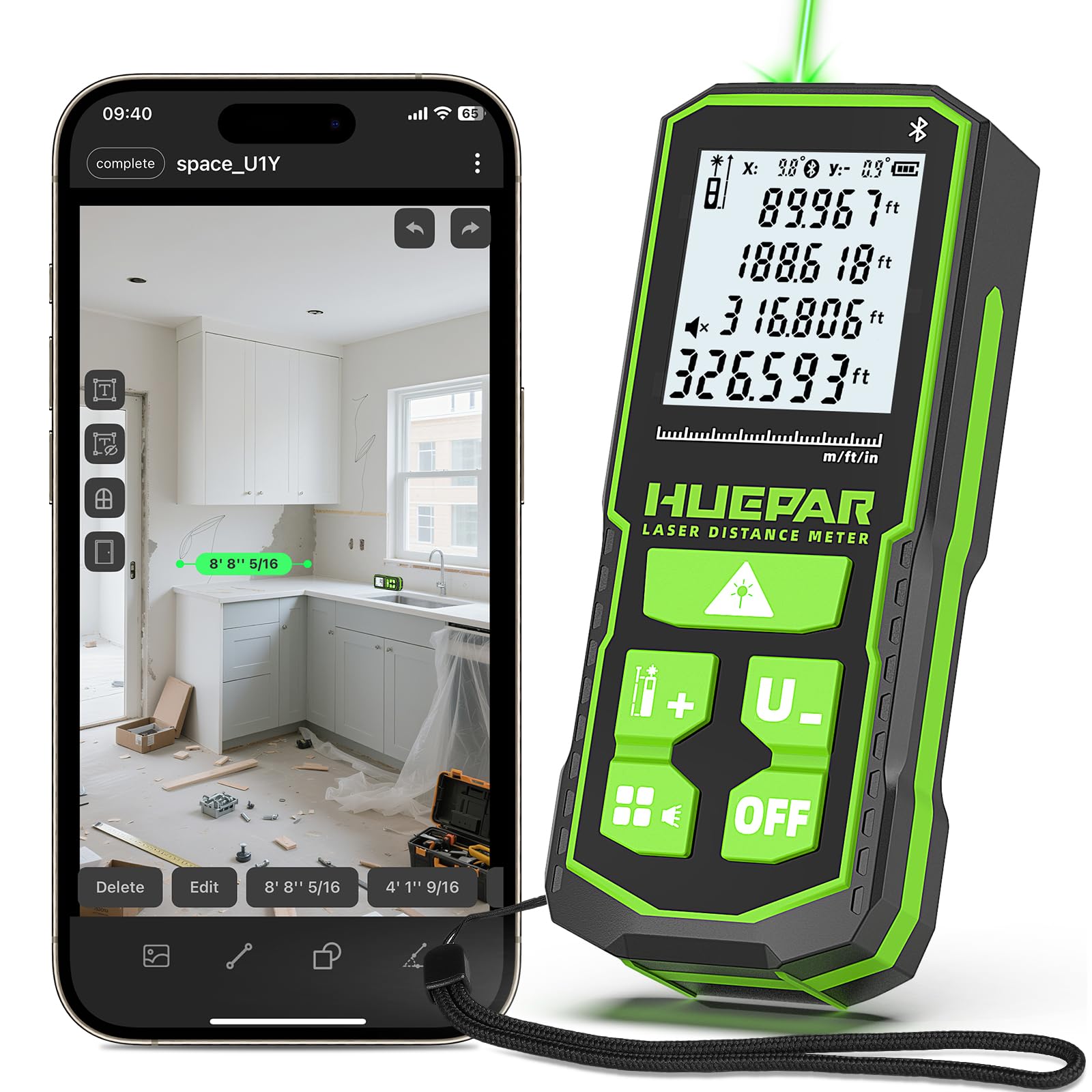
Image: The Huepar S100G-BT Green Laser Distance Meter, a compact and robust device.
2. Apa yang ada di dalam Kotak
- 1X 330FT Laser Distance Measuring Tool
- 1X Hand Strap
- 1X Kabel Pengecas USB-C
- 2X Rechargeable 1200mAh Capacity NiMh Batteries
- 1X Manual Pengguna
3. Ciri-ciri Produk
- Kawalan APP Pintar: Full APP integration for smarter and easier measuring. Sync data instantly, create groups, add annotated photos, and draw sketches. Effortlessly switch units, modes, and reference points in real time.
- Brighter Green Laser & High Accuracy: Advanced green beam laser technology, 4X brighter than standard red lasers for superior visibility. Delivers up to ±1/16-inch accuracy. Laser class: Class 2, 490–560nm, <1mW.
- Durable & User-Friendly Design: Measure from front/middle/rear reference points; 1/4" threaded mount allows tripod use for stable measurements. IP54 dust- & water-resistant design with TPE rubberized housing provides a secure grip, scratch resistance, and durability.
- 3 Power Options & Smart Energy Saving: Comes with 2 rechargeable 1200mAh NiMH batteries, USB-C direct charging, and also compatible with AA batteries. Auto shut-off after 180s of no operation saves power efficiently.
- Real-Time Angle Sensor & Large Backlit Display: Built-in digital angle sensor with ±1° accuracy ensures improved measurement precision. The 2-inch backlit LCD screen provides clear, easy-to-read data.
- Multiple Measurement Modes & Unit Switch: Supports distance, angle, area, volume, and 4 Pythagorean modes. Features continuous measurement, addition & subtraction, automatic area/volume calculation, and stores up to 30 groups of data. Switchable units (m/ft/in/ft+in) meet diverse measurement needs.
4. Persediaan
4.1. Pemasangan dan Pengecasan Bateri
The device comes with two rechargeable 1200mAh NiMH batteries. To install, open the battery compartment cover. Insert the batteries according to the polarity markings. Close the cover securely.
To charge, connect the provided USB-C cable to the device's charging port and to a suitable USB power source. The charging indicator on the display will show charging status. The device can also be powered by AA batteries (not included).

Image: The Huepar S100G-BT showing its three power methods: rechargeable NiMH batteries, USB-C direct charging, and compatibility with AA batteries.
4.2. Connecting to the Huepar APP
- Download the "Huepar" APP from Google Play Store or Apple App Store.
- Pastikan Bluetooth didayakan pada telefon pintar anda.
- Turn on the Laser Measuring Tool.
- Open the Huepar APP and grant necessary permissions.
- Click "Add Device" within the app.
- Select and connect to your Laser Measuring Tool from the list of available devices.

Image: Screenshots illustrating the smart app integration features, including creating floor plans, taking photos with measurements, and grouping data.
5. Arahan Operasi
5.1. Hidupkan/Mati Kuasa
- Hidupkan kuasa: Tekan ke MEAS butang sekali untuk menghidupkan peranti.
- Matikan: Tekan dan tahan butang DIMATIKAN button for 2 seconds to turn off the device. The device will automatically shut off after 180 seconds of inactivity.
5.2. Penukaran Unit
In measurement mode, short press the UNIT button to cycle through available units: meters (m), feet (ft), inches (in), and feet+inches (ft+in).
5.3. Reference Point Selection
The device can measure from three reference points: front, middle, or rear. Short press the RUJUKAN button to switch between these points. The selected reference point will be indicated on the display.

Image: Diagram showing the three selectable reference points (front, middle, rear) for precise measurements.
5.4. Mod Pengukuran
Tekan pendek MODE button to cycle through the various measurement functions:
- Pengukuran Jarak Tunggal: Tekan MEAS to take a single distance reading.
- Pengukuran Berterusan: Tekan dan tahan MEAS to activate continuous measurement. The display will update in real-time as you move the device. Press MEAS sekali lagi untuk berhenti.
- Pengukuran Kawasan: Follow the on-screen prompts to measure two sides (length and width). The device will automatically calculate and display the area.
- Pengukuran Isipadu: Follow the on-screen prompts to measure three sides (length, width, and height). The device will automatically calculate and display the volume.
- Pythagorean Modes (4 types): Use these modes for indirect measurements of height or distance when direct measurement is not possible. Follow the on-screen instructions for each specific Pythagorean calculation.
- Penambahan/Penolakan: Selepas mengambil ukuran, tekan butang + or - button to add or subtract subsequent measurements.
- Pengukuran Sudut: The built-in digital angle sensor provides real-time angle readings.

Image: Visual representation of various measurement modes including distance, area, volume, and Pythagorean calculations.

Image: The device displaying real-time X and Y axis angle measurements using its electronic angle sensor.
5.5. Penyimpanan dan Pengingatan Data
The device can store up to 30 groups of data. To recall stored data, press the MEMORI button. Use the arrow keys to navigate through the stored measurements.
5.6. Smart APP Functions
- Penyegerakan Data: Measurements taken with the device will instantly sync to the Huepar APP on your phone.
- Anotasi Foto: Take photos within the app and add measurement data directly onto the images for easy reference.
- Floor Plans & Sketches: Create and draw floor plans or sketches within the app, integrating live measurement data.
- Data Grouping & Custom Naming: Organize your measurements into groups and assign custom names for better project management.

Image: A step-by-step guide on how the Huepar APP links data, allowing users to take photos, tag measurement spots, and automatically save results to their phone.
6. Penyelenggaraan
- Pembersihan: Gunakan yang lembut, damp kain untuk membersihkan peranti. Jangan gunakan pembersih atau pelarut yang melelas.
- Storan: Simpan peranti di tempat yang kering dan sejuk jauh dari cahaya matahari langsung dan suhu yang melampau.
- Penjagaan Bateri: Jika peranti tidak akan digunakan untuk tempoh yang lama, keluarkan bateri untuk mengelakkan kebocoran.
- Perlindungan: The IP54 rating provides dust and water resistance. Avoid submerging the device in water.

Image: The Huepar S100G-BT demonstrating its IP54 dustproof and waterproof capabilities, along with its durable TPE rubberized housing and portable bag.
7. Penyelesaian masalah
If you encounter issues with your Huepar S100G-BT, refer to the following common problems and solutions:
| Mesej Ralat | sebab | Penyelesaian |
|---|---|---|
| Er.BL | Bateri rendah voltage | Charge the power supply. |
| Er.DE | Ralat mengukur | Re-measure by the measurement operation. |
| Er.DH | Julat ukuran luar jarak | Use the laser measure within its range. |
| Er.TL | Ambient temperature is below the operating temperature range | Use the device within the specified operating temperature range. |
| Er.TH | Ambient temperature is above the operating temperature range | Use the device within the specified operating temperature range. |
| Er.SH | Isyarat terlalu kuat | Choose a surface with weaker reflectance. |
| Er.SL | Isyarat terlalu lemah | Choose a surface with stronger reflectance or use the reflecting plate. |
Video Guide: How to Use
Video: A detailed demonstration by Huepar-CA on how to use the professional laser distance measure, covering various functions and tips for accurate readings.
8. Spesifikasi
- Jenama: Huepar
- model: S100G-BT
- Julat Pengukuran: 100 meter (330 kaki)
- Ketepatan: ±1/16 inci
- Kelas Laser: Class 2, 490–560nm, <1mW
- warna: hijau
- Bahan: Acrylonitrile Butadiene Styrene, TPE
- Berat Barang: 120 Gram
- Jenis Bateri: Rechargeable NiMH, 1.2V (2x 1200mAh included)
- mengecas: USB-C
- Penilaian IP: IP54 (Dust- & Water-resistant)
- paparan: LCD Lampu Belakang 2 inci
- Penyimpanan Data: Sehingga 30 kumpulan
- Matikan Auto: 180 saat tidak aktif
9. Waranti dan Sokongan
This Huepar laser measuring tool enjoys a Waranti kualiti 2 tahun. Free repair or replacement is provided if the product is faulty. Huepar is committed to providing best-in-class service to our customers, including a 24/7 service team (response in 24 hours & solution in 48 hours). Lifetime technical support and worldwide maintenance centers are available for faster product repair or replacement.
For support, please refer to the contact information provided in your product packaging or visit the official Huepar webtapak.