
pengenalan
Thank you for choosing the HONOR CHOICE Earbuds X7 Lite. These wireless earbuds are designed to provide a high-quality audio experience with features such as Active Noise Cancellation (ANC) and extended battery life. This manual will guide you through the setup, operation, maintenance, and troubleshooting of your new earbuds.
Kandungan Pakej
Pastikan semua item ada dalam pakej anda:
- HONOR CHOICE Earbuds X7 Lite (Left and Right Earbuds)
- Kes Pengecasan
- Manual Pengguna (dokumen ini)
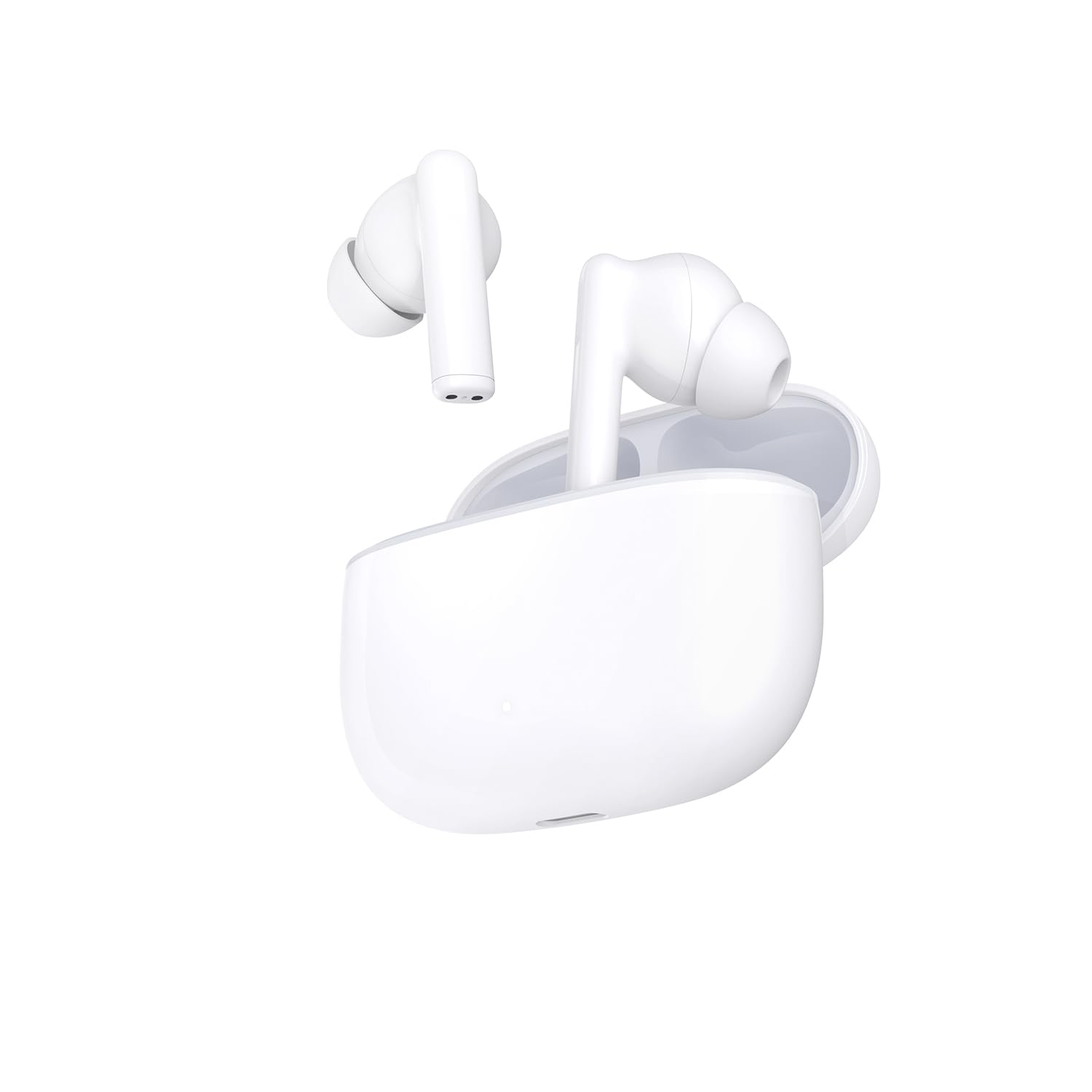
Image: The HONOR CHOICE Earbuds X7 Lite, showing both earbuds inside their charging case.
Persediaan
1. Mengecas Fon Telinga dan Sarung
Before first use, fully charge the earbuds and the charging case. The charging case has a 500 mAh battery capacity.
- Letakkan fon telinga ke dalam bekas pengecasan.
- Connect the charging case to a power source using a compatible USB-C cable (not included).
- Lampu penunjuk pada kes akan menunjukkan status pengecasan.
A full charge provides up to 7 hours of music playback for the earbuds and a total of 38 hours with multiple charges from the case.
2. Berpasangan dengan Peranti
The HONOR CHOICE Earbuds X7 Lite utilize Bluetooth 5.4 for a stable and efficient connection.
- Open the charging case. The earbuds will automatically enter pairing mode (or press and hold the function button on the case if available, refer to specific product instructions for button location).
- On your device (smartphone, tablet), go to Bluetooth settings and ensure Bluetooth is enabled.
- Cari untuk available devices and select "HONOR CHOICE Earbuds X7 Lite" from the list.
- Sebaik sahaja disambungkan, anda akan mendengar gesaan audio dan lampu penunjuk pada bekas mungkin berubah.

Image: The HONOR CHOICE Earbuds X7 Lite charging case with the lid open, showing the earbuds inside, ready for pairing.
Arahan Operasi
Kawalan Sentuh
The earbuds feature touch-sensitive controls. Specific functions may vary, but common operations include:
- Main/Jeda: Ketik sekali pada salah satu fon telinga.
- Lagu Seterusnya: Ketik dua kali pada fon telinga kanan.
- Trek Sebelumnya: Ketik dua kali pada fon telinga kiri.
- Jawab/Tamatkan Panggilan: Ketik sekali pada salah satu fon telinga.
- Tolak Panggilan: Tekan dan tahan pada salah satu fon telinga.
- Activate/Deactivate Active Noise Cancellation (ANC): Press and hold on either earbud (or specific gesture as per product guide).
Pembatalan Bising Aktif (ANC)
The earbuds are equipped with ANC technology to reduce ambient noise. This feature is particularly effective in isolating environmental sounds and includes an algorithm for wind noise control.
- To toggle ANC on/off, use the designated touch control gesture (e.g., press and hold).
- ANC can significantly enhance your listening experience in noisy environments.

Imej: Dari dekat view of a single HONOR CHOICE Earbud X7 Lite, highlighting its design and in-ear fit.
Penyelenggaraan
Penyelenggaraan yang betul memastikan jangka hayat dan prestasi optimum fon telinga anda.
- Pembersihan: Bersihkan fon telinga dan bekas pengecas secara berkala dengan kain yang lembut, kering dan tidak berbulu. Jangan gunakan bahan yang kasar atau bahan kimia yang keras.
- Storan: Apabila tidak digunakan, simpan fon telinga dalam bekas pengecasnya untuk melindunginya daripada habuk dan kerosakan.
- Tahan Air: The earbuds are water-resistant. However, they are not waterproof. Avoid prolonged exposure to water or submersion. Dry them thoroughly if they get wet.
- Penjagaan Bateri: Avoid fully discharging the battery frequently. Charge the case and earbuds regularly, even if not in constant use, to maintain battery health.
Menyelesaikan masalah
If you encounter issues with your HONOR CHOICE Earbuds X7 Lite, try the following solutions:
| Masalah | Penyelesaian |
|---|---|
| Fon telinga tidak berpasangan | Ensure earbuds are charged. Place them in the case, close, then open the lid to re-enter pairing mode. Check your device's Bluetooth settings. |
| Tiada bunyi dari satu fon telinga | Check battery level of both earbuds. Try re-pairing the earbuds. Ensure both earbuds are properly seated in your ears. |
| Kelantangan rendah | Adjust volume on your connected device. Clean any debris from the earbud speakers. |
| ANC tidak berfungsi dengan berkesan | Ensure ANC is activated. Adjust earbud fit to create a good seal in your ear canal. |
| Isu pengecasan | Ensure the charging cable and adapter are working. Clean the charging contacts on the earbuds and case. |
Spesifikasi
| Ciri | Perincian |
|---|---|
| Jenama | KEHORMATAN |
| Nama Model | HONOR CHOICE Earbuds X7 Lite |
| Nombor Model | 5504ABRR |
| warna | PUTIH |
| Penempatan Telinga | Dalam telinga |
| Kawalan Bunyi | Pembatalan Bunyi Aktif |
| Teknologi Ketersambungan | Bluetooth 5.4 |
| Teknologi Komunikasi Tanpa Wayar | Bluetooth |
| Kaedah Kawalan | Butang |
| Hayat Bateri (Earbud) | Sehingga 7 jam (main semula muzik) |
| Jumlah Hayat Bateri (dengan sarung) | Sehingga 38 jam |
| Kapasiti Bateri Kes Pengecasan | 500 mAh |
| Julat Kekerapan | 20 Hz - 20,000 Hz |
| bahan | plastik |
| Tahap Ketahanan Air | Tahan Air |
| Peranti Serasi | Tablets, Phones |
Waranti dan Sokongan
The HONOR CHOICE Earbuds X7 Lite come with a Waranti pengilang selama 2 tahun. Sila simpan bukti pembelian anda untuk tuntutan waranti.
For further assistance, technical support, or warranty inquiries, please refer to the official HONOR support channels or visit their webtapak.