
1. Produk Lebihview
The XikeStor SKS3200-5E2X is a web-managed switch featuring a total of 7 ports: 5x 2.5G Ethernet ports and 2x 10G SFP+ ports. Its aluminum alloy body, treated with anodization, offers fanless, silent operation and a compact design. This switch supports two speeds and three port types simultaneously, making it ideal for small offices and home networks. It provides high-speed data transfer and excellent connectivity, ensuring a stable network environment with high reliability and durability while saving space.
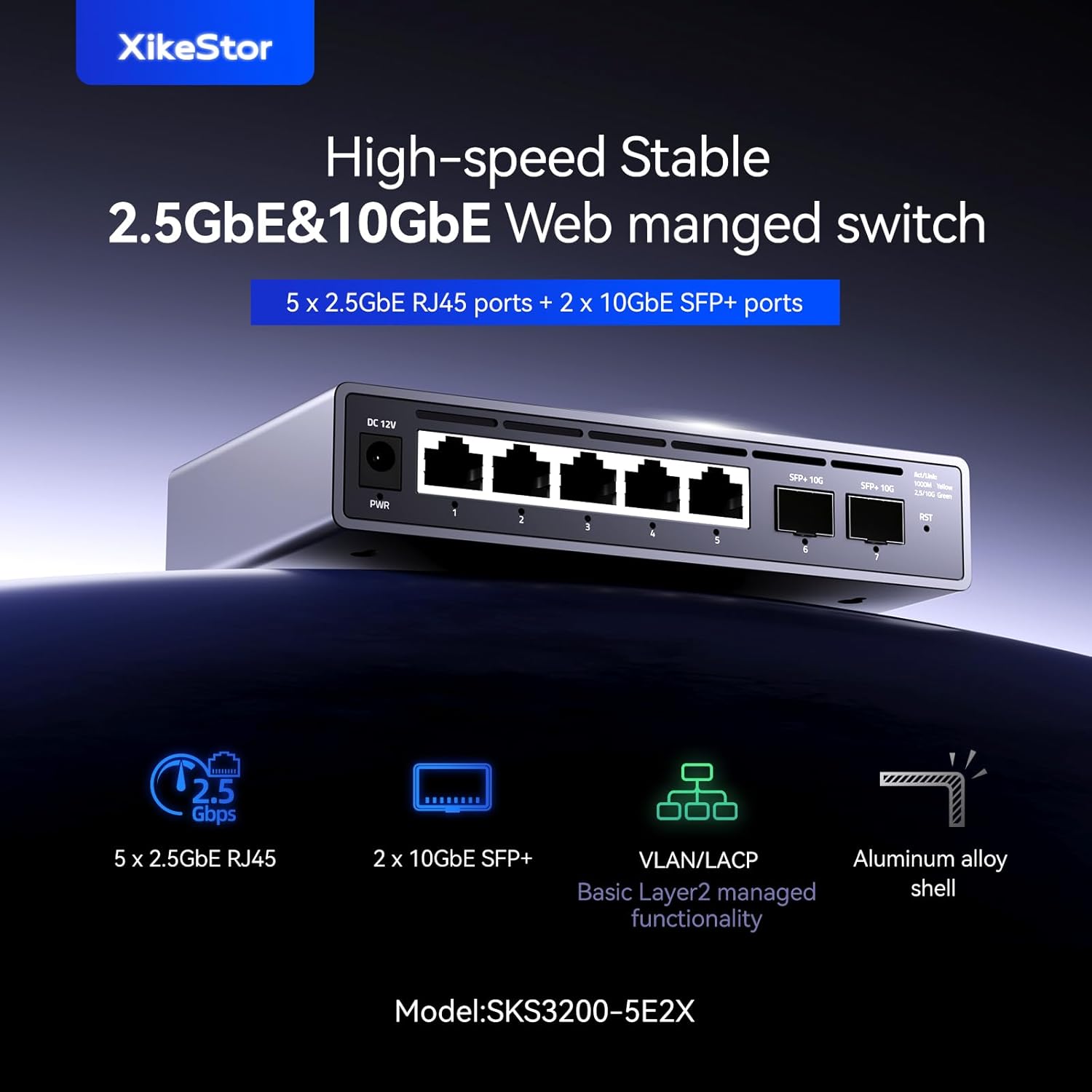
Imej: Depan view of the XikeStor SKS3200-5E2X switch, highlighting the 5x 2.5G RJ45 ports and 2x 10G SFP+ ports, along with power and reset buttons.
Ciri-ciri Utama
- Badan Aloi Aluminium: Features an upgraded full aluminum alloy casing with anodized treatment, fanless design, excellent heat dissipation, and silent operation, making it ideal for home and small to medium office environments.
- NAS Network Integration: Easily configure functions like VLAN partitioning and port aggregation via the web interface. Particularly suitable for beginners and NAS users.
- Pasang dan Main: Simply connect the power and Ethernet cables for automatic port speed negotiation. 2.5G ports (2500M/1000M/100M) and 10G ports (10G/2500M/1000M) adapt to various network requirements.
- Prestasi Tinggi: Equipped with 5x 2.5G Ethernet ports and 2x 10G Ethernet ports. Each port supports full-duplex mode.
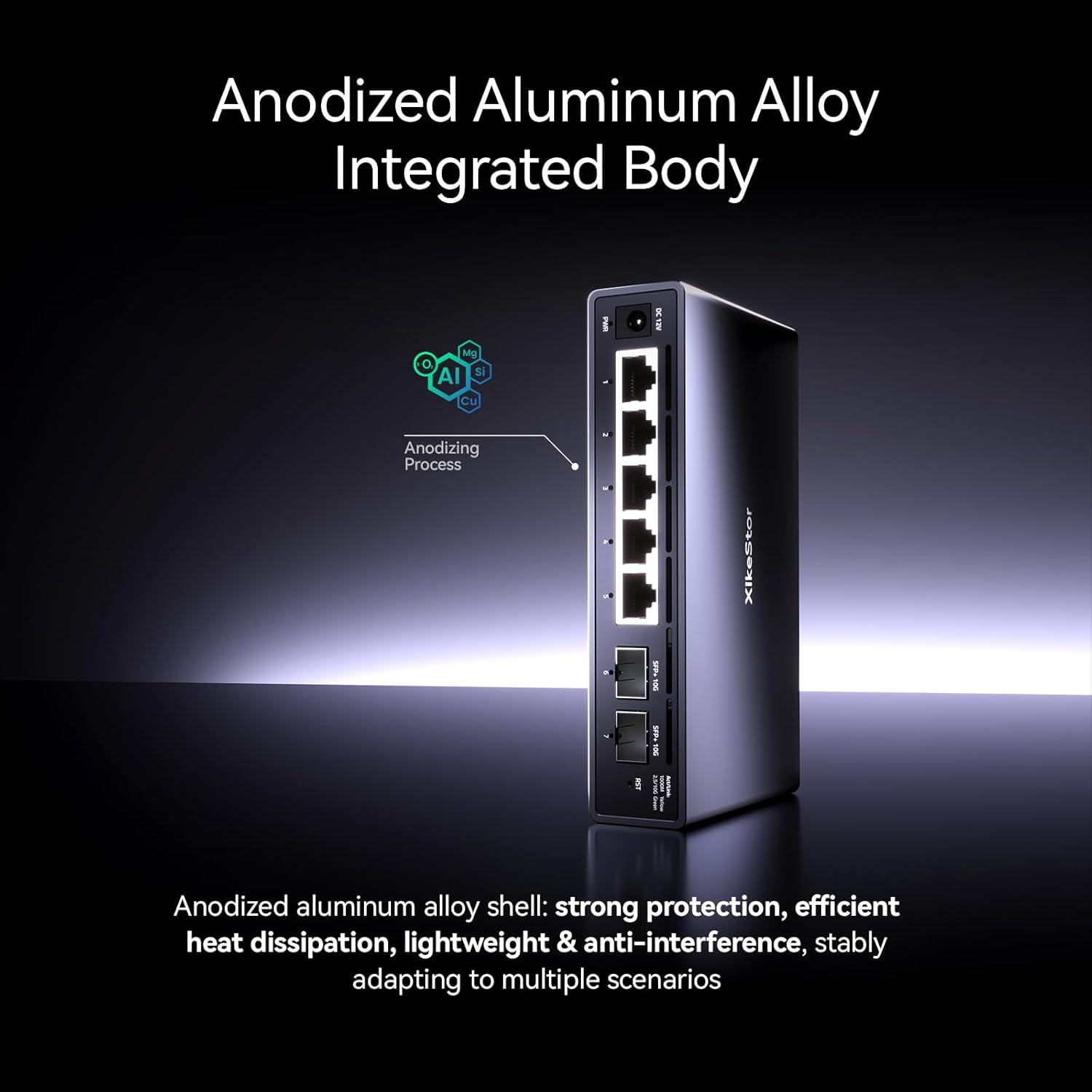
Imej: Jarak dekat view of the switch's anodized aluminum alloy body, emphasizing its robust and fanless design for efficient heat dissipation.

Image: Diagram illustrating the switch providing high-speed seamless connectivity for multiple network devices including PCs, printers, NAS, and IPTV.
2. Panduan Persediaan
2.1 Kandungan Pakej
Sila pastikan semua barang ada dan dalam keadaan baik:
- XikeStor SKS3200-5E2X Web Suis Terurus
- Penyesuai Kuasa
- Mounting Accessories (e.g., wall-mount kit, screws)
- Manual Pengguna (dokumen ini)
2.2 Pemasangan Fizikal
The switch can be placed on a desktop or mounted on a wall.
Penempatan Desktop
Letakkan suis di atas permukaan yang rata dan stabil. Pastikan pengudaraan yang mencukupi di sekeliling peranti.
Pemasangan Dinding
Use the provided mounting accessories to secure the switch to a wall. Ensure the mounting surface is sturdy enough to support the device.
2.3 Menyambungkan Suis
- Sambungkan Kuasa: Plug the power adapter into the DC 12V input port on the switch, then connect the adapter to a power outlet. The PWR indicator light should illuminate.
- Sambungkan Peranti Rangkaian: Connect your network devices (e.g., computers, NAS, routers) to the 2.5G RJ45 ports using Ethernet cables. For 10G connectivity, use SFP+ modules and fiber optic cables in the SFP+ ports.

Image: Diagram showing the DC 12V power input, 2.5GbE RJ45 ports, and 10GbE SFP+ ports with connected cables, illustrating the plug-and-play functionality.
3. Operasi
3.1 Basic Connectivity (Plug and Play)
The XikeStor SKS3200-5E2X supports plug-and-play functionality. Once powered on and connected, the ports will automatically negotiate the optimal speed (2500M/1000M/100M for 2.5G ports and 10G/2500M/1000M for 10G SFP+ ports) with connected devices. No initial configuration is required for basic network operation.
3.2 Web Antara Muka Pengurusan
For advanced features and configuration, access the web antara muka pengurusan:
- Pastikan komputer anda disambungkan ke suis.
- Buka a web pelayar.
- Enter the default IP address: 192.168.10.12 dalam bar alamat dan tekan Enter.
- Log in using the default credentials: User Name: admin, Kata Laluan: admin.
- Nota Penting: To enter the management page, the switch's IPv4 address must be changed to 192.168.10.X (where X is any number between 2 and 254, but not 12) and the subnet mask must be set to 255.255.255.0.

Image: Screenshot of the switch's web management interface, showing various Layer 2 management functions such as Port Settings, Port Mirroring, Link Aggregation, Port VLAN, Tagged VLAN, IGMP Snooping, and Storm Control.
3.3 Layer 2 Management Functions
The web management interface allows configuration of various Layer 2 features, including but not limited to:
- VLAN Partitioning
- Port Aggregation (LACP)
- Penglihatan pelabuhan
- Kualiti Perkhidmatan (QoS)
- Spanning Tree Protocol (STP)
- IGMP Snooping
- Kawalan Ribut
- Mod penjimatan tenaga
4. Penyelenggaraan
4.1 Keperluan Kabel
For optimal performance and stable connections, especially at higher speeds:
- For 2.5G Ethernet ports, use CAT6A or higher rated Ethernet cables.
- Ensure all Ethernet cables are undamaged and properly terminated.
4.2 SFP+ Module and Fiber Compatibility
If 10G speed is not achieved on the SFP+ ports:
- Ensure you are using 10G-compatible SFP+ optical modules.
- Verify that the fiber optic cables are undamaged and correctly connected.
4.3 Grounding for Lightning Protection
To prevent surges and static electricity, install a lightning protection grounding wire:
- Locate the grounding terminal on the switch.
- Remove the default screw from the grounding terminal.
- Connect the ground wire to the terminal.
- Replace and tighten the specialized surge protection screw (included in accessories) to secure the ground wire.

Image: Illustration demonstrating the process of installing a grounding wire to the grounding terminal on the switch, showing the screw removal and replacement steps.
5. Penyelesaian masalah
Bahagian ini menyediakan penyelesaian kepada isu biasa yang mungkin anda hadapi.
| Masalah | Kemungkinan Punca | Penyelesaian |
|---|---|---|
| Tiada lampu penunjuk kuasa | Penyesuai kuasa tidak disambungkan atau rosak; isu salur keluar kuasa. | Ensure power adapter is securely connected. Test power outlet with another device. Try a different power adapter if available. |
| Tiada sambungan rangkaian | Incorrect cable connection; faulty cable; device not powered on; incorrect IP settings (for web pengurusan). | Check all Ethernet/fiber connections. Replace cables if suspected faulty. Ensure connected devices are powered on. Verify IP settings if trying to access web pengurusan. |
| Slow network speeds | Low-quality or damaged cables; incompatible SFP+ module; network congestion. | Use CAT6A or higher cables. Ensure cables are undamaged. For 10G SFP+ ports, use 10G-compatible modules and fiber. Check for other network bottlenecks. |
| Tidak boleh akses web antara muka pengurusan | Incorrect IP address; computer's IP not in same subnet; firewall blocking access. | Verify the switch's IP address (default 192.168.10.12). Ensure your computer's IP address is in the 192.168.10.X range (X not 12) with subnet mask 255.255.255.0. Temporarily disable computer firewall. |
6. Spesifikasi Teknikal
Detailed specifications for the XikeStor SKS3200-5E2X switch:

Image: Table summarizing the product parameters including net ports, control chip, switching capacity, forwarding rate, PoE protocol, power input, dimensions, shell material, installation method, heat dissipation, and other features.
| Ciri | Spesifikasi |
|---|---|
| Jenama | XikeStor |
| Nombor Model | SKS3200-5E2X |
| Kiraan Pelabuhan | 7 (5x 2.5G RJ45, 2x 10G SFP+) |
| Jenis Suis | Web Managed (Layer 2) |
| Kadar Pemindahan Data | 32.5 Gbps (Switching Capacity: 65 Gbps) |
| Kadar Pemajuan | 48.36 Mpps |
| Cip Kawalan | MXL86252S-ABE-R |
| Input Kuasa | DC 12V |
| Bahan Cangkang | Aluminum Alloy (anodized treatment) |
| Pelesapan Haba | Fanless, Natural Heat Dissipation |
| Kaedah Pemasangan | Desktop / Dipasang di dinding |
| Dimensi (L x W x H) | 155mm x 94mm x 30.7mm |
| Komponen yang Disertakan | pemasangan Kit |
| asal usul | China |
7. Waranti dan Sokongan
7.1 Waranti Pengilang
Produk ini disertakan dengan a Waranti pengilang selama 1 tahun from the date of purchase. The warranty covers defects in materials and workmanship under normal use. It does not cover damage caused by misuse, accidents, unauthorized modifications, or external factors.
7.2 Sokongan Teknikal
For technical assistance, troubleshooting, or warranty claims, please contact XikeStor customer support through the retailer's platform or the official XikeStor website. Please have your product model number (SKS3200-5E2X) and purchase information ready when contacting support.