
1. Pengenalan
This manual provides comprehensive instructions for the safe and effective use of your DentJet Smart Hand Massager. Designed to offer compression and heat therapy, this device aims to relieve discomfort in the hands, wrists, and fingers. Please read this manual thoroughly before first use and retain it for future reference.
2. Ciri-ciri Produk
- Advanced Airbag Compression: Equipped with 13 double-layer TPU airbags for comprehensive hand, wrist, palm, and finger relief.
- Pelbagai Mod Urut: Features 3 distinct massage modes (Comprehensive, Ladder, Alternating) to suit various needs.
- Terapi Haba Boleh Laras: Offers 3 temperature modes (20°C, 35°C, 42°C) for soothing warmth. Fast heating capability.
- Intensiti Boleh Disesuaikan: Provides 5 massage intensities for personalized pressure.
- Matikan automatik: Includes a 15-minute automatic shut-off timer for safety and convenience.
- Pembinaan Berkualiti Tinggi: Made with premium 2-layer TPU leather exterior and body-friendly tech cloth interior, designed for durability and comfort.
- Mudah alih dan boleh dicas semula: Features a 2000 mAh battery and Type-C quick charge interface, ideal for use at home, office, or while traveling.
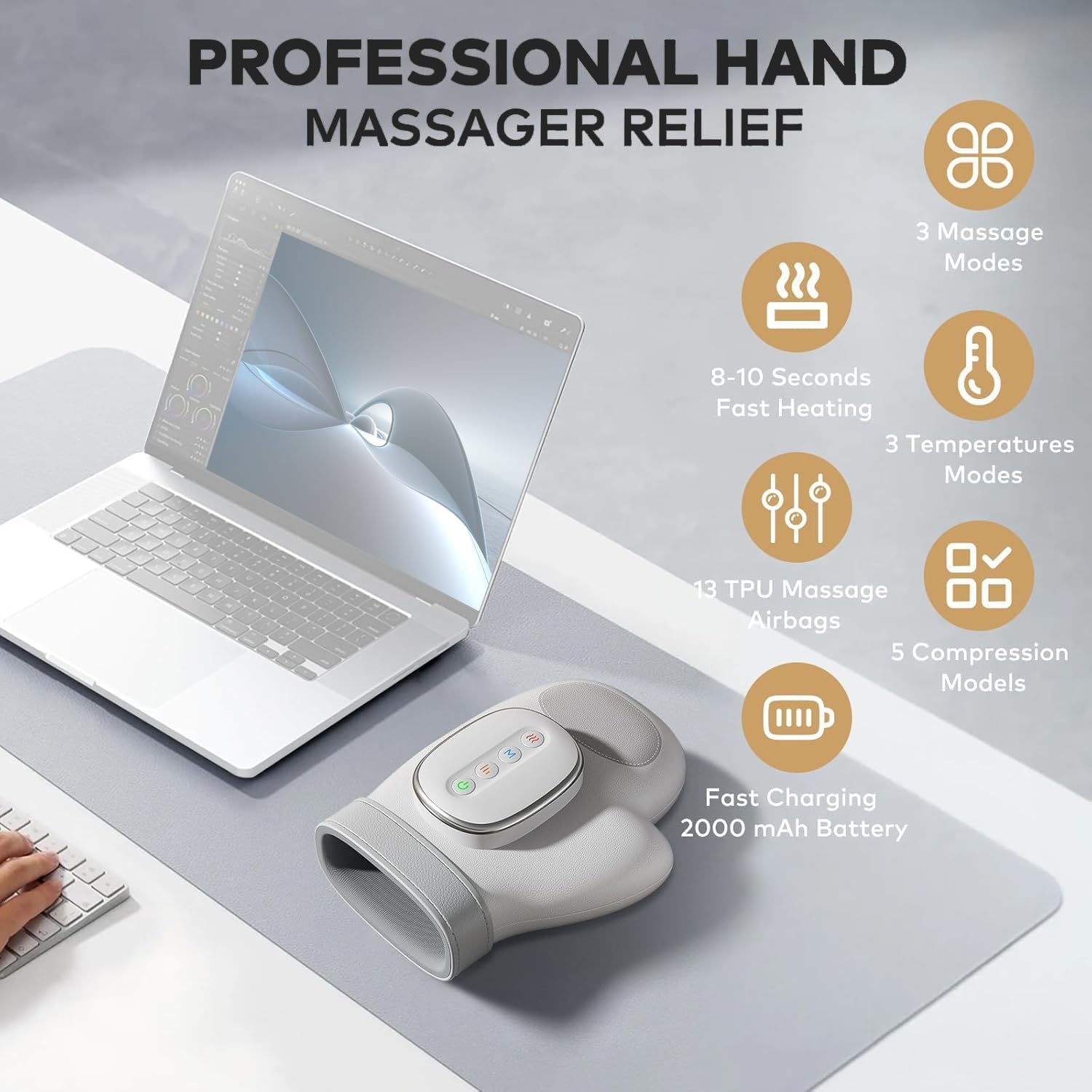
Imej: Selesaiview of the DentJet Smart Hand Massager highlighting its key features such as 3 massage modes, 8-10 seconds fast heating, 3 temperature modes, 13 TPU massage airbags, 5 compression models, and a 2000 mAh fast-charging battery.

Imej: Terperinci view of the massager's control panel and settings, illustrating the 3 massage modes (Vitality, Health, Soothing), 3 temperature modes (20°C, 35°C, 42°C), and 5 levels of force adjustment for personalized therapy.

Image: Diagram showing the dimensions of the hand massager (e.g., 25cm/9.84inch length, 15cm/5.91inch width) and indicating its suitability for different hand sizes.
3. Langkah-langkah Keselamatan
To ensure safe operation and prevent injury or damage to the device, please observe the following precautions:
- Jangan gunakan peranti semasa tidur.
- Use for one hand at a time only; do not attempt to use with both hands simultaneously.
- Remove all wearing objects such as jewelry, rings, or nail decorations before use.
- Do not use the device in bathrooms or allow water to come into contact with it. The device is not water-resistant.
- Not suitable for use by children or individuals with small hands.
- During hot weather, keep your hand dry and avoid operating the device in high-temperature environments.
- If your body feels warm, do not use the highest heat setting for more than 10 minutes to prevent potential skin burns.
- Consult a medical professional before use if you have any medical conditions, especially those affecting your hands or circulation.
- Jangan cuba membuka atau membaiki peranti sendiri. Hubungi sokongan pelanggan untuk mendapatkan bantuan.
- Pastikan peranti dicas sepenuhnya sebelum digunakan untuk mengekalkan prestasi optimum.
- Jangan gunakan jika kord kuasa atau palam rosak.
- Do not use if the device is malfunctioning or damaged.
4. Persediaan
Before using your DentJet Smart Hand Massager, please follow these steps:
- Bongkar: Carefully remove the massager from its packaging.
- Caj Permulaan: Connect the massager to a power source using the provided Type-C USB cable. The power indicator light will show charging status (e.g., red light for charging, green light for fully charged). Ensure the device is fully charged before its first use.
- Penyediaan: Ensure your hands are clean and dry. Remove any jewelry, rings, or watches from the hand you intend to massage.

Image: Excerpt from the user manual illustrating the preparation steps before using the hand massager, including charging via Type-C port and ensuring hands are clean and free of jewelry.
5. Arahan Operasi
Follow these steps to operate your hand massager:
- Masukkan Tangan: Place one hand into the massager, ensuring your fingers are correctly aligned within the internal dividers.
- Hidupkan kuasa: Tekan butang Kuasa (G) to turn on the device. The power indicator light will illuminate.
- Pilih Mod: Tekan butang Mod (M) to cycle through the 3 available massage modes:
- Comprehensive Mode: Indicated by a blue light.
- Ladder Mode: Indicated by a red light.
- Mod Bergantian: Indicated by a green light.
- Laraskan Intensiti: Press the Intensity button (|||) to select from 5 levels of compression strength. The indicator lights will change (e.g., 1st gear: blue, 2nd gear: green, 3rd gear: red, 4th gear: purple, 5th gear: yellow).
- Aktifkan Haba: Press the Heat button (SSS) to choose from 3 temperature settings (20°C, 35°C, 42°C). The indicator lights will change (e.g., 1st gear: blue, 2nd gear: green, 3rd gear: red). Heat cannot be used independently; a massage mode and compression level must also be selected.
- Matikan automatik: Peranti akan dimatikan secara automatik selepas 15 minit operasi berterusan.
- Matikan: To manually turn off the device, press and hold the Power button (G) until the lights turn off.

Image: Close-up of the massager's control panel, showing the distinct buttons for Heat, Mode, Intensity, and Power, each with corresponding indicator lights.

Image: A hand inserted into the DentJet Smart Hand Massager, demonstrating proper hand placement for effective massage and compression.
Video: This video demonstrates the basic operation of the Smart Hand Massager, including powering on, selecting modes, and showing the intelligent hot compress feature. It highlights the simple panel and five-speed intensity adjustment.
6. Penyelenggaraan
Proper maintenance ensures the longevity and optimal performance of your hand massager:
- Pembersihan: Lap bahagian luar alat urut dengan kain lembutamp kain. Jangan gunakan pembersih yang melelas atau rendam peranti di dalam air.
- Storan: Simpan peranti di tempat yang sejuk dan kering jauh dari cahaya matahari langsung dan suhu yang melampau.
- Penjagaan Bateri: The device contains a Lithium-Ion battery. Do not attempt to disassemble the battery. If the device will not be used for an extended period, charge it periodically to maintain battery health.
- Pelupusan: The main unit and internal lithium battery are recyclable. Please dispose of the product according to local regulations for electronic waste. Do not dispose of with household waste.
Image: Excerpt from the user manual detailing battery disassembly for proper disposal and general maintenance guidelines.
7. Penyelesaian masalah
If you encounter any issues with your DentJet Smart Hand Massager, please refer to the following table for solutions:
| Masalah | Kemungkinan Punca | Penyelesaian |
|---|---|---|
| Peranti tidak dihidupkan. | Bateri lemah atau tidak dicas. | Cas peranti sepenuhnya. Pastikan kabel pengecas disambungkan dengan betul. |
| Weak compression. | Low battery or incorrect intensity setting. | Recharge the device. Increase the massage intensity level using the Intensity button. |
| Tiada haba atau haba tidak mencukupi. | Heat function not activated or low heat setting. | Press the Heat button to activate heat and cycle to a higher temperature setting. Ensure a massage mode is also selected. |
| Peranti berhenti tanpa diduga. | Pemadaman automatik 15 minit atau bateri lemah. | This is normal operation due to the timer. If not due to timer, recharge the device. |
| Uncomfortable pressure. | Intensity setting is too high. | Decrease the massage intensity level using the Intensity button. |
Image: Excerpt from the user manual providing a troubleshooting guide for common issues and their resolutions.
8. Spesifikasi Produk
| Ciri | Perincian |
|---|---|
| Jenama | DentJet |
| Nama Model | Pengurut Tangan |
| Dimensi Produk | 9.65 x 3.94 x 7.48 inci (24.5 x 10 x 19 cm) |
| Berat Barang | 1.51 Paun (685 Gram) |
| Sumber Kuasa | Dikuasakan Bateri (termasuk 1 bateri Lithium Ion) |
| Kapasiti Bateri | 2000 mAh |
| Mod Urut | 3 (Comprehensive, Ladder, Alternating) |
| Mod Suhu | 3 (20°C, 35°C, 42°C) |
| Intensiti Urutan | 5 peringkat |
| Pemadaman Automatik | 15 minit |
| Jenis Bahan | TPU (exterior) |
| Tahap Ketahanan Air | Bukan Tahan Air |
| Pengeluar | Shenzhen Future Electronic Co.,Ltd |
9. Waranti dan Sokongan
DentJet is committed to providing high-quality products and customer satisfaction.
- Sokongan Dalam Talian Sepanjang Hayat: If you encounter any problems while using your hand massager, please contact us. Our specialized staff is available online 24 hours a day to assist you in a timely manner.
- Polisi Pemulangan: This product is eligible for a refund or replacement within 30 days of purchase, subject to the retailer's return policy.
Untuk bantuan lanjut, sila layari DentJet Store on Amazon.