
OBEST 684468ba-53aa-47b8-bdf3-302155409849
OBEST 1080p 360° IP68 Waterproof Action Camera User Manual
Model: 684468ba-53aa-47b8-bdf3-302155409849
1. Pengenalan
This manual provides instructions for the proper use and maintenance of your OBEST 1080p 360° IP68 Waterproof Action Camera. Please read this manual thoroughly before operating the device to ensure safe and optimal performance.
The OBEST Action Camera is a compact and versatile device designed for capturing high-quality video and audio in various environments, including outdoor sports and activities. It features 1080p video recording, 360° capture capabilities, and an IP68 waterproof rating, making it suitable for use in challenging conditions.
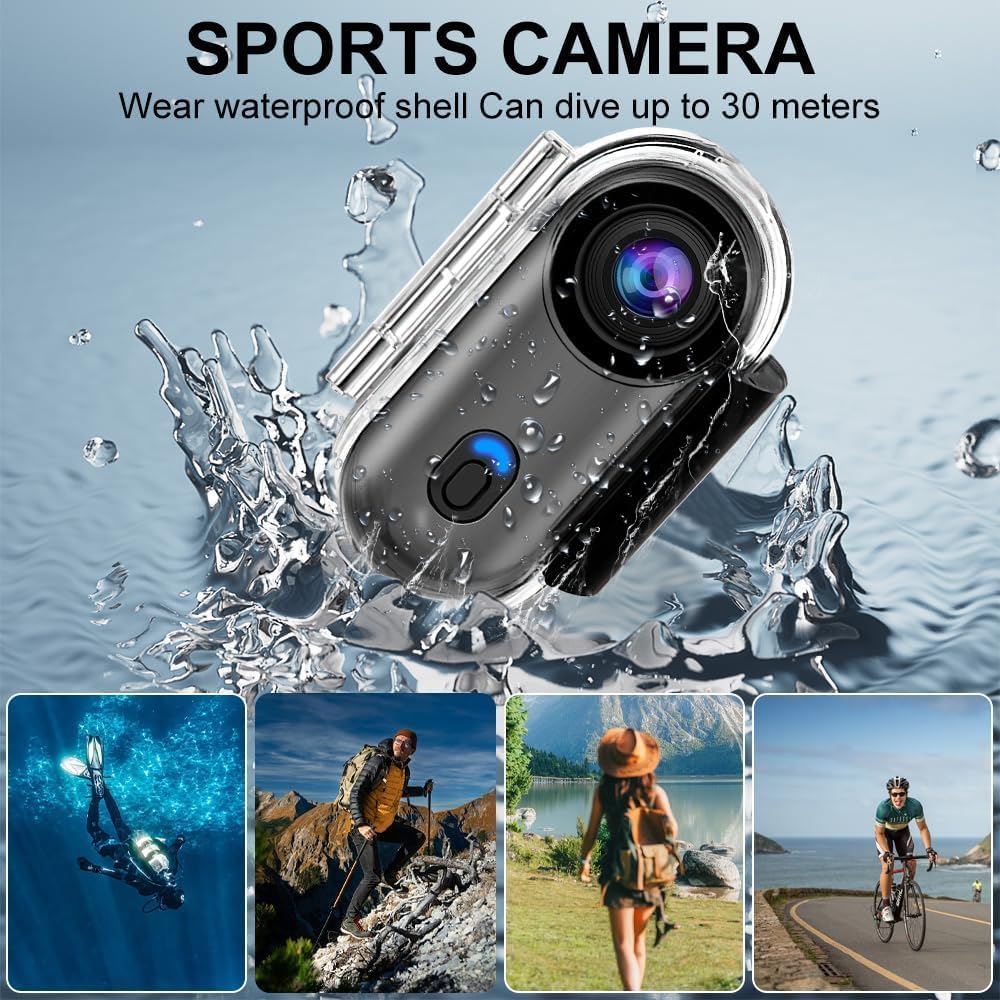
Image: The OBEST Action Camera shown with a waterproof shell, capable of diving up to 30 meters. Surrounding images depict various outdoor activities like diving, hiking, traveling, and cycling, highlighting the camera's versatility.
2. Kandungan Pakej
Sila semak kandungan pakej semasa membuka kotak. Jika ada item yang hilang atau rosak, hubungi sokongan pelanggan.
- OBEST Action Camera
- Sarung Kalis Air
- Klip Pemasangan
- Gunung Magnetik
- Tali Leher
- Kabel Pengecas USB
- Various Mounting Accessories (e.g., helmet mount, bicycle mount)
- Manual Pengguna (dokumen ini)

Image: A visual representation of the camera and its complete packing list, including the camera itself, waterproof housing, various clips and mounts, a lanyard, and a USB charging cable. The camera's dimensions are also indicated: 1.1 inch/2.8 cm width, 2.5 inch/6.3 cm height, and 0.7 inch/1.8 cm thickness.
3. Produk Lebihview
Biasakan diri anda dengan komponen kamera:
- Kanta: Main camera lens for capturing video and photos.
- Butang Kuasa / Mod: Used to power on/off and switch between recording modes.
- Lampu Penunjuk: Displays camera status (e.g., recording, charging, low battery).
- mikrofon: Untuk rakaman audio.
- Port USB: Untuk pengecasan dan pemindahan data.
- Slot Kad Mikro SD: Untuk memasukkan kad memori.
- Penceramah: Untuk main balik audio.
4. Persediaan Awal
4.1. Mengecas Bateri
Before first use, fully charge the camera's internal 800mAh lithium battery. Connect the camera to a USB power source (e.g., computer, wall adapter) using the provided USB cable. The indicator light will show charging status and turn off when fully charged. A full charge takes approximately 120 minutes and provides up to 150 minutes of recording time.

Image: The camera connected to a power source, indicating an 800mAh battery capacity, 120 minutes charging time, and 150 minutes battery life. This image also highlights the "Recording while charging" feature for extended use.
4.2. Memasukkan Kad SD Mikro
The camera requires a Micro SD (TF) card for storing recordings (not included). It supports cards up to 256GB. Ensure the card is formatted to FAT32 for optimal performance. Insert the Micro SD card into the designated slot with the contacts facing down until it clicks into place.
Note: A Micro SD card is essential for recording. The camera does not have internal storage for video/audio files.
5. Arahan Operasi
5.1. Hidupkan/Mati Kuasa
- Hidupkan kuasa: Press and hold the Power/Mode button for a few seconds until the indicator light illuminates.
- Matikan: Tekan dan tahan butang Kuasa/Mod selama beberapa saat sehingga lampu penunjuk padam.
5.2. Rakaman Video
Once powered on, the camera typically defaults to video recording mode. Press the Power/Mode button briefly to start recording. The indicator light will change to indicate recording is in progress. Press the button again to stop recording.

Image: A simulated screen display showing the camera's interface with options for Photo, Video, and Record (audio). The video display shows a family with a dog, a timestamp of 2025/03/15, and a resolution of 1920*1080P (HD 1280*720P).
5.3. Rakaman Audio
The camera supports audio-only recording. Refer to the on-screen menu or specific button presses (if available) to switch to audio recording mode. Press the Power/Mode button to start and stop audio recording.
5.4. Rakaman Gelung
The camera supports loop recording, which automatically overwrites the oldest files when the memory card is full. This feature ensures continuous recording without manual deletion of old files.
5.5. Main balik
Recorded content can be played back directly on the camera (if it has a screen), or by connecting the camera to a computer/smartphone via USB, or by inserting the Micro SD card into a card reader connected to a computer/smartphone.
5.6. WiFi Connectivity and Mobile App
The camera features built-in WiFi for seamless connection to a mobile application. Download the dedicated app (check product packaging or manufacturer website for app name) on your smartphone. Follow the app's instructions to connect to the camera's WiFi network. This allows for real-time viewing, remote control, and easy downloading/sharing of captured media.
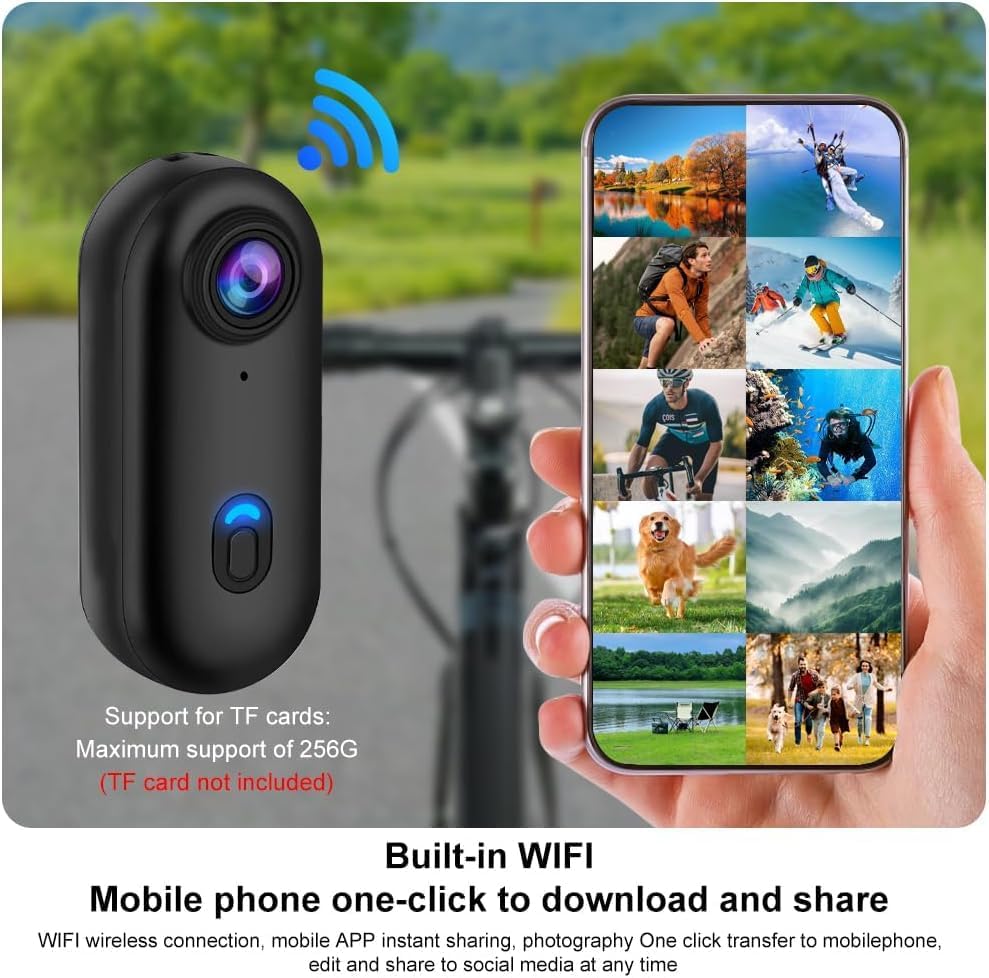
Image: A smartphone screen showing a gallery of images and videos, with a WiFi signal icon indicating wireless connection to the camera. This demonstrates the "Built-in WIFI" feature for "Mobile phone one-click to download and share" content.
5.7. Pilihan Pemasangan
The camera comes with various accessories for flexible mounting:
- Klip Belakang: Attach the camera to clothing, backpacks, or helmets. The clip allows for 360° rotation.
- Lampiran Magnetik: The camera has a magnetic function, allowing it to be easily attached to metallic surfaces.
- Tali Leher: Use the lanyard to wear the camera around your neck, or even around a pet's neck for unique perspectives.
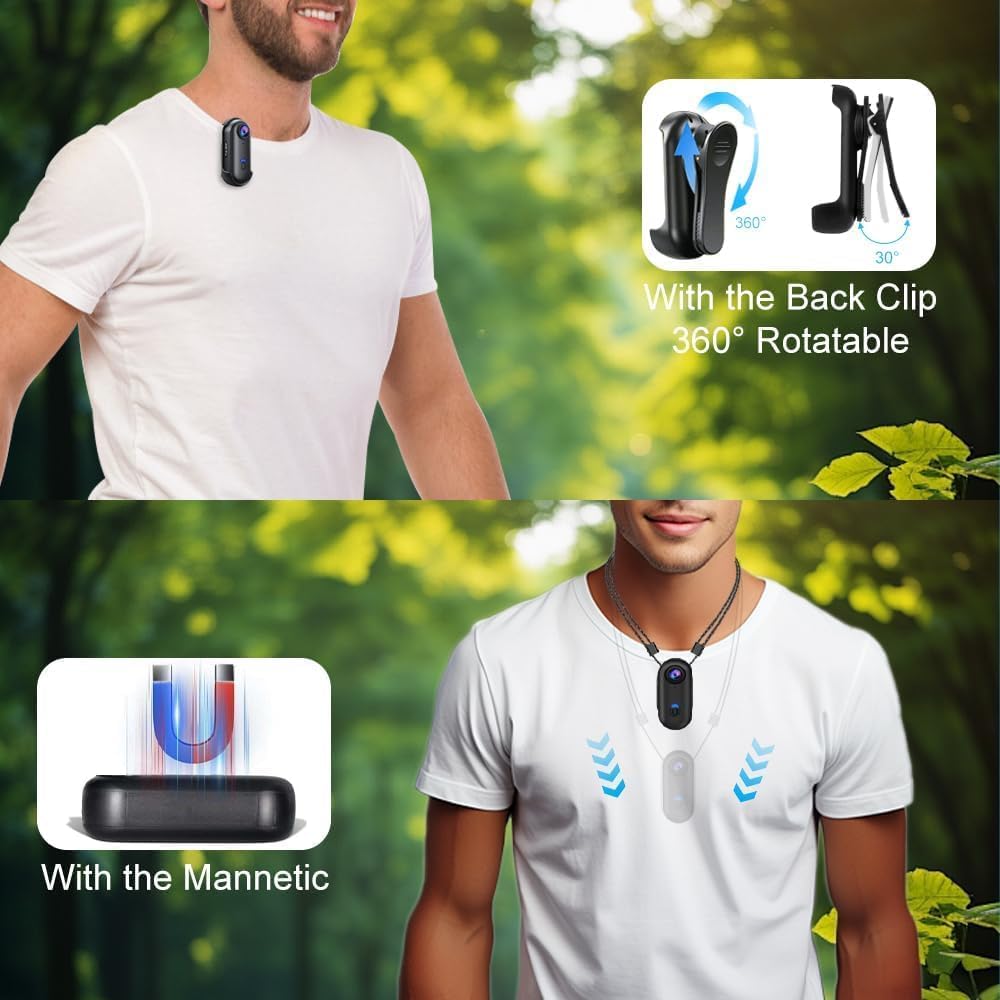
Imej: Dua bekasamples of camera mounting. The top image shows the camera attached to a person's shirt using a 360° rotatable back clip. The bottom image illustrates the camera's magnetic attraction feature, allowing it to be secured to metal surfaces.
6. Penyelenggaraan
- Pembersihan: Use a soft, dry cloth to clean the camera body. For the lens, use a specialized lens cleaning cloth and solution. Avoid harsh chemicals.
- Penjagaan Kalis Air: When using the camera in its waterproof case, ensure the case is properly sealed before submersion. After use in water, rinse the case with fresh water and dry thoroughly.
- Storan: Simpan kamera di tempat yang sejuk dan kering jauh dari cahaya matahari langsung dan suhu yang melampau.
- Penjagaan Bateri: Untuk memanjangkan hayat bateri, elakkan daripada menyahcas sepenuhnya bateri dengan kerap. Cas kamera dengan kerap, walaupun tidak digunakan untuk tempoh yang lama.
- Kemas kini Firmware: Periodically check the OBEST official webtapak untuk sebarang kemas kini perisian tegar yang tersedia untuk memastikan prestasi optimum dan ciri baharu.
7. Penyelesaian masalah
| Masalah | Kemungkinan Punca | Penyelesaian |
|---|---|---|
| Kamera tidak dihidupkan. | Bateri habis. | Charge the camera fully. |
| Tidak boleh merakam video/audio. | Tiada kad Micro SD dimasukkan atau kad penuh/rosak. | Insert a formatted Micro SD card. Back up and format the existing card, or replace it. |
| Kualiti video yang teruk. | Lens is dirty; insufficient lighting; incorrect settings. | Clean the lens. Ensure adequate lighting. Check camera settings for resolution. |
| Isu sambungan WiFi. | Incorrect password; camera too far from phone; app issues. | Ensure correct WiFi password. Keep devices close. Restart camera and phone app. |
| Kamera membeku atau menjadi tidak bertindak balas. | Gangguan perisian; masalah kad memori. | Press and hold the Power/Mode button to force a restart. If issue persists, remove and reinsert the Micro SD card. |
8. Spesifikasi
| Ciri | Perincian |
|---|---|
| Model | 684468ba-53aa-47b8-bdf3-302155409849 |
| Resolusi Video | 1080p |
| Ciri Khas | 360° Recording, IP68 Waterproof, Magnetic Attachment |
| Tahap Kalis Air | IP68 (with waterproof case) |
| Kapasiti Bateri | Bateri Litium 800 mAh |
| Hayat Bateri | Sehingga 150 minit (lebih kurang) |
| Masa Mengecas | lebih kurang 120 minit |
| Sokongan Kad Memori | Micro SD (TF) sehingga 256GB |
| Format Video | MP4 |
| Teknologi Sensor | CMOS |
| Panjang Fokus Maks | 120 |
| Penstabilan Imej | Tidak |
| Peranti Serasi | PC, Komputer Riba, Telefon Pintar, Tablet |
| Dimensi (Kamera) | 2.8 sm (L) x 6.3 sm (T) x 1.8 sm (P) / 1.1 inci (L) x 2.5 inci (T) x 0.7 inci (P) |
9. Waranti dan Sokongan
For warranty information, technical support, or service inquiries, please refer to the warranty card included with your product or visit the official OBEST webtapak. Simpan resit pembelian anda sebagai bukti pembelian.
Pengeluar: OBEST
Nombor Model: 684468ba-53aa-47b8-bdf3-302155409849
Date of First Availability: 1 Jun 2025
Ask a question about this manual
Ask about setup, troubleshooting, compatibility, parts, safety, or missing instructions. Manuals+ will review the question and use this page’s manual context to help answer it.