
1. Pengenalan
This manual provides detailed instructions for the installation, operation, and maintenance of your youkey S320 Wire-Free MagCam Security Camera. The S320 is a versatile indoor/outdoor 2K battery-powered camera featuring dual-band WiFi 6, a magnetic mount for easy placement, color night vision, and intelligent person/pet detection. Please read this manual thoroughly before using the product to ensure proper function and safety.
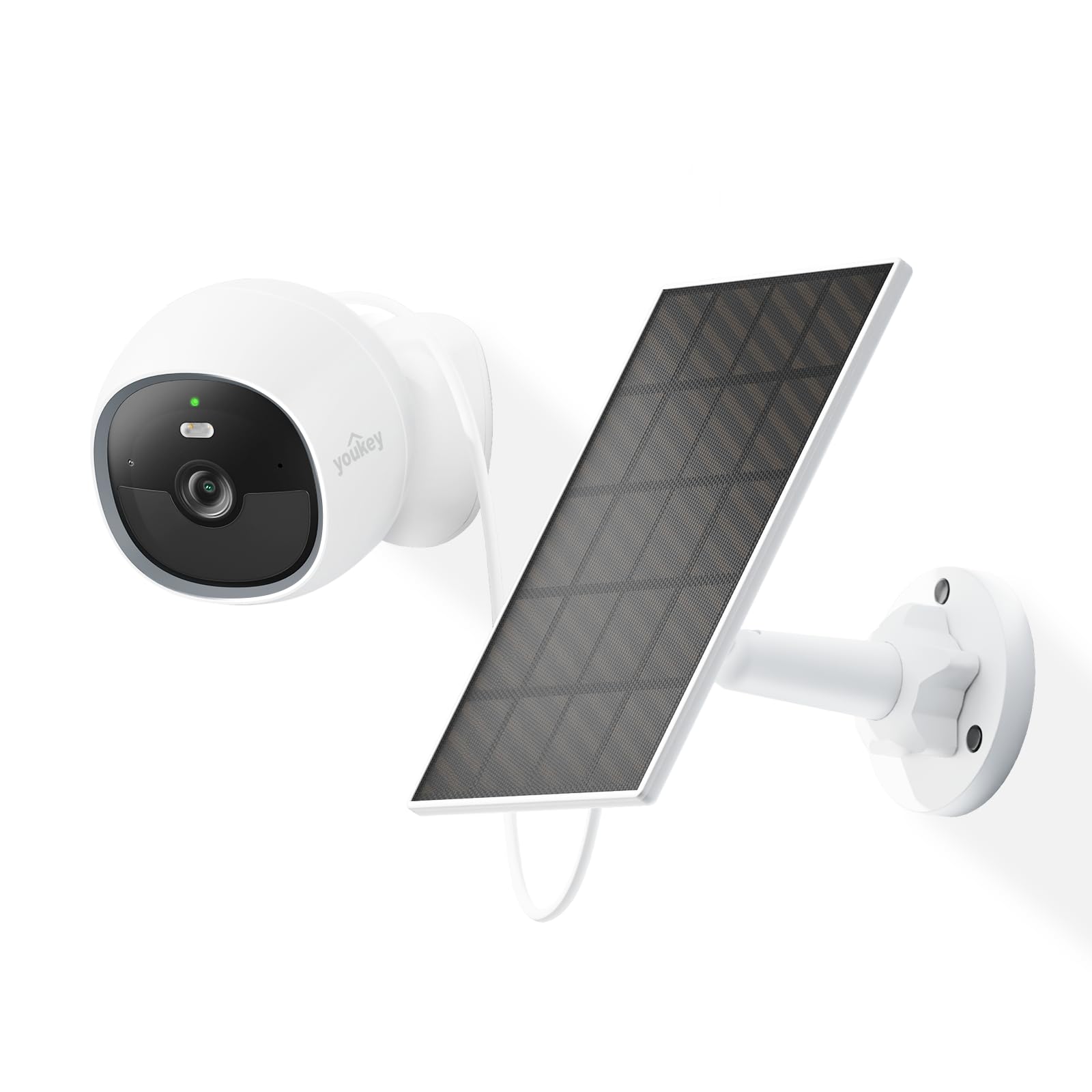
Image: The youkey S320 Wire-Free MagCam Security Camera, showcasing its compact design and magnetic base.
2. Kandungan Pakej
Sahkan bahawa semua barang ada di dalam bungkusan anda. Jika terdapat barang yang hilang atau rosak, sila hubungi khidmat pelanggan.
- youkey S320 Wire-Free MagCam Security Camera
- Pangkalan Pelekap Magnetik
- Screw Mounting Kit (screws and wall anchors)
- Kabel Pengecas USB
- Panduan Mula Pantas
3. Produk Lebihview
Familiarize yourself with the components of your S320 camera.

Imej: Tamatview diagram highlighting key features of the youkey S320 camera, including its lens, LED indicator, and mounting points.
Komponen Kamera:
- Kanta Kamera: Captures 2K QHD video.
- Penunjuk LED: Displays camera status (e.g., charging, connected, recording).
- mikrofon: Untuk input audio dan komunikasi dua hala.
- Penceramah: Untuk output audio dan komunikasi dua hala.
- Sensor Gerakan PIR: Detects motion for alerts and recording.
- Port Pengecasan: USB port for charging the internal battery.
- Butang Tetapkan Semula: Digunakan untuk menetapkan semula kamera kepada tetapan kilang.
4. Persediaan
4.1. Mengecas Kamera
Before initial use, fully charge the camera's built-in 6400mAh battery. Connect the USB charging cable to the camera's charging port and a standard USB power adapter (not included). The LED indicator will show charging status.
4.2. Memuat turun Aplikasi
Muat turun youkey Life app from the Apple App Store or Google Play Store. Create an account or log in if you already have one.
4.3. Memadankan Kamera
- Open the youkey Life app and tap the '+' icon to add a new device.
- Follow the on-screen instructions to power on the camera and enter pairing mode.
- The camera uses Bluetooth for initial setup and then connects to your home Wi-Fi network (2.4GHz or 5GHz Wi-Fi 6 supported).
- Ensure your Wi-Fi network credentials are correct.

Image: A smartphone screen showing a successful link confirmation, illustrating the easy setup process with Dual Band WiFi 6 and Bluetooth.
4.4. Pemasangan
The youkey S320 offers flexible installation options for both indoor and outdoor use.
Pemasangan magnetik:
For quick and easy placement on metal surfaces, attach the camera directly to the magnetic mounting base. This allows for simple angle adjustments.
Pemasangan skru:
For non-magnetic surfaces or more secure installation, use the provided screw mounting kit. Mark the desired location, drill pilot holes, insert wall anchors (if necessary), and secure the mounting base with screws. Then, attach the camera to the base.

Image: The magnetic mount and screw pack components for the youkey S320 camera, demonstrating versatile installation options.
Solar Panel Integration (Optional):
To provide continuous power and eliminate the need for manual charging, connect the youkey SP3 Solar Panel (sold separately) to the camera. Ensure the solar panel is positioned to receive at least 1 hour of direct sunlight daily for optimal performance. The SP3 solar panel is IP65 weather-resistant, suitable for outdoor conditions.

Image: The youkey S320 camera mounted outdoors next to a youkey SP3 solar panel, illustrating continuous power capability.
5. Mengendalikan Kamera
5.1. Hidup View
Access the live video feed from your camera through the youkey Life app. This allows real-time monitoring of your property.
5.2. Recording & Playback
The camera automatically records events triggered by motion detection. Recordings are stored on the built-in 8GB eMMC storage or in the cloud (subscription may apply for extended cloud features). You can review dirakam footage melalui aplikasi.

Image: The youkey S320 camera with an overlay indicating its 8GB eMMC built-in storage for reliable performance and seamless playback.
5.3. Pengesanan & Amaran Gerakan
The S320 features NueraMind AI Detection for accurate person and pet detection, reducing false alarms. You can customize detection zones within the app to focus on specific areas of interest.

Image: A child and a dog in a driveway, with icons indicating NueraMind Smart AI Detection for persons and pets.
Receive instant thumbnail notifications on your smartphone when motion is detected, allowing you to quickly assess the situation without opening the app.

Image: A smartphone displaying multiple instant thumbnail notifications from the youkey Life app, showing detected events.
5.4. Audio Dua Hala
Utilize the built-in microphone and speaker for clear two-way communication through the app. This allows you to speak to visitors or deter intruders remotely.

Image: A child playing outdoors, with a speech bubble indicating two-way audio communication through the camera.
5.5. Penglihatan Malam
The S320 provides color night vision for clear footage even in low-light conditions, enhanced by a F1.6 aperture. Built-in spotlights can activate upon motion detection to illuminate the area and deter unwanted activity.

Image: A family enjoying an evening outdoors, viewed through a smartphone screen, demonstrating the camera's color night vision capability.
6. Penyelenggaraan
6.1. Pengurusan Bateri
The 6400mAh battery provides extended operation. For continuous power, especially in outdoor installations, consider pairing with the youkey SP3 Solar Panel. Monitor battery levels through the youkey Life app.
6.2. Membersihkan Kamera
Periodically clean the camera lens and body with a soft, dry cloth to ensure optimal image quality and prevent dust buildup. Do not use harsh chemicals or abrasive materials.
6.3. Kemas Kini Perisian Tegar
Ensure your camera's firmware is up to date for the best performance and security features. The youkey Life app will notify you of available updates and guide you through the process.
7. Penyelesaian masalah
If you encounter issues with your youkey S320 camera, refer to the following common solutions:
- Kamera tidak bersambung ke Wi-Fi: Ensure your Wi-Fi network is 2.4GHz or 5GHz and within range. Check Wi-Fi password. Try resetting the camera.
- Kualiti video yang lemah: Periksa kekuatan isyarat Wi-Fi anda. Pastikan kanta kamera bersih dan bebas daripada halangan.
- Bateri cepat habis: Kurangkan kekerapan kejadian pengesanan gerakan atau kejadian langsung view usage. Ensure the solar panel (if used) is receiving adequate sunlight.
- Pengesanan gerakan tidak berfungsi: Verify that motion detection is enabled in the app settings. Check detection zones and sensitivity levels.
- Tiada audio: Ensure microphone and speaker permissions are enabled in the app and on your smartphone. Check camera volume settings.
For further assistance, contact youkey customer support.
8. Spesifikasi

Image: A detailed infographic outlining the key specifications and features of the youkey S320 camera.
| Ciri | Spesifikasi |
|---|---|
| Model | S320 |
| Resolusi | 2.5K QHD |
| Bidang View (FOV) | 150° |
| Penglihatan Malam | Color Night Vision (F1.6 aperture), Infrared Light (10m), White Light (5m) |
| Kapasiti Bateri | 6400mAh |
| Ketersambungan | Dual Band Wi-Fi 6 (2.4GHz & 5GHz), Bluetooth |
| Penyimpanan | Built-in 8GB eMMC, Cloud Storage option |
| Rintangan Cuaca | IP65 |
| Pengesanan | NueraMind AI (Human Body, Pet Detection), Customizable Zones |
| Audio | Ceramah Dua Hala |
| Keserasian | Bekerja dengan Alexa, Bekerja dengan Google Home |
9. Waranti dan Sokongan
9.1. Maklumat Waranti
Your youkey S320 Wire-Free MagCam Security Camera is covered by a limited warranty. Please refer to the official youkey webtapak atau dokumentasi pembelian anda untuk terma dan syarat waranti tertentu.
9.2. Sokongan Pelanggan
For technical support, troubleshooting, or warranty claims, please contact youkey customer service through the following channels:
- Webtapak: Visit the official youkey webtapak untuk Soalan Lazim dan sumber sokongan.
- e-mel: Refer to your product packaging or the youkey webtapak untuk alamat e-mel sokongan.
- Sokongan Dalam Apl: Access support options directly within the youkey Life application.