
1. Pengenalan dan Lebihview
The DOOGEE Blade 20 Ultra is a rugged smartphone designed for durability and performance in challenging environments. It features a robust build, a large battery, and advanced camera capabilities, making it suitable for outdoor activities and demanding work conditions.
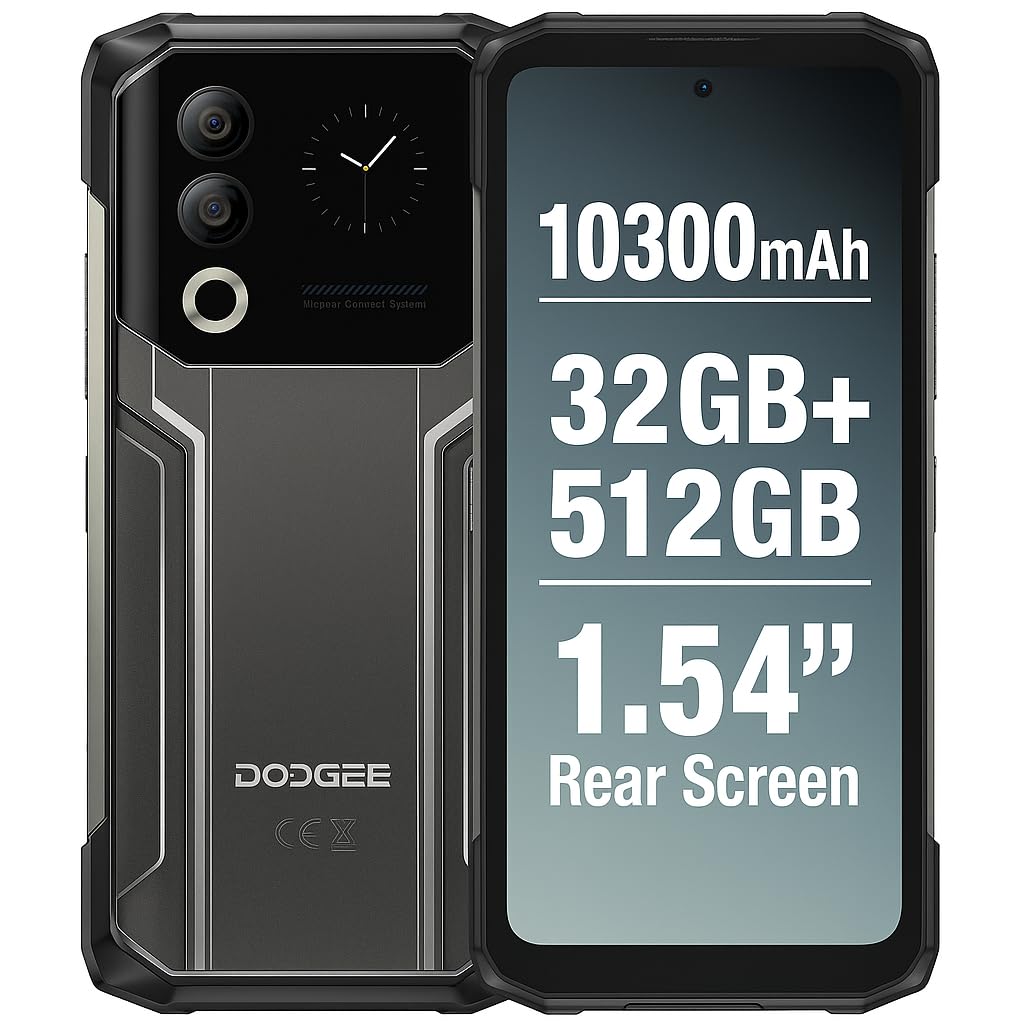
Figure 1: DOOGEE Blade 20 Ultra device overview.
Ciri-ciri Utama:
- Ultra-Rugged Design: Diperakui IP68/IP69K dan MIL-STD-810H untuk rintangan air, habuk dan hentakan.
- Prestasi Kuat: Unisoc T7250 Octa-Core processor with 8GB RAM (expandable to 32GB virtual RAM) and 512GB internal storage (expandable up to 2TB).
- Paparan Dwi: 6.6-inch FHD+ 90Hz main display and an innovative 1.54-inch smart rear display for quick access and customization.
- Bateri tahan lama: 10300 mAh battery with 18W fast charging and OTG reverse charging capability.
- Sistem Kamera Lanjutan: 50MP AI main camera and 8MP front camera with multiple shooting modes.
- Keselamatan Dipertingkat: Side-mounted fingerprint sensor and facial recognition.
- Ketersambungan: NFC with Google Pay support, GPS, Glonass, Galileo, Beidou for accurate navigation.
2. Persediaan
2.1 Kandungan Pakej
Sebelum anda mula, pastikan semua barang ada di dalam kotak:
- 1 x DOOGEE Blade 20 Ultra Smartphone
- 1 x Screen Protector Film (pre-applied or separate)
- 1 x Kabel USB (Jenis-C)
- 1 x Sarung Pelindung
- 1 x Pengecas
2.2 Pemasangan Kad SIM dan Kad MicroSD
The device supports a triple slot system for two Nano SIM cards and one MicroSD card.
- Cari dulang kad SIM di sisi telefon.
- Gunakan alat ejektor SIM yang disediakan untuk membuka dulang.
- Carefully place your Nano SIM cards and/or MicroSD card into the designated slots. Ensure the gold contacts face downwards.
- Tolak dulang perlahan-lahan ke dalam telefon sehingga ia berbunyi pada tempatnya.

Figure 2: Illustration of SIM and MicroSD card installation.
2.3 Pengecasan Awal
Before first use, it is recommended to fully charge the device. Connect the USB cable to the phone's Type-C port and the charger, then plug the charger into a power outlet. The phone supports 18W fast charging.
2.4 Menghidupkan/Mematikan
- Untuk Menghidupkan: Press and hold the Power button (usually on the side) until the DOOGEE logo appears.
- Untuk Mematikan: Tekan dan tahan butang Kuasa, kemudian pilih 'Matikan kuasa' daripada pilihan pada skrin.
- Untuk Mulakan Semula: Tekan dan tahan butang Kuasa, kemudian pilih 'Mulakan Semula' daripada pilihan.
3. Mengendalikan Peranti
3.1 Main Display (6.6" HD+ 90Hz)
The 6.6-inch HD+ display offers a smooth visual experience with a 90Hz refresh rate. Navigate through apps, menus, and content using touch gestures.
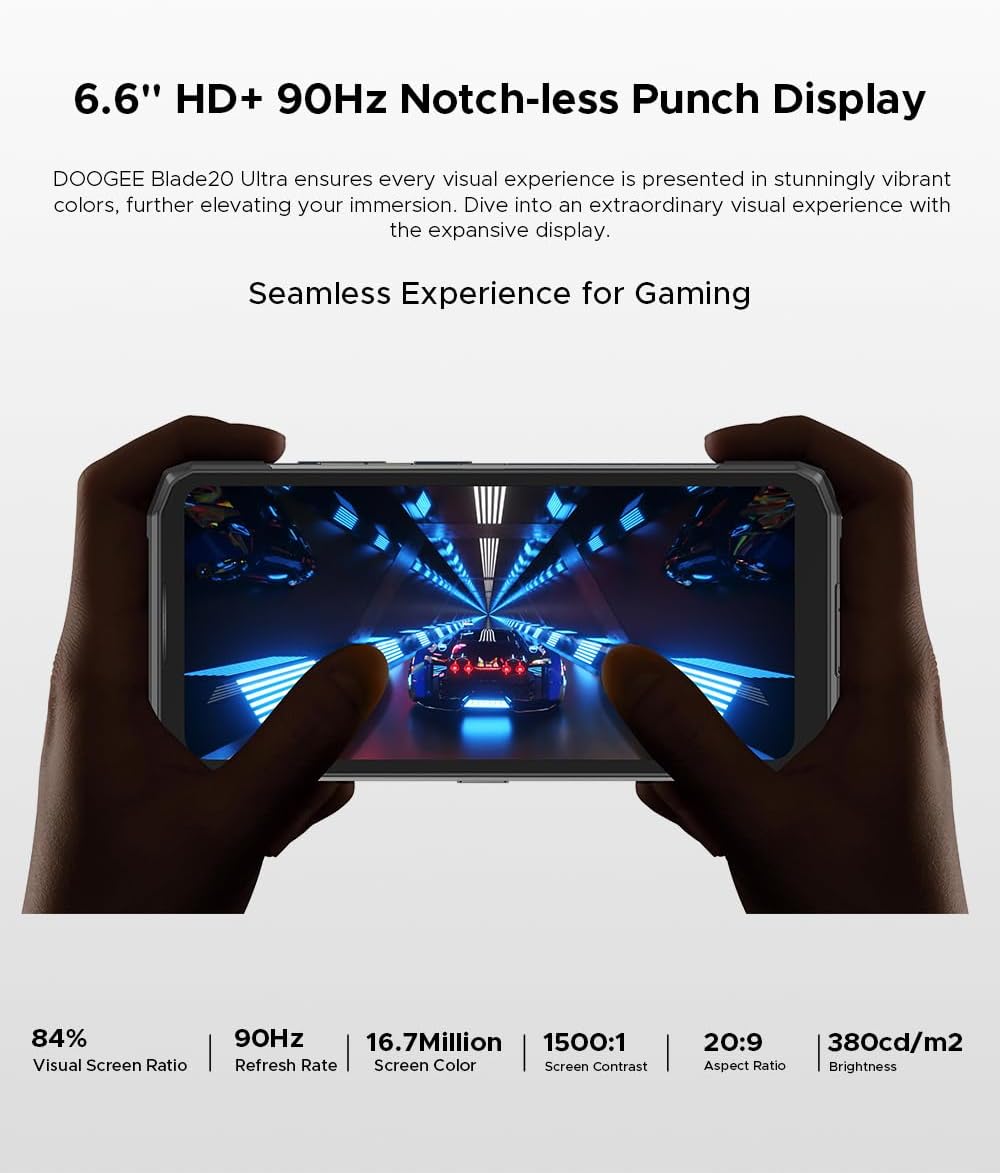
Figure 3: The 6.6-inch HD+ 90Hz main display provides a seamless viewpengalaman dalam.
3.2 1.54" Smart Rear Display
The innovative 1.54-inch rear display provides quick access to essential functions and customizable backgrounds. Double-tap to activate it.
- Akses Pantas: Control music, view notifications, check the calendar, and answer calls without opening the main screen.
- Swafoto: Use the rear display to frame selfies with the main camera.
- Penyesuaian: Choose from over 16 customizable wallpapers, including dynamic, business, and personalized photo settings.

Figure 4: The 1.54-inch smart rear display offers quick functions and personalization.
3.3 Fungsi Kamera
The DOOGEE Blade 20 Ultra features a 50MP AI main camera and an 8MP front camera. It supports Google Intelligent Camera features.
- Kamera Utama: 50MP (OV50C40 sensor, F/1.8 aperture) with autofocus and LED flash.
- Kamera Depan: 8MP (Hi-842 sensor, F/2.2 aperture).
- Mod: Underwater mode, Night Vision, Professional Photography, Beauty Mode, Time-lapse, Portrait Mode, HDR, Panoramic Mode, Filter, Pro Mode.
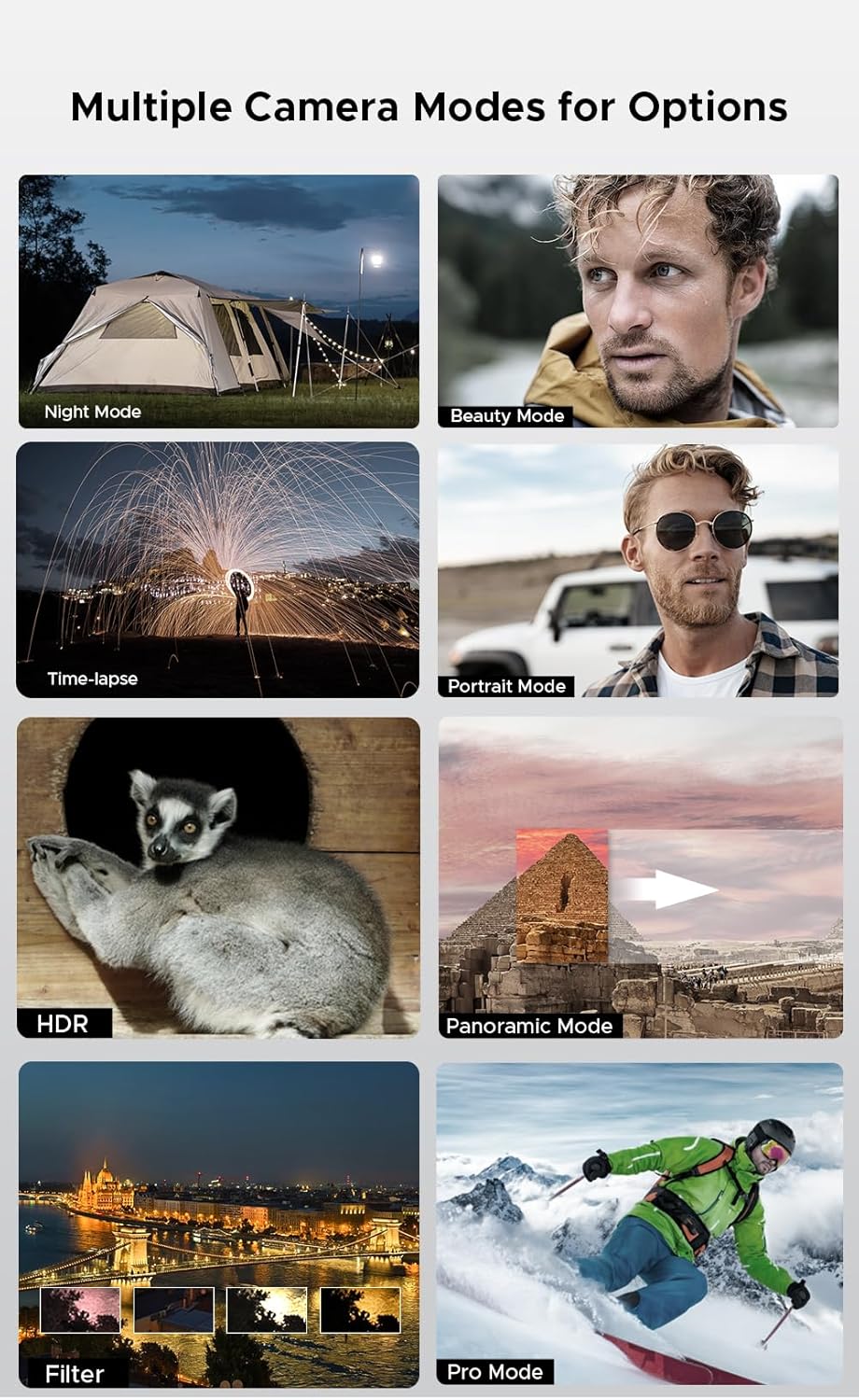
Figure 5: Various camera modes available on the Blade 20 Ultra.
3.4 Pengurusan Bateri
The device is equipped with a 10300 mAh battery, providing extended usage times.
- Pengecasan Cepat: Supports 18W fast charging to quickly replenish battery life.
- Power Bank Function (OTG Reverse Charging): Use your phone to charge other devices.
- penggunaan: Masa bercakap sehingga 35 jam.
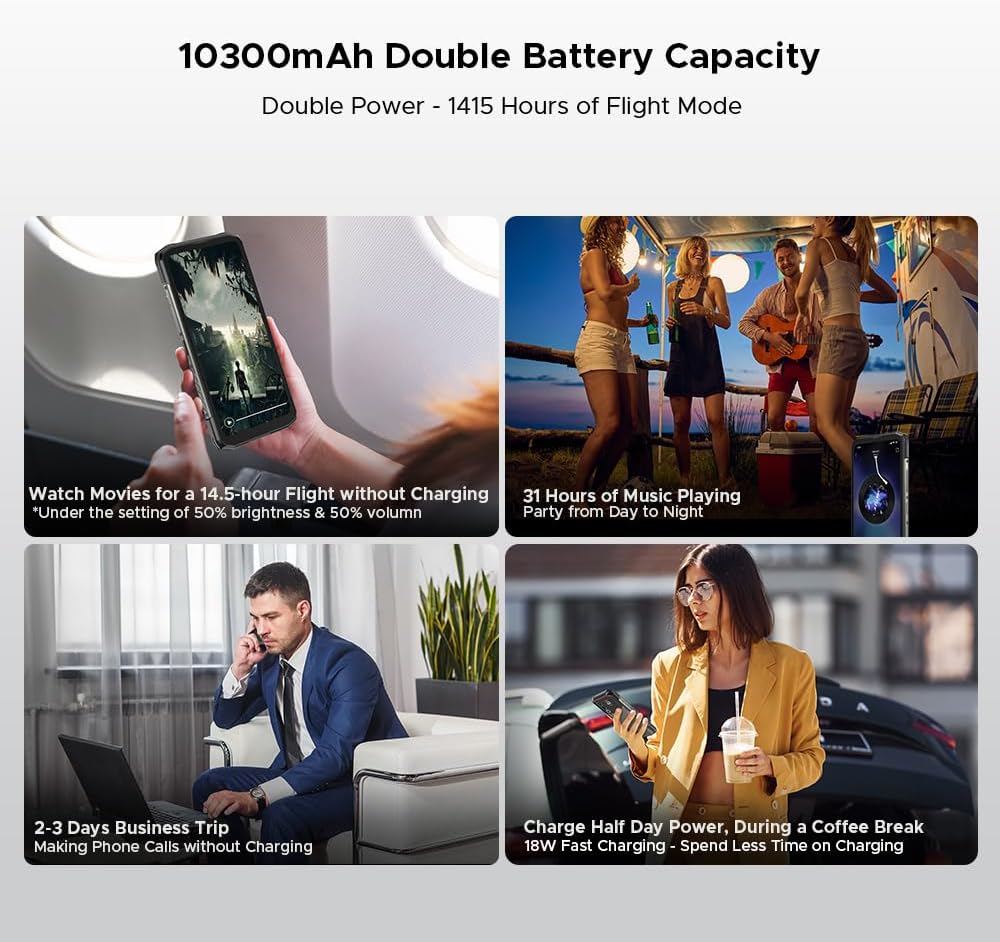
Gambar 6: Cthamples of extended battery life for various activities.
3.5 Ciri Keselamatan
- Penderia Cap Jari Sisi: Buka kunci peranti anda dengan cepat dan selamat menggunakan penderia cap jari yang dipasang di sisi.
- Pengecaman Muka: Use your face to unlock the phone.
3.6 Ketersambungan dan Navigasi
The Blade 20 Ultra supports various connectivity options and global navigation systems.
- NFC: Supports Near Field Communication for contactless payments (Google Pay) and data transfer.
- wayarles: GSM, 3G, 4G, Bluetooth, Wi-Fi.
- Navigasi: Integrated GPS, Glonass, Galileo, and Beidou for accurate positioning.

Figure 7: The phone supports multiple global navigation satellite systems.
4. Penyelenggaraan
4.1 Membersihkan Peranti
Untuk mengekalkan penampilan dan kefungsian peranti:
- Lap skrin dan badan dengan kain lembut dan tidak berbulu.
- Untuk kotoran degil, sedikit dampen kain dengan air atau pembersih skrin.
- Elakkan menggunakan bahan kimia yang keras atau bahan yang melelas.
- Pastikan semua penutup port ditutup rapat sebelum mendedahkan peranti kepada air atau habuk.
4.2 Penjagaan Bateri
- Elakkan suhu yang melampau, yang boleh merendahkan hayat bateri.
- Jangan biarkan telefon dicas sepenuhnya atau dinyahcas sepenuhnya untuk tempoh yang lama.
- Use only the original charger and cable or certified compatible accessories.
4.3 Kemas Kini Perisian
The DOOGEE Blade 20 Ultra runs on Android 14. Regularly check for and install software updates to ensure optimal performance, security, and access to new features. You can usually find this option in the phone's Settings menu under 'System' or 'About phone'.
4.4 Pengurusan Storan
With 512GB of internal storage and support for up to 2TB MicroSD, you have ample space. Periodically review awak files and applications to free up space if needed. Uninstall unused apps and transfer large media files to external storage or cloud services.
5. Penyelesaian masalah
This section addresses common issues you might encounter with your DOOGEE Blade 20 Ultra.
5.1 Peranti Tidak Dihidupkan
- Pastikan bateri dicas. Sambungkan pengecas dan tunggu beberapa minit sebelum cuba menghidupkan.
- Tekan dan tahan butang Kuasa selama sekurang-kurangnya 10-15 saat untuk memaksa mulakan semula.
5.2 Isu Pengecasan
- Check if the charger and USB cable are properly connected and undamaged.
- Cuba gunakan salur keluar kuasa yang berbeza.
- Pastikan port pengecasan bersih dan bebas daripada serpihan.
5.3 Masalah Ketersambungan Rangkaian
- Check if your SIM card is correctly inserted and activated.
- Ensure 'Airplane mode' is off.
- Mulakan semula peranti.
- Go to Settings > Network & internet > Mobile network and check network settings.
5.4 Aplikasi Ranap atau Terhenti
- Tutup dan buka semula apl.
- Kosongkan cache dan data aplikasi (Tetapan > Aplikasi > [Nama Aplikasi] > Storan & cache).
- Pastikan apl dikemas kini kepada versi terkini.
- Jika isu berterusan, nyahpasang dan pasang semula apl.
5.5 Tetapan Semula Kilang
Jika anda mengalami masalah perisian yang berterusan, tetapan semula kilang mungkin dapat menyelesaikannya. Amaran: Ini akan memadamkan semua data pada telefon anda. Sandarkan data penting sebelum meneruskan.
- Pergi ke Tetapan > Sistem > Tetapkan semula pilihan.
- Pilih 'Padam semua data (tetapan semula kilang)'.
- Sahkan keputusan anda dan masukkan PIN/kata laluan anda jika digesa.
6. Spesifikasi
| Ciri | Spesifikasi |
|---|---|
| Nombor Model | Bilah 20 Ultra |
| Dimensi | 174 x 81.2 x 15.8 mm |
| Berat badan | 326 g |
| Sistem Operasi | Android 14 |
| Pemproses | Unisoc T7250 Octa-Core, 1.8 GHz (12 nm) |
| RAM | 8 GB (boleh dikembangkan kepada 32 GB RAM maya) |
| Storan Dalaman | 512 GB (UFS), expandable up to 2 TB via MicroSD |
| Paparan Utama | 6.6 inches IPS HD+, 90 Hz refresh rate, 1920 x 1080 resolution, 367 PPI |
| Rear Smart Display | 1.54 inches IPS, 240 x 240 pixels |
| Kamera Belakang | 50 MP AI (OV50C40 sensor, F/1.8 aperture) |
| Kamera Depan | 8 MP (Hi-842 sensor, F/2.2 aperture) |
| Kapasiti Bateri | 10300 mAh |
| Mengecas | Pengecasan Pantas 18W, Pengecasan Songsang OTG |
| Slot Kad SIM | Dual Nano SIM + 1 MicroSD (Triple Slot) |
| Ketersambungan | 4G, 3G, GSM, Wi-Fi, Bluetooth, GPS, NFC (Google Pay) |
| Navigasi | GPS, Glonass, Galileo, Beidou |
| Keselamatan | Side Fingerprint Sensor, Facial Recognition |
| Ketahanan | IP68/IP69K, MIL-STD-810H (Waterproof, Dustproof, Shockproof) |
| Bicu Fon Kepala | Tiada bicu 3.5mm |
7. Waranti dan Sokongan
7.1 Maklumat Waranti
Your DOOGEE Blade 20 Ultra is covered by a standard manufacturer's warranty. The specific terms and duration of the warranty may vary by region and retailer. Please refer to the warranty card included in your product packaging or contact your point of purchase for detailed information.
7.2 Sokongan Pelanggan
For technical assistance, troubleshooting beyond this manual, or warranty claims, please contact DOOGEE customer support or the retailer from whom you purchased the device. Keep your proof of purchase handy when contacting support.
Information regarding spare parts availability is not provided at this time.