
1. Pengenalan
This manual provides detailed instructions for the GUSGU G7 Wireless Gaming Controller. Please read this guide thoroughly to ensure proper setup, operation, and maintenance of your device. The GUSGU G7 controller offers advanced features such as an interactive screen, Hall Effect joysticks and triggers, programmable buttons, and broad compatibility across multiple platforms.
2. Produk Lebihview
Familiarize yourself with the components and features of your GUSGU G7 Wireless Gaming Controller.

Rajah 2.1: Depan view of the GUSGU G7 Wireless Gaming Controller, showcasing its transparent red design and button layout.
2.1 Ciri-ciri Utama
- Interactive Display Screen: For on-the-fly configuration of settings.
- Kayu Joy Kesan Dewan: Drift-free precision with adjustable dead zones.
- Hall Effect Dual-Stage Triggers: Customizable trigger travel for various game genres.
- Butang Kembali Boleh Diprogram: Four customizable buttons for macros and shortcuts.
- Sensor Giro 6-Paksi: For motion control in supported games.
- Asymmetric Vibration Motors: Four levels of haptic feedback.
- Mod Kesambungan Berbilang: Bluetooth 5.1, 2.4GHz wireless, and USB-C wired.
- Kadar Pengundian Tinggi: 1000Hz for ultra-fast input in wired/2.4GHz modes.
- Hayat Bateri yang Panjang: 1000mAh battery providing up to 18 hours of gameplay.
3. Persediaan
3.1 Mengecas Pengawal
Before initial use, fully charge the controller. Connect the supplied USB-C cable to the controller's charging port and the other end to a compatible USB power source (e.g., PC, USB wall adapter). The interactive screen will indicate charging status. A full charge provides up to 18 hours of gameplay.
3.2 Pemasangan dan Sambungan Awal
The GUSGU G7 supports three connection methods: Bluetooth, 2.4GHz wireless, and USB-C wired.
3.2.1 2.4GHz Wireless Connection (PC, Android TV)
- Insert the 2.4GHz USB receiver into an available USB port on your device (PC, Android TV).
- Turn on the controller by pressing the Home button.
- The controller will automatically attempt to connect to the receiver. The interactive screen will display connection status.
3.2.2 Bluetooth Connection (iOS, Android, Switch, PS4)
- Pastikan Bluetooth didayakan pada peranti anda.
- On the controller, press and hold the Home button until the interactive screen displays pairing mode.
- On your device, search for Bluetooth devices and select "GUSGU G7" from the list.
- Once paired, the interactive screen will confirm the connection.
3.2.3 USB-C Wired Connection (PC, Switch, PS4)
- Connect the USB-C cable from the controller to a USB port on your device.
- Pengawal akan bertukar secara automatik kepada mod berwayar.
- For Switch and PS4, ensure the console's settings allow for wired controller communication.
4. Operasi
4.1 Using the Interactive Display Screen
The interactive screen allows for direct adjustment of controller settings without external software. Press the 'H' button for 3 seconds to enter the menu. Navigate using the D-pad and confirm selections with the 'A' button. Use 'B' to go back.
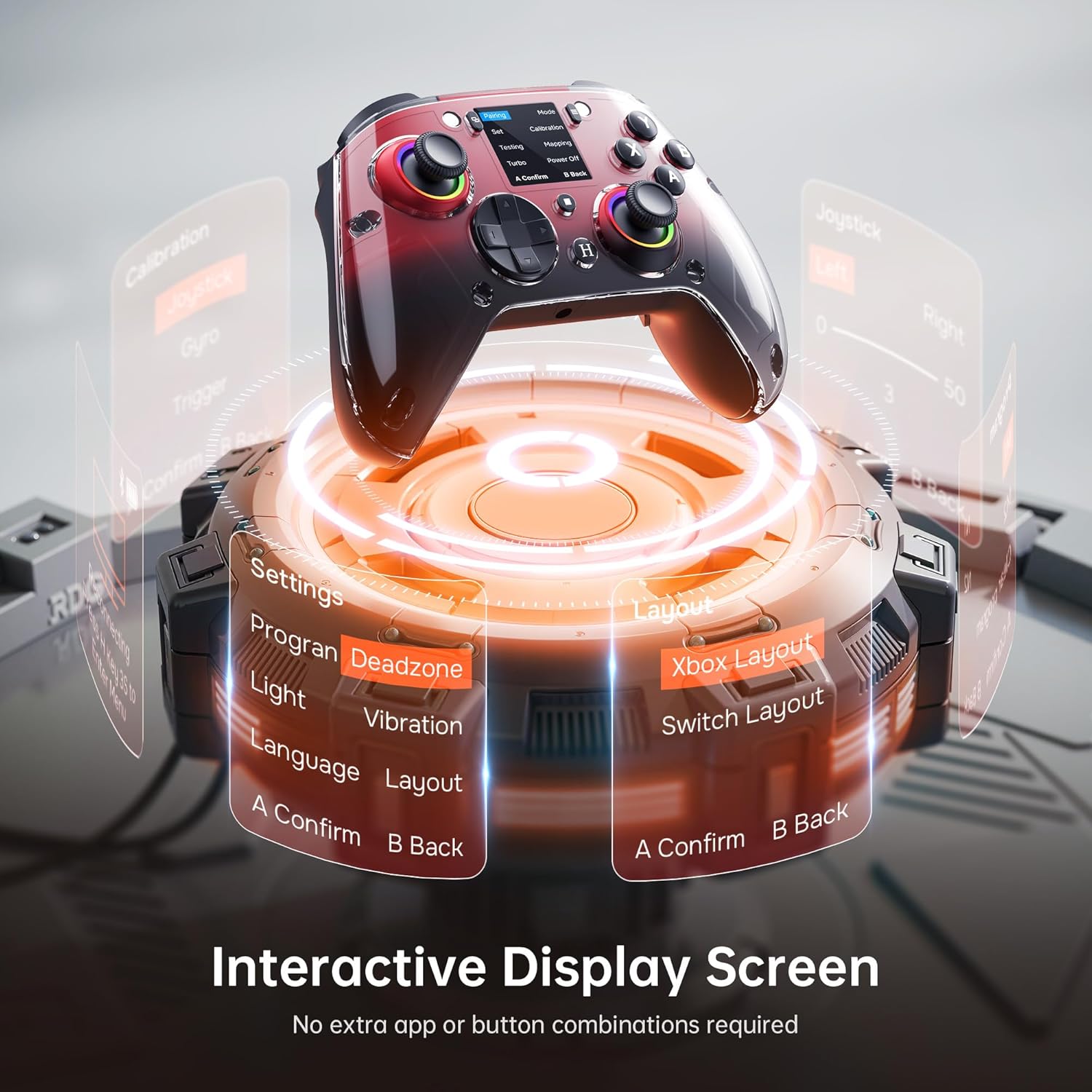
Figure 4.1: The interactive display screen allows for easy adjustment of settings like dead zones, vibration, and button layouts.
- tetapan: Adjust vibration intensity, joystick dead zones, trigger sensitivity, and lighting effects.
- Program: Configure the four programmable back buttons (M1, M2, N1, N2).
- Susun atur: Switch between Xbox and Switch button layouts.
- Penentukuran: Calibrate joysticks, gyro, and triggers if needed.
4.2 Programmable Back Buttons
The GUSGU G7 features four programmable back buttons (M1, M2, N1, N2) located on the underside of the controller. These can be assigned to single button presses, sequences, or macros via the interactive screen's "Program" menu. This allows for quick execution of complex commands during gameplay.
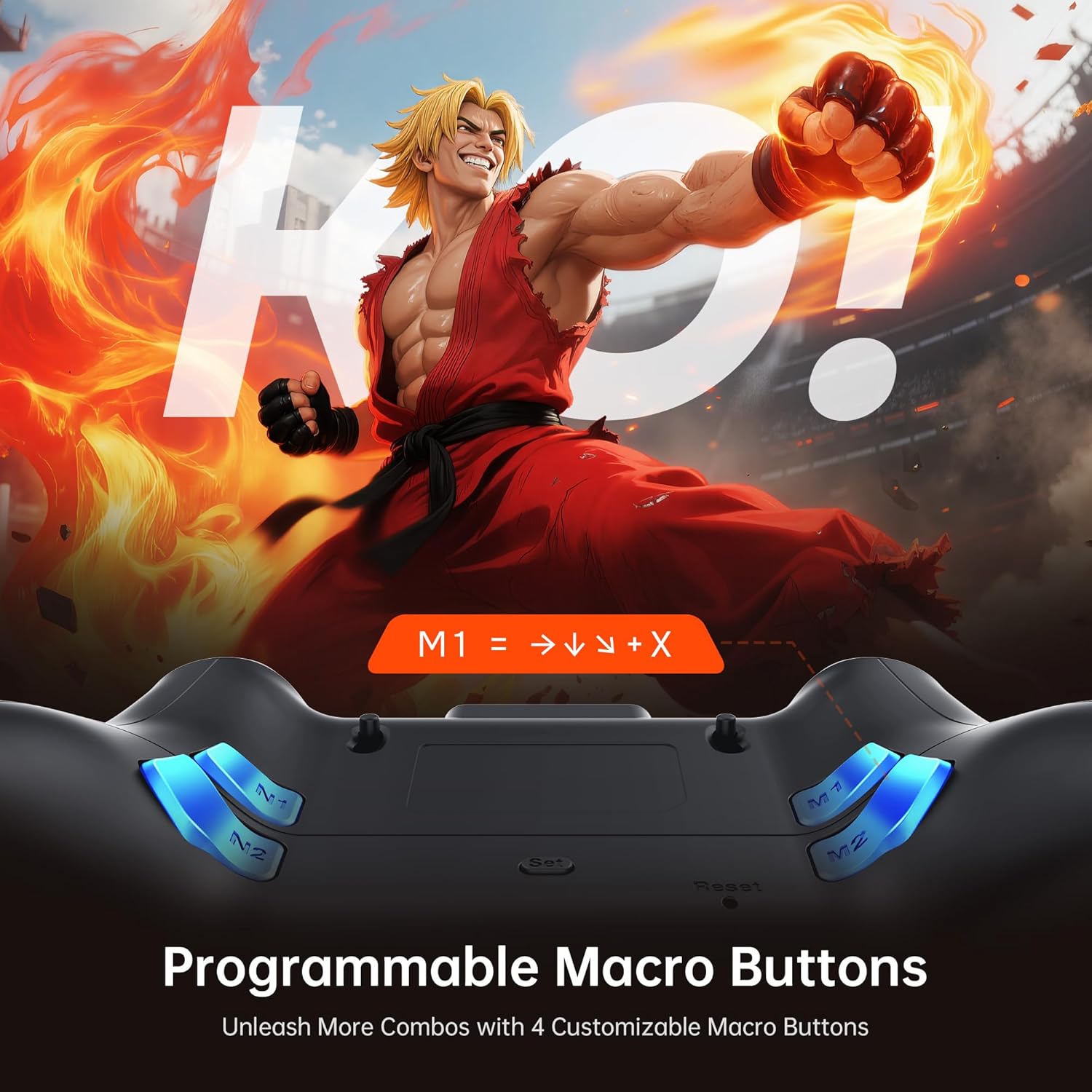
Figure 4.2: The four programmable back buttons (M1, M2, N1, N2) on the rear of the controller, designed for custom macros and shortcuts.
4.3 Hall Effect Joysticks and Adjustable Dead Zones
The Hall Effect joysticks provide precise, drift-free control. Dead zones can be customized from 0% to 50% using the interactive screen to match your preference and game requirements. A smaller dead zone offers more immediate response, while a larger one can prevent unintended inputs.

Figure 4.3: Illustration of the Hall Effect joystick mechanism and the concept of adjustable dead zones for enhanced precision.
4.4 Hall Effect Dual-StagPencetus e
The triggers feature a dual-stage mechanism, allowing you to switch between short-pull for quick actions (e.g., shooting in FPS games) and full-pull for precise control (e.g., acceleration in racing games). This can be configured through the interactive screen.

Figure 4.4: Visual representation of the dual-stage trigger functionality, demonstrating its application in different gaming scenarios.
4.5 Motion Control (6-Axis Gyro Sensor)
The built-in 6-axis gyroscope provides precise motion sensing for games that support tilt or motion-based controls. This enhances immersion in titles requiring realistic steering, aiming, or flight mechanics.
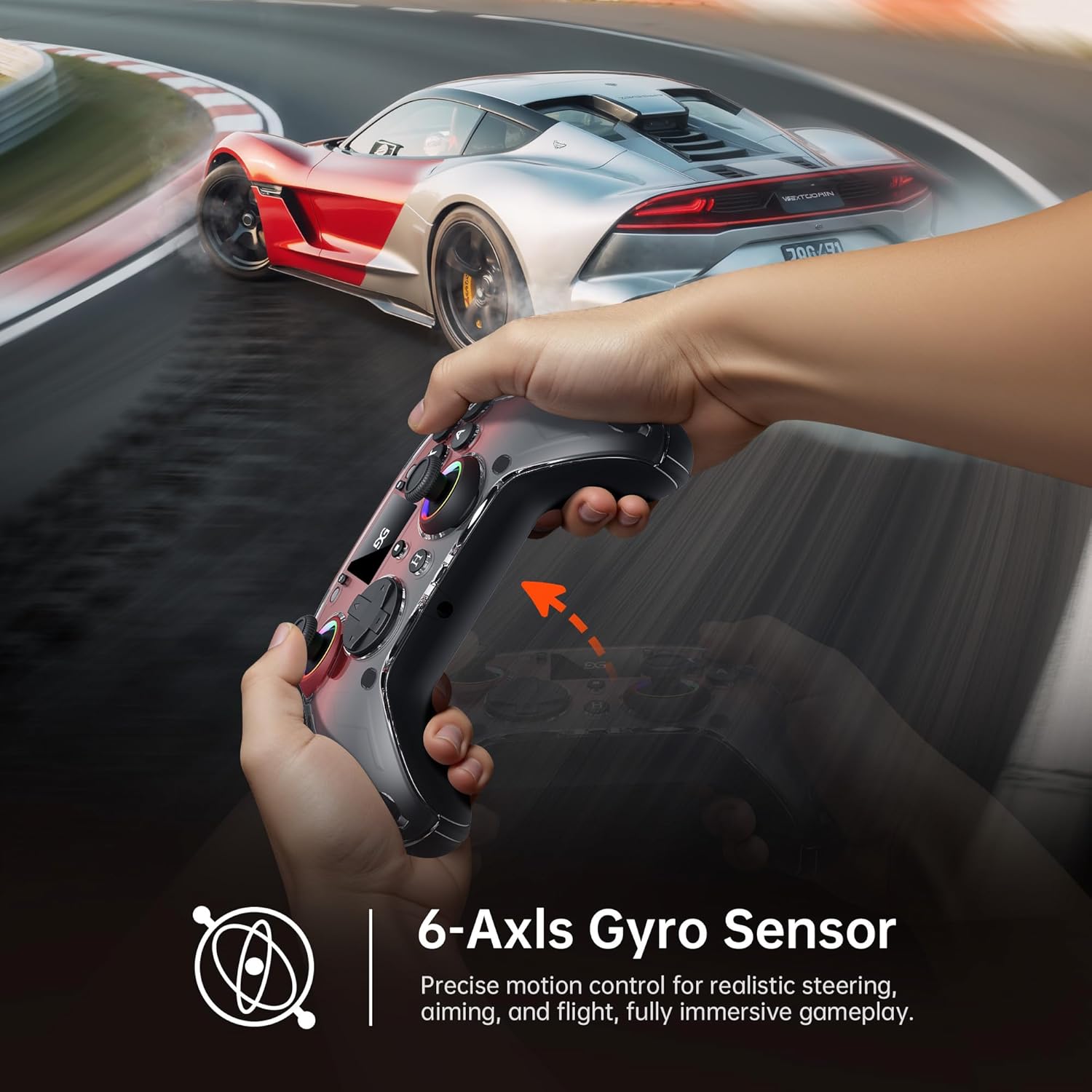
Figure 4.5: A user demonstrating motion control with the GUSGU G7 controller in a racing game, highlighting the 6-axis gyro sensor.
4.6 Maklum Balas Getaran
Dual asymmetric vibration motors provide four levels of haptic feedback, accurately replicating in-game events such as impacts, explosions, or engine rumble. Vibration intensity can be adjusted via the interactive screen.
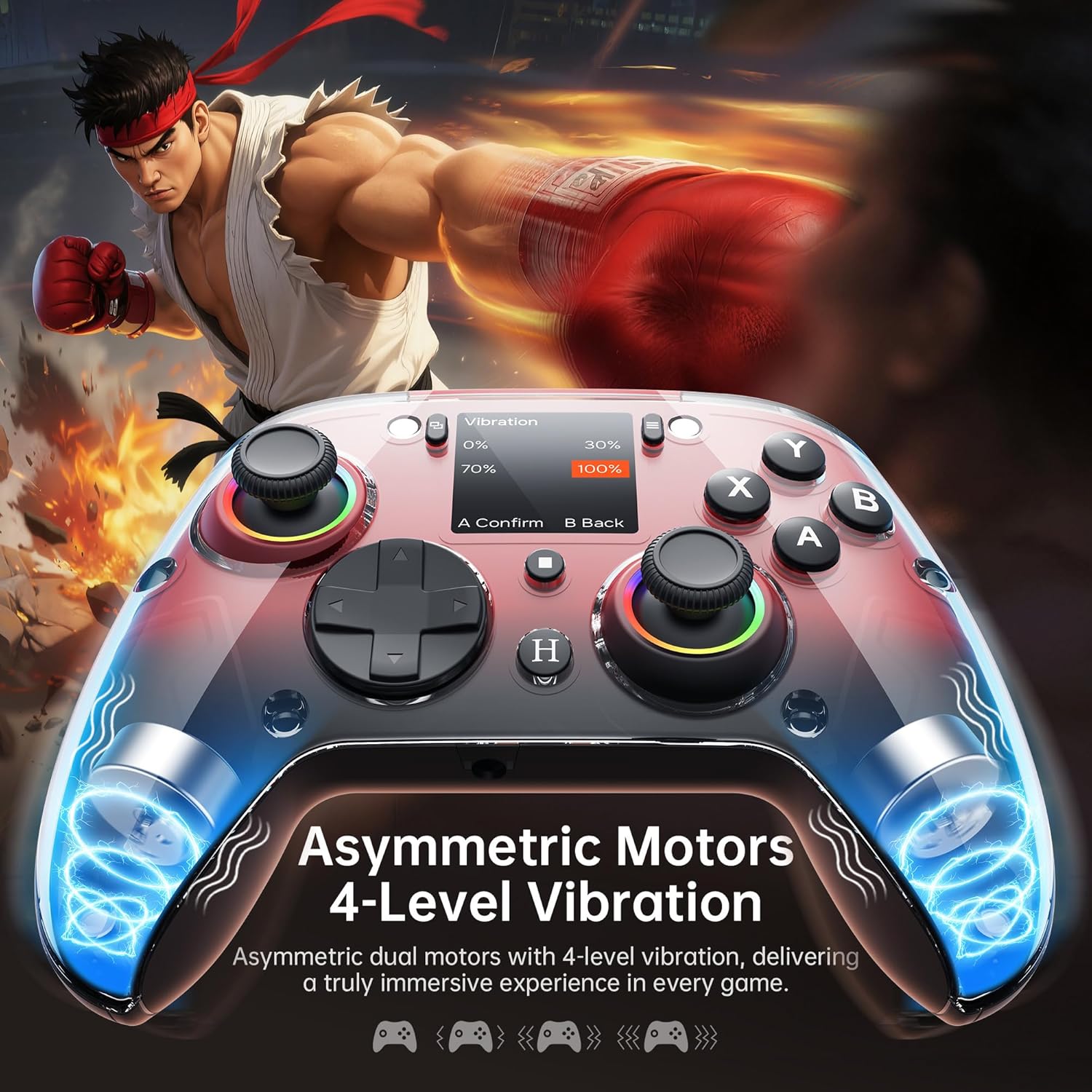
Gambar 4.6: Dalaman view of the GUSGU G7 controller illustrating the asymmetric vibration motors and their four adjustable intensity levels.
4.7 Keluaran Audio
The 3.5mm headphone jack supports game audio output when the controller is connected via USB cable to a Nintendo Switch (Switch 1) or PlayStation 4. Audio output is not supported on other devices such as PC or mobile phones.
5. Keserasian
The GUSGU G7 Wireless Gaming Controller offers broad compatibility across various platforms:

Figure 5.1: The GUSGU G7 controller displayed with a list of compatible devices including PC, mobile, gaming consoles, and in-car systems.
- PC: Windows 10 and above (X-input, D-input modes).
- iOS: iOS 14.0 ke atas.
- Android: Android 9.0 dan ke atas.
- Nintendo Switch (NS): Supports Switch mode.
- PlayStation 4 (PS4): Supports PS4 mode.
- Tesla Arcade: Compatible with Tesla in-car gaming systems.
Note: The GUSGU G7 controller is currently not compatible with Xbox or PlayStation 5 consoles.
6. Penyelenggaraan
To ensure the longevity and optimal performance of your GUSGU G7 controller, follow these maintenance guidelines:
- Pembersihan: Gunakan kain lembut dan kering untuk mengelap pengawal. Untuk kotoran degil, sedikit dampen kain dengan air. Elakkan menggunakan bahan kimia yang keras atau pembersih yang kasar.
- Storan: Simpan pengawal di tempat yang sejuk dan kering jauh dari cahaya matahari langsung dan suhu yang melampau.
- Penjagaan Bateri: Avoid fully discharging the battery frequently. If storing for an extended period, charge the controller to approximately 50% to preserve battery health.
- Pengurusan Kabel: Do not excessively bend or pull the USB-C cable to prevent damage.
7. Penyelesaian masalah
If you encounter issues with your GUSGU G7 controller, refer to the following common solutions:
| Masalah | Penyelesaian |
|---|---|
| Pengawal tidak dihidupkan. | Pastikan pengawal dicas. Sambungkannya ke sumber kuasa menggunakan kabel USB-C. |
| Pengawal tidak bersambung secara wayarles. |
|
| Hanyutan kayu bedik atau input yang tidak tepat. |
|
| Programmable buttons not working. | Verify the button assignments in the "Program" menu on the interactive screen. Ensure they are correctly configured. |
| Tiada audio daripada bicu 3.5mm. | Ensure the controller is connected via USB-C to a Nintendo Switch (Switch 1) or PlayStation 4. Audio is not supported on PC or mobile devices. Check device audio settings. |
8. Spesifikasi
| Ciri | Perincian |
|---|---|
| Nombor Model | GUSGU G7 |
| Ketersambungan | Bluetooth 5.1, Tanpa Wayar 2.4GHz, Berwayar USB-C |
| Kadar Mengundi | 1000Hz (Wired/2.4GHz), 250Hz (Bluetooth) |
| Kayu bedik | Hall Effect, Adjustable Dead Zones (0-50%) |
| Pencetus | Hall Effect, Dual-Stage with Adjustable Travel |
| Butang Boleh Aturcara | 4 Back Buttons (M1, M2, N1, N2) |
| Penderia Pergerakan | Giroskop 6-Paksi |
| Getaran | Dual Asymmetric Motors, 4 Levels Adjustable |
| Kapasiti Bateri | 1000mAh |
| Hayat Bateri | Sehingga 18 jam |
| Bicu Audio | 3.5mm (Switch 1, PS4 via USB only) |
| Keserasian | PC (Win 10+), iOS (14.0+), Android (9.0+), NS, PS4, Tesla Arcade |
| Dimensi | 7.72 x 5.16 x 2.83 inci |
| Berat badan | 16 auns |
9. Waranti dan Sokongan
GUSGU is committed to providing quality products and customer satisfaction. While specific warranty details are not provided in this manual, GUSGU offers lifetime customer support for its products.
For further assistance, technical support, or warranty inquiries, please visit the official GUSGU weblaman web atau hubungi jabatan khidmat pelanggan mereka melalui peruncit tempat produk tersebut dibeli.
Anda juga boleh melawat GUSGU Store on Amazon untuk mendapatkan maklumat lanjut dan sumber sokongan.