
pengenalan
Terima kasih kerana membeliasing the hygger Aquarium Cooling Fan. This manual provides essential information for the safe and efficient operation of your new cooling fan. Please read it thoroughly before use and retain it for future reference.
Ciri-ciri Produk
- Kawalan Suhu: This compact cooling fan is designed for effective summer temperature management. It can lower water temperature by approximately 3°C at 30°C (80% RH). Cooling efficiency varies with usage and environmental conditions; higher humidity reduces effectiveness, while lower humidity increases it.
- Pelarasan 5-Kelajuan: The fan offers 5 distinct speed settings, allowing for adaptable use across various environmental conditions and seasons.
- 5 Tetapan Pemasa: An integrated timer function provides options for 0.5, 1, 2, 4, or 12 hours of operation via the external controller. This feature enables automatic fan shutdown, eliminating the need for manual intervention.
- Pelarasan Sudut 180°: Compatible with both frameless and framed aquariums up to 30cm, the fan's airflow angle can be adjusted by 180° to ensure wide-area cooling.
- Suis Bebas: The fan unit features an independent side switch for convenient power control, removing the necessity to unplug the power adapter each time.
- Pemasangan Mudah: Designed with a simple clip-on mechanism, the fan is suitable for aquarium walls up to 11mm thick. This design simplifies setup compared to more complex chiller systems.
- Penyejukan Penyejatan: The fan operates by utilizing evaporative cooling to reduce water temperature. This process increases water evaporation from the aquarium, necessitating regular monitoring of water levels and replenishment. Frequent water temperature checks are also recommended to prevent overcooling.
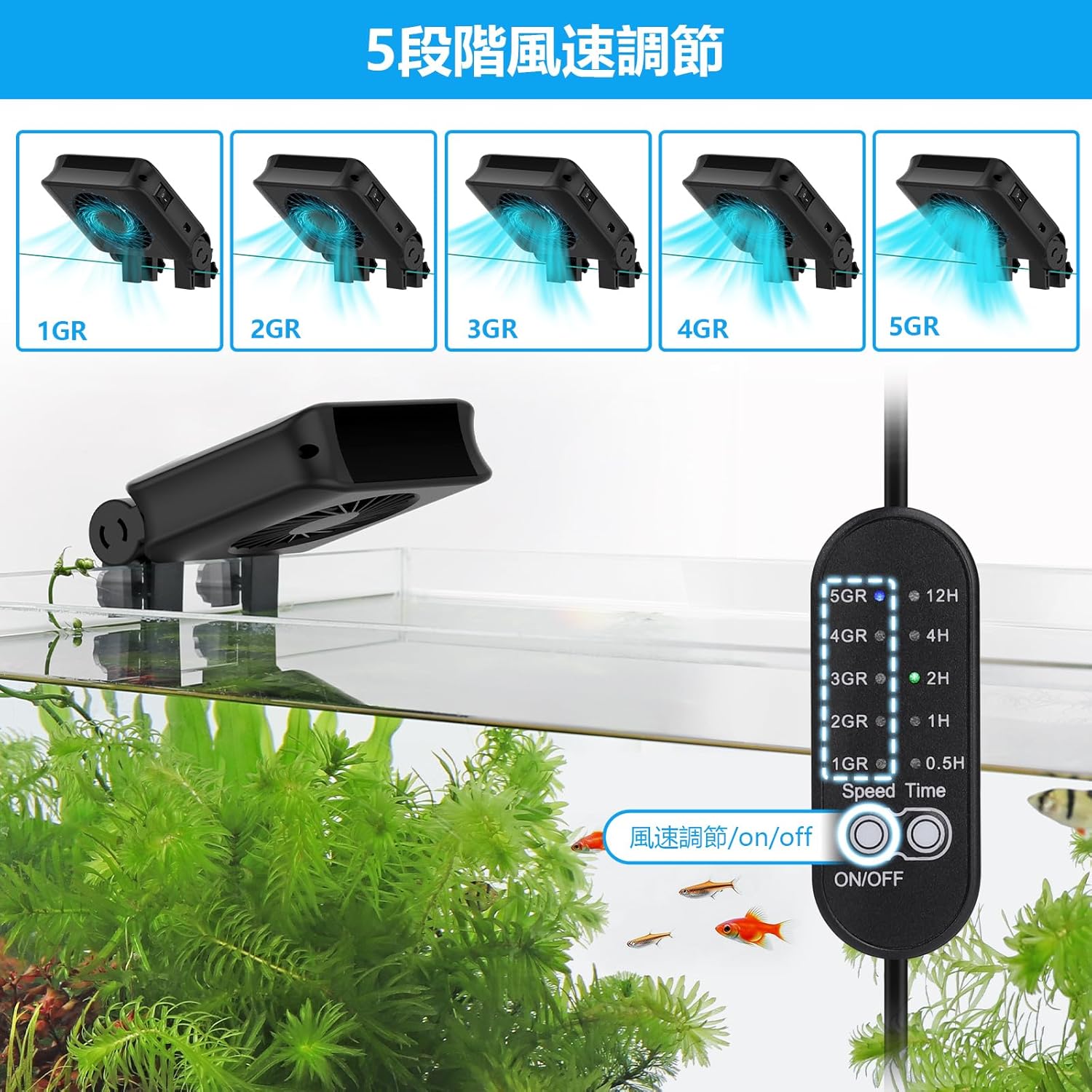
Image: Fan controller displaying 5 speed settings.
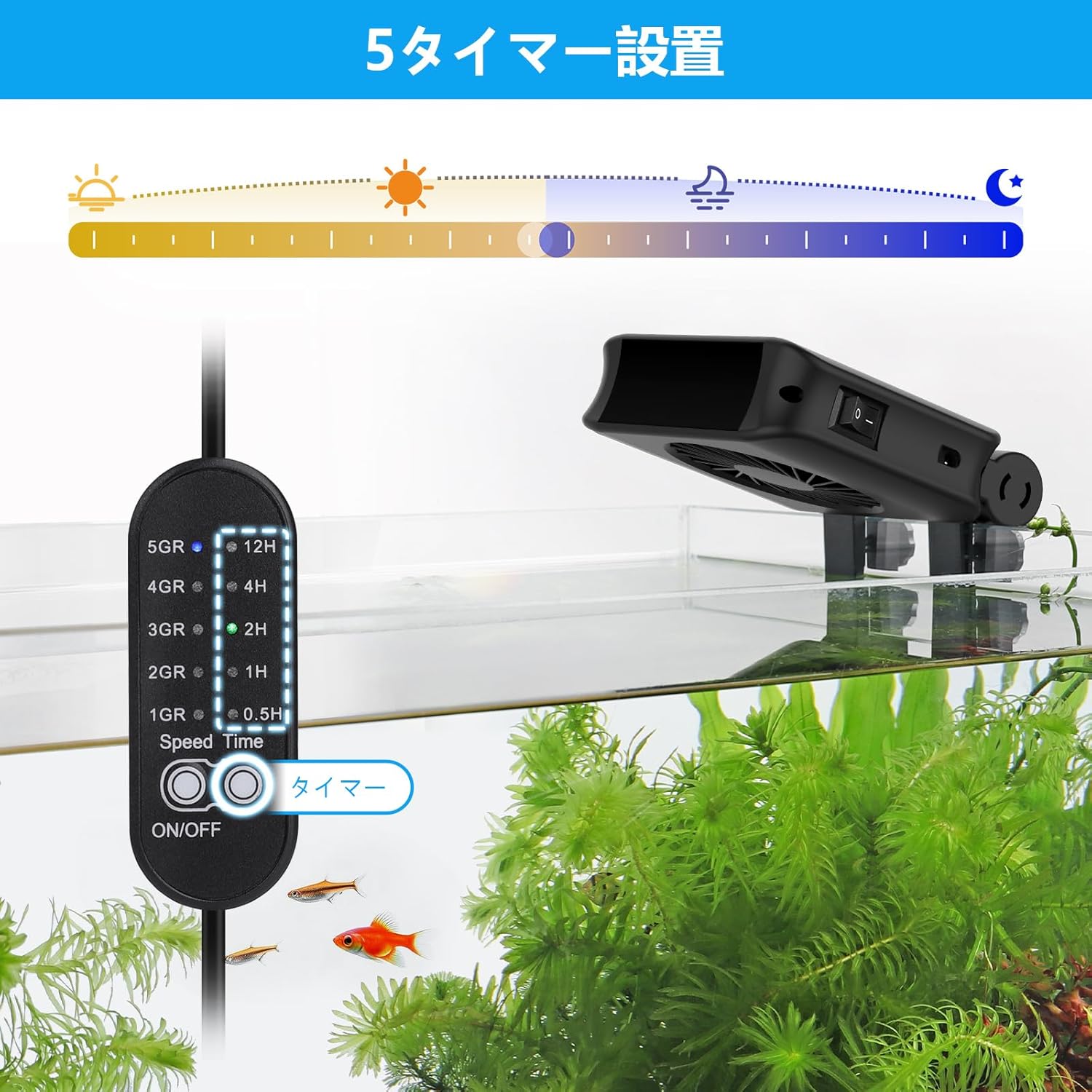
Image: Fan controller displaying 5 timer settings.

Image: Fan installed on an aquarium, demonstrating cooling airflow.

Image: Fan showing 180-degree angle adjustment and clip installation mechanism.

Image: Close-up of the fan's blades and motor.
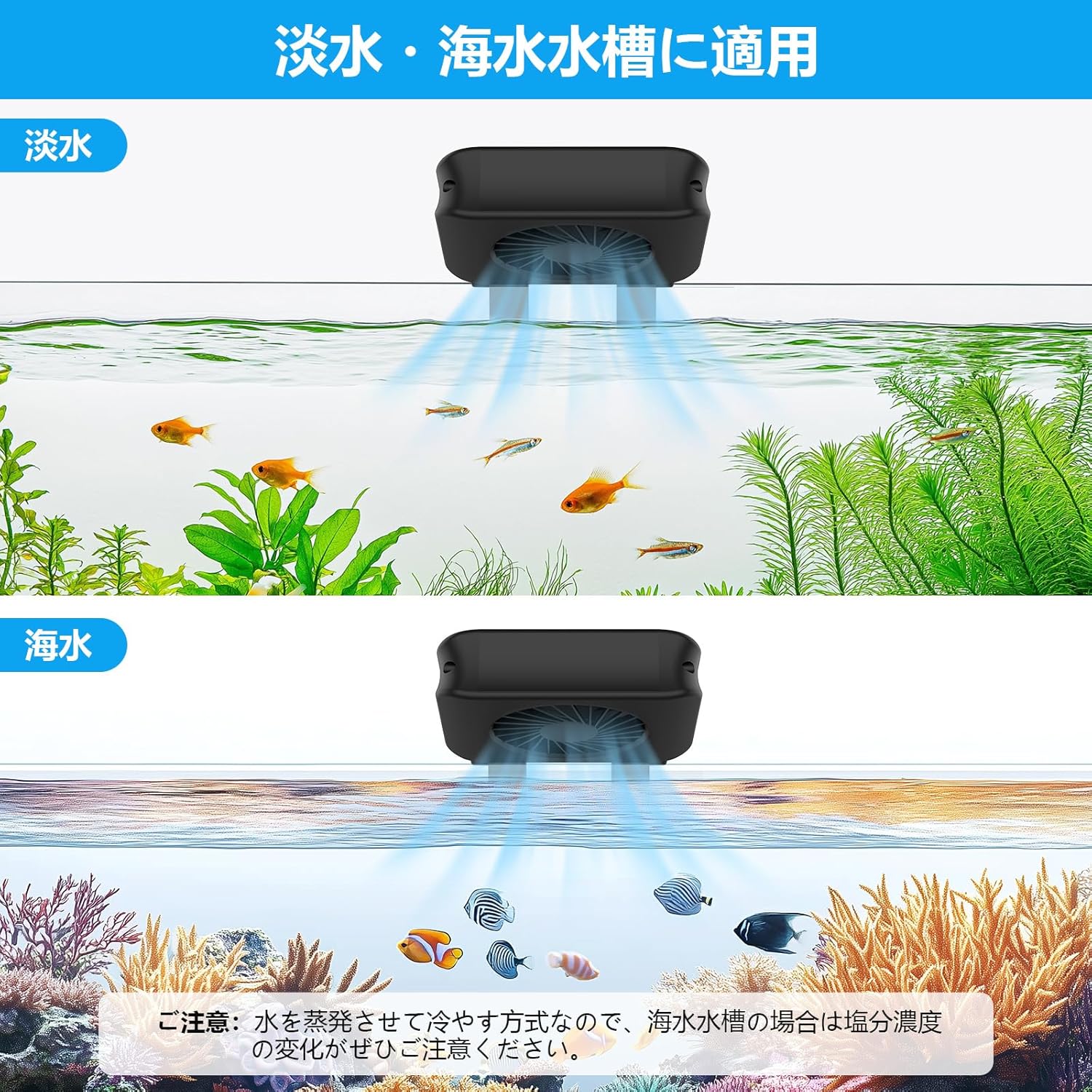
Image: Fan shown in use with both freshwater and saltwater aquariums.
Kandungan Pakej
- Aquarium Cooling Fan (1 unit)
- Pengawal Luaran
- Penyesuai Kuasa
- Manual Arahan
Arahan Keselamatan
Untuk memastikan operasi yang selamat dan mengelakkan kerosakan, sila patuhi garis panduan keselamatan berikut:
- Pastikan bekalan kuasa voltage matches the fan's requirements before plugging in.
- Do not immerse the fan, controller, or power adapter in water. This product is not submersible.
- Jauhkan peranti daripada kanak-kanak dan haiwan peliharaan.
- Always unplug the fan from the power outlet before performing any maintenance, cleaning, or if any malfunction occurs.
- Do not operate the fan if the power cord, plug, or any part of the unit is damaged. Contact customer support for assistance.
- Ensure adequate ventilation around the fan to prevent overheating.
- This product is designed for indoor aquarium use only.
Persediaan
Pemasangan
- Identify a suitable location on your aquarium rim. The fan's clip is designed for tank walls up to 11mm thick.
- Loosen the adjustment screws on the fan's clip.
- Position the fan securely on the aquarium rim, ensuring the fan blades are clear of obstructions and the airflow is directed towards the water surface.
- Tighten the adjustment screws to firmly secure the fan in place.
- Adjust the fan's angle (up to 180°) to optimize airflow across the water surface for maximum cooling efficiency.
Sambungan Kuasa
- Connect the fan cable to the designated port on the external controller.
- Connect the power adapter to the external controller.
- Palamkan penyesuai kuasa ke salur keluar elektrik yang sesuai.
Arahan Operasi
Hidupkan/Mati Kuasa
Use the independent switch located on the side of the fan unit to turn the device on or off. This allows for quick control without disconnecting the power adapter.
Pelarasan Kelajuan
The external controller provides 5 fan speed settings. Press the speed button on the controller to cycle through the available settings (indicated as 1GR to 5GR) to achieve your desired airflow.
Fungsi Pemasa
To utilize the timer function, press the timer button on the external controller. You can select operating durations of 0.5, 1, 2, 4, or 12 hours. The fan will automatically power off once the selected time has elapsed.
Penyelenggaraan
Regular maintenance ensures optimal performance and longevity of your cooling fan.
- Pembersihan tetap: Always unplug the fan before cleaning. Use a soft, dry cloth to gently wipe the fan blades and housing. Do not use abrasive cleaners, solvents, or immerse the unit in water.
- Pemantauan Paras Air: As the fan uses evaporative cooling, water in your aquarium will evaporate faster than usual. Regularly check the water level and replenish it with dechlorinated water to maintain stable water parameters.
- Water Temperature Monitoring: Frequently monitor the aquarium water temperature using a reliable thermometer to prevent overcooling, especially during cooler periods or when the fan is set to higher speeds for extended durations.
Menyelesaikan masalah
Rujuk jadual di bawah untuk isu biasa dan penyelesaiannya.
| Masalah | Kemungkinan Punca | Penyelesaian |
|---|---|---|
| Kipas tidak dihidupkan | No power, switch off, faulty connection | Check power adapter connection, ensure fan's independent switch is ON, test power outlet, ensure controller is connected correctly. |
| Penyejukan yang tidak mencukupi | Low fan speed, obstructed airflow, high ambient humidity | Increase fan speed, ensure no obstructions block airflow, adjust fan angle, note that high humidity reduces evaporative cooling efficiency. |
| Excessive water evaporation | Normal operation for evaporative cooling | Regularly monitor water levels and replenish as needed. This is an expected effect of the cooling mechanism. |
| Fan is noisy or vibrating | Loose mounting, dust buildup on blades | Ensure the fan is securely mounted to the aquarium rim. Unplug and gently clean fan blades if dust or debris is present. |
Spesifikasi
| Ciri | Perincian |
|---|---|
| Nombor Model | BJP-HG051 |
| warna | Hitam |
| Kuantiti Kipas | 1 Kipas |
| Applicable Tank Wall Thickness | Sehingga 11mm |
| Tetapan Kelajuan | 5 peringkat |
| Tetapan Pemasa | 0.5h, 1h, 2h, 4h, 12h |
| Pelarasan Sudut | 180° |
| Penggunaan Khas | Akuarium Dalaman |
| Penggunaan Bateri | Tidak |
Waranti dan Sokongan
hygger offers a 1-year warranty from the date of purchase against manufacturing defects. If a problem occurs, hygger is committed to providing sincere and responsible support for one year from the purchase date. For technical support, warranty claims, or any inquiries, please contact hygger customer service through their official webtapak atau peruncit tempat produk itu dibeli. Sila simpan bukti pembelian anda untuk pengesahan waranti.