
ThruNite Ti-Grey
ThruNite Ti Mini Keychain Flashlight User Manual
Jenama: ThruNite | Model: Ti-Grey
1. Pengenalan
This manual provides detailed instructions for the safe and efficient use of your ThruNite Ti Mini Keychain Flashlight. Designed for everyday carry, this compact and powerful USB-C rechargeable flashlight offers multiple lighting modes and a magnetic tailcap for versatile use in various indoor and outdoor scenarios.

Image: The ThruNite Ti Mini Keychain Flashlight, demonstrating its small form factor when held in a hand.
2. Apa yang ada di dalam Kotak
Sila semak kandungan pakej selepas menerima:
- ThruNite Ti Mini Flashlight (with built-in battery)
- Kabel Pengecas USB-C
- Pocket Clip (pre-installed or included separately)
- Keychain Ring
- Spare USB-C Port Cover
- Manual Pengguna
3. Produk Lebihview

Imej: Meletup view diagram of the ThruNite Ti Mini, highlighting its key components such as the switch button, charging indicator, keychain, LED, magnetic cap, USB-C port, and two-way clip.
- Butang Tukar: Controls power and mode selection.
- Penunjuk Pengecasan: Displays charging status (red for charging, green for fully charged).
- Keychain: Attachment point for keys or lanyards.
- LED Berprestasi Tinggi: Menyediakan pencahayaan.
- Penutup Magnetik: Membenarkan melekat pada permukaan logam untuk kegunaan bebas tangan.
- Antara Muka Pengecasan USB-C: Untuk mengecas semula bateri terbina dalam.
- Two-way Clip: For securing the flashlight to pockets, hats, or gear.
4. Spesifikasi
| Ciri | Perincian |
|---|---|
| Output Maks | 650 Lumen |
| Lemparan Maks | 105 meter |
| Masa Jalanan Maks | 51 days (Firefly mode) |
| Sumber Kuasa | Built-in 350mAh Lithium-Ion Battery |
| Mengecas | USB-C Boleh dicas semula |
| bahan | Aerospace-grade 6061-T6 Aluminum |
| Selesai | Type III Hard-Anodized |
| Tahan Air | IPX-8 (Waterproof to 2 meters) |
| Rintangan Kesan | 1.5 meter |
| Dimensi | 60.8mm (Panjang) x 16.5mm (Diameter) |
| Berat badan | 26.5g (0.93 oz) |

Image: Dimensions of the ThruNite Ti Mini, illustrating its compact size relative to a common earbud case.
5. Persediaan
5.1 Pengecasan Awal
Before first use, fully charge the flashlight. Open the USB-C port cover and connect the included USB-C cable to the flashlight and a power source (e.g., computer, USB wall adapter).
- The charging indicator will glow merah semasa mengecas.
- The indicator will turn hijau apabila pengecasan selesai.
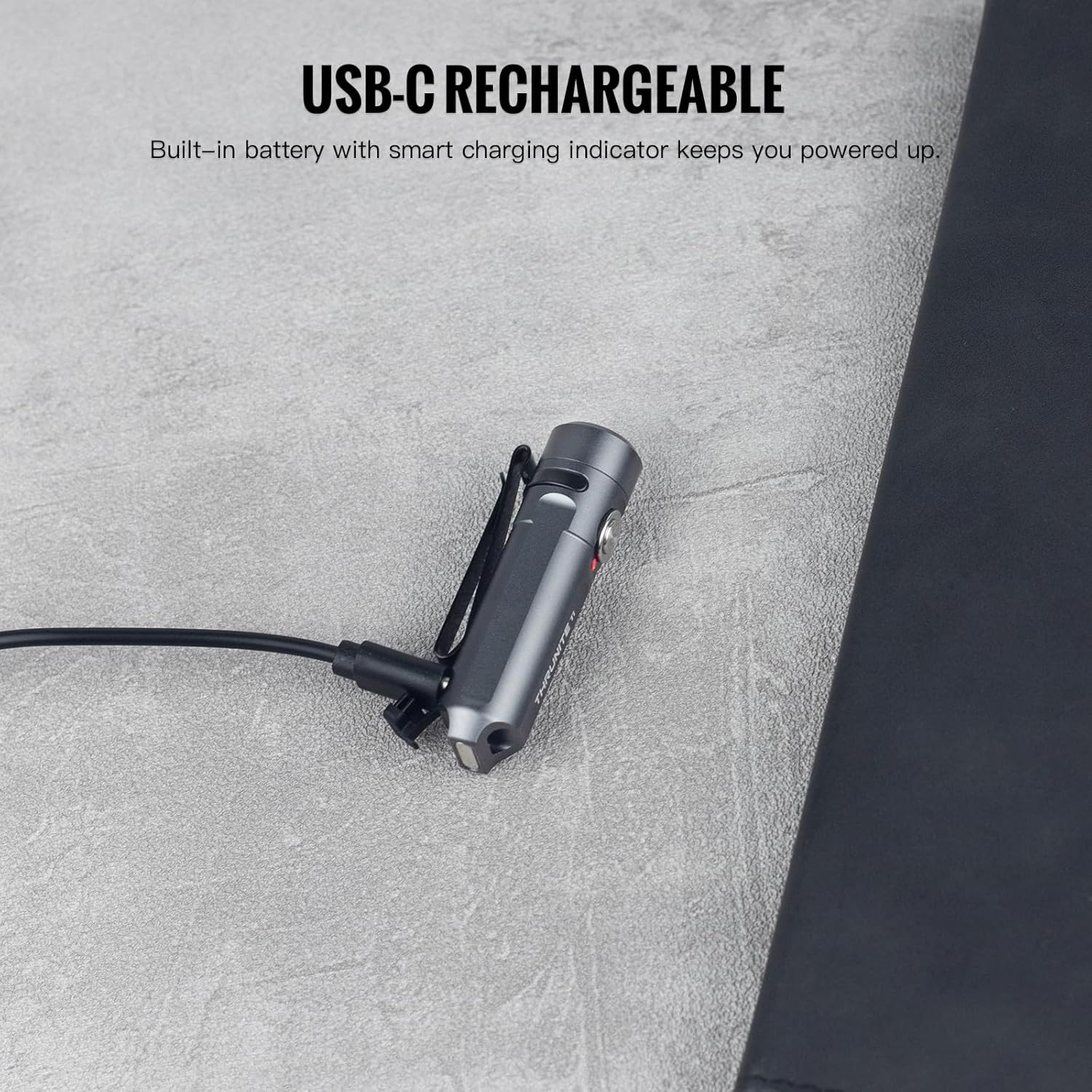
Image: The ThruNite Ti Mini connected to its USB-C charging cable, showing the charging port and indicator light.
5.2 Memasang Aksesori
The flashlight comes with a keychain ring and a two-way pocket clip for various carrying options.
- Keychain: Attach the included keychain ring to the designated loop at the tail of the flashlight.
- Klip poket: The two-way clip can be used to secure the flashlight to a pocket, belt, or the brim of a hat. It can be reversed for different carrying preferences.

Imej: Cthamples of the ThruNite Ti Mini being used as an EDC companion, clipped to a backpack and attached to a keychain.
6. Arahan Operasi
6.1 Operasi Asas
- Hidupkan/Matikan: Double-click the side switch to turn the light ON. Press and hold the switch to turn it OFF.
- Tukar Mod: When the light is ON, single-click the switch to cycle through Firefly, Low, Medium, and High modes. The light will remember the last used mode (except Strobe).
- Tinggi Seketika: From OFF, press and hold the switch to activate the highest mode (650 lumens) temporarily. Release the switch to turn OFF.
- Mod Strob: Triple-click the switch from any state (ON or OFF) to activate Strobe mode. Single-click to return to the previously used mode.
6.2 Mode Details and Runtimes
| Mod | Keluaran | Masa jalan |
|---|---|---|
| tinggi | 650 lumen | 1 jam 35 minit |
| Sederhana | 200 lumen | 2 jam 20 minit |
| rendah | 30 lumen | 9.5 jam |
| Kelip-kelip | 0.2 lumen | 51 jam |
| Strob | 650 lumen | — |

Image: Detailed table outlining the output and runtime for each lighting mode of the ThruNite Ti Mini.
6.3 Operasi Bebas Tangan
The magnetic tailcap allows the flashlight to be securely attached to most metal surfaces, providing convenient hands-free illumination. This is ideal for tasks requiring both hands, such as vehicle maintenance or working in dimly lit areas.

Image: The ThruNite Ti Mini utilizing its magnetic tailcap for hands-free lighting, attached to different metal objects.
7. Penyelenggaraan
- Pembersihan: Bersihkan badan lampu suluh secara kerap dengan lembut, damp kain. Elakkan menggunakan bahan kimia yang keras atau bahan yang melelas.
- Port USB-C: Ensure the USB-C charging port cover is properly sealed when not charging to maintain its waterproof rating. If the cover is damaged or lost, use the provided spare.
- Storan: Simpan lampu suluh di tempat yang sejuk dan kering apabila tidak digunakan untuk tempoh yang lama.
8. Penyelesaian masalah
8.1 Lampu Tidak Menyala
- Caj Bateri: Ensure the battery is sufficiently charged. Connect the flashlight to a USB-C power source and check the charging indicator.
- Urutan Operasi: Confirm you are using the correct operation sequence: double-click to turn ON, press and hold to turn OFF.
8.2 Isu Pengecasan
- Sambungan Kabel: Verify the USB-C cable is securely connected to both the flashlight and the power source.
- Port Condition: Check the USB-C port for any debris or damage. Clean gently if necessary.
- Sumber Kuasa: Try a different USB power source or cable to rule out issues with the charging equipment.
9. Waranti dan Sokongan
9.1 Maklumat Waranti
The ThruNite Ti Mini Keychain Flashlight comes with a limited warranty. Please refer to the warranty card included in your package for specific terms and conditions. This typically covers manufacturing defects under normal use.
9.2 Sokongan Pelanggan
For further assistance, technical support, or warranty claims, please contact ThruNite customer service. You can usually find contact information on the official ThruNite webtapak atau melalui platform pembelian anda.
Note: Always refer to the official ThruNite weblaman web atau pembungkusan produk anda untuk maklumat sokongan terkini.
Ask a question about this manual
Ask about setup, troubleshooting, compatibility, parts, safety, or missing instructions. Manuals+ will review the question and use this page’s manual context to help answer it.