
1. Pengenalan
This manual provides essential information for the proper setup, operation, and maintenance of your TUOPUONE 10.2inch e-Paper (G) display. Please read these instructions carefully before use to ensure optimal performance and longevity of the product.
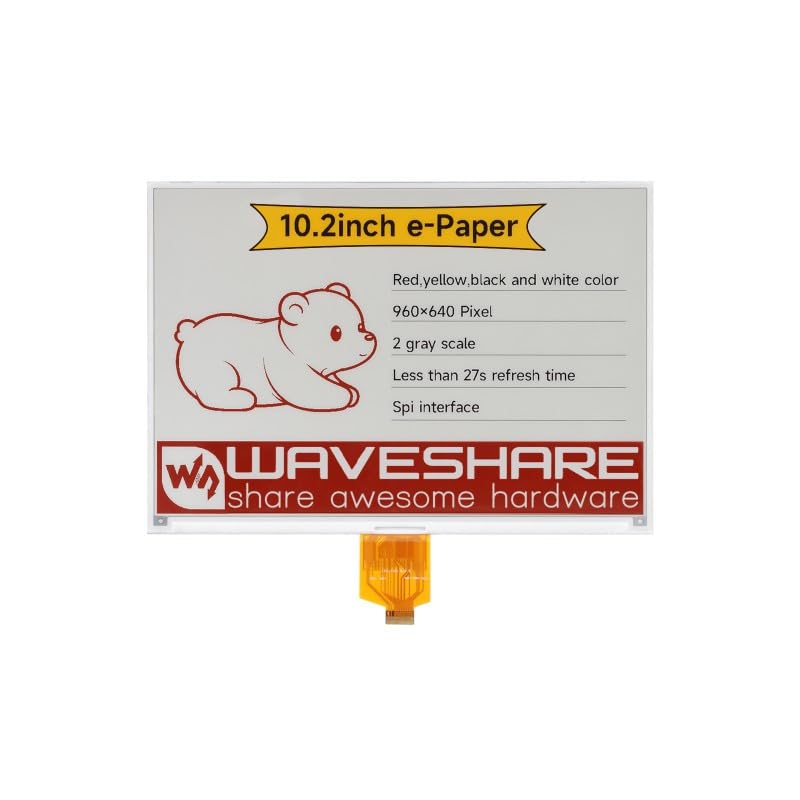
Imej 1.1: Depan view of the TUOPUONE 10.2inch e-Paper (G) display, showing the screen and flexible PCB connector.
2. Produk Lebihview dan Ciri
The TUOPUONE 10.2inch e-Paper (G) is an E-Ink display module designed for low-power applications requiring persistent display content. It features a 960x640 resolution and supports Red, Yellow, Black, and White display colors.
Ciri-ciri Utama:
- No Backlight Required: The display retains its content indefinitely without power, offering excellent readability in ambient light.
- Penggunaan Kuasa Ultra Rendah: Power is primarily consumed only during display refresh cycles.
- Multi-Color Display: Capable of displaying Red, Yellow, Black, and White colors.
- Resolusi Tinggi: 960x640 pixels for clear text and graphics.
- Antara Muka SPI: Utilizes a 3-wire or 4-wire SPI interface for communication with host microcontrollers.
- lebar Viewsudut: Tawaran a viewing angle greater than 170 degrees.

Image 2.1: Diagram highlighting the key characteristics of the 10.2-inch e-Paper display.
3. Kandungan Pakej
Sahkan bahawa semua item terdapat dalam pakej anda:
- 1 x TUOPUONE 10.2inch e-Paper (G) Display
4. Setup and Hardware Connection
The 10.2inch e-Paper (G) display is a raw display module. It requires a compatible driver board or direct connection to a microcontroller (MCU) with appropriate voltage translation for operation.
4.1 Keperluan Kuasa:
- Raw Display: Operates at 3.3V.
- With Driver Board: Typically 3.3V or 5V, depending on the driver board used. Ensure your power supply matches the requirements of your driver board and display.
4.2 Interface Connection (SPI):
The display communicates via a Serial Peripheral Interface (SPI). It supports both 3-wire and 4-wire SPI configurations. Refer to the specific pinout of your driver board or microcontroller for correct connections.
- Connect the display's flexible PCB (FPC) to the corresponding connector on your driver board or directly to your MCU.
- Ensure proper alignment and secure connection of the FPC to prevent damage.
- If connecting to a microcontroller directly, ensure appropriate level shifters are used if the MCU operates at a different voltage than the display (e.g., 5V MCU to 3.3V display).
4.3 Online Development Resources:
The manufacturer provides online development resources, including e-Paper Driver HAT circuit diagrams and example code for popular platforms such as Raspberry Pi, Jetson Nano, Arduino, and STM32. These resources are crucial for software setup and initial display testing.
It is recommended to consult these resources for detailed wiring diagrams and programming examples specific to your chosen development platform.
5. Prinsip Operasi
E-paper displays utilize electrophoretic technology to create images. Microcapsules containing charged white and black particles are suspended in a fluid. Applying an electric field causes the particles to move to the surface, making the pixel appear white or black. For multi-color displays like this model, additional colored particles (red, yellow) are used.
5.1 Display Refresh:
Unlike traditional LCDs, e-paper displays require a full refresh cycle to change content. During a refresh, the display consumes power to rearrange the particles. The full refresh time for this model is approximately 27 seconds. After a refresh, the image remains stable without consuming power.
5.2 Penggunaan Kuasa:
The display exhibits ultra-low power consumption. Power is primarily drawn during the refresh process. In standby mode, the current consumption is extremely low, typically less than 0.01uA, making it suitable for battery-powered applications.
6. Penjagaan dan Penyelenggaraan
Proper care ensures the longevity and performance of your e-Paper display.
6.1 Pembersihan:
- Lap permukaan paparan dengan lembut menggunakan kain lembut dan tidak berbulu.
- Untuk tanda degil, sedikit dampen the cloth with distilled water. Avoid harsh chemicals, abrasive cleaners, or excessive moisture.
- Do not apply pressure directly to the display surface.
6.2 Storan:
- Store the display in a cool, dry environment, away from direct sunlight and extreme temperatures.
- Elakkan bengkok atau creasing the flexible PCB connector.
- Keep the display protected from dust and static discharge.
7. Penyelesaian masalah
If you encounter issues with your e-Paper display, refer to the following common problems and solutions:
7.1 Display Not Refreshing or Blank:
- Periksa Bekalan Kuasa: Ensure the display and driver board (if used) are receiving the correct voltage (3.3V for raw display, or 3.3V/5V with driver board).
- Sahkan Sambungan: Confirm that the flexible PCB is securely connected and all SPI pins (CS, DC, RST, BUSY, CLK, DIN) are correctly wired to your microcontroller or driver board.
- Review Kod: Ensure your software initializes the display correctly, sends valid image data, and triggers the refresh command. Check for any errors in the SPI communication protocol.
- Busy Pin: The BUSY pin indicates when the display is refreshing. Your code should wait for the BUSY signal to clear before sending new commands or data.
7.2 Incorrect Colors or Partial Display:
- Format Data: Ensure the image data being sent matches the display's expected color format (e.g., byte order, color depth for red/yellow/black/white).
- Ketidakpadanan Resolusi: Verify that the image resolution matches the display's native resolution (960x640 pixels).
- Kitaran Segar Semula: A complete refresh cycle is necessary for proper color rendering. Ensure the full refresh sequence is executed.
7.3 Display Damage:
- Physical damage (cracks, pressure marks) can permanently affect the display. Handle with care.
- vol. salahtage or reverse polarity can damage the display's internal circuitry.
8. Spesifikasi
Detailed technical specifications for the TUOPUONE 10.2inch e-Paper (G) display:

Imej 8.1: Selesaiview of display features and specifications.
| Spesifikasi | Nilai |
|---|---|
| Vol Operasitage (Raw Display) | 3.3V |
| Vol Operasitage (With Driver Board) | 3.3V/5V |
| Warna Paparan | Red/Yellow/Black/White |
| Antara muka | SPI 3 wayar, SPI 4 wayar |
| Skala Kelabu | 2 |
| Outline Dimensions (Raw Display) | 224.00 × 157.00 × 1.00 (mm) |
| Outline Dimensions (Driver Board) | 65.00 × 30.50 (mm) |
| Full Refresh Time | 27an |
| Saiz Paparan | 215.52 × 143.68 (mm) |
| Refresh Power | <100mW |
| Dot Pitch | 0.2245 × 0.2245 (mm) |
| Arus Tunggu Sedia | <0.01uA (almost none) |
| Resolusi | 960 × 640 piksel |
| Viewsudut | >170° |
| Saiz Skrin | 10.2 Inci |
| Nisbah Aspek | 1.50:1 |
| Jenis Paparan | E-Kertas |
| Berat Barang | 0.06 Kilogram |
| Teknologi Ketersambungan | Ethernet (Note: This refers to the general category, actual display uses SPI) |

Image 8.2: Outline dimensions of the 10.2inch e-Paper (G) display.
9. Maklumat Waranti
Specific warranty terms for the TUOPUONE 10.2inch e-Paper (G) display are typically provided by the seller or manufacturer at the time of purchase. Please retain your proof of purchase for any warranty claims.
For detailed warranty information, please contact the retailer or TUOPUONE directly.
10. Sokongan Teknikal
For technical assistance, development resources, or further inquiries regarding your TUOPUONE 10.2inch e-Paper (G) display, please refer to the following:
- Online Development Resources: Access the provided online documentation, circuit diagrams, and code examples for various microcontrollers (Raspberry Pi, Jetson Nano, Arduino, STM32).
- Pengilang Webtapak: Visit the official TUOPUONE weblaman web untuk kemas kini produk, Soalan Lazim dan maklumat hubungan sokongan.
- Sokongan Penjual: Contact the seller through your purchase platform for product-specific support.