
1. Pengenalan
This manual provides essential information for the safe and efficient operation of your Optoma GT4000UHD Ultra-Short Throw 4K UHD Home Cinema Laser Projector. Please read it thoroughly before using the product and retain it for future reference.
The Optoma GT4000UHD is designed to deliver high-quality 4K UHD visuals for various entertainment purposes, including console gaming, PC gaming, and streaming video content. Its ultra-short throw capability allows for large images from a minimal distance.
2. Maklumat Keselamatan
Patuhi langkah berjaga-jaga keselamatan berikut untuk mengelakkan kerosakan pada projektor dan memastikan keselamatan pengguna:
- Jangan halang bukaan pengudaraan. Pastikan aliran udara yang mencukupi di sekitar projektor.
- Jangan lihat terus ke dalam kanta projektor apabila lamp sedang dihidupkan. Cahaya terang boleh menyebabkan kerosakan mata.
- Elakkan meletakkan projektor di bawah cahaya matahari langsung, berhampiran sumber haba atau dalam persekitaran yang mempunyai kelembapan atau habuk yang tinggi.
- Gunakan hanya penyesuai kuasa yang dibekalkan dengan projektor.
- Putuskan sambungan kord kuasa semasa ribut petir atau apabila tidak digunakan untuk tempoh yang lama.
- Jangan cuba membuka atau menservis projektor sendiri. Rujuk semua servis kepada kakitangan yang berkelayakan.
3. Kandungan Pakej
Sahkan bahawa semua item terdapat dalam pakej:
- Optoma GT4000UHD Projector
- Kord Kuasa
- Alat Kawalan Jauh
- Manual Pengguna (dokumen ini)
4. Produk Lebihview
4.1 Projector Front and Top View
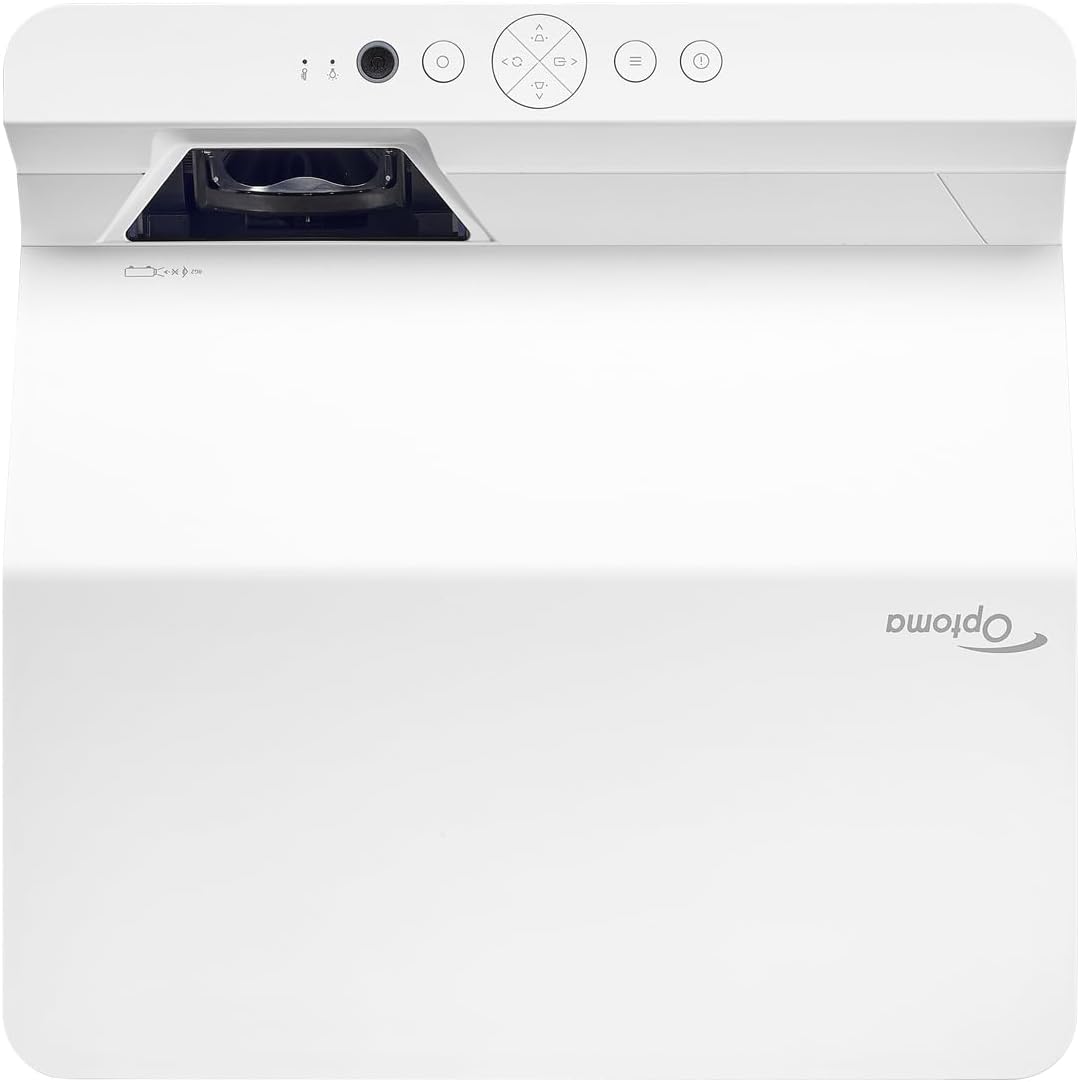
Penerangan: Imej ini memaparkan bahagian atas dan hadapan view of the Optoma GT4000UHD projector. The ultra-short throw lens is visible at the front, along with basic control buttons on the top panel. The Optoma logo is prominently displayed.
4.2 Rear Panel and Connectivity
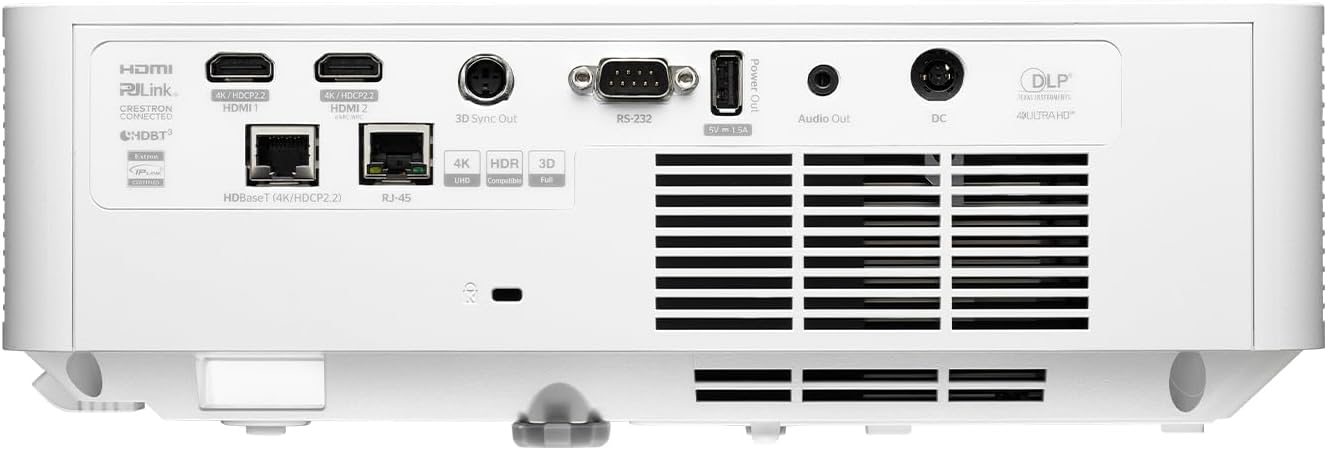
Penerangan: This image shows the rear panel of the Optoma GT4000UHD projector, highlighting its connectivity options. Ports include HDMI, HDBaseT, RJ-45, 3D Sync Out, RS232, Audio Out, and DC power input.
4.3 Alat Kawalan Jauh
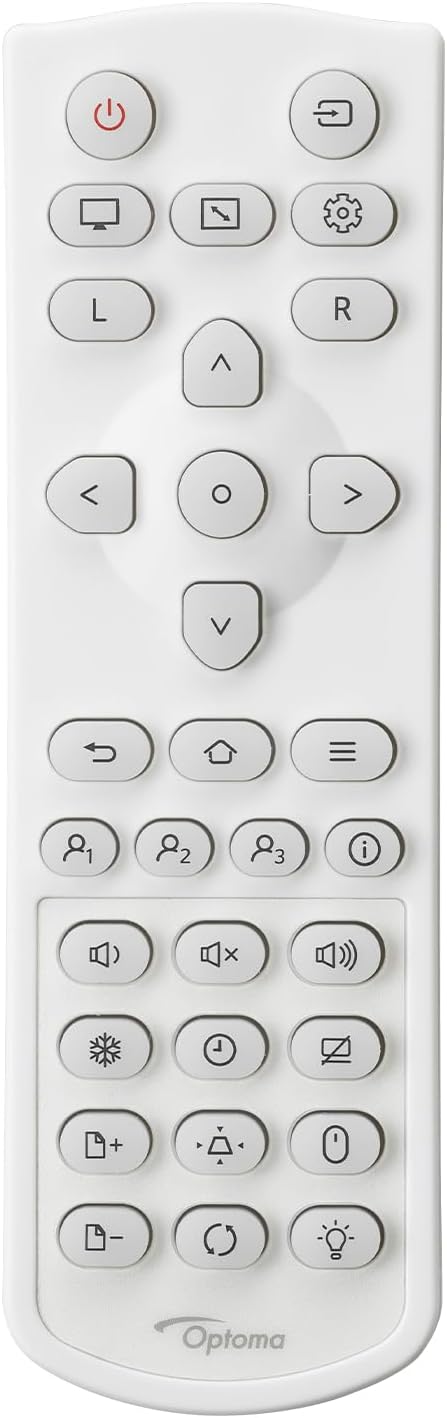
Penerangan: This image displays the remote control for the Optoma GT4000UHD projector. It features buttons for power, source selection, menu navigation, volume control, and other functions.
5. Persediaan
5.1 Penempatan Projektor
The GT4000UHD is an ultra-short throw projector, capable of producing large images from a very short distance. Place the projector on a stable, flat surface directly in front of your screen or wall.
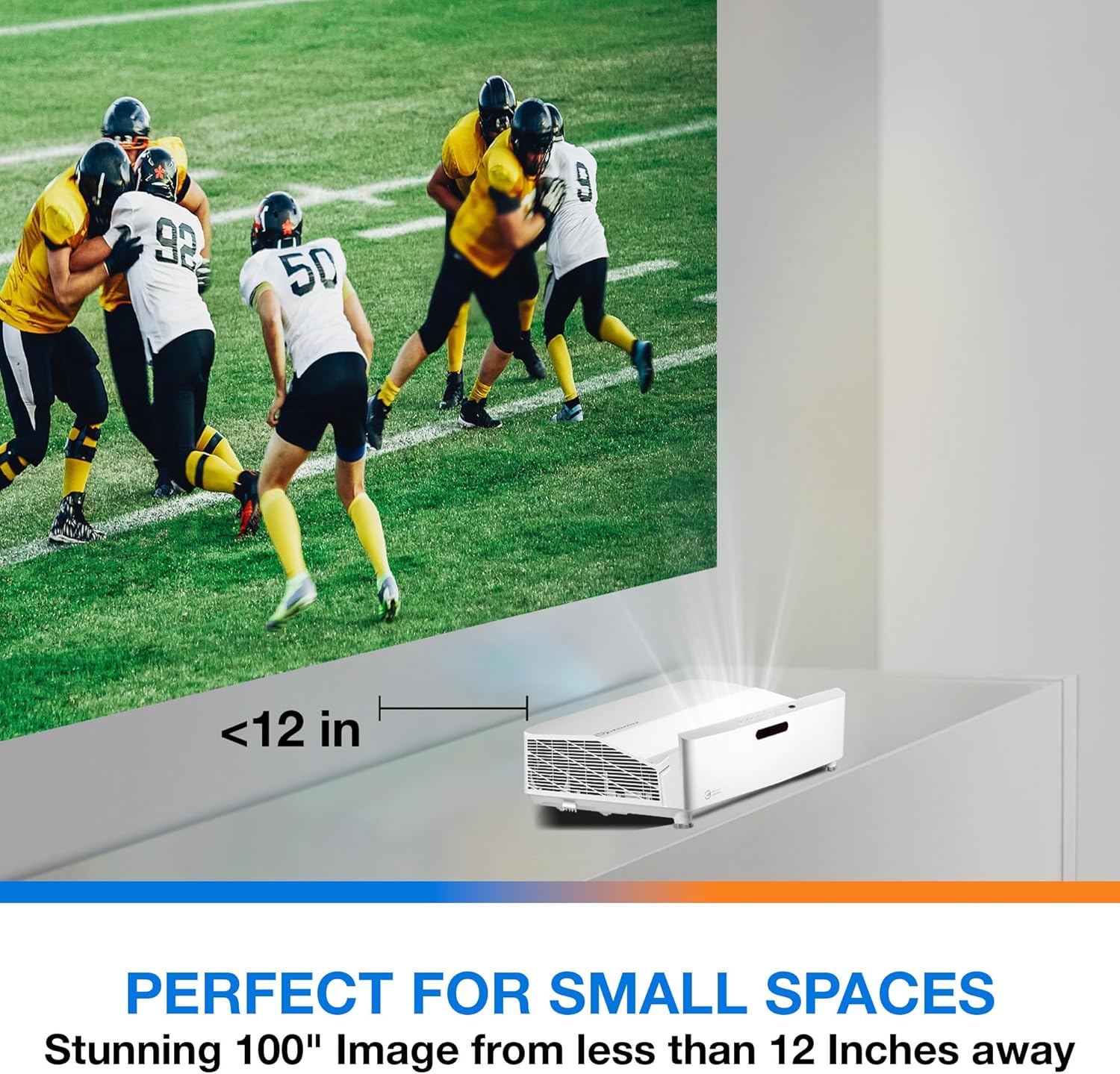
Penerangan: This image illustrates the ultra-short throw capability of the GT4000UHD, showing it projecting a 100-inch image from less than 12 inches away from the projection surface. This allows for flexible placement in small spaces.
- For a 100-inch image, position the projector approximately 10-12 inches (25-30 cm) from the projection surface.
- Ensure the projector is level to avoid image distortion. Use the adjustable feet if necessary.
5.2 Menyambung Peranti
Connect your video sources (e.g., gaming console, Blu-ray player, streaming device) to the projector's HDMI ports. For network control or HDBaseT connectivity, use the respective ports on the rear panel.
- HDMI: Connect HDMI cables from your source devices to the HDMI 1 or HDMI 2 ports.
- Keluar Audio: For external audio systems, connect an audio cable from the Audio Out port to your sound system.
- Kuasa: Connect the power cord to the DC input on the projector and then to a power outlet.
5.3 Hidupkan/Mati Kuasa
- Hidupkan kuasa: Tekan butang kuasa pada projektor atau alat kawalan jauh. Lampu penunjuk kuasa akan menyala.
- Matikan: Press the power button again. A confirmation message may appear; confirm to shut down the projector.
6. Arahan Operasi
6.1 Operasi Asas
- Pemilihan Sumber: Use the 'Source' button on the remote control to cycle through available input sources (HDMI 1, HDMI 2, etc.).
- Navigasi Menu: Use the 'Menu' button to access settings. Use the arrow keys and 'OK' button to navigate and select options.
- Kawalan Kelantangan: Laraskan kelantangan menggunakan butang kelantangan khusus pada alat kawalan jauh.
6.2 Image Adjustment (4-Corner Geometric Correction)
The GT4000UHD features 4-Corner Adjustment for precise image alignment, especially useful when the projector is not perfectly perpendicular to the screen.
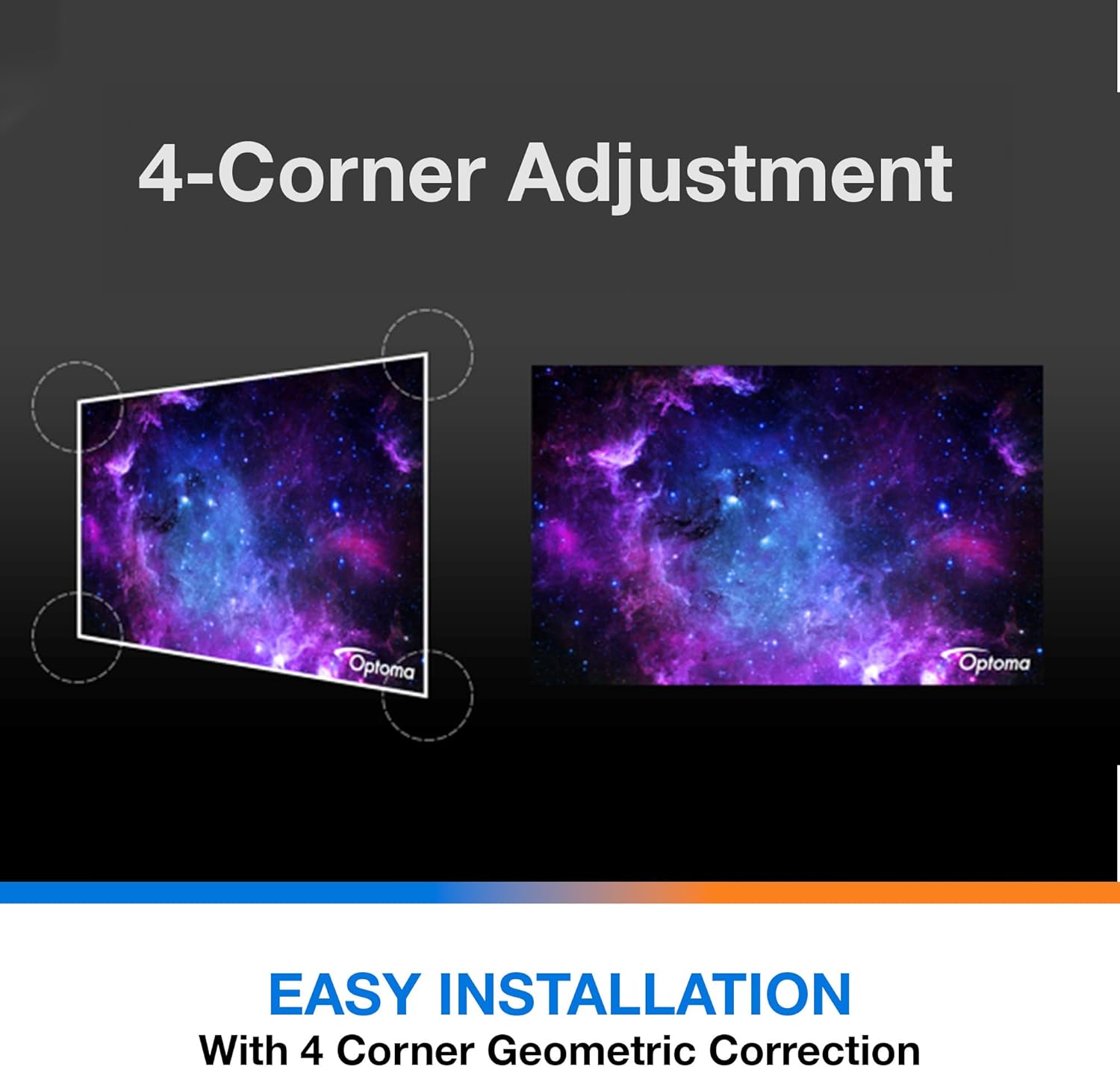
Penerangan: This diagram illustrates the function of 4-Corner Adjustment. It shows a trapezoidal, distorted image being geometrically corrected to form a perfect rectangular projection, ensuring easy installation and optimal viewing.
- Access the 'Image' or 'Geometric Correction' menu.
- Select '4-Corner Adjustment' and use the arrow keys to individually adjust each corner of the projected image until it forms a perfect rectangle.
6.3 Enhanced Gaming Mode
The projector includes an Enhanced Gaming Mode to minimize input lag, providing a more responsive gaming experience.
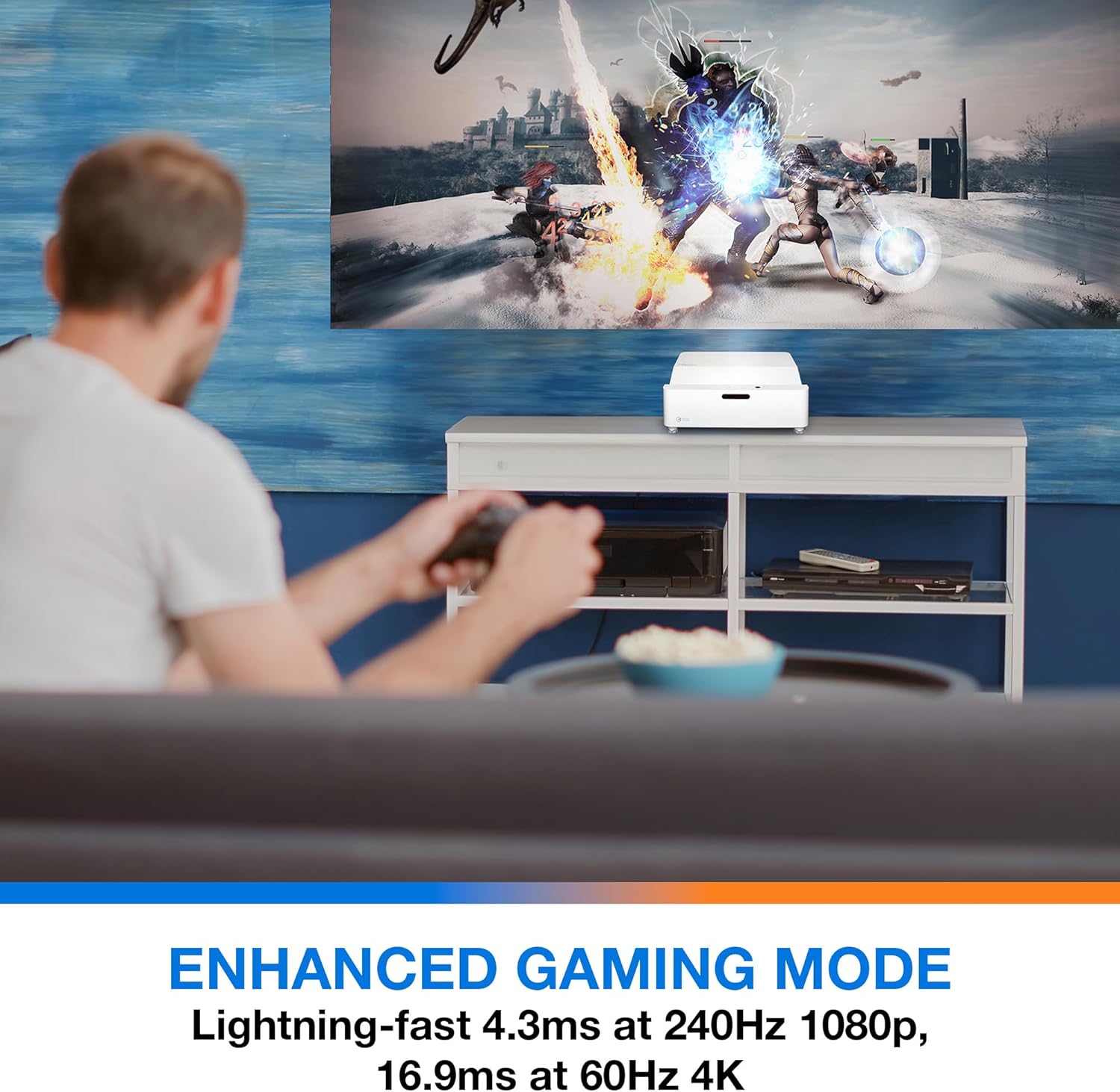
Penerangan: This image shows a user engaged in gaming with the Optoma GT4000UHD projector, highlighting the Enhanced Gaming Mode. This mode offers low input lag for a responsive gaming experience.
- To activate, navigate to the 'Display' or 'Picture Mode' settings in the menu and select 'Gaming Mode'.
- This mode optimizes the projector for fast-paced action, reducing input latency to as low as 4.3ms at 240Hz 1080p, or 16.9ms at 60Hz 4K.
6.4 Firmware Updates (FOTA Integration)
The projector supports Firmware Over-The-Air (FOTA) updates, allowing for convenient software enhancements.
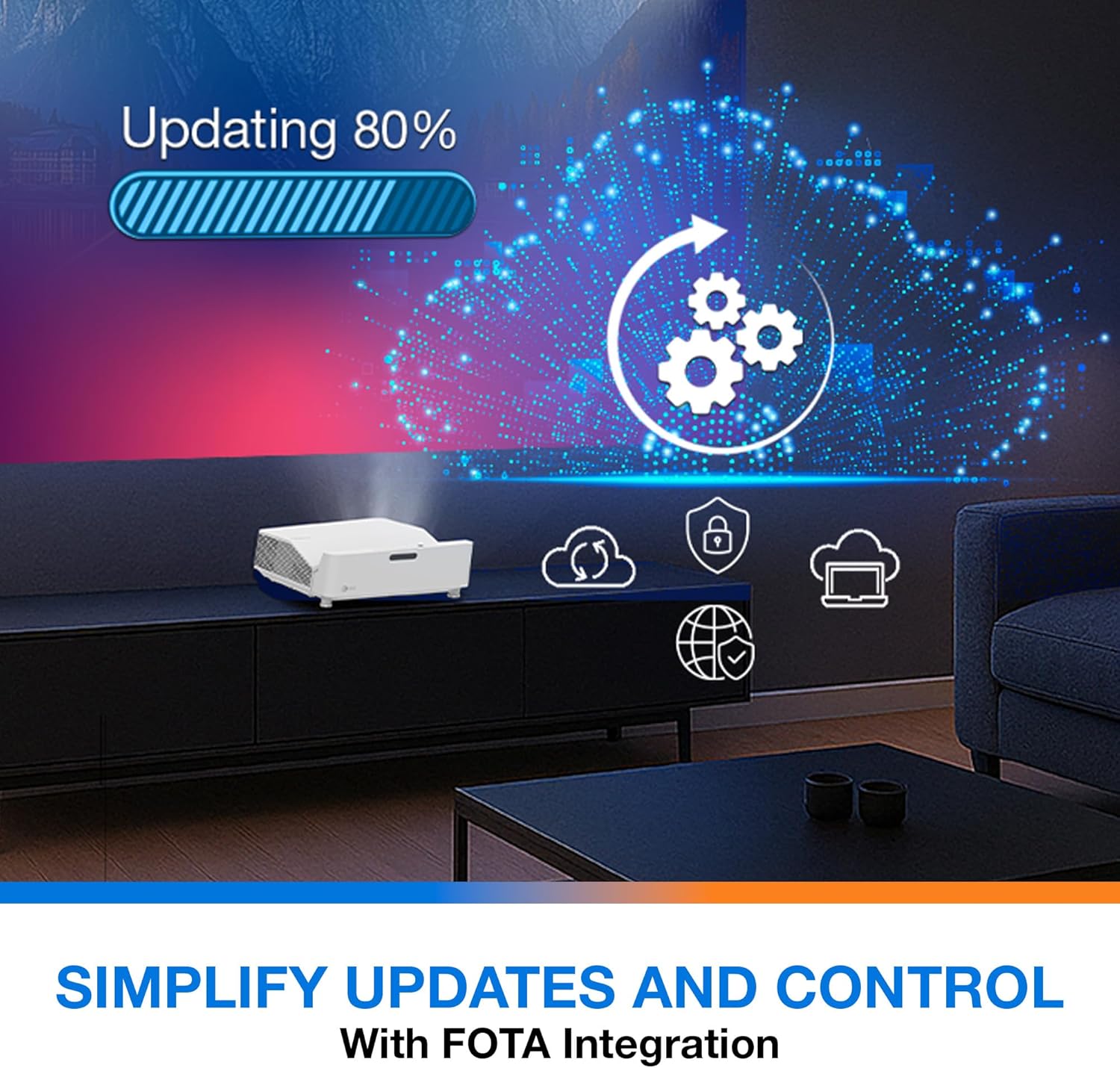
Penerangan: This image depicts the FOTA (Firmware Over-The-Air) integration feature, showing a progress bar for an update and cloud icons representing simplified updates and control for the projector.
- Ensure the projector is connected to the internet via its network port.
- Check for updates in the 'System' or 'About' menu. Follow on-screen prompts to download and install any available firmware updates.
7. Penyelenggaraan
- Pembersihan Kanta: Lap kanta dengan lembut menggunakan kain lembut dan tidak berbulu yang direka khas untuk permukaan optik. Jangan gunakan pembersih yang kasar.
- Pengudaraan: Regularly check and clean the air vents to prevent dust buildup, which can affect performance and lifespan.
- Storan: Apabila tidak digunakan untuk tempoh yang lama, simpan projektor di tempat yang sejuk, kering, dan terlindung daripada habuk.
8. Penyelesaian masalah
Jika anda menghadapi masalah, rujuk kepada penyelesaian biasa berikut:
| Masalah | Kemungkinan Punca | Penyelesaian |
|---|---|---|
| Tiada imej dipaparkan | Kabel kuasa longgar, sumber input tidak betul, peranti sumber dimatikan | Periksa sambungan kuasa, pilih sumber input yang betul, pastikan peranti sumber dihidupkan. |
| Image distorted/not rectangular | Projector not level, keystone/corner adjustment needed | Adjust projector position, use 4-Corner Adjustment feature. |
| Tiada audio | Volume too low, external audio system not connected/selected | Increase volume, check external audio connections and settings. |
| Alat kawalan jauh tidak berfungsi | Batteries depleted, obstruction between remote and projector | Replace batteries, remove obstructions, ensure line of sight. |
If the problem persists, contact Optoma customer support.
9. Spesifikasi
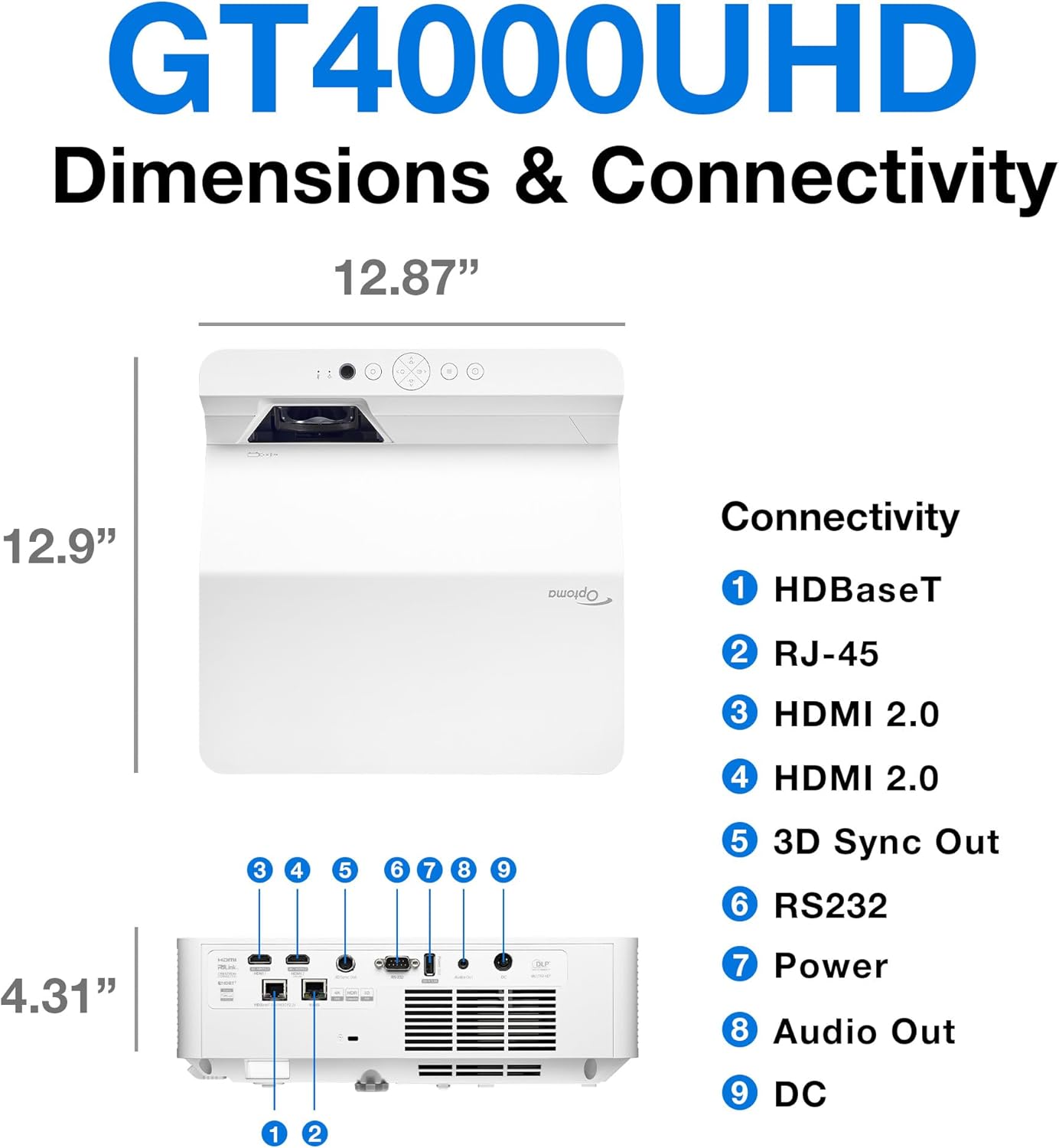
Penerangan: This image provides a detailed diagram of the Optoma GT4000UHD projector, including its dimensions (12.87" x 12.9" x 4.31") and a labeled overview of its connectivity ports such as HDBaseT, RJ-45, HDMI 2.0, 3D Sync Out, RS232, Power, Audio Out, and DC.
| Ciri | Spesifikasi |
|---|---|
| Nama Model | GT4000UHD |
| Jenama | Optoma |
| Resolusi Paparan | 3840 x 2160 (4K UHD) |
| Kecerahan | 4,000 Lumen |
| Teknologi Ketersambungan | HDMI, RCA |
| Ciri Khas | Balingan Ultra Pendek |
| Penggunaan yang Disyorkan | Permainan, Pawagam Rumah |
| Saiz Imej Maksimum | 100 Inci |
| Jarak Balingan Minimum | 0.28 Meter |
| Jarak Lemparan Maksimum | 0.56 Meter |
| Berat Barang | 9.8 paun |
| Jenis Pemasangan | Pemasangan Atas Meja |
10. Waranti dan Sokongan
10.1 Maklumat Waranti
The Optoma GT4000UHD projector comes with a 1 Year Projector Parts and Labor Manufacturer’s Warranty. Sila simpan bukti pembelian anda untuk tuntutan waranti.
10.2 Sokongan Pelanggan
For technical assistance, troubleshooting beyond this manual, or warranty inquiries, please visit the official Optoma support website or contact their customer service department. Contact information can typically be found on the Optoma webtapak atau dalam pembungkusan produk.