
1. Pengenalan
The SINGER M1000 Mending Machine is a compact, lightweight, and portable sewing machine designed for light to medium weight fabrics and various mending and repair tasks. It features 32 stitch applications, an LED light, and user-friendly controls, making it suitable for both beginners and experienced sewists.
This manual provides essential information for setting up, operating, and maintaining your SINGER M1000 machine to ensure optimal performance and longevity.
2. Arahan Keselamatan
- Always unplug the machine from the electrical outlet immediately after using and before cleaning, removing covers, or performing any user servicing adjustments.
- Jauhkan jari dari semua bahagian yang bergerak. Penjagaan khas diperlukan di sekitar jarum mesin jahit.
- Gunakan hanya aksesori yang disyorkan oleh pengilang seperti yang terkandung dalam manual ini.
- Never operate the machine if it has a damaged cord or plug, if it is not working properly, or if it has been dropped or damaged.
- Jangan beroperasi di tempat produk aerosol (semburan) digunakan atau di mana oksigen diberikan.
3. Komponen Mesin
Familiarize yourself with the main parts of your SINGER M1000 Mending Machine:

- Spool Pin: Holds the spool of thread.
- Bobbin Winder Spindle: Used to wind thread onto the bobbin.
- Dail Ketegangan Benang: Melaraskan ketegangan benang atas.
- Dail Pemilih Jahitan: Used to choose from the 32 available stitch applications.
- Reverse Sewing Lever: Engages reverse stitching to secure seams.
- Jarum Clamp Skru: Mengekalkan jarum di tempatnya.
- Kaki Penekan: Memegang fabrik dengan kuat pada anjing yang memberi makan.
- Memberi makan anjing: Move the fabric under the needle.
- Lampu LED: Illuminates the sewing area.
- Lengan Bebas: Allows for easy sewing of tubular items like cuffs and sleeves.
4. Persediaan
4.1. Membongkar dan Pemeriksaan Awal
Carefully remove the machine from its packaging. Ensure all included accessories are present:
- All-Purpose Foot
- Extra Needle
- Bobbins: Class 15 (transparent)
- Benang Jarum Manual
- Kord Kuasa

4.2. Sambungan Kuasa
Connect the power cord to the machine and then to a suitable electrical outlet. Plug the foot pedal into its designated port on the machine.
4.3. Penggulungan Bobbin
- Letakkan gelendong benang pada pin gelendong.
- Pandu benang melalui panduan benang atas dan di sekeliling cakera tegangan penggulungan gelendong.
- Letakkan gelendong kosong pada gelendong penggulung gelendong.
- Wind the thread clockwise a few times around the bobbin.
- Tolak gelendong penggulung gelendong ke kanan.
- Press the foot pedal to start winding. Stop when the bobbin is full.
- Potong benang dan tolak gelendong penggulung gelendong kembali ke kiri.
4.4. Memasukkan Bobbin
The SINGER M1000 features a convenient top drop-in bobbin system:
- Open the transparent bobbin cover plate.
- Masukkan gelendong lilit ke dalam bekas gelendong, pastikan benang terurai ke arah yang betul (biasanya lawan arah jam).
- Follow the indicated threading path on the machine for the bobbin thread.
- Gantikan plat penutup gelendong.

4.5. Menjahit Benang Atas
Follow the numbered threading guides on the machine for proper upper thread tension and needle threading:
- Naikkan tuas kaki penekan.
- Letakkan gelendong benang pada pin gelendong.
- Pandu benang melalui panduan benang atas (1).
- Bring the thread down through the right thread channel (2).
- Loop the thread up and around the take-up lever (3) from right to left.
- Bring the thread down through the left thread channel (4).
- Masukkan benang ke belakang panduan benang bar jarum (5).
- Thread the needle from front to back. Use the manual needle threader if desired.

4.6. Needle Installation
To install or change the needle:
- Turn the handwheel towards you to raise the needle to its highest position.
- Longgarkan jarum clamp skru.
- Remove the old needle (if applicable).
- Masukkan jarum baharu dengan bahagian rata menghadap bahagian belakang mesin, tolak ke atas sejauh yang boleh.
- Ketatkan jarum clamp skru dengan selamat.
5. Operasi
5.1. Pemilihan Jahitan
The SINGER M1000 offers 32 stitch applications. Turn the Stitch Selector Dial to choose the desired stitch. The machine has preset stitch length and width for ease of use.

5.2. Adjustable Thread Tension
The thread tension dial allows you to customize the stitch appearance based on the fabric and thread type. Adjust the dial to achieve balanced tension for neat, professional-looking results. Refer to the manual for recommended tension settings for different stitches and fabrics.
5.3. Reverse Stitching
To reinforce seams at the beginning and end, use the reverse stitch lever. Press and hold the lever while sewing to stitch backward. Release the lever to resume forward stitching. This prevents stitches from unraveling.
5.4. Free Arm Functionality
The machine features a built-in free arm. To access it, slide off the removable accessory storage compartment. The free arm is ideal for sewing tubular or hard-to-reach fabric areas such as cuffs, sleeves, and pant hems.
5.5. Lampu LED
The integrated LED light illuminates the sewing area, providing clear visibility for detailed work and reducing eye strain, especially in low-light conditions.
5.6. Basic Sewing Applications
The M1000 is versatile for various tasks:
- Mending: Repair tears, holes, and worn areas on clothing.
- Hemming: Create neat and durable hems on garments.
- Menampal: Apply patches to strengthen or decorate fabric.
- Embellishments: Add decorative stitches or appliques to personalize items.

6. Penyelenggaraan
6.1. Pembersihan
Regular cleaning helps maintain your machine's performance:
- Sentiasa cabut plag mesin sebelum membersihkan.
- Tanggalkan plat jarum dan bekas gelendong.
- Gunakan berus kecil untuk menghilangkan habuk dan kotoran dari anjing makanan dan kawasan gelendong.
- Lap bahagian luar mesin dengan kain lembut dan kering.
6.2. Penyimpanan
When not in use, store your SINGER M1000 in a dry, dust-free environment. Using a dust cover is recommended to protect the machine from dust and debris.
7. Penyelesaian masalah
If you encounter issues with your SINGER M1000, consider the following common solutions:
- Jahitan yang dilangkau: Pastikan jarum dimasukkan dengan betul, tidak bengkok, dan jenis yang sesuai untuk fabrik anda. Masukkan semula benang mesin sepenuhnya.
- Kerosakan Benang: Check for proper threading, correct thread tension, and ensure the needle is not dull or bent. Use good quality thread.
- Mesin Tersumbat: Remove any tangled threads from the bobbin area. Ensure the bobbin is correctly inserted and wound.
- Jahitan Tidak Sekata: Adjust the thread tension. Ensure the fabric is fed evenly without pulling or pushing excessively.
For more detailed troubleshooting guides and tutorials, refer to the SINGER Creativate App or the official SINGER support webtapak.
8. Spesifikasi
| Ciri | Perincian |
|---|---|
| Nombor Model | M1000 |
| Jenama | PENYANYI |
| Dimensi Produk | 11.4 x 5.1 x 9.4 inci (28.96 x 12.95 x 23.88 cm) |
| Berat Barang | 5.5 paun (2.49 kg) |
| Aplikasi Jahitan | 32 |
| Komponen yang Disertakan | All-Purpose Foot, Extra Needle, Bobbins: Class 15 (transparent), Manual Needle Threader, Power Cord |
| warna | Hitam |
| UPC | 840163309608 |
9. Waranti dan Sokongan
For warranty information, product registration, and additional support, please visit the official SINGER website or utilize the SINGER Creativate App.
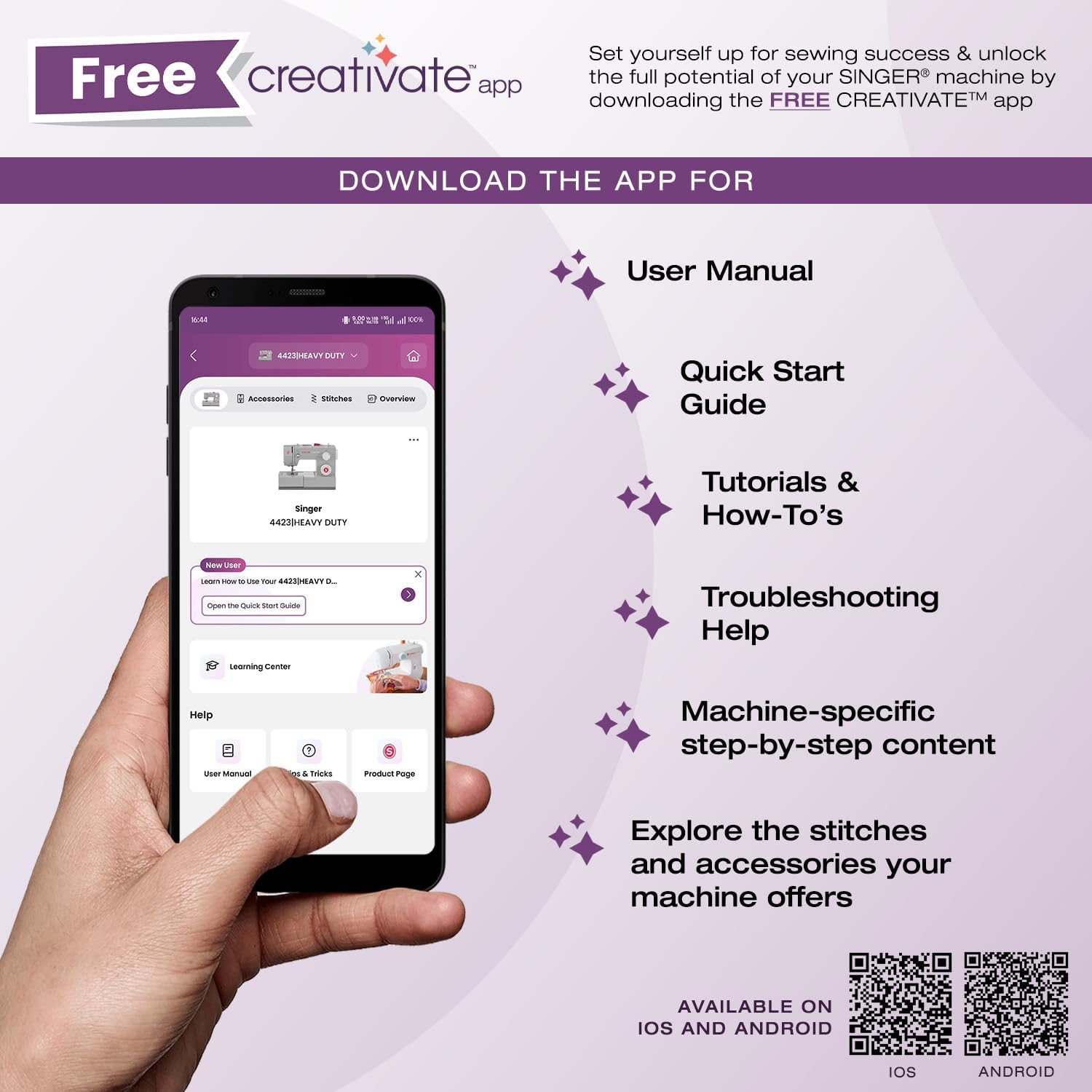
The SINGER Creativate App is your sewing support hub, offering access to your machine's manual, quick start guides, tutorials, troubleshooting tips, and information on accessories. Download the app to enhance your sewing experience.

Muat turun aplikasi:
For direct support, visit the SINGER support page: singer.com/support