
1. Pengenalan
Thank you for choosing the CREATE WIND CLEAR STUDIO S Ceiling Fan with Light. This manual provides essential information for the safe installation, operation, and maintenance of your new ceiling fan. Please read it thoroughly before use and retain it for future reference.
The WIND CLEAR STUDIO S is a silent ceiling fan featuring a 40W DC motor, a summer/winter function, and 6 speed settings. It includes retractable blades and an integrated LED light with 3 adjustable color temperatures. A programmable timer allows for automatic shut-off.

Image 1.1: The CREATE WIND CLEAR STUDIO S Ceiling Fan with Light, featuring a white body and light wood trim, with its remote control.
2. Arahan Keselamatan
- Pastikan bekalan kuasa diputuskan sebelum pemasangan, penyelenggaraan atau pembersihan.
- Pemasangan mesti dilakukan oleh juruelektrik bertauliah mengikut peraturan pendawaian tempatan.
- The mounting structure must be capable of supporting the weight of the fan (minimum 15 kg).
- Kekalkan kelegaan minimum 2.3 meter (7.5 kaki) dari lantai ke bilah kipas.
- Jangan masukkan objek ke dalam laluan bilah berputar.
- Perkakas ini adalah untuk kegunaan dalaman sahaja.
- Jauhkan alat kawalan jauh daripada capaian kanak-kanak.
3. Kandungan Pakej
Verify that all components are present and undamaged before proceeding with installation. If any parts are missing or damaged, contact customer support.
- Ceiling Fan Motor Unit with Integrated LED Light
- Retractable Fan Blades (3 units)
- Alat Kawalan Jauh
- Pendakap Pemasangan
- Downrods (2 lengths for adjustable height)
- Kit Perkakasan (skru, pencuci, kacang dawai)
- Manual Pengguna dan Panduan Pemasangan
4. Persediaan dan Pemasangan
Detailed installation instructions are provided in the separate assembly guide included with your product. Please follow those instructions carefully. This fan includes two suspension rods, allowing for flexible installation height to suit your space.
Ensure the fan is securely mounted to a ceiling joist or a suitable support structure. All electrical connections must be made correctly and safely.

Image 4.1: The ceiling fan installed in a room, demonstrating its aesthetic integration.

Imej 4.2: Satu lagi view of the ceiling fan installed, highlighting its design and lighting capabilities.
5. Arahan Operasi
Your CREATE WIND CLEAR STUDIO S fan is controlled via the included remote control. Ensure batteries are correctly inserted into the remote.
5.1 Fungsi Kawalan Jauh
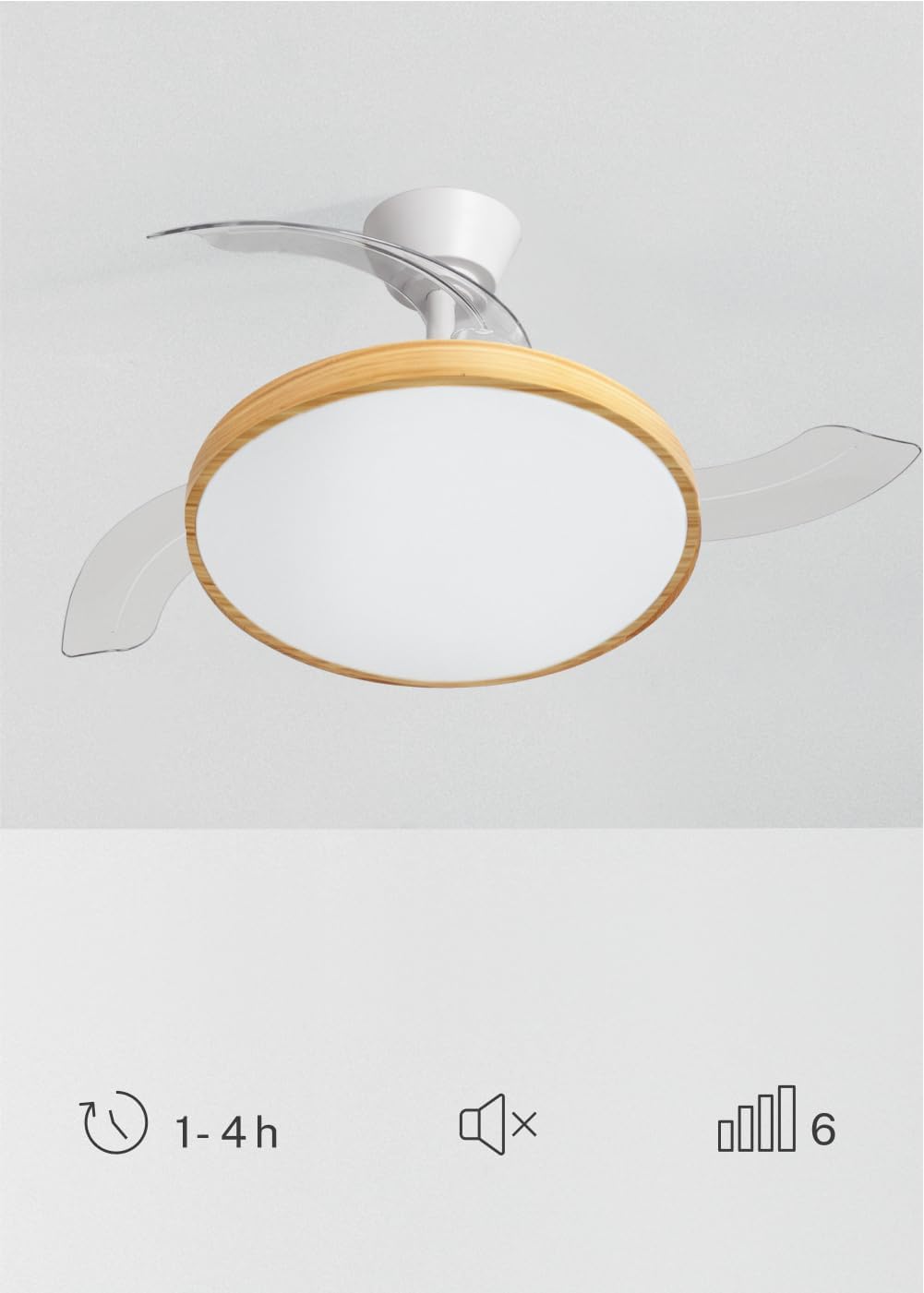
Image 5.1: The remote control for the ceiling fan, illustrating buttons for light control, fan speed adjustment (1-6), timer settings (1H, 2H, 4H), and a mute function.
- Hidupkan/Mati Kuasa: Tekan butang kuasa untuk menghidupkan atau mematikan kipas dan lampu.
- Kelajuan Kipas: Use the speed buttons (1-6) to adjust the fan's rotation speed. There are 6 available speeds.
- Kawalan Cahaya: Tekan butang lampu untuk menghidupkan atau mematikan lampu LED.
- Suhu Warna Cahaya: Cycle through the 3 available light color temperatures (Warm White 2700K, Natural White 3300K, Cool White 4000K) by pressing the light temperature button.
- Fungsi Pemasa: Set the fan to automatically turn off after 1, 2, or 4 hours using the respective timer buttons.
- Fungsi Redam: Press the mute button to silence operational beeps.
5.2 Fungsi Musim Panas/Musim Sejuk
The fan features a reversible motor for year-round use. This function helps optimize air circulation for both cooling and heating.

Image 5.2: Diagram showing air circulation for summer mode (downward airflow for cooling) and winter mode (upward airflow to redistribute warm air).
- Mod Musim Panas (Putaran lawan jam): Menghasilkan aliran udara ke bawah, menghasilkan angin penyejuk.
- Mod Musim Sejuk (Putaran mengikut arah jam): Mencipta aliran udara ke atas, mengedarkan udara panas yang terperangkap berhampiran siling ke seluruh bilik.
Refer to your assembly guide for instructions on how to switch between summer and winter modes, typically via a switch on the fan body or remote control.
5.3 Light Color Temperature Adjustment
The integrated LED light offers three distinct color temperatures to suit different moods and activities.

Image 5.3: Illustration of the three adjustable light color temperatures: 2700K for warm light, 3300K for natural light, and 4000K for cool light.
- 2700K (Warm White): Sesuai untuk bersantai dan mewujudkan suasana yang selesa.
- 3300K (Putih Semula Jadi): Suitable for general illumination and daily activities.
- 4000K (Putih Sejuk): Best for tasks requiring clear visibility and concentration.
6. Penyelenggaraan
Penyelenggaraan yang kerap memastikan prestasi optimum dan memanjangkan jangka hayat kipas siling anda.
- Pembersihan: Habuk bilah kipas dan perumah motor dengan kerap dengan lembut, damp cloth. Do not use abrasive cleaners or solvents. Ensure the fan is turned off and power is disconnected before cleaning.
- Pemeriksaan Bilah: Periksa bilah kipas secara berkala untuk sebarang tanda kerosakan atau ketidakseimbangan.
- Keketatan Skru: Over time, screws may loosen. Check and tighten all screws on the mounting bracket and blade attachments annually.
- Sumber Cahaya: Sumber cahaya LED bersepadu direka bentuk untuk jangka hayat yang panjang dan secara amnya tidak boleh diganti oleh pengguna. Jika lampu rosak, hubungi khidmat pelanggan.
7. Penyelesaian masalah
If you encounter issues with your fan, refer to the following common problems and solutions before contacting customer support.
| Masalah | Kemungkinan Punca | Penyelesaian |
|---|---|---|
| Kipas tidak bermula | Tiada bekalan kuasa; pendawaian longgar; bateri alat kawalan jauh lemah. | Check circuit breaker; ensure all connections are secure; replace remote control batteries. |
| Cahaya tidak berfungsi | No power supply; loose wiring; LED failure. | Check power; ensure connections are secure; contact support if LED is faulty. |
| Kipas bergoyang secara berlebihan | Loose mounting screws; unbalanced blades; incorrect installation. | Tighten all mounting screws; ensure blades are securely attached and balanced; re-check installation steps. |
| Alat kawalan jauh tidak berfungsi | Low or dead batteries; remote not paired (if applicable); obstruction. | Replace batteries; ensure clear line of sight to receiver; refer to assembly guide for pairing instructions. |
8. Spesifikasi
| Ciri | Perincian |
|---|---|
| Jenama | CIPTA |
| Model | WIND CLEAR STUDIO S |
| warna | Blanco Y Madera Clara (White and Light Wood) |
| Diameter | 91 Sentimeter |
| kuasa | 40 Watts (DC Motor) |
| Voltage | 240 Volt |
| Bilangan Kelajuan | 6 |
| Kecekapan Tenaga | A hingga G |
| Tahap Kebisingan | 40 Desibel |
| Jenis Sumber Cahaya | LED (3 Color Temperatures) |
| Kaedah Kawalan | Alat Kawalan Jauh |
| Jenis Pemasangan | Lekap separa flush |
| Penggunaan Dalaman/Luar | Dalaman |
| Pemasa | 1H, 2H, 4H |
| Ciri Khas | Retractable Blades, Summer/Winter Function |

Image 8.1: The fan is suitable for rooms up to approximately 13 square meters.
9. Waranti dan Sokongan
Your CREATE WIND CLEAR STUDIO S Ceiling Fan with Light comes with a manufacturer's warranty. Please refer to the warranty card included in your package for specific terms and conditions.
For technical assistance, troubleshooting beyond this manual, or to inquire about replacement parts, please contact CREATE customer support. You can find more information and contact details on the official CREATE brand store:


