
1. Pengenalan
Thank you for choosing Ollny Smart Color Changing String Lights. This manual provides detailed instructions for the safe and efficient use of your new string lights. Please read this manual thoroughly before installation and operation, and retain it for future reference.

Image: Ollny Smart Programmable RGB String Lights in various colors.
2. Apa yang ada di dalam Kotak
Pakej anda merangkumi perkara berikut:
- 1 set of Ollny Smart RGB String Lights with plug (131FT, 400 LED)
- 1 Alat Kawalan Jauh
- 1 Manual Pengguna (dokumen ini)
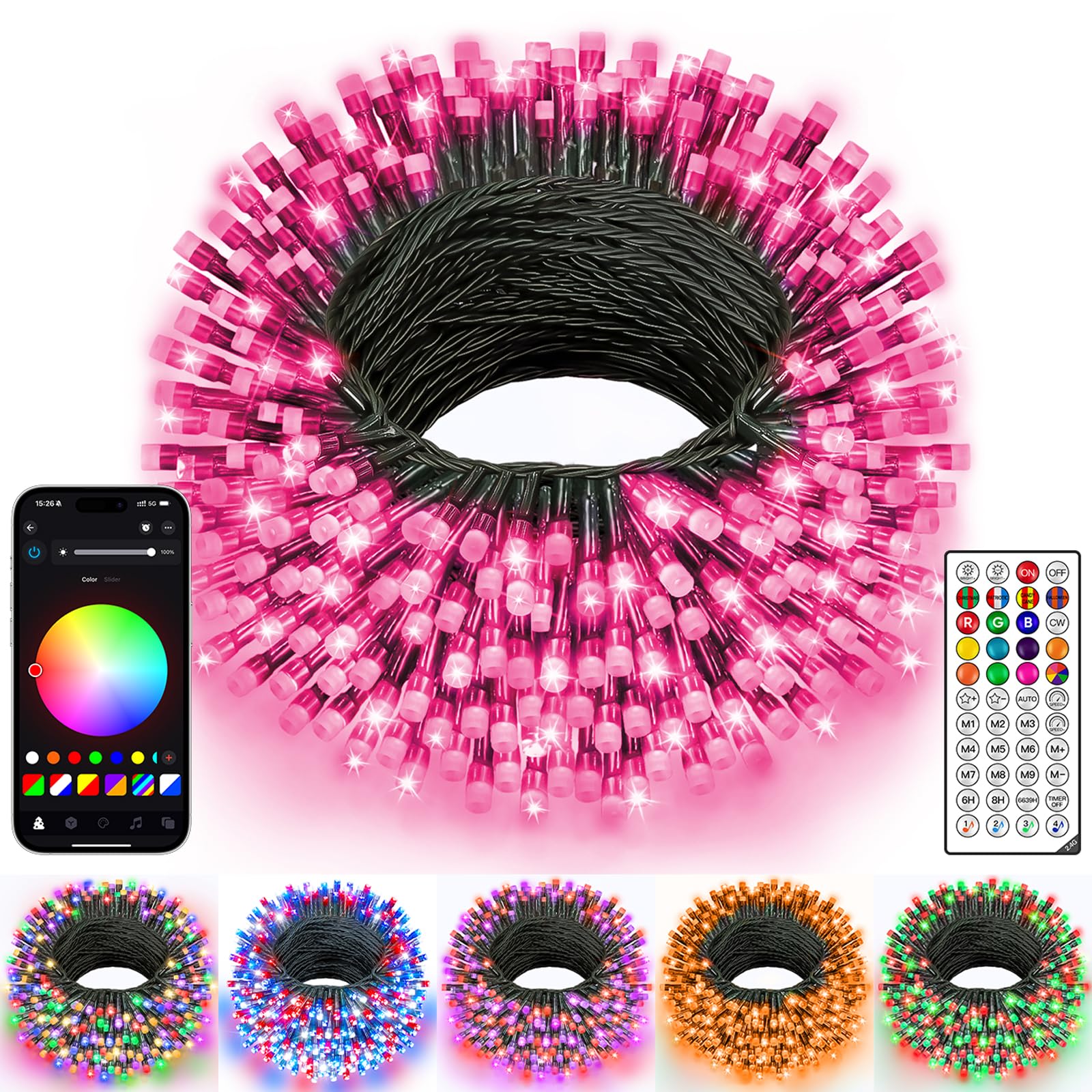
Image: The Ollny Smart Color Changing String Lights, Dark Wire 400LED, as packaged.
3. Persediaan
3.1 Membongkar dan Pemeriksaan
- Keluarkan semua komponen dari pembungkusan dengan berhati-hati.
- Inspect the string lights, plug, and remote control for any signs of damage. Do not use if damaged.
3.2 Penempatan
These lights are suitable for both indoor and outdoor use, with an IP44 waterproof rating. Ensure the power adapter is protected from direct water exposure.

Image: Ollny Smart String Lights installed outdoors, highlighting their IP44 waterproof rating.
3.3 Sambungan Kuasa
- Connect the string lights to the provided power adapter.
- Palamkan penyesuai kuasa ke soket elektrik standard.
3.4 Muat Turun Apl dan Sambungan
- Download the "Ollny" app from your smartphone's app store (iOS or Android).
- Open the app and follow the on-screen instructions to connect your string lights via Bluetooth.
Video: Demonstrates the process of connecting Ollny Smart Christmas String Lights via the mobile application.
4. Arahan Operasi
4.1 Kawalan APP
The Ollny app provides comprehensive control over your string lights:
- Pilihan Warna: Choose from 16 million solid colors or create DIY color combinations using the color wheel.
- Mod Pencahayaan: Select from various built-in effects (e.g., Christmas, Halloween, Valentine's Day) or create custom lighting patterns.
- Kecerahan & Kelajuan: Adjust the brightness and flashing speed from 0% to 100%.
- Pemasa: Set custom timers for automatic on/off functionality.
- Mod Muzik: Synchronize lights with music played from your phone or via the device's microphone.
- Kawalan Kumpulan: Control multiple sets of Ollny Smart String Lights simultaneously by grouping them in the app.
- Carousel Function: Choose your favorite modes and play them in a customized sequence.

Image: The Ollny mobile application interface showing the color wheel for selecting light colors.

Image: The Ollny mobile application displaying various settings for customizing holiday lights, including colors, modes, scenes, brightness, timer, and speed.
4.2 Alat Kawalan Jauh
Alat kawalan jauh yang disertakan menawarkan akses pantas kepada fungsi-fungsi penting:
- Hidup/Mati: Hidupkan atau matikan lampu.
- Butang Warna: Directly select common colors (Red, Green, Blue, White, Warm White, etc.).
- Mode Buttons (M1-M9): Cycle through various dynamic lighting effects.
- Pelarasan Kecerahan: Meningkatkan atau mengurangkan keamatan cahaya.
- Pelarasan Kelajuan: Control the speed of dynamic effects.
- Pemasa: Set 6-hour or 8-hour timers.
4.3 Mod Muzik
Activate Music Mode via the app to make your lights dance to the rhythm of your favorite tunes. You can choose between using your phone's microphone or the device's built-in microphone for audio input.
Video: Demonstrates the Ollny Smart String Lights dancing to music rhythm, controlled via the mobile application.
4.4 Custom Timer & Adjustable Brightness/Speed
Set precise timers for automatic operation and fine-tune the brightness and speed of effects to match any ambiance.
Video: Instructions on how to adjust the timer, brightness, and speed settings for the Ollny Smart String Lights using the mobile application.
4.5 DIY Lighting Modes (Frame Smudge)
Unleash your creativity by designing unique lighting effects. The "Frame Smudge" feature in the app allows you to assign specific colors and effects to individual LED beads, creating custom animations.
Video: Demonstrates how to use the built-in and DIY lighting modes for the Ollny Smart String Lights.
Video: Tutorial on how to use the DIY Frame Smudge feature in the Ollny app to create custom lighting effects.
4.6 Kawalan Kumpulan
Manage multiple sets of Ollny Smart String Lights simultaneously. Create groups within the app to apply synchronized effects, colors, and timers across all connected lights.

Image: The Ollny mobile application showing the group management feature, allowing control of multiple light sets.
4.7 Carousel Function
The Carousel Function allows you to create a playlist of your favorite lighting modes and effects, which will play in a continuous loop. This is ideal for dynamic and varied displays.
Video: Demonstrates the Carousel Function of the Ollny Smart String Lights, allowing users to choose and play favorite modes in order.
5. Penyelenggaraan
- Pembersihan: Wipe the lights with a soft, dry cloth. Do not use harsh chemicals or abrasive cleaners.
- Storan: Apabila tidak digunakan, simpan lampu di tempat yang sejuk dan kering jauh dari cahaya matahari langsung.
- Pemeriksaan: Periodically check the wiring and LED bulbs for any signs of wear or damage.
6. Penyelesaian masalah
- Lampu tidak menyala: Ensure the power adapter is securely plugged in and the lights are connected correctly. Check the power outlet.
- Alat kawalan jauh tidak berfungsi: Ensure the remote has a working battery. Point the remote directly at the control box.
- Isu sambungan aplikasi: Ensure Bluetooth is enabled on your device and the lights are within range. Restart the app and/or your phone.
- Lampu tidak bertindak balas terhadap muzik: Check the app settings to ensure the correct microphone input is selected and the sensitivity is adjusted appropriately.
7. Spesifikasi
| Ciri | Perincian |
|---|---|
| Nombor Model | NYA0400P |
| Panjang | 131 Kaki |
| Bilangan LED | 400 |
| warna | RGB (Merah, Hijau, Biru) |
| Tahan Air | IP44 |
| Kaedah Kawalan | Apl, Kawalan Jauh |
| Ketersambungan | Bluetooth |
| Sumber Kuasa | Elektrik Bertali |
| Voltage | 30 Volt |
| Wattage | 9 watt |
| bahan | Tembaga, Plastik |
8. Waranti dan Sokongan
Ollny provides a manufacturer warranty for 365 days from the date of purchase. If you have any questions or require assistance, please contact our customer service team. We are always ready to help, ensuring a smooth and enjoyable experience with your product.