
1. Pengenalan
The FREEWOLF M75 is a versatile 75% layout wireless gaming keyboard designed for various operating systems and devices. It features dual-mode connectivity (Bluetooth and 2.4GHz wireless), a multi-functional knob, an OLED display, and gradient PBT keycaps. This manual provides detailed instructions for setting up, operating, and maintaining your M75 keyboard.
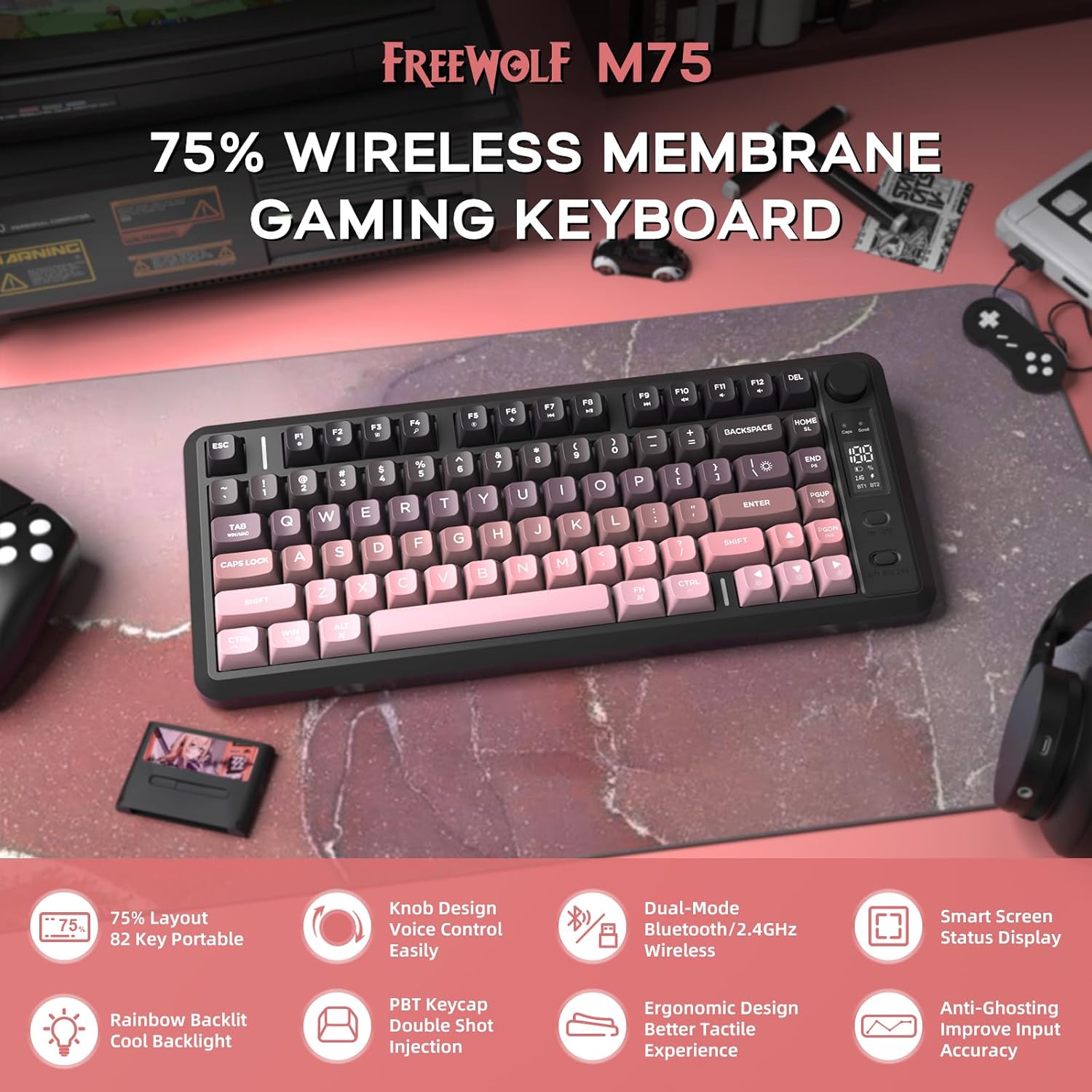
Imej 1: Selesaiview of the FREEWOLF M75 Wireless Gaming Keyboard.
2. Kandungan Pakej
Sila semak pakej untuk item berikut:
- M75 Keyboard x 1
- Kabel USB-C x 1
- 2.4GHz Receiver x 1
- Manual Pengguna x 1
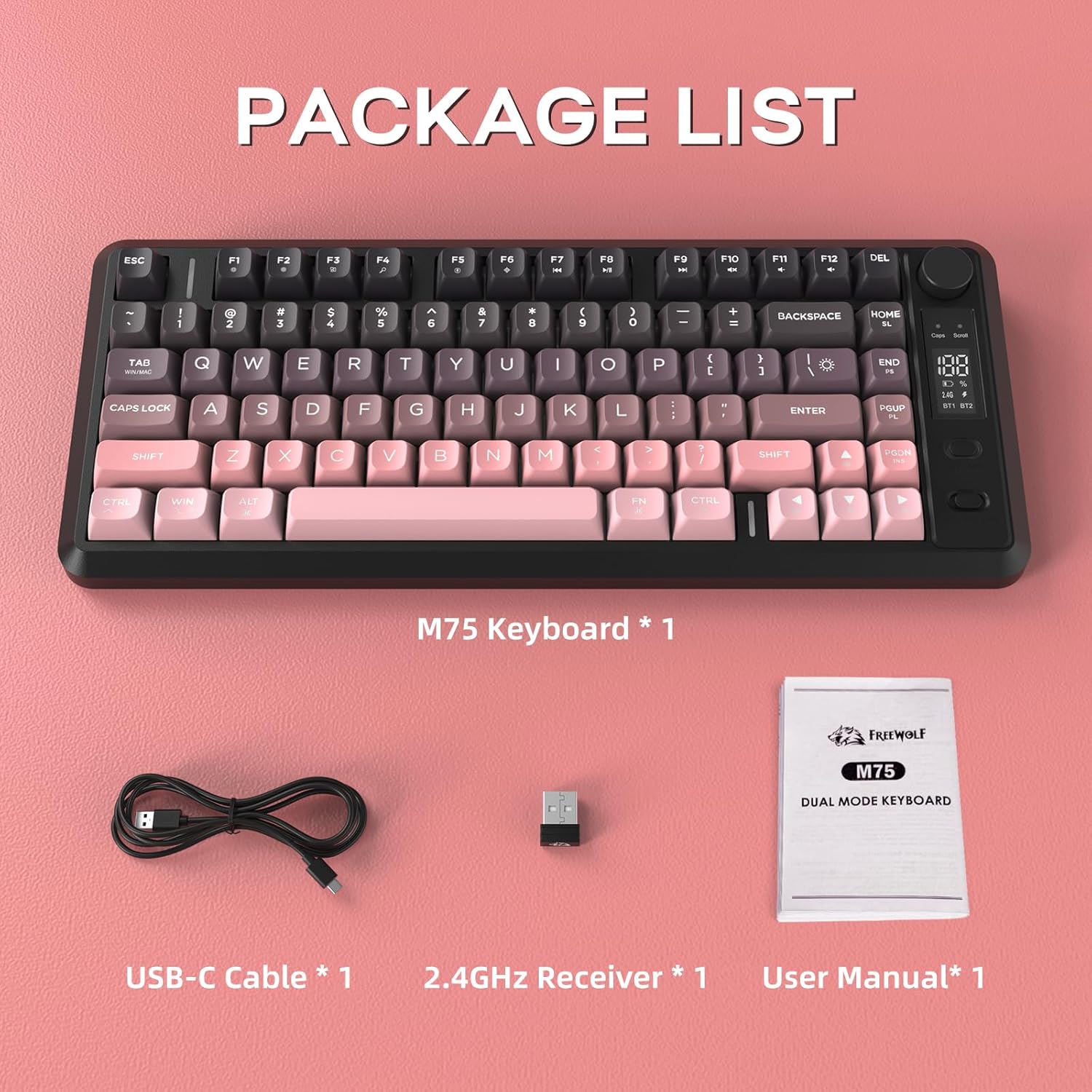
Image 2: Contents included in the FREEWOLF M75 keyboard package.
3. Spesifikasi
| Model | M75 |
| Susun atur | 75% (82-Key Compact Layout) |
| Ketersambungan | Bluetooth 5.1/5.2, Tanpa Wayar 2.4GHz |
| Kekunci Kekunci | Gradient PBT Double-Shot |
| Lampu latar | Rainbow Backlit |
| Kapasiti Bateri | 2000mAh |
| Anti-Ghosting | 26-Key Rollover |
| Peranti Serasi | Laptop, PC, Tablet (Windows, macOS, Linux) |
| Ciri Khas | OLED Display, Multi-functional Knob, Ergonomic Design |

Image 3: The 75% compact layout and 26-key anti-ghosting feature of the M75 keyboard.
4. Persediaan
4.1 Mengecas Papan Kekunci
Before first use, or when the OLED display indicates low battery, connect the keyboard to a power source using the provided USB-C cable. The OLED display will show the charging status.

Image 4: The M75 keyboard features a 2000mAh rechargeable battery.
4.2 Menyambung Papan Kekunci
The M75 keyboard supports two wireless connection modes:
- Mod Wayarles 2.4GHz:
- Insert the 2.4GHz USB receiver into an available USB port on your computer or device.
- Turn on the keyboard. The keyboard should automatically connect. The OLED display will indicate the 2.4G connection status.
- Mod Bluetooth (BT1/BT2):
- Hidupkan papan kekunci.
- Press the dedicated Bluetooth button (usually marked BT1 or BT2) to select a Bluetooth channel.
- On your device (PC, laptop, tablet), enable Bluetooth and search for new devices.
- Select "FREEWOLF M75" from the list of available devices to pair. The OLED display will show the Bluetooth connection status.
- To switch between paired Bluetooth devices, press the corresponding BT1 or BT2 button.
The keyboard is compatible with Windows PC, MacBook, and Linux systems. For gaming consoles like Switch, Xbox, or PlayStation, an adapter may be required for connectivity.

Image 5: The M75 keyboard supports both 2.4GHz wireless and Bluetooth modes for multi-device compatibility.
5. Arahan Operasi
5.1 Multi-functional Knob and OLED Display
The M75 keyboard features a multi-functional knob and an OLED display for enhanced control and information.
- Fungsi Tombol:
- Press the knob: Play/Pause media.
- Rotate right: Increase volume.
- Rotate left: Decrease volume.
- Press and hold the knob for 5 seconds: Adjust backlight settings.
- Paparan OLED: Shows real-time information including battery level, current connection mode (2.4G, BT1, BT2), charging status, and low battery warnings.
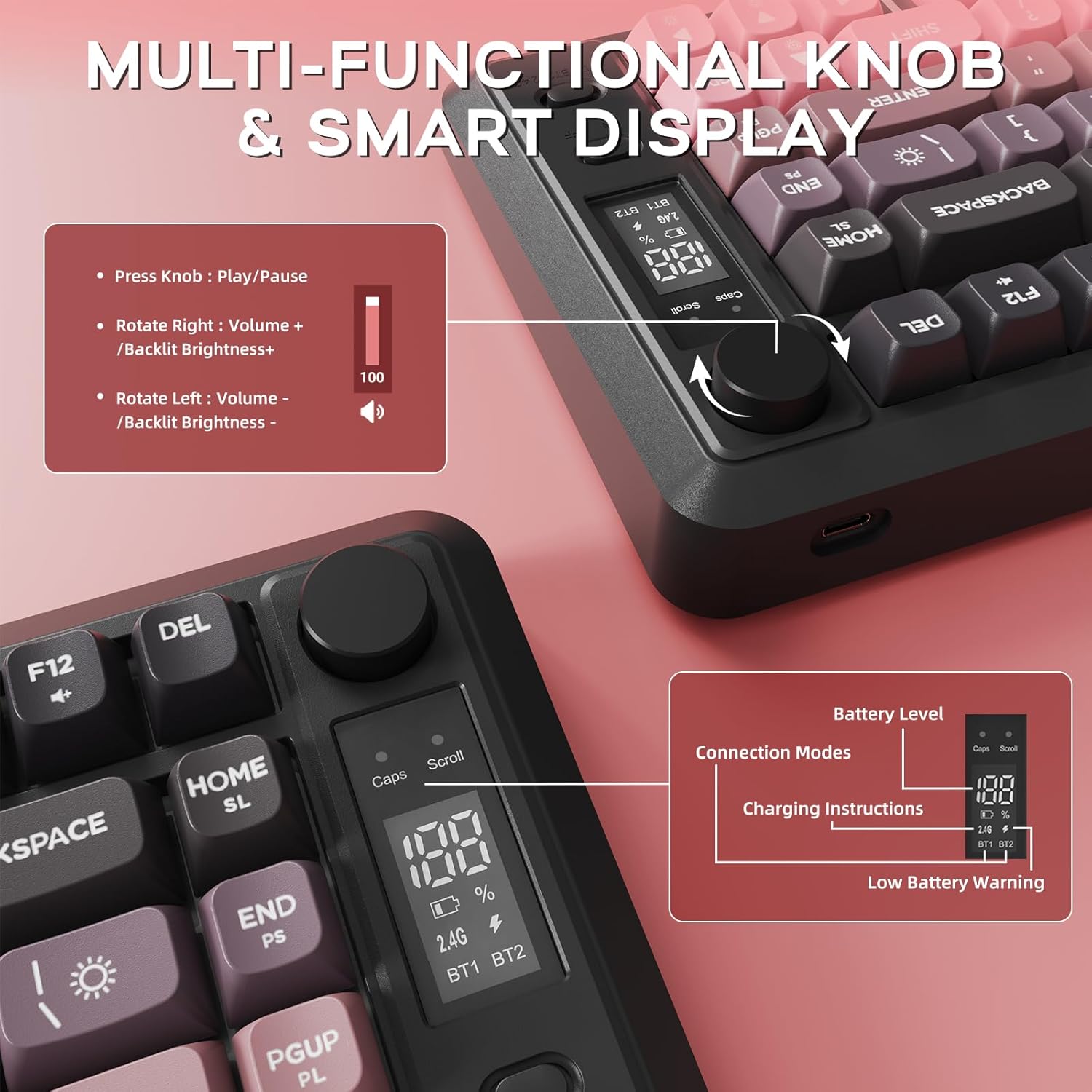
Imej 6: Terperinci view of the multi-functional knob and OLED display on the M75 keyboard.
5.2 Kawalan Lampu Latar
The M75 keyboard features a rainbow backlight. Note that the keycaps themselves are opaque, meaning the light illuminates around and beneath the keys, not through the legends.
- Tukar Mod Cahaya: Tekan Fn + I to cycle through different backlight modes.
- Laraskan Kecerahan: Tekan Fn + ↑ (Up Arrow) to increase brightness, and Fn + ↓ (Anak Panah Bawah) untuk mengurangkan kecerahan.
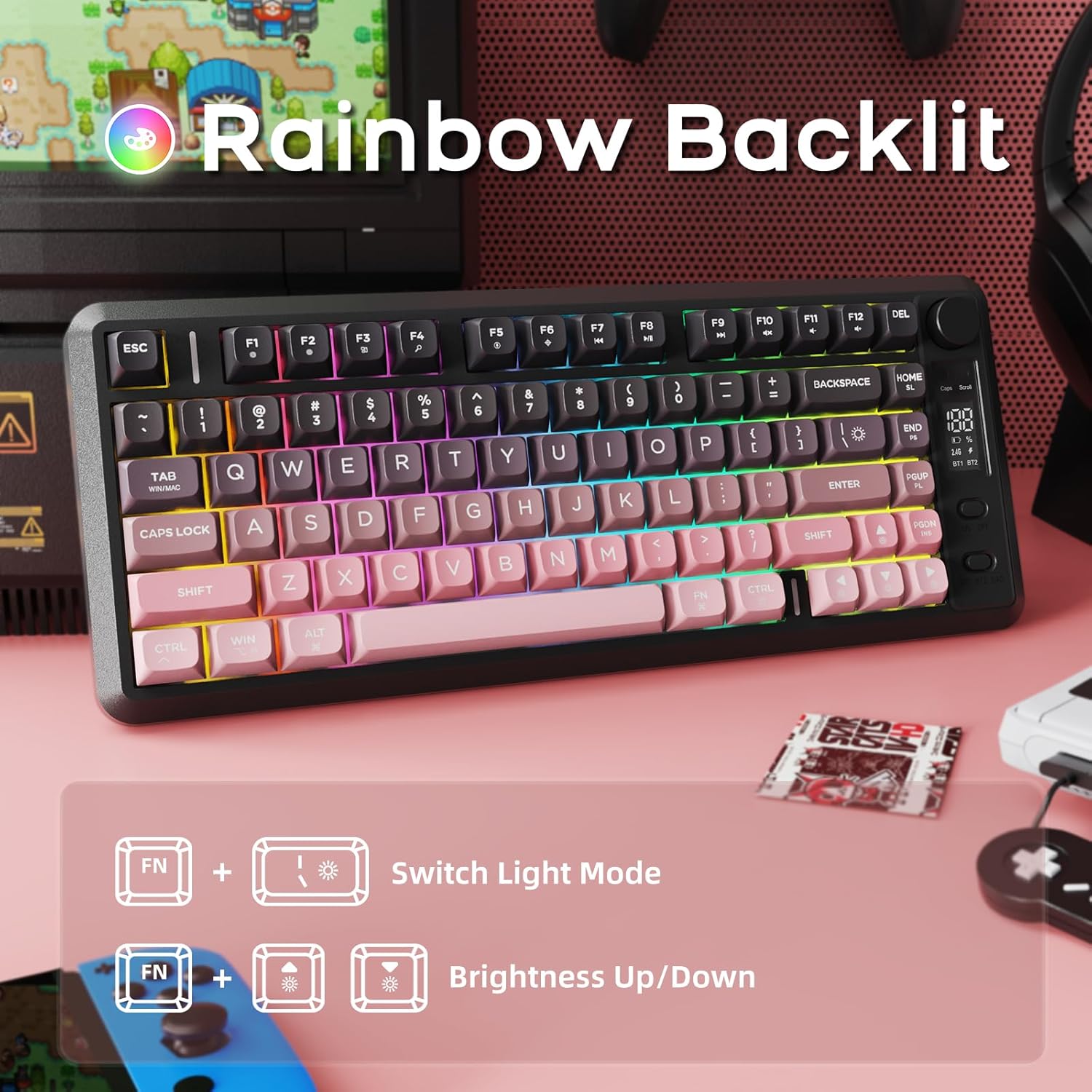
Image 7: The M75 keyboard features a vibrant rainbow backlight.
5.3 Anti-Ghosting
The keyboard is equipped with 26-key rollover technology, ensuring that multiple key presses are registered accurately and simultaneously. This prevents 'ghosting' or missed inputs during fast typing or complex gaming commands.
6. Penyelenggaraan
6.1 Membersihkan Papan Kekunci
- Putuskan sambungan papan kekunci daripada semua peranti sebelum membersihkannya.
- Gunakan kain lembut dan kering untuk mengelap permukaan papan kekunci.
- Untuk kotoran degil, ringankan dampen kain dengan air atau larutan pembersih lembut. Elakkan kelembapan berlebihan.
- Gunakan udara termampat untuk mengeluarkan habuk dan serpihan dari antara penutup kekunci.
6.2 PBT Keycaps Care
The M75 keyboard features durable double-shot PBT keycaps, which are resistant to oils, fading, and yellowing. Regular cleaning as described above will help maintain their appearance and longevity.

Image 8: The M75 keyboard is equipped with durable double-shot PBT keycaps.
6.3 Penjagaan Bateri
- Elakkan daripada mendedahkan papan kekunci kepada suhu yang melampau.
- Charge the keyboard regularly to maintain battery health, especially if it will not be used for an extended period.
7. Penyelesaian masalah
- Papan kekunci tidak bersambung:
- Pastikan papan kekunci dihidupkan.
- Check the battery level on the OLED display and charge if necessary.
- For 2.4GHz mode, ensure the USB receiver is securely plugged in.
- For Bluetooth mode, ensure Bluetooth is enabled on your device and the correct channel (BT1/BT2) is selected on the keyboard. Try re-pairing the device.
- Try connecting the keyboard via USB-C cable to check if it functions in wired mode.
- Kunci tidak bertindak balas:
- Periksa serpihan di bawah penutup kekunci.
- Pastikan papan kekunci disambungkan dengan betul.
- Mulakan semula komputer/peranti anda.
- Lampu latar tidak berfungsi atau malap:
- Laraskan kecerahan menggunakan Fn + ↑/↓.
- Pastikan bateri mempunyai cas yang mencukupi.
- OLED display not showing information:
- Pastikan papan kekunci dihidupkan.
- Periksa tahap bateri.
8. Waranti dan Sokongan
For warranty information and technical support, please refer to the documentation provided with your purchase or contact FREEWOLF customer service through their official webtapak atau peruncit tempat produk itu dibeli.