
pengenalan
This manual provides essential instructions for the setup, operation, and maintenance of your KKB 4G LTE Cellular Solar Security Camera. Designed for remote monitoring in areas without Wi-Fi access, this camera utilizes 4G LTE connectivity and solar power for continuous operation. Please read this manual thoroughly before using the product to ensure proper functionality and safety.
Apa yang ada dalam Kotak
- 1 x KKB 4G LTE Security Camera
- Panel Suria 1 x 5W
- 1 x Kabel Pengecasan
- 1 x Manual Pengguna
- Installation Accessories (screws, wall anchors, mounting bracket)
Produk Selesaiview
Ciri-ciri Utama
- Kesambungan 4G LTE: Operates independently without Wi-Fi, ideal for remote locations.
- Berkuasa Suria: Equipped with a 10400mAh rechargeable battery and a 5W solar panel for 365-day operation.
- Resolusi HD 2K: Provides clear, crisp video footage.
- Sorot 355° & Condong 90°: Offers comprehensive coverage and remote control via the iCam365 app.
- Penglihatan Malam Warna: Penglihatan yang dipertingkatkan dalam keadaan cahaya malap.
- Audio 2 Hala: Allows for real-time communication.
- Sensor Gerakan PIR: Advanced detection minimizes false alarms.
- IP65 Kalis Cuaca: Reka bentuk tahan lama untuk kegunaan luaran dalam pelbagai keadaan cuaca.
- Built-in SIM Card: Comes with a pre-installed SIM card and trial data plan.
Komponen Kamera
The KKB 4G LTE Cellular Solar Security Camera consists of the main camera unit and a separate solar panel. The camera features a lens, infrared LEDs for night vision, a PIR motion sensor, a microphone, and a speaker for two-way audio. The solar panel connects to the camera to provide continuous power.
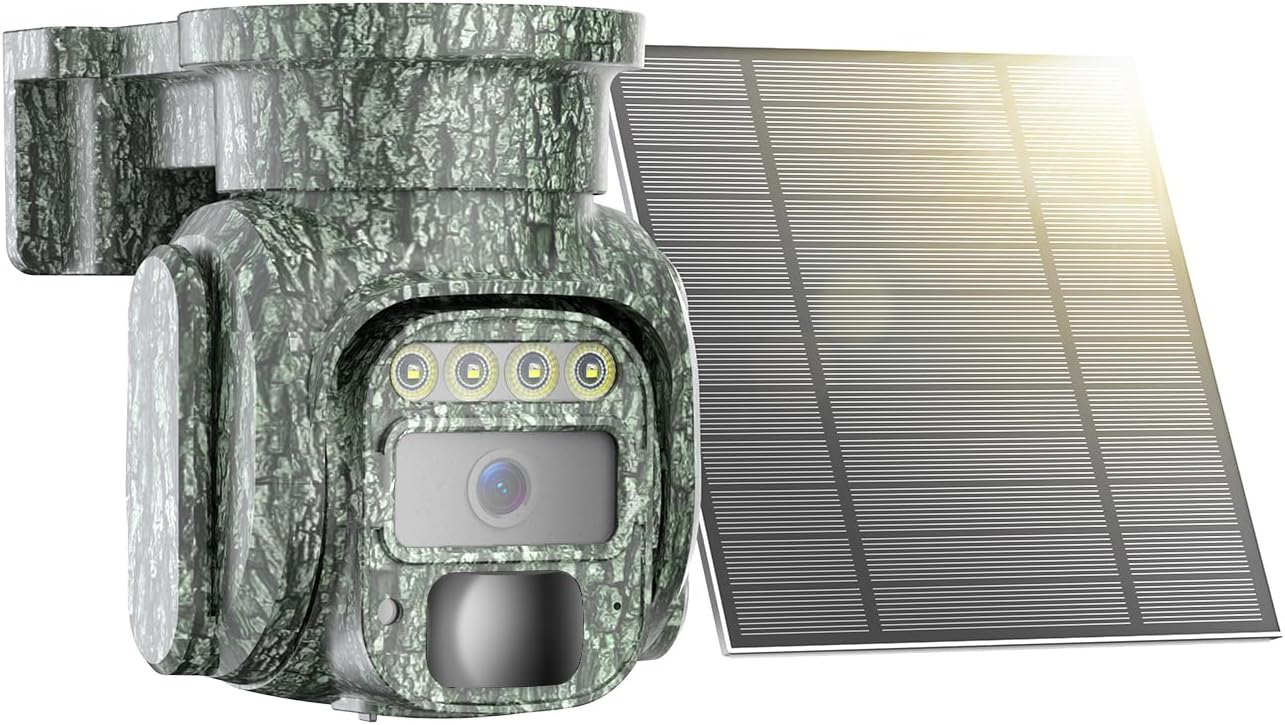
Image: The KKB 4G LTE Cellular Solar Security Camera with its accompanying solar panel.

Image: Illustration of the camera's 355-degree pan and 90-degree tilt capabilities, controlled via a smartphone app.
Persediaan
- Pengecasan Awal: Before first use, fully charge the camera's internal battery using the provided charging cable. This ensures the camera has sufficient power to begin operation, especially if solar charging is limited initially.
- SIM Card & MicroSD Card Installation: The camera comes with a built-in SIM card. Ensure it is activated according to the instructions provided with the camera. If using local storage, insert a MicroSD card (up to 128GB, not included) into the designated slot.
- App Download and Account Creation: Download the "iCam365" app from your smartphone's app store (Android or iOS). Follow the in-app instructions to create an account and register your camera.
- Berpasangan Kamera: Power on the camera. Open the iCam365 app and follow the prompts to add your new device. This typically involves scanning a QR code on the camera or packaging.
- Mounting the Camera and Solar Panel: Pilih lokasi yang memberikan pendedahan cahaya matahari yang optimum untuk panel solar dan kawasan yang jernih view for the camera. Use the included installation accessories to securely mount both units. Ensure the solar panel is angled to receive maximum direct sunlight throughout the day.

Image: The KKB 4G LTE Cellular Solar Security Camera connected to its solar panel, ready for outdoor installation.
Arahan Operasi
- Langsung View and Pan/Tilt Control: Open the iCam365 app. Select your camera to access the live video feed. Use the on-screen controls to remotely pan (355°) and tilt (90°) the camera lens to adjust your viewsudut ing.
- Audio Dua hala: Semasa dalam live view, tap the microphone icon in the app to speak through the camera's speaker. Tap the speaker icon to listen to audio from the camera's location.
- Pengesanan Pergerakan dan Makluman: The camera's PIR motion sensor detects movement. When motion is detected, the camera will record video and send instant notifications to your smartphone via the iCam365 app. Sensitivity settings can be adjusted in the app to minimize false alarms.
- Mod Penglihatan Malam: The camera automatically switches to night vision in low light. It supports both color night vision and infrared night vision for clear visibility in the dark.
- Rakaman dan Main Semula Video: Recorded videos are saved to the installed MicroSD card or to the cloud (subscription may be required). Access and playback recorded footage directly through the iCam365 app.
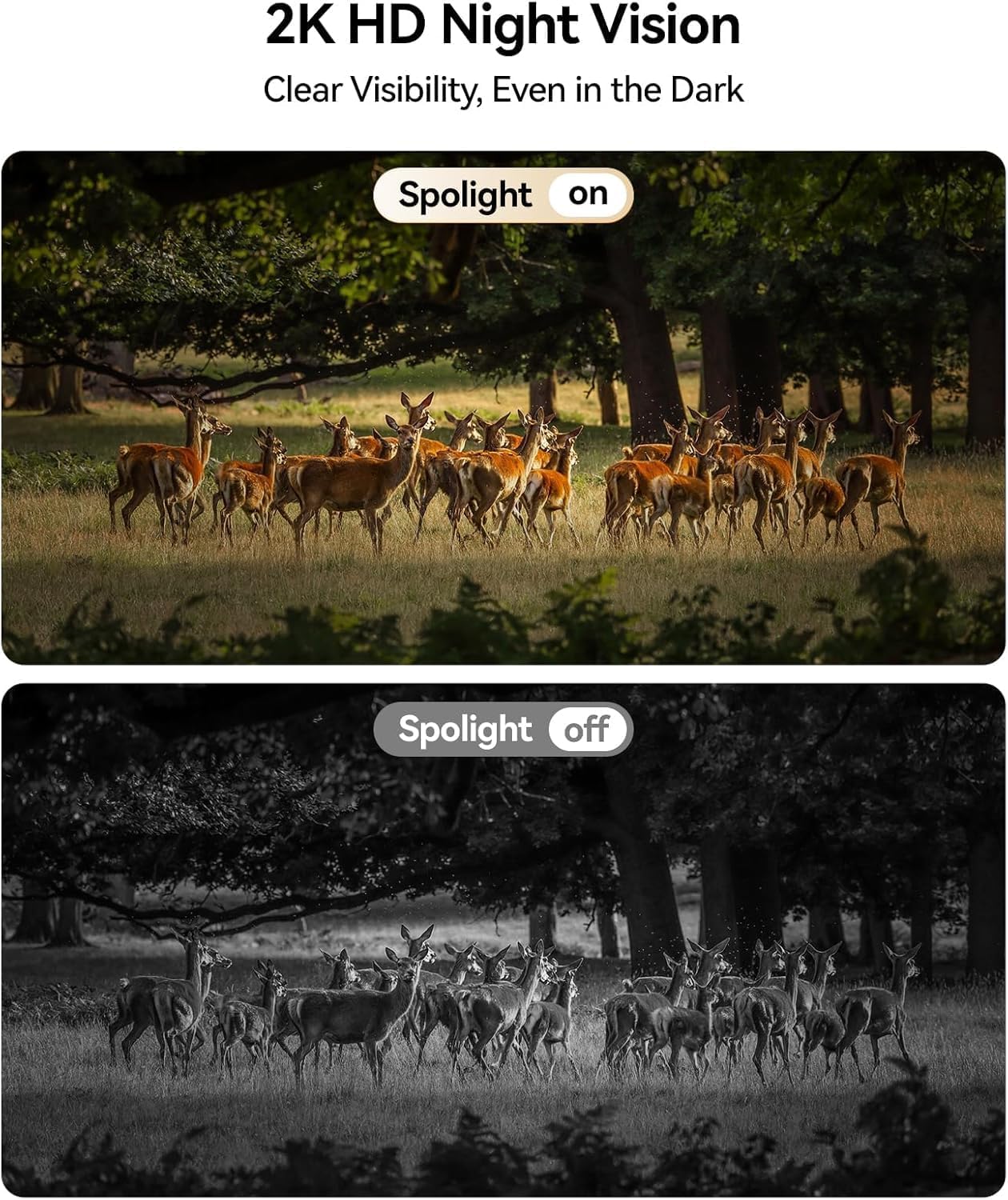
Image: Comparison of daytime and 2K HD night vision footage from the KKB camera, demonstrating clear visibility in darkness.

Image: The camera's intelligent tracking feature detecting a person and sending an instant notification to a smartphone.
Penyelenggaraan
- Membersihkan Panel Suria: Regularly clean the surface of the solar panel to remove dust, dirt, and debris. A clean panel ensures maximum sunlight absorption and efficient battery charging.
- Pengurusan Bateri: Walaupun kuasa solar, cuaca ekstrem atau tempoh cahaya matahari yang rendah yang berpanjangan boleh menjejaskan tahap bateri. Pantau status bateri melalui aplikasi dan cas secara manual jika perlu.
- Kemas kini Firmware: Periodically check the iCam365 app for available firmware updates. Keeping your camera's firmware up-to-date ensures optimal performance, security, and access to new features.

Image: The KKB camera demonstrating its IP65 waterproof rating, suitable for all weather conditions.
Menyelesaikan masalah
| Isu | Kemungkinan Punca | Penyelesaian |
|---|---|---|
| No 4G Signal | Poor cellular coverage in the area. | Relocate the camera to an area with better 4G signal strength. Check with your cellular provider for coverage maps. |
| Bateri Cepat Habis | Insufficient sunlight for solar panel; excessive motion detection; frequent live view akses. | Ensure solar panel is clean and optimally angled towards the sun. Adjust motion detection sensitivity. Limit frequent live view access. Manually charge if needed. |
| False Motion Alarms | High sensitivity settings; environmental factors (e.g., moving branches, insects). | Adjust PIR motion detection sensitivity in the iCam365 app. Ensure the camera is not pointed at areas with constant, non-threatening movement. |
| Unable to Connect to App | Incorrect pairing process; app or camera firmware outdated; poor 4G signal. | Repeat the pairing process. Ensure the app and camera firmware are updated. Verify 4G signal strength. |
Spesifikasi
- Nama Model: 4G-RF-12
- Nombor Model: G220BM
- Teknologi Ketersambungan: 4G LTE Cellular (No Wi-Fi support)
- Sumber Kuasa: Solar Powered (5W Solar Panel) with 10400mAh Rechargeable Battery
- Resolusi Tangkapan Video: 2K
- Viewsudut: Kuali 355°, Condongkan 90°
- Penglihatan Malam: Color Night Vision, Infrared
- Ciri Khas: 2-Way Audio, HD Resolution, PTZ Technology, PIR Motion Sensor
- Penggunaan Dalaman/Luar: Dalaman, Luaran
- Penilaian Kalis Air: IP65
- Storan: Mikro SD (sehingga 128GB), Storan Awan
- Kaedah Kawalan: iCam365 App (Android, iOS)
- Bahan: Akrilonitril Butadiena Stirena (ABS)
- Dimensi Item: 3.7 x 5.9 x 5.6 inci
Waranti dan Sokongan
KKB provides comprehensive customer support for its products. For detailed warranty information, please refer to the warranty card included in your product packaging or visit the official KKB website. For technical assistance, KKB offers 7x24 hours professional technical support through multi-channel services, including in-app contact and email.

Image: KKB customer support team ready to assist.