
1. Produk Lebihview
The Baseus Mini MagSafe Powerbank 5000 mAh is a compact, Qi2 certified portable charger designed for convenience and efficiency. It features a 5000 mAh capacity, 20W Power Delivery (PD) via USB-C, and 15W wireless charging. The integrated foldable stand allows for hands-free viewing while charging. Its strong magnetic attachment ensures secure connection to compatible devices.
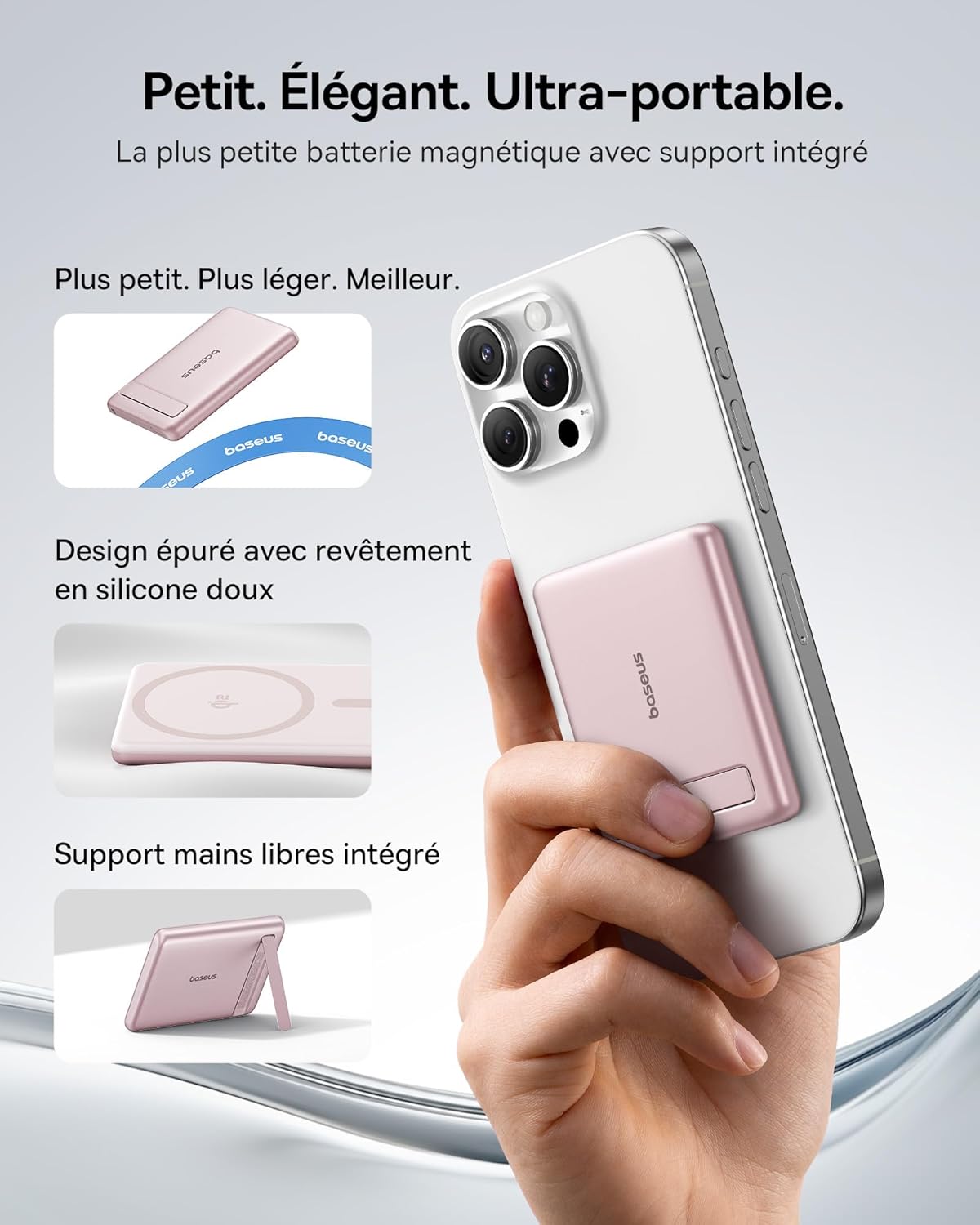
Image: The Baseus Mini MagSafe Powerbank securely attached to an iPhone, demonstrating its compact form factor and the convenience of the integrated kickstand for hands-free use.
2. Kandungan Pakej
- Baseus Mini MagSafe Powerbank (Model: PPKPC-0520S)
- USB-C to USB-C Charging Cable (30 cm)
- Manual Pengguna

Image: The Baseus Mini MagSafe Powerbank and its accompanying USB-C charging cable, highlighting the included accessories.
3. Ciri-ciri Produk
- Compact and Premium Design: Smaller than a credit card with a 5000 mAh capacity, featuring a thin aluminum casing and soft-touch silicone finish. Ergonomic curved edges enhance grip, and an LED display indicates battery status.
- Qi2 Fast Charging: Provides up to 15W wireless fast charging for iPhones and other Qi2-compatible devices. Qi2 technology ensures secure magnetic alignment for faster and more reliable power delivery.
- Integrated Foldable Stand: The built-in aluminum kickstand allows for hands-free viewing in both portrait and landscape modes while your phone charges wirelessly.
- Lampiran Magnetik yang Kuat: Equipped with N52 rubidium magnets offering 3500 GS magnetic power, ensuring a secure lock for instant charging without obstructing the camera lens.
- Wired and Wireless Charging with Advanced Cooling: Charge two devices simultaneously via wireless and USB-C. A three-layer cooling system maintains optimal temperature during extended use.

Image: An iPhone receiving 15W wireless fast charging from the Baseus MagSafe Powerbank, demonstrating the Qi2 certification and efficient power transfer.
4. Persediaan
- Caj Permulaan: Before first use, fully charge the power bank using the included USB-C cable and a compatible power adapter (not included). The LED indicators will show the charging progress.
- Hidupkan kuasa: The power bank typically activates automatically when a device is attached or connected. Some models may have a power button to initiate charging.
5. Arahan Operasi
5.1 Mengecas Power Bank
- Connect the included USB-C cable to the power bank's USB-C port.
- Connect the other end of the cable to a USB-C power adapter (e.g., 20W PD charger) or a computer's USB-C port.
- The LED indicators will illuminate to show the current battery level and charging status.
5.2 Wireless Charging (MagSafe/Qi2)
- Ensure your device is compatible with MagSafe or Qi2 wireless charging (e.g., iPhone 12 series and newer).
- Align the back of your compatible device with the magnetic surface of the power bank. The magnets will snap into place, ensuring proper alignment.
- Wireless charging will begin automatically. The LED indicators may show charging activity.
5.3 Pengecasan Berwayar (USB-C)
- Connect your device to the power bank's USB-C port using a compatible USB-C to USB-C cable (or your device's charging cable).
- Wired charging will begin automatically, supporting up to 20W Power Delivery.
5.4 Menggunakan Pendirian Boleh Lipat
- Gently pull out the integrated kickstand from the back of the power bank.
- Place your wirelessly charging device onto the power bank.
- Laraskan pendirian mengikut kehendak anda viewing angle for portrait or landscape orientation.

Image: The Baseus MagSafe Powerbank simultaneously charging two iPhones, one via USB-C cable and another wirelessly, demonstrating its dual-charging capability.
6. Penyelenggaraan
- Pembersihan: Wipe the power bank with a soft, dry cloth. Avoid using harsh chemicals or abrasive materials.
- Storan: Simpan bank kuasa di tempat yang sejuk dan kering jauh dari cahaya matahari langsung dan suhu yang melampau.
- Penjagaan Bateri: Untuk jangka hayat bateri yang optimum, cas dan nyahcas sepenuhnya power bank sekurang-kurangnya sekali setiap tiga bulan jika tidak digunakan secara tetap.
- Elakkan Titisan: Lindungi peranti daripada titisan dan hentaman, yang boleh merosakkan komponen dalaman.
7. Penyelesaian masalah
- Peranti tidak dicas:
- Pastikan bank kuasa dicas secukupnya.
- Check cable connections for wired charging.
- For wireless charging, ensure proper alignment and that your device is Qi2/MagSafe compatible. Remove any thick phone cases that might interfere.
- Pengecasan perlahan:
- Ensure you are using a compatible cable and power adapter for optimal charging speeds (e.g., PD 20W for wired, Qi2 for wireless).
- Charging multiple devices simultaneously may reduce individual charging speeds.
- Lekatan magnet lemah:
- Ensure your phone or case has MagSafe compatibility.
- Remove any non-MagSafe compatible cases or accessories that might block the magnetic connection.
- Power bank overheating:
- While the power bank has advanced cooling, prolonged high-power usage can generate heat. If it becomes excessively hot, disconnect it and allow it to cool down.
- Elakkan pengecasan di bawah cahaya matahari langsung atau ruang tertutup.
8. Spesifikasi
| Nombor Model | PPKPC-0520S |
| Jenis Bateri | Polimer Litium |
| Kapasiti | 5000 mAh |
| Output Berwayar (USB-C) | Penghantaran Kuasa (PD) Sehingga 20W |
| Output Tanpa Wayar | Sehingga 15W (Diperakui Qi2) |
| Input Voltage | 20 Volt (Maks) |
| Dimensi (L x W x H) | 10 x 6.7 x 0.9 cm |
| Berat badan | 180 gram |
| Peranti Serasi | Smartphones (iPhone 12-17 Pro/Pro Max, Android compatible) |
| Wireless Charging Standard | Qi |

Image: The Baseus Mini MagSafe Powerbank positioned next to an iPhone and a soda can, illustrating its ultra-compact and portable size.
9. Maklumat Keselamatan
Sila baca dan patuhi garis panduan keselamatan ini untuk mengelakkan kerosakan pada produk atau kecederaan pada diri anda:
- Jangan dedahkan power bank kepada air, kelembapan atau suhu yang melampau.
- Avoid disassembling, puncturing, or modifying the device.
- Jauhkan daripada kanak-kanak.
- Do not use if the power bank is visibly damaged or swollen.
- Buang produk secara bertanggungjawab mengikut peraturan tempatan.
10. Waranti dan Sokongan
This Baseus Mini MagSafe Powerbank comes with a Waranti 2 tahun dari tarikh pembelian. Waranti ini meliputi kecacatan pembuatan dan mutu kerja di bawah penggunaan biasa.
For technical support, warranty claims, or any product-related inquiries, please contact Baseus customer service through the retailer where you purchased the product or visit the official Baseus webtapak untuk maklumat hubungan.

Image: A display of various iPhone models and Android devices, all compatible with the Baseus MagSafe Powerbank, highlighting its broad device compatibility.