
pengenalan
This manual provides essential information for setting up, operating, maintaining, and troubleshooting your Auusda 15.6-inch T152A Laptop. Please read this guide thoroughly to ensure optimal performance and longevity of your device.
The Auusda T152A is a versatile 15.6-inch laptop designed for productivity and multimedia. It features a 4-Core N95 processor, 32GB DDR4 RAM, and a 1TB PCIe SSD, with upgradeability up to 8TB. The laptop comes preinstalled with Windows 11 Pro and includes a Full HD (1920x1080) IPS display, a backlit keyboard, and a fingerprint reader for enhanced security.
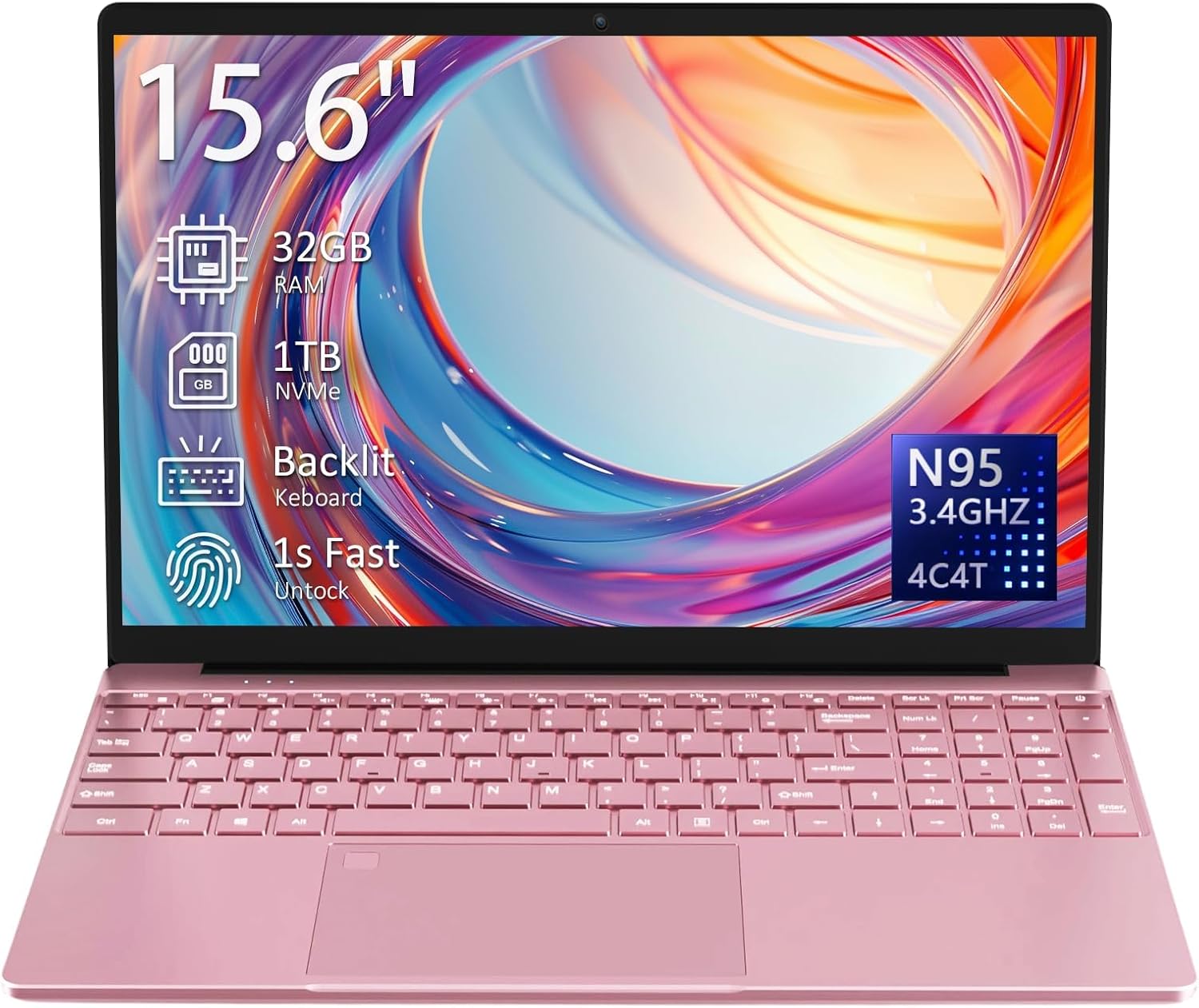
Image: The Auusda 15.6-inch T152A Laptop, showcasing its sleek design and key features like 32GB RAM, 1TB NVMe SSD, backlit keyboard, 1-second fingerprint unlock, and N95 processor.
Persediaan
- Membuka kotak dan Pemeriksaan Awal: Carefully remove the laptop and all accessories from the packaging. Verify that all components listed in the 'Included' section are present and undamaged.
- Charging the Laptop: Connect the globally compatible 100-240V charger to the DC3.5mm round power port (located on the left side) and plug it into a power outlet. Allow the laptop to charge fully before first use.
- Menghidupkan: Open the laptop lid. Press the power button, typically located on the top right of the keyboard or side. The laptop will boot up and guide you through the initial Windows 11 Pro setup process.
- Persediaan Windows 11 Pro: Follow the on-screen instructions to configure your language, region, network connection, and user account. This process includes setting up your fingerprint for secure login.
- Menyambung ke Wi-Fi: During the Windows setup, you will be prompted to connect to a Wi-Fi network. Select your network and enter the password. The laptop supports dual-band 5GHz Wi-Fi (802.11ac/g/n).
- Sambungan persisian: Connect any external devices such as a mouse, external keyboard, or monitor using the available ports.
Video: This video demonstrates the Auusda laptop's general appearance and functionality, including its display and keyboard, providing a visual overview of the device in use.
Beroperasi
Papan Kekunci dan Pad Sentuh
The laptop features a full-size keyboard with a numeric keypad. The backlit keyboard allows for comfortable typing in low-light conditions. To activate or adjust the backlight, press the 'Fn' key and then press the 'F5' key 1-3 times.
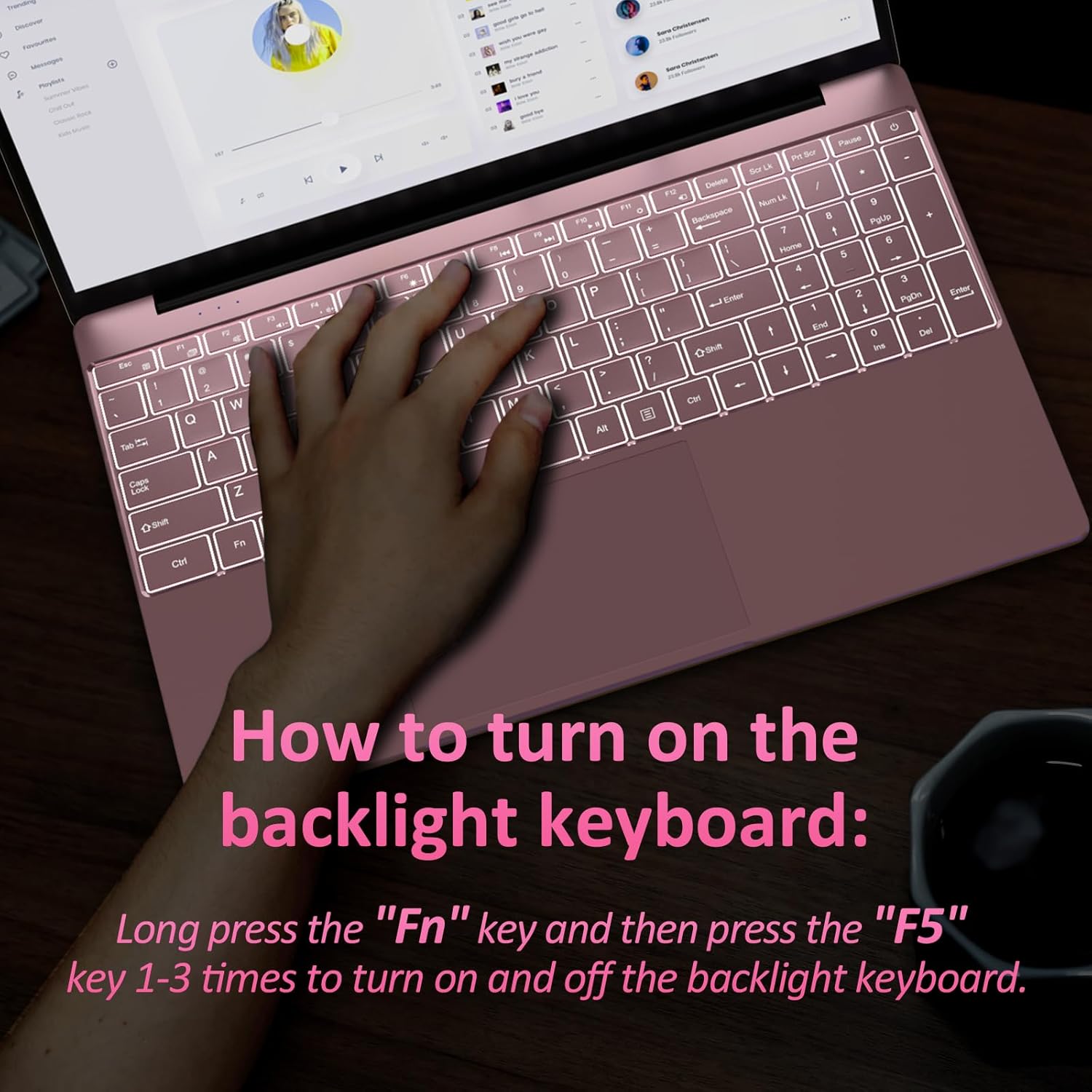
Image: A close-up of the laptop's backlit keyboard, illustrating the 'Fn' and 'F5' key combination to control the backlight.
The glass-like touchpad provides precise cursor control. It also integrates a fingerprint reader for secure, one-touch login, eliminating the need for passwords.

Image: This image highlights the backlit keyboard for improved visibility and the integrated fingerprint recognition for enhanced security and quick unlocking.
Ketersambungan dan Pelabuhan
Komputer riba ini menawarkan pelbagai port untuk menyambungkan peranti luaran:
- 2x USB 3.0 ports for fast data transfer.
- 1x MicroSD slot (supports up to 2TB).
- Mini (or standard) HDMI output for 4K video, supporting up to three 4K@60Hz external displays.
- 3.5mm audio jack (with microphone, right side).
- DC3.5mm round power port (12V 3A, left side).
Wireless connectivity includes dual-band 5GHz Wi-Fi (802.11ac/g/n) and Bluetooth 5.0 for reliable device pairing.

Image: An illustration detailing the various ports available on the Auusda T152A laptop, including USB 3.0, MicroSD slot, HDMI, headphone jack, and charging port, emphasizing its multi-function connection capabilities.
Paparan
The 15.6-inch Full HD (1920x1080) IPS screen features a 0.2-inch narrow bezel and a 180° hinge, allowing for flexible viewing angles. It is powered by UHD Graphics (16EU at up to 1.20GHz) for vibrant visuals.

Image: The laptop's 15.6-inch Full HD IPS display with a narrow bezel and a 180-degree hinge, demonstrating its flexibility and wide viewsudut-sudut.
Video: This video demonstrates the laptop's performance during a racing game, highlighting its display quality and processing capabilities for light gaming.
Penyelenggaraan
- Pembersihan: Gunakan kain lembut dan tidak berbulu untuk membersihkan skrin dan bahagian luarnya. Untuk kotoran degil,ampen the cloth with a small amount of water or a screen-safe cleaner. Avoid harsh chemicals.
- Penjagaan Bateri: The laptop is equipped with an 8000mAh, 61.6Wh battery. To prolong battery life, avoid fully discharging the battery frequently. Store the laptop in a cool, dry place when not in use for extended periods.
- penyejukan: The laptop has a built-in cooling fan and air vents to dissipate heat. Ensure the air vents are not obstructed to maintain proper airflow and prevent overheating.
- Kemas Kini Perisian: Regularly install Windows updates to ensure system stability, security, and performance.

Imej: A terperinci view of the laptop's air vent, crucial for maintaining optimal operating temperature and preventing overheating.
Menyelesaikan masalah
- Komputer Riba Tidak Dihidupkan: Ensure the charger is securely connected and the laptop has sufficient battery charge. If the issue persists, try a different power outlet.
- Prestasi Perlahan: Close unnecessary applications running in the background. Check for available Windows updates and install them. Ensure adequate free space on the 1TB SSD.
- Isu Kesambungan Wi-Fi: Verify that Wi-Fi is enabled and you are connected to the correct network. Restart your router and the laptop.
- Backlit Keyboard Not Working: Press 'Fn' + 'F5' multiple times to cycle through backlight settings. Ensure the keyboard is clean and free of debris.
- Isu Pembaca Cap Jari: Ensure your finger is clean and dry. Re-register your fingerprint in Windows settings if problems persist.
- External Display Not Detected: Check the HDMI cable connection. Ensure the external display is powered on and set to the correct input source. Update graphics drivers if necessary.
Spesifikasi
| Ciri | Spesifikasi |
|---|---|
| Nama Model | T152A |
| Saiz Skrin | 15.6 Inci |
| Resolusi Skrin | 1920 x 1080 Pixels (Full HD IPS) |
| Pemproses | 1.7 GHz Intel Mobile CPU (N95, 4C/4T, 1.7-3.4GHz) |
| RAM | 32 GB DDR4 SDRAM (3200 MHz) |
| Pemacu Keras | 1 TB SSD (PCIe x 2, upgradable to 8TB) |
| Pemproses bersama Grafik | UHD Graphics (16EU at up to 1.20GHz) |
| Sistem Operasi | Windows 11 Pro |
| Jenis Wayarles | Dual-band 5GHz Wi-Fi (802.11ac/g/n), Bluetooth 5.0 |
| Pelabuhan | 2x USB 3.0, 1x MicroSD slot, 1x Mini HDMI, 1x 3.5mm Audio Jack, 1x DC3.5mm Power Port |
| Ciri Khas | Papan Kekunci Berlampu Belakang, Pembaca Cap Jari |
| Bateri | 8000mAh, 61.6Wj |
| Berat Barang | 5.3 pounds (approx. 3.7 lbs as per feature bullets) |
| Dimensi Produk | 14 x 10 x 0.7 inci |
| warna | Merah jambu |
Waranti dan Sokongan
Your Auusda T152A Laptop comes with a Waranti 730 hari for worry-free ownership. Additionally, we offer 100-day free returns.
For any questions, technical assistance, or support needs, please contact our Perkhidmatan pelanggan 24/7. Refer to the contact information provided in your product packaging or on the official Auusda webtapak.


