1. Produk Lebihview
The Kuulaa Ultra Slim MagSafe Power Bank (Model KL-YD71) is a compact and lightweight portable charger designed for convenience and efficiency. With a 5000 mAh capacity, it provides reliable power for your mobile devices, featuring both magnetic wireless charging and wired fast charging capabilities. Its ultra-slim design makes it ideal for travel and everyday use.
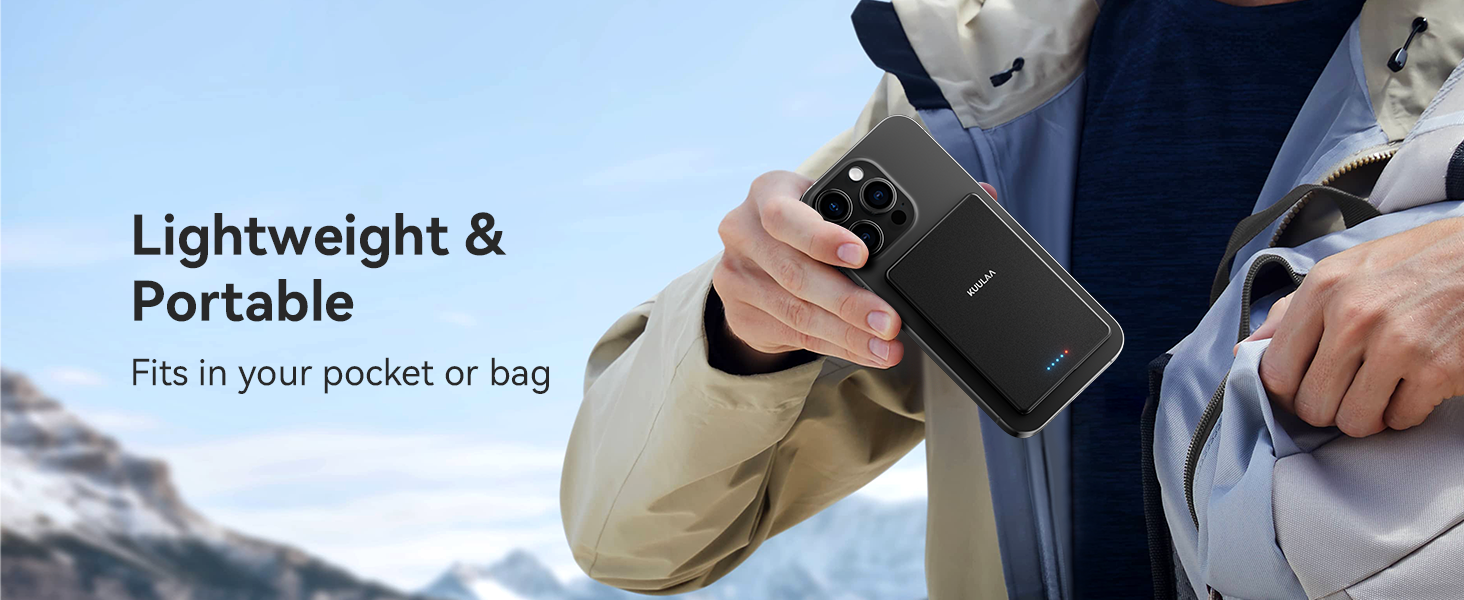
Image: The Kuulaa Power Bank highlighting its ultra-slim profile (6.9mm) and light weight (110g).
Ciri-ciri Utama:
- Ultra-Slim & Ringan: Weighs approximately 110 grams and is 6.9mm thin, designed for portability.
- Kaedah Pengecasan Dwi: Supports 7.5W magnetic wireless charging and 20W USB-C wired fast charging.
- Lampiran Magnetik yang Kuat: Features a 10N super-strong magnet for secure attachment to compatible devices.
- Perlindungan Keselamatan Lanjutan: Built-in mechanisms protect against overcharging, over-discharging, and overheating.
- Reka Bentuk Anggun: A simple, black design with an aluminum alloy shell for durability and aesthetic appeal.
2. Kandungan Pakej
Sila semak pakej untuk item berikut:
- Kuulaa 5000mAh Magnetic Power Bank (Model KL-YD71) x 1
- Leather Organizer Pouch (85x125mm) x 1
- Kabel Pengecas USB-A ke USB-C x 1
- Manual Pengguna x 1
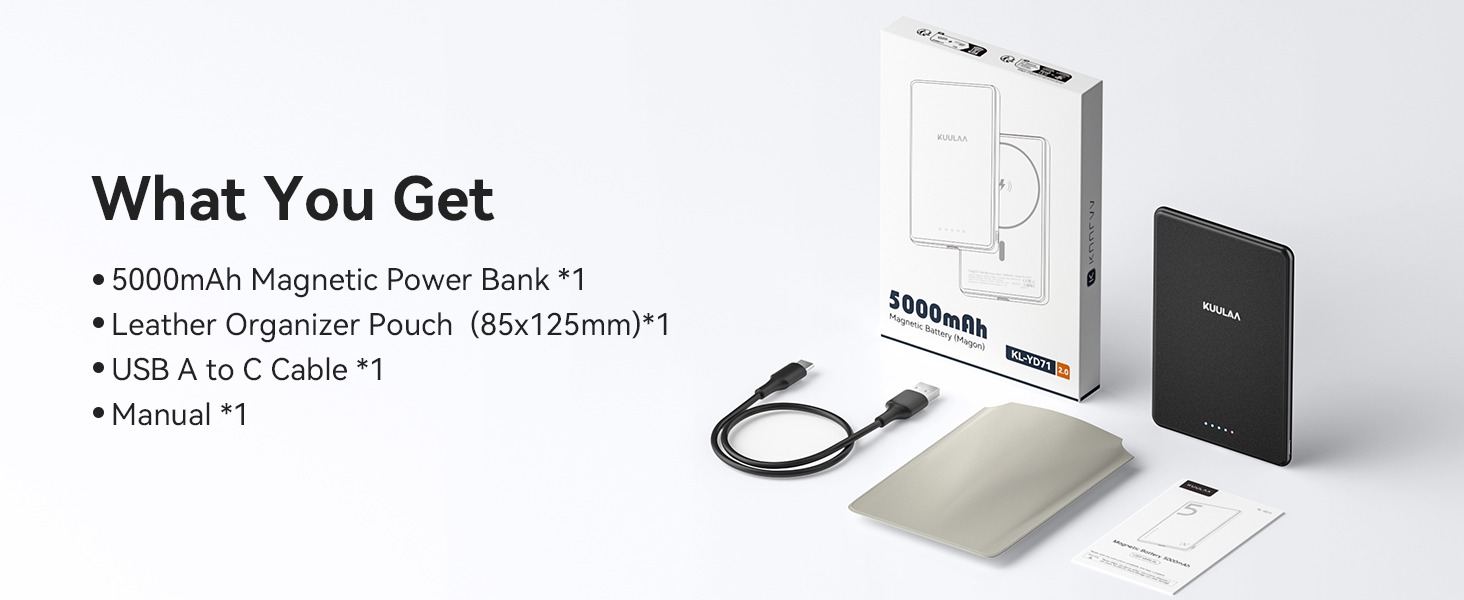
Image: All items included in the product package.
3. Arahan Keselamatan
To ensure safe operation and prolong the lifespan of your Kuulaa Power Bank, please read and follow these safety guidelines:
- Jangan dedahkan bank kuasa kepada suhu yang melampau (panas atau sejuk), cahaya matahari langsung atau kelembapan yang tinggi.
- Elakkan daripada menjatuhkan, membuka atau cuba membaiki peranti sendiri. Ini boleh membatalkan jaminan dan menimbulkan risiko keselamatan.
- Jauhkan bank kuasa daripada air dan cecair lain.
- Gunakan hanya kabel dan penyesuai pengecasan yang disediakan atau diperakui.
- Do not place metal objects or magnetic cards between the power bank and your device during wireless charging, as this can interfere with charging or damage the power bank.
- If the power bank becomes excessively hot, emits an odor, or shows any signs of damage, discontinue use immediately.
- Simpan bank kuasa di tempat yang sejuk dan kering apabila tidak digunakan.

Imej: Selesaiview of the power bank's superior safety features.
4. Sediakan dan Mengecas Power Bank
Mengecas Power Bank:
- Connect the provided USB-A to USB-C cable to the USB-C port on the power bank.
- Palamkan hujung kabel USB-A ke dalam penyesuai dinding USB yang serasi (tidak disertakan) atau port USB komputer.
- The LED indicators on the power bank will illuminate to show the charging status. When all LEDs are solid, the power bank is fully charged.

Image: Power bank charging via USB-C.
Memeriksa Tahap Bateri:
Tekan butang kuasa sekali untuk view paras bateri semasa yang ditunjukkan oleh lampu LED.
- 1 LED: 0-25%
- 2 LED: 26-50%
- 3 LED: 51-75%
- 4 LED: 76-100%
Image: LED indicators displaying battery charge status.
5. Arahan Operasi
Pengecasan Wayarles Magnetik:
- Ensure your device is compatible with MagSafe (iPhone 12 series and newer) or has a MagSafe-compatible case.
- Align the power bank with the back of your iPhone. The strong magnets will automatically snap it into place.
- Wireless charging will begin automatically. The LED indicators on the power bank may show charging activity.
- Nota: For optimal magnetic attachment and charging efficiency, use without a case or with a MagSafe-compatible case. Non-magnetic phone cases are not supported.
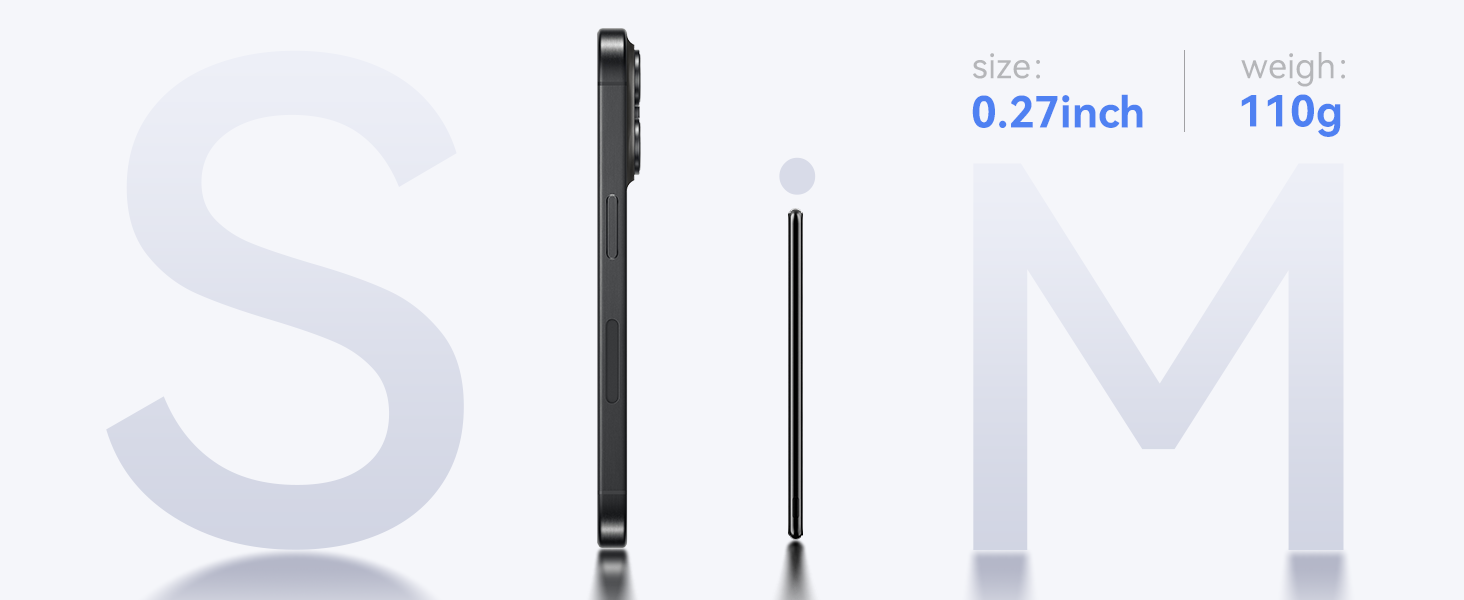
Image: Magnetic attachment for wireless charging.
Wired Charging (USB-C PD 20W):
- Connect one end of a USB-C to USB-C cable (or the provided USB-A to USB-C cable with an appropriate adapter) to the USB-C port on the power bank.
- Sambungkan hujung kabel yang satu lagi ke port pengecasan peranti anda.
- Bank kuasa akan secara automatik mengesan dan mula mengecas peranti anda.
Image: Wired charging via USB-C port.
6. Keserasian
The Kuulaa Ultra Slim MagSafe Power Bank is compatible with:
- iPhone 12, 13, 14, 15, and 16 Series (for magnetic wireless charging).
- Other devices that support USB-C charging (for wired charging).
Important Note for Magnetic Charging:
- Magnetic charging works best without a phone case or with an official MagSafe case/MagSafe-compatible case.
- Non-magnetic phone cases are bukan supported for magnetic attachment and wireless charging.
- Not recommended for use with iPhone 12 mini and iPhone 13 mini due to size.
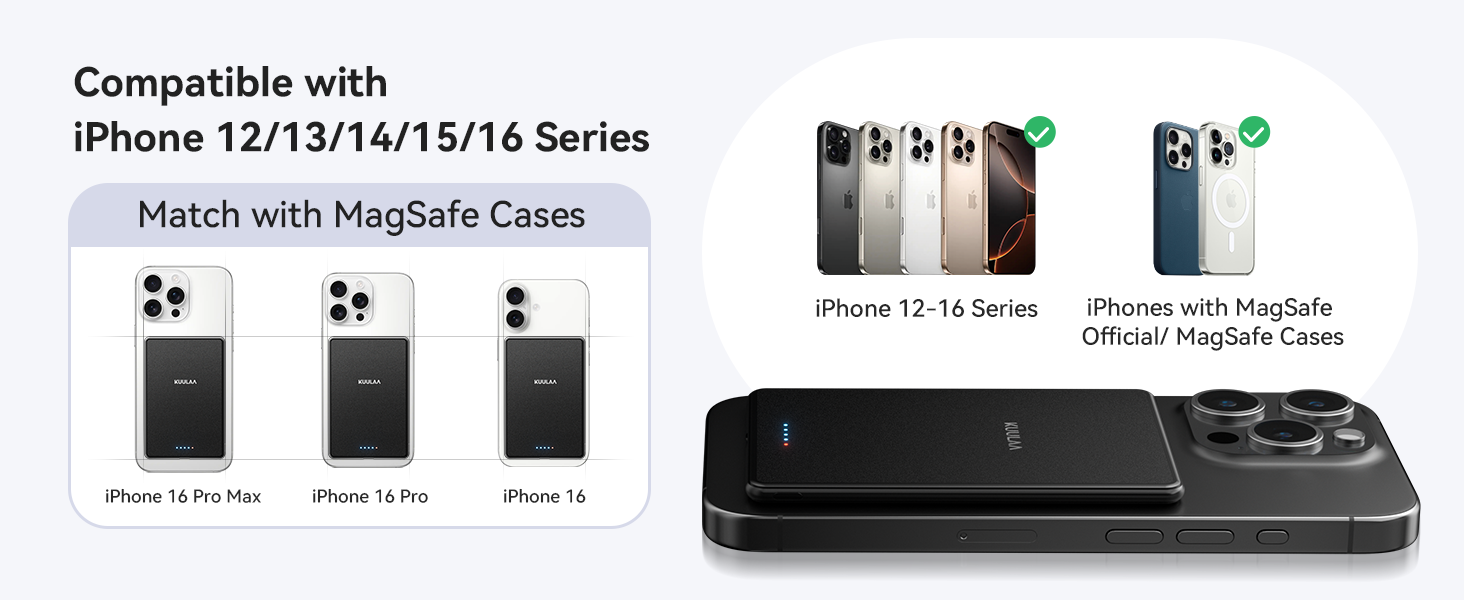
Image: Compatibility guide for MagSafe cases and iPhone models.
7. Penyelenggaraan
- Pembersihan: Gunakan kain lembut dan kering untuk membersihkan permukaan bank kuasa. Jangan gunakan bahan kimia yang keras atau bahan yang melelas.
- Storan: Store the power bank in a cool, dry environment, away from direct sunlight and extreme temperatures.
- Penjagaan Bateri: To maintain battery health, fully charge the power bank at least once every three months if not in regular use.
8. Penyelesaian masalah
-
Power Bank Tidak Mengecas:
- Pastikan kabel pengecasan disambungkan dengan selamat ke bank kuasa dan sumber kuasa.
- Verify that the wall adapter or USB port is functional.
- Cuba gunakan kabel USB-C atau penyesuai kuasa yang berbeza.
-
Peranti Tidak Mengecas Secara Wayarles:
- Check if your device is MagSafe compatible (iPhone 12 series or newer).
- Pastikan tiada objek asing antara power bank dan peranti anda.
- Remove any non-MagSafe compatible phone cases.
- Verify the power bank has sufficient charge.
-
Weak Magnetic Attachment:
- Ensure your phone case is MagSafe compatible or remove the case entirely.
- Clean the magnetic surfaces on both the power bank and your device/case.
-
Pengecasan perlahan:
- For wired charging, ensure you are using a 20W PD compatible wall adapter for fast charging.
- For wireless charging, ensure proper alignment and that no foreign objects are interfering.
- Check the power bank's charge level; charging speed may decrease at very low battery levels.
9. Spesifikasi
| Ciri | Perincian |
|---|---|
| Nombor Model | KL-YD71 |
| Kapasiti Bateri | 5000 mAh |
| Dimensi Produk | 4.05 x 2.67 x 0.28 inci |
| Berat Barang | 5.3 auns (lebih kurang 150g) |
| Output Pengecasan Tanpa Wayar | 7.5W (Maks) |
| Output Pengecasan Berwayar (USB-C) | Penghantaran Kuasa 20W (PD) Maks |
| Jenis Penyambung | USB Jenis-C |
| Ciri Khas | Ultra-Slim, Magnetic, Wireless Charging, Fast Charging |
| Pengeluar | Shenzhen Kula Technology Co., Ltd. |
10. Waranti dan Sokongan
The Kuulaa Power Bank KL-YD71 comes with a 24-hour warranty to ensure your peace of mind. If you encounter any issues or have questions regarding your product, please contact our customer support team.
Sokongan Pelanggan:
- For assistance, please visit the official Kuulaa webtapak atau hubungi penjual terus melalui platform pembelian anda.
- Please have your model number (KL-YD71) and purchase details ready when contacting support.