
pengenalan
Thank you for choosing the Sudio A3 Pro Noise Cancelling Earbuds. These earbuds are designed to provide an immersive audio experience with active noise cancellation, clear call quality, and a comfortable fit. This manual provides essential information for setting up, operating, maintaining, and troubleshooting your earbuds.
The Sudio A3 Pro features:
- Pembatalan Bunyi Aktif (ANC): Reduces ambient noise by up to 18dB for focused listening.
- Masa Main Dilanjutkan: Up to 5 hours per charge, with a total of 25 hours using the charging case.
- Kosongkan Panggilan: Equipped with enhanced microphones for natural voice clarity.
- Multipoint Bluetooth 5.4: Seamlessly connect and switch between two devices simultaneously.
- Reka bentuk tahan lasak: IPX4 sweat and splash resistant, suitable for various activities.
- Bahan Mampan: Made from 20% recycled plastics.
Apa yang ada dalam Kotak
Verify that all items are present in your Sudio A3 Pro package:
- Sudio A3 Pro Earbuds and Charging Case
- Kabel Pengecas USB-C
- Eartip Card with 4 Silicone Eartip Sizes (XS, S, M, L)
- Manual Pemilik

Image: Sudio A3 Pro packaging and its contents.
Persediaan
1. Pengecasan Awal
Before first use, fully charge your Sudio A3 Pro earbuds and charging case. Connect the included USB-C cable to the charging case and a power source. The indicator light on the case will show charging status.

Image: Sudio A3 Pro charging case with USB-C cable connected.
2. Berpasangan dengan Peranti
- Buka bekas pengecas. Fon telinga akan memasuki mod berpasangan secara automatik.
- Pada peranti anda (telefon pintar, tablet, komputer riba), pergi ke tetapan Bluetooth.
- Pilih "Sudio A3 Pro" daripada senarai peranti yang tersedia.
- Once connected, you will hear an audio prompt, and the indicator light on the earbuds will confirm successful pairing.

Image: Sudio A3 Pro earbuds in their open charging case.
3. Kesesuaian Optimum
For the best sound quality and active noise cancellation, ensure a proper fit. Experiment with the different silicone eartip sizes provided to find the most comfortable and secure seal for your ears.

Image: A person wearing a Sudio A3 Pro earbud.
Arahan Operasi
Hidupkan/Mati Kuasa
- Hidupkan kuasa: Open the charging case, or take the earbuds out of the case.
- Matikan: Letakkan fon telinga kembali ke dalam bekas pengecasan dan tutup penutupnya.
Kawalan Sentuh
The Sudio A3 Pro earbuds feature intuitive touch controls on the stem of each earbud. Specific functions may vary slightly depending on your device and operating system.
| Tindakan | Fungsi |
|---|---|
| Ketik Tunggal (Kiri/Kanan) | Mainkan / Jeda muzik, Jawapan / Tamatkan panggilan |
| Ketik Dua Kali (Kanan) | Trek seterusnya |
| Ketik Dua Kali (Kiri) | Lagu sebelumnya |
| Ketik Tiga Kali (Kiri/Kanan) | Aktifkan Pembantu Suara |
| Tekan Lama (Kiri/Kanan) | Toggle Active Noise Cancellation (ANC) / Transparency Mode |
Pembatalan Bising Aktif (ANC)
The Sudio A3 Pro features Active Noise Cancellation to reduce ambient sounds. To activate or deactivate ANC, perform a long press on either earbud. This action typically cycles between ANC On, Transparency Mode, and ANC Off.
Sambungan Berbilang Titik
The earbuds can connect to two devices simultaneously. To use this feature:
- Pair the earbuds with your first device.
- Putuskan sambungan fon telinga daripada tetapan Bluetooth peranti pertama.
- Pasangkan fon telinga dengan peranti kedua anda.
- Sambungkan semula fon telinga ke peranti pertama daripada tetapan Bluetoothnya.
The earbuds will now be connected to both devices, allowing you to switch audio sources seamlessly.
Video: Selesai ringkasview of the Sudio A3 Pro earbuds, showcasinreka bentuk dan ciri-ciri mereka.
Penyelenggaraan
Pembersihan
Regularly clean your earbuds and charging case to ensure optimal performance and hygiene. Use a soft, dry, lint-free cloth. For the eartips, you may gently wipe them with a slightly damp kain dan sabun lembut, kemudian keringkan sepenuhnya sebelum dipasang semula.
Tahan Air
The Sudio A3 Pro earbuds are IPX4 sweat and splash resistant. This means they can withstand splashes of water and sweat, making them suitable for workouts and light rain. They are not designed for submersion in water or exposure to pressurized water jets.
Penyimpanan
Apabila tidak digunakan, simpan fon telinga anda di dalam bekas pengecas untuk melindunginya daripada habuk, kerosakan dan memastikan ia sentiasa dicas.
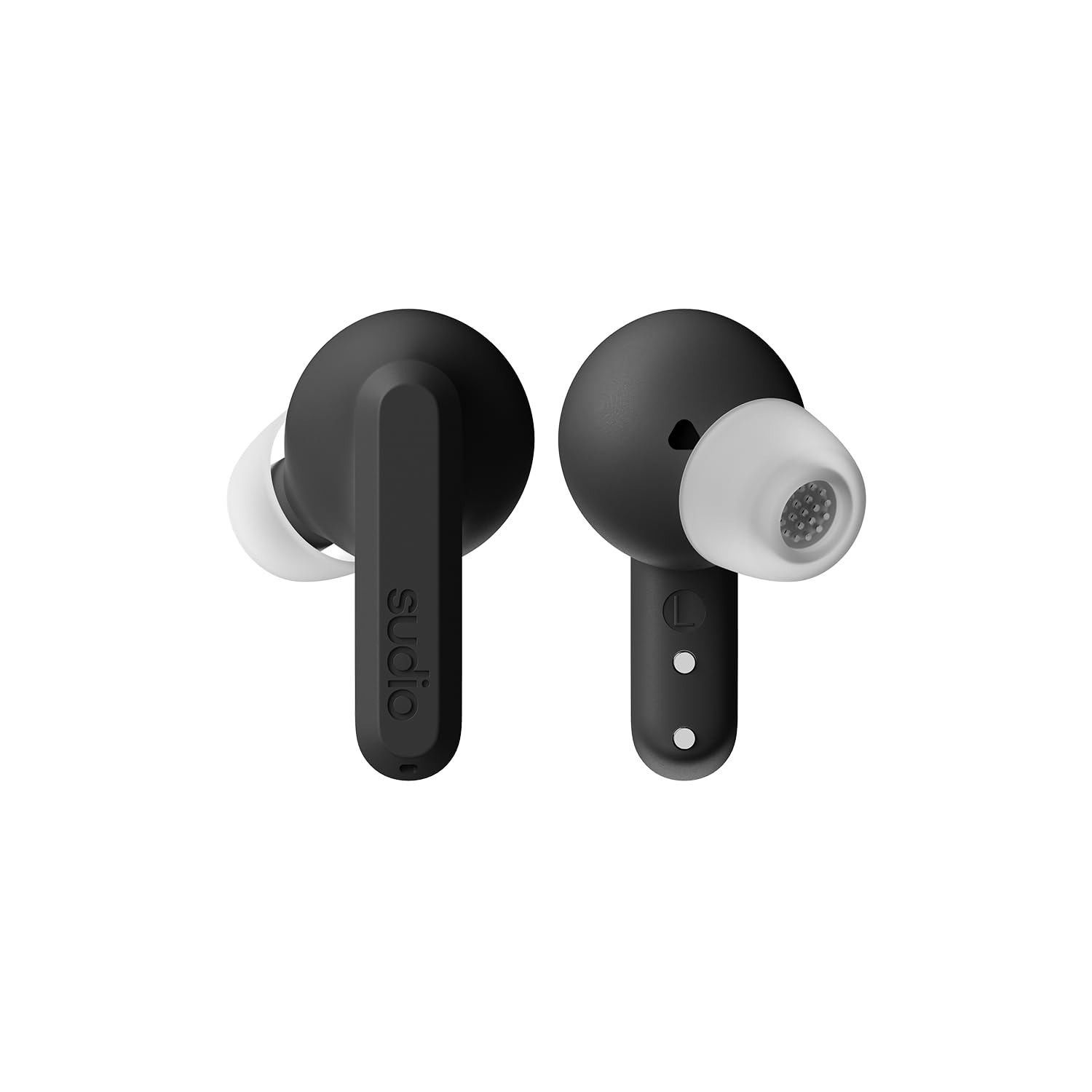
Image: Sudio A3 Pro charging case, closed.
Menyelesaikan masalah
Jika anda menghadapi masalah dengan fon telinga Sudio A3 Pro anda, cuba penyelesaian berikut:
- Tiada Bunyi: Ensure earbuds are charged and properly paired. Check device volume and earbud fit.
- Isu Berpasangan: Make sure Bluetooth is enabled on your device. Try forgetting the device in your Bluetooth settings and re-pairing. Ensure earbuds are in pairing mode.
- ANC Tidak Berfungsi: Confirm ANC is activated via touch control. Ensure a snug fit in your ears.
- Masalah Pengecasan: Check the USB-C cable and power source. Ensure earbuds are correctly seated in the charging case.
- Kawalan Sentuhan Tidak Responsif: Clean the touch surface of the earbuds. Ensure your fingers are dry.
Untuk bantuan lanjut, sila rujuk bahagian sokongan.
Spesifikasi
| Ciri | Perincian |
|---|---|
| Jenama | Sudio |
| Nama Model | SUDIO A3 Pro |
| Nombor Model | A3PROBLK |
| warna | Hitam |
| Penempatan Telinga | Di Telinga |
| Faktor Bentuk | Di Telinga |
| Impedans | 32 ohm |
| Teknologi Ketersambungan | Tanpa wayar |
| Teknologi Tanpa Wayar | Bluetooth |
| Versi Bluetooth | 5.4 |
| Purata Hayat Bateri | 5 Jam (earbud) |
| Jumlah Masa Main (dengan kes) | 25 Jam |
| Kawalan Bunyi | Pembatalan Bunyi Aktif |
| Jenis Pemacu Audio | Pemandu Dinamik |
| Julat Kekerapan | 20Hz - 20,000Hz |
| Kaedah Kawalan | Sentuh |
| Tahap Ketahanan Air | IPX4 (Tahan Air) |
| Bahan Kepungan | plastik |
| Berat Barang | 93.6 Gram |
| Peranti Serasi | Telephones, Laptops, Tablets |
Waranti dan Sokongan
The Sudio A3 Pro Noise Cancelling Earbuds come with a Waranti pengilang 1 tahun dari tarikh pembelian. Waranti ini melindungi kecacatan pada bahan dan mutu kerja di bawah penggunaan biasa.
For warranty claims, technical support, or additional product information, please visit the official Sudio store or contact Sudio customer service directly.
Sudio Official Store: https://www.amazon.com/stores/Sudio/page/1289E5A4-9764-4F59-AD68-C945769F5E3A