
1. Pengenalan
This manual provides essential information for setting up, operating, maintaining, and troubleshooting your GIGABYTE AORUS Elite 16 BWH gaming laptop. The AORUS Elite 16 BWH is designed for high-performance gaming and demanding applications, featuring an Intel Core Ultra 9 processor, NVIDIA GeForce RTX 5070 laptop GPU, a 16-inch WQXGA 165Hz display, and Windows 11 Pro.
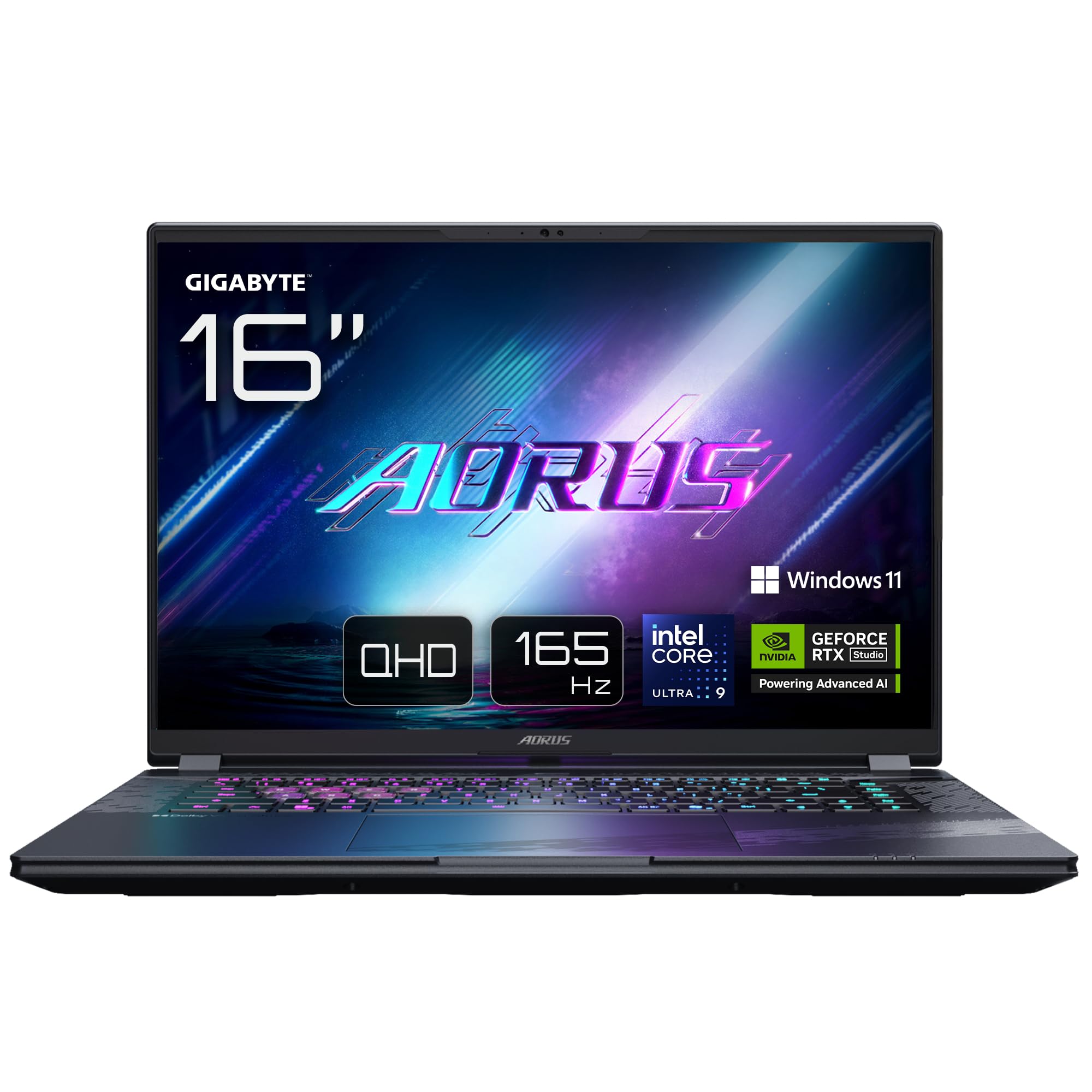
Image: The GIGABYTE AORUS Elite 16 BWH gaming laptop, showcasing its open display and keyboard.
2. Persediaan
2.1 Membuka Kotak dan Pemeriksaan Awal
Keluarkan komputer riba dan semua aksesori dengan berhati-hati dari pembungkusan. Sahkan bahawa semua komponen yang disenaraikan dalam bahagian "Apa yang ada di dalam Kotak" ada dan tidak rosak.
- GIGABYTE AORUS ELITE 16 BWHC3FRC65SP Laptop
- Penyesuai Kuasa dan Kabel
- Dokumentasi (manual ini, kad jaminan)
2.2 Kuasa Penyambung
Connect the power adapter to the laptop's power input port and then plug the power cable into an electrical outlet. It is recommended to fully charge the battery before initial use.
2.3 Hidupkan Pertama
Press the power button to turn on the laptop. Follow the on-screen instructions to complete the Windows 11 Pro setup process, including language selection, network connection, and user account creation.
2.4 Connecting Peripherals and Network
The laptop features various ports for connecting external devices and networks.
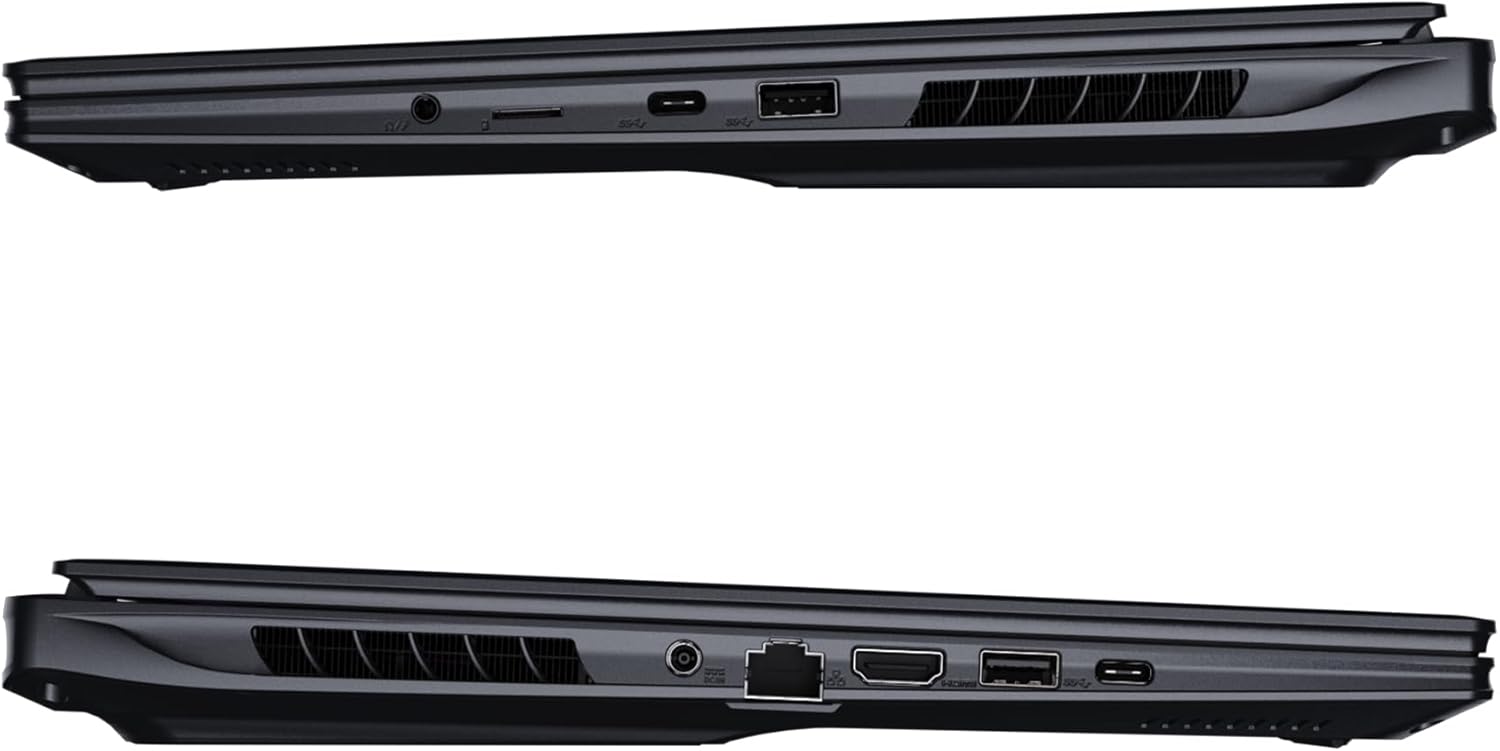
Imej: Sisi view of the laptop illustrating the available ports for connectivity.
- Port USB: Connect USB devices such as mice, keyboards, or external storage.
- Port HDMI: Connect to an external display or TV.
- Port Thunderbolt 4: For high-speed data transfer and display output.
- Pelabuhan Ethernet: Untuk sambungan rangkaian berwayar.
- Jack fon kepala: Untuk output audio ke fon kepala atau pembesar suara luaran.
- Wi-Fi 7: Connect to wireless networks via the integrated Wi-Fi 7 module.
- Bluetooth 5.4: Gandingkan dengan peranti berdaya Bluetooth.
3. Mengendalikan Komputer Riba Anda
3.1 Ciri Paparan
Your AORUS Elite 16 BWH features a 16-inch WQXGA (2560x1600) IPS display with a 165Hz refresh rate and 16:10 aspect ratio, offering a wide viewing experience. It supports Dolby Vision for enhanced visual quality and is Pantone validated for color accuracy.

Image: The laptop's 16:10 aspect ratio display, highlighting its IPS panel and Pantone validation.
3.2 Papan Kekunci dan Pad Sentuh
The laptop is equipped with a backlit keyboard for comfortable typing in various lighting conditions and a responsive touchpad for navigation.
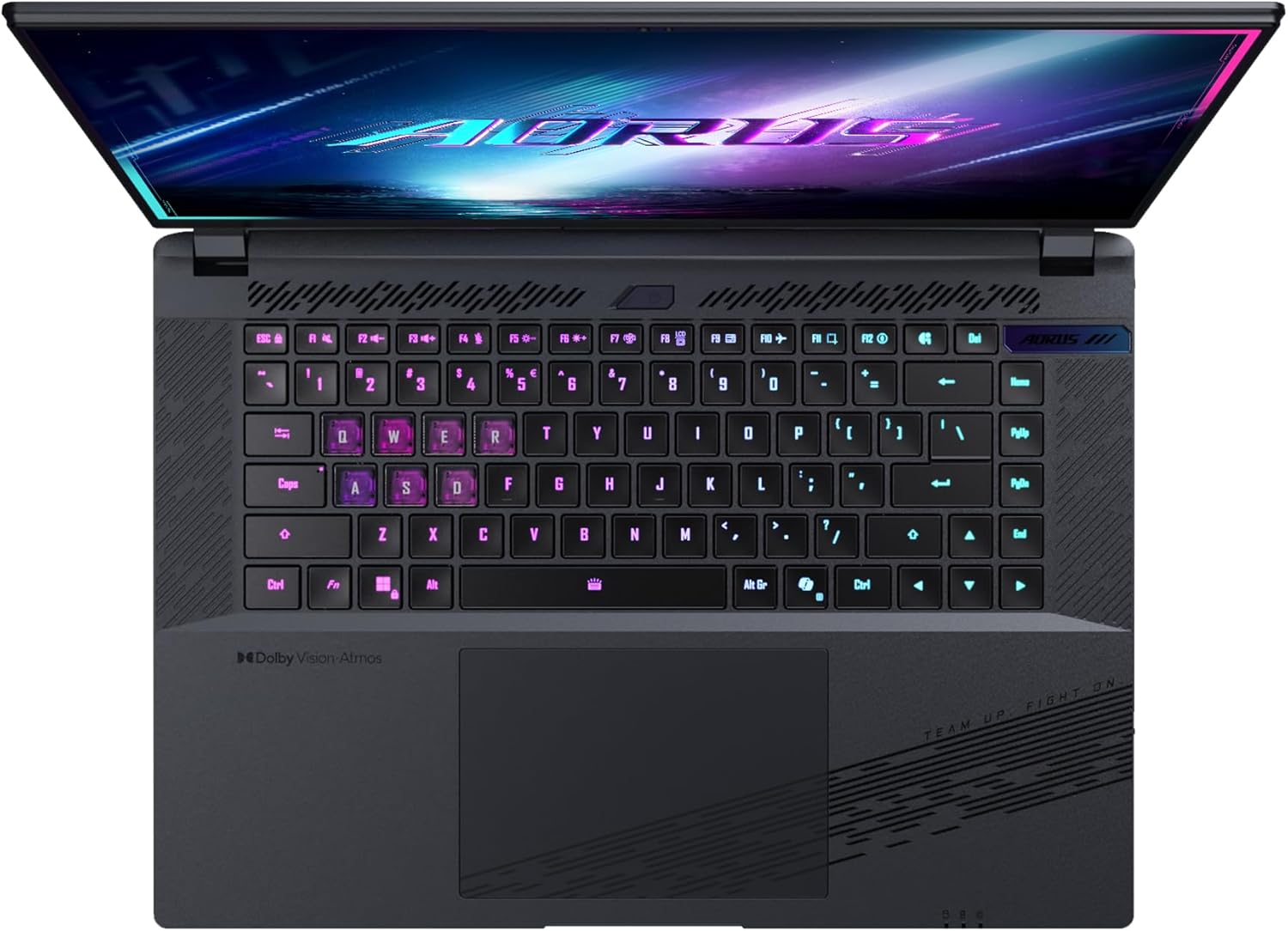
Imej: Atas ke bawah view papan kekunci komputer riba, tunjukkancasing its backlit keys.
The keyboard also features a dedicated Copilot Key for quick access to AI functionalities in Windows 11.

Image: Close-up of the keyboard, highlighting the Copilot Key for AI features.
3.3 Sistem Audio
Experience immersive audio with Dolby Atmos support and integrated 2W speakers. The laptop also includes a built-in microphone for communication.

Image: Visual representation of Dolby Atmos and Dolby Vision audio and visual enhancements.
3.4 Ciri Prestasi
The AORUS Elite 16 BWH is powered by an Intel Core Ultra 9 processor with an integrated NPU for AI acceleration and an NVIDIA GeForce RTX 5070 laptop GPU, ensuring high performance for gaming and demanding tasks. It also features Advanced Optimus with DDS Technology for optimized graphics performance.

Imej: A terperinci view of the Intel Core Ultra 9 processor chip.
Imej: A terperinci view of the NVIDIA GeForce RTX 50 Series laptop GPU chip.
3.5 GiMATE AI Agent
Utilize GiMATE, your personal AI agent, to optimize performance, manage smart cooling, enhance privacy, control power settings, and improve audio and voice functionalities.

Image: GiMATE AI Agent interface showing various optimization features.
4. Penyelenggaraan
4.1 Sistem Penyejukan
The laptop features the WINDFORCE Infinity cooling system to maintain optimal temperatures during intensive use. Ensure the vents are clear of obstructions to allow proper airflow.

Image: Representation of the WINDFORCE Infinity cooling system.
4.2 Pembersihan
Gunakan kain lembut dan tidak berbulu untuk membersihkan skrin dan permukaan luar. Untuk kesan degil,ampLap kain sedikit dengan air atau larutan pembersih skrin. Elakkan bahan kimia yang keras.
4.3 Penjagaan Bateri
To prolong battery life, avoid extreme temperatures and do not leave the laptop fully charged or fully discharged for extended periods.
4.4 Kemas Kini Perisian
Regularly update your Windows operating system, drivers, and GIGABYTE software to ensure optimal performance and security.
5. Penyelesaian masalah
5.1 Isu Kuasa
- Komputer riba tidak dihidupkan: Ensure the power adapter is securely connected and the outlet is functional. Check the battery charge level.
- Bateri tidak dicas: Verify the power adapter and cable are not damaged. Try a different outlet.
5.2 Isu Paparan
- Tiada paparan: Connect an external monitor to check if the issue is with the laptop's screen. Ensure the laptop is powered on.
- Paparan berkelip-kelip atau herot: Kemas kini pemacu grafik. Periksa sambungan kabel paparan jika menggunakan monitor luaran.
5.3 Isu Ketersambungan
- Wi-Fi tidak bersambung: Periksa sama ada Wi-Fi diaktifkan dalam tetapan Windows. Mulakan semula penghala dan komputer riba anda.
- Peranti Bluetooth tidak berpasangan: Ensure the device is in pairing mode and within range. Update Bluetooth drivers.
5.4 Isu Prestasi Umum
- Prestasi perlahan: Close unnecessary applications. Check for malware. Ensure sufficient free disk space.
- Terlalu panas: Ensure cooling vents are clear. Use the laptop on a hard, flat surface.
For more complex issues, refer to the GIGABYTE support webtapak atau hubungi perkhidmatan pelanggan.
6. Spesifikasi
| Ciri | Perincian |
|---|---|
| Jenama | GIGABYTE |
| Nama Model | AORUS ELITE 16 BWHC3FRC65SP |
| Saiz Skrin | 16 Inci |
| warna | Kelabu |
| Saiz Cakera Keras | 2000 GB (2x 1TB SSD Gen4) |
| Model CPU | Intel Core Ultra 9 275HX |
| Saiz RAM yang Dipasang | 32 GB DDR5 |
| Sistem Operasi | Windows 11 Pro |
| Ciri Khas | Backlit Keyboard, Memory Card Slot |
| Penerangan Kad Grafik | berdedikasi |
| Pemproses bersama Grafik | NVIDIA GeForce RTX 5070 |
| Hard Disk Technology | SSD |
| Berat Barang | 2300 Gram |
| WebKeupayaan cam | Yes (Frontal) |
| Saiz RAM Kad Grafik | 8 GB GDDR6 |
| RAM Maks Disokong | 64 GB |
| Kandungan Tenaga Bateri | 99 Watt-hours (Lithium-polymer, 4 cells) |
| Ketersambungan | Bluetooth 5.4, Ethernet (10/1000 Mbit/s), HDMI (1 port), Thunderbolt 4 (1 port), USB 3.2 Gen 2 (2 ports), Wi-Fi 7 (802.11.be) |
| Kelajuan Pemproses | 2.7 GHz (Max 5.4 GHz) |
| Bilangan Pemproses | 24 |
| Resolusi Skrin | 2560 x 1600 piksel (WQXGA) |
| Jenis Paparan | IPS LCD |
| Ciri Audio | Dolby Atmos, 2x 2W Integrated Speakers, Integrated Microphone |
7. Maklumat Waranti
Your GIGABYTE AORUS Elite 16 BWH laptop comes with a Waranti terhad 2 tahun. This warranty covers manufacturing defects and hardware malfunctions under normal use. Please retain your proof of purchase for warranty claims. For detailed terms and conditions, refer to the warranty card included with your product or visit the official GIGABYTE webtapak.
8. Sokongan
For technical assistance, driver downloads, and further product information, please visit the official GIGABYTE support weblaman web. Anda juga boleh menemui Soalan Lazim dan forum komuniti di sana.
- Rasmi GIGABYTE Webtapak: www.gigabait.com
- Perkhidmatan Pelanggan: Refer to your regional GIGABYTE weblaman web untuk maklumat hubungan tempatan.