pengenalan
This manual provides comprehensive instructions for the Generic IR Replacement Remote Control. It is designed for use with specific BYINTEK projector models, including UFO P20, U70 PRO, and P70 5G Mini DLP Portable 1080P Movie Projectors. Please read this manual carefully before using the remote control to ensure proper operation and to maximize its lifespan.
Nota Keserasian Penting: This is an infrared (IR) replacement remote. Ensure your original remote control has the same appearance and button layout as depicted in this manual for full compatibility. Functionality may vary slightly from the original remote depending on your projector model.
Persediaan
1. Pemasangan Bateri
Alat kawalan jauh memerlukan dua (2) bateri AAA (tidak termasuk) untuk operasi.
- Cari penutup petak bateri di belakang alat kawalan jauh.
- Gently slide the cover downwards or press the latch and lift to remove it.
- Masukkan dua bateri AAA, pastikan terminal positif (+) dan negatif (-) sejajar dengan tanda di dalam petak.
- Gantikan penutup petak bateri dengan menggelongsorkannya semula ke tempatnya sehingga ia berbunyi dengan selamat.
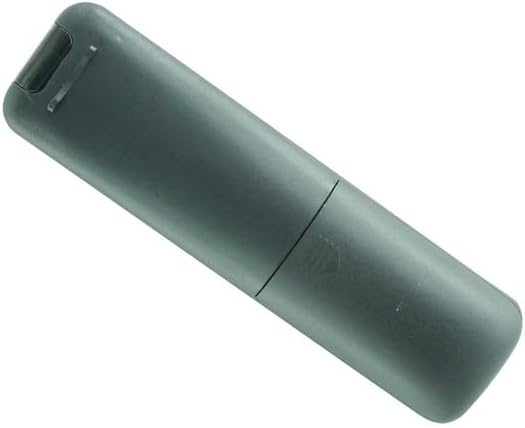
Image: Back of the remote control with the battery cover removed, illustrating the battery compartment. Two AAA battery slots are visible.
2. Penggunaan Awal
Once batteries are installed, the remote control is ready for use. Point the remote directly at the infrared receiver on your BYINTEK projector. There is no pairing process required for this IR remote.
Arahan Operasi
Biasakan diri anda dengan butang dan fungsinya:

Imej: Depan view of the remote control, displaying the layout of all control buttons.
| Butang | Fungsi |
|---|---|
| kuasa (⏻) | Hidupkan atau Matikan projektor. |
| F+ / F- | Adjusts the focus of the projector lens (Focus In / Focus Out). |
| Bisu (🔇) | Mutes or unmutes the projector's audio output. |
| Navigation Arrows (◀ ▶ ▲ ▼) | Menavigasi melalui menu dan pilihan. |
| OK | Mengesahkan pilihan atau memasuki sub-menu. |
| Back / Return (↺) | Kembali ke menu atau skrin sebelumnya. |
| Rumah (⌂) | Returns to the main home screen or menu of the projector. |
| Menu / Settings (☰) | Opens the projector's settings or options menu. |
| Volume Down / Up (🔉 / 🔊) | Decreases or increases the audio volume. |
| Source / Input (Projector Icon) | Selects the input source (e.g., HDMI, USB, AV). |
Note: Specific button functions may vary slightly based on your BYINTEK projector model and its firmware.
Penyelenggaraan
1. Pembersihan
Untuk membersihkan alat kawalan jauh, gunakan kain lembut dan kering. Jangan gunakan pembersih cecair, semburan atau bahan yang melelas, kerana ini boleh merosakkan permukaan alat kawalan jauh atau komponen dalaman.
2. Penggantian Bateri
Replace batteries when the remote control's response becomes sluggish or stops working. Always replace both AAA batteries at the same time with new ones. Do not mix old and new batteries, or different types of batteries.
3. Penyimpanan
Jika alat kawalan jauh tidak akan digunakan untuk tempoh yang lama, keluarkan bateri untuk mengelakkan kebocoran dan kemungkinan kerosakan pada peranti.
Menyelesaikan masalah
| Masalah | Kemungkinan Punca | Penyelesaian |
|---|---|---|
| Alat kawalan jauh tidak bertindak balas. |
|
|
| Sesetengah fungsi tidak berfungsi. |
|
|
Spesifikasi
- Jenama: Generik
- Pengeluar: SZHKHXD
- Pengenal Model (ASIN): B0F4DHPN7X
- Sumber Kuasa: 2 x bateri AAA (tidak termasuk)
- warna: Hitam
- Ciri Khas: Ergonomic design, Infrared (IR) technology
- Bilangan Maks Peranti yang Disokong: 1 (for the specific projector it controls)
- Peranti Serasi: BYINTEK UFO P20, U70 PRO, P70 5G Mini DLP Portable 1080P Movie Projectors
- Tarikh Pertama Tersedia: 10 April 2025
Waranti dan Sokongan
This product is a replacement remote control. For specific warranty information, please refer to the original purchase documentation or contact the seller directly. For technical support or inquiries regarding this remote control, please reach out to the manufacturer, SZHKHXD, or the retailer from whom you purchased the product.
Please note that this remote is designed to replicate the functions of the original remote for the specified projector models. Full functionality is dependent on the projector's capabilities and may not include all features of the original remote if it was a more advanced type (e.g., Bluetooth or air mouse functionality).


