
SANSUI W26
SANSUI W26 Wireless Earphones User Manual
Model: W26
pengenalan
Thank you for choosing the SANSUI W26 Wireless Earphones. This manual provides detailed instructions for the proper use, maintenance, and troubleshooting of your device. Please read this manual carefully before use and retain it for future reference.
Kandungan Pakej
Pastikan semua item ada dalam pakej:
- SANSUI W26 Wireless Earphones (Left and Right)
- Kes Pengecasan
- Kabel Pengecasan USB Jenis-C
- Manual Pengguna (dokumen ini)
Produk Selesaiview
The SANSUI W26 earphones feature an open-ear design, Bluetooth 5.4 connectivity, and ENC noise cancellation for clear calls. They are designed for comfort and stability during extended use.

Imej: SANSUI W26 Wireless Earphones and Charging Case. This image displays the open-ear design of the earphones and their transparent charging case, highlighting the "ears not blocked" feature, surround effect, directional sound, call noise reduction, and 36 hours of playback.

Imej: Illustration of Directional Driver Technology. This image shows how the directional driver guides sound into the ear, preventing sound leakage. It features the "DIRECTIN TONE" and "PeakStroy" logos.
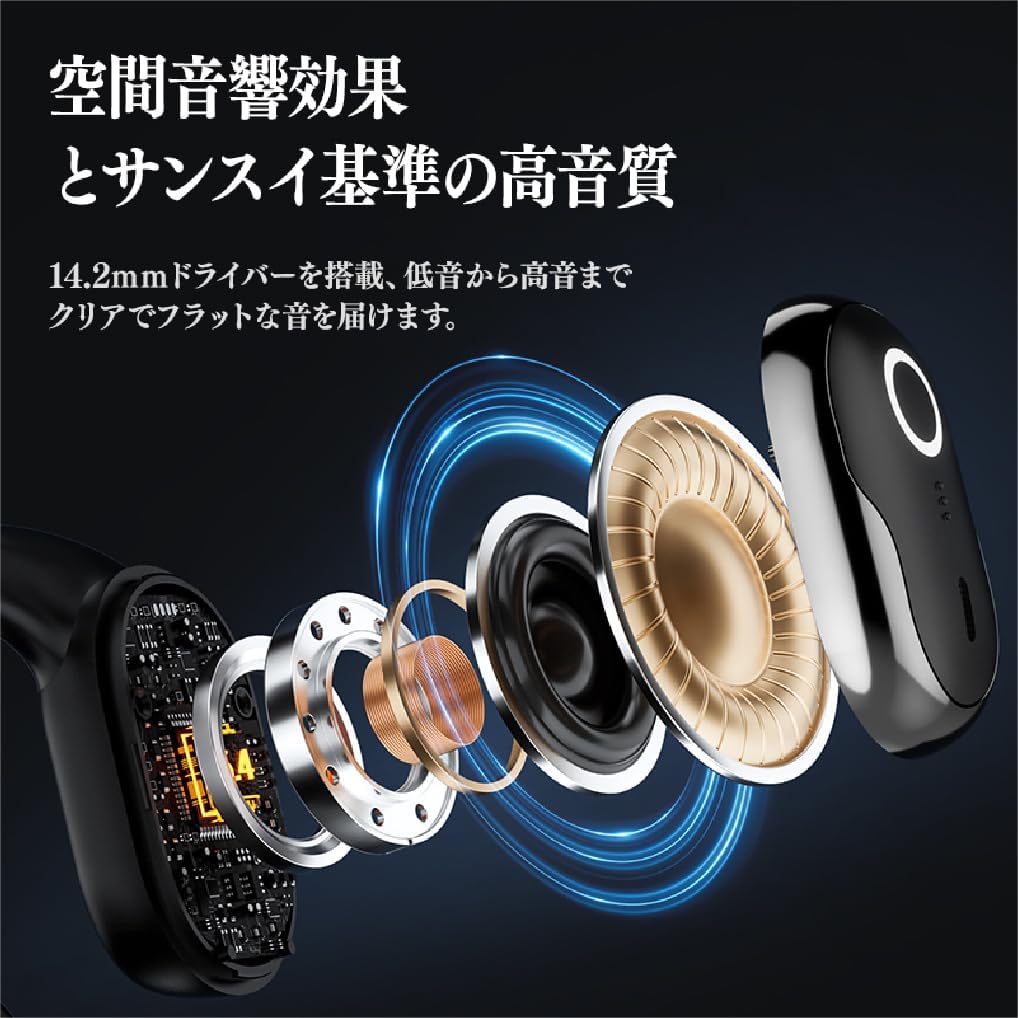
Imej: Meletup view of SANSUI W26 Earphone Internal Components. This image illustrates the internal structure, including the 14.2mm driver, which contributes to spatial acoustic effects and high-quality sound.
Persediaan
1. Mengecas Fon Telinga dan Sarung
Sebelum penggunaan pertama, cas sepenuhnya fon telinga dan sarung pengecas.
- Letakkan fon telinga ke dalam bekas pengecas.
- Connect the provided USB Type-C cable to the charging port on the case and a power source (e.g., USB wall adapter, computer USB port).
- Lampu penunjuk pada bekas akan menunjukkan status pengecasan. Setelah dicas sepenuhnya, lampu akan menunjukkan bahawa pengecasan telah selesai.
A full charge provides up to 12 hours of playback for the earphones alone, and up to 36 hours with the charging case.
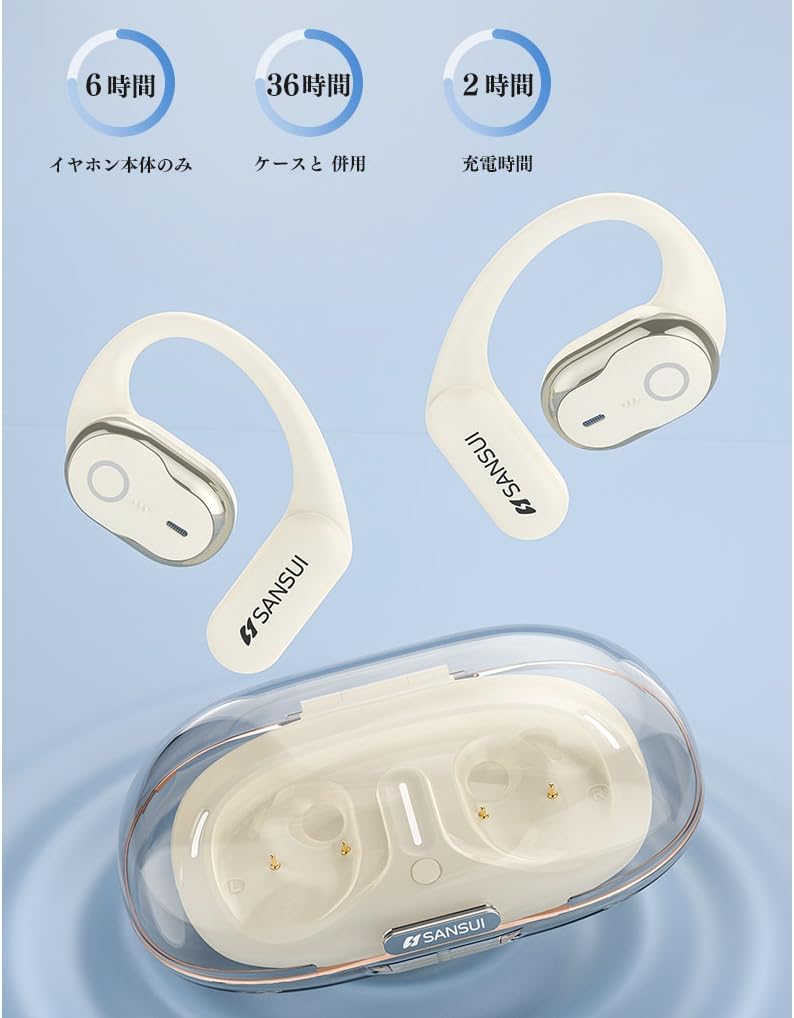
Imej: SANSUI W26 Earphone Battery Life and Charging. This image illustrates the battery life: 6 hours for earphones only, 36 hours with the charging case, and a 2-hour charging time for the case.
2. Berpasangan Bluetooth
The earphones support Bluetooth V5.4 for a stable and low-latency connection.
- Buka bekas pengecas. Fon telinga akan memasuki mod berpasangan secara automatik.
- Pada peranti anda (telefon pintar, tablet, dll.), dayakan Bluetooth dan cari peranti yang tersedia.
- Select "SANSUI W26" from the list of found devices.
- Setelah disambungkan, gesaan suara akan mengesahkan gandingan yang berjaya.
- Fon telinga akan menyambung semula secara automatik ke peranti pasangan terakhir apabila dikeluarkan daripada sarung.
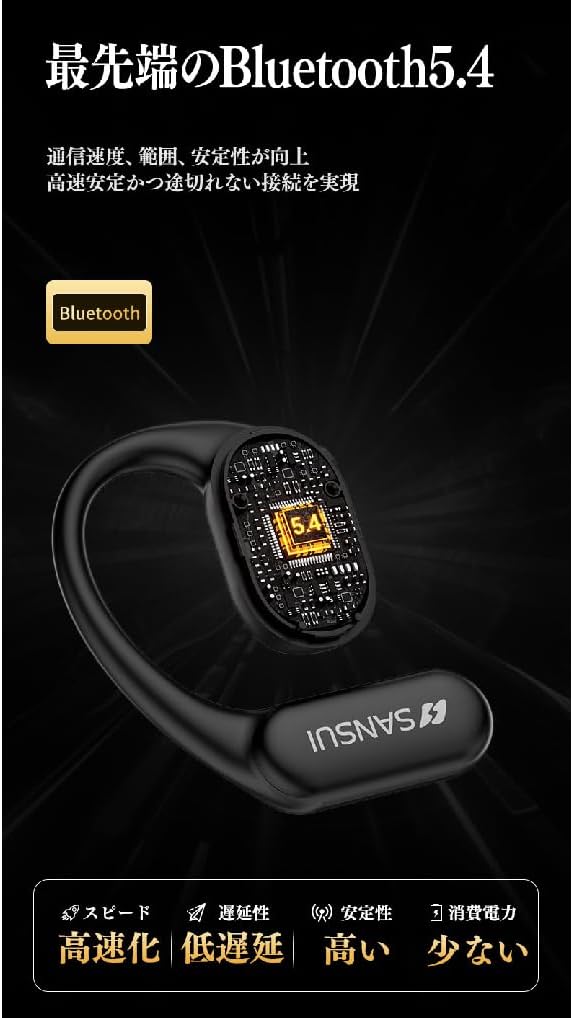
Imej: SANSUI W26 Bluetooth 5.4 Connectivity. This image highlights the advanced Bluetooth 5.4 technology, emphasizing improved communication speed, range, stability, low latency, and reduced power consumption.
Arahan Operasi
1. Memakai Fon Telinga
The SANSUI W26 features an ergonomic ear-hook design for secure and comfortable fit.
- Identify the left (L) and right (R) earphones.
- Gently hook the earphone over your ear, ensuring the speaker part is positioned correctly near your ear canal without blocking it.
- Adjust for a snug and comfortable fit. The design allows you to hear ambient sounds while enjoying audio.

Imej: SANSUI W26 Ear-Hook Design. This image demonstrates the stable and non-falling ear-hook design, showing how it fits securely with three support points and features skin-friendly silicone material.
2. Kawalan Sentuh
The earphones are equipped with touch-sensitive controls for various functions. Refer to the table below for common operations:
| Fungsi | Tindakan |
|---|---|
| Main/Jeda Muzik | Ketik sekali pada salah satu fon telinga |
| Trek Seterusnya | Double tap on the right earphone |
| Trek Sebelumnya | Ketik dua kali pada fon telinga kiri |
| Jawab/Tamatkan Panggilan | Ketik sekali pada salah satu fon telinga |
| Tolak Panggilan | Long press on either earphone |
| Aktifkan Pembantu Suara | Triple tap on either earphone |
3. Call Functions (ENC Noise Cancelling)
The built-in ENC (Environmental Noise Cancellation) engine separates your voice from ambient noise, ensuring clear communication during calls and online meetings.
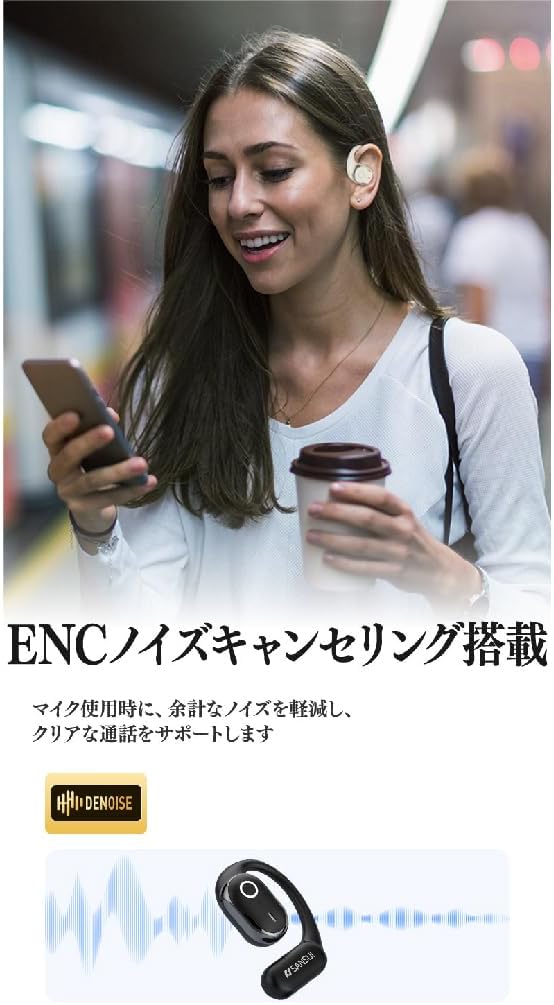
Imej: SANSUI W26 ENC Noise Cancelling Feature. This image shows a person using the earphones in a busy environment, illustrating how the ENC technology reduces background noise for clearer calls.
Penyelenggaraan
- Pembersihan: Regularly clean the earphones and charging case with a soft, dry cloth. For stubborn dirt, a slightly damp cloth can be used, but ensure no moisture enters the charging ports or speaker grilles. The earphones are IPX5 waterproof, allowing for rinsing under tap water if needed, but avoid prolonged submersion.
- Storan: When not in use, store the earphones in their charging case to protect them from dust and damage. Store in a cool, dry place away from direct sunlight and extreme temperatures.
- Penjagaan Bateri: To prolong battery life, avoid fully discharging the earphones frequently. Charge them regularly, even if not used for extended periods.
Menyelesaikan masalah
If you encounter issues with your SANSUI W26 earphones, refer to the following common problems and solutions:
- Fon telinga tidak berpasangan:
- Pastikan Bluetooth didayakan pada peranti anda.
- Pastikan fon telinga dicas.
- Place the earphones back in the case, close it, then open it again to re-enter pairing mode.
- Forget "SANSUI W26" from your device's Bluetooth list and try pairing again.
- Tiada bunyi:
- Periksa tahap kelantangan pada kedua-dua peranti dan fon telinga anda.
- Pastikan fon telinga disambungkan dengan betul ke peranti anda.
- Cuba mainkan audio daripada aplikasi atau sumber lain.
- Kualiti panggilan yang lemah:
- Pastikan mikrofon tidak terhalang.
- Bergerak lebih dekat dengan peranti anda yang disambungkan untuk meningkatkan kekuatan isyarat.
- Check for excessive background noise in your environment.
- Fon telinga tidak dicas:
- Pastikan kabel pengecasan disambungkan dengan selamat pada kedua-dua bekas dan sumber kuasa.
- Check if the charging contacts on the earphones and inside the case are clean.
- Cuba gunakan kabel USB Jenis-C atau penyesuai kuasa yang berbeza.
Spesifikasi
| Ciri | Perincian |
|---|---|
| Jenama | SANSUI |
| Nama Model | W26 |
| Teknologi Ketersambungan | Wayarles (Bluetooth V5.4) |
| Gaya Fon Kepala | Ear-hook, Open-ear |
| warna | putih |
| Pembatalan Bunyi | ENC (Environmental Noise Cancellation) untuk panggilan |
| Tahan Air | Setaraf IPX5 |
| Codec Audio | AAC, SBC |
| Masa Main Semula Fon Telinga | Sehingga 12 jam |
| Jumlah Masa Main Semula (dengan kes) | Sehingga 36 jam |
| Port Pengecasan | USB Jenis-C |
| Negara Asal | China |
Waranti dan Sokongan
Waranti Pengilang: The SANSUI W26 Wireless Earphones come with a 1-year manufacturer warranty from the date of purchase. This warranty covers defects in materials and workmanship under normal use.
Pengecualian: Waranti tidak melindungi kerosakan yang disebabkan oleh penyalahgunaan, kemalangan, pengubahsuaian yang tidak dibenarkan atau haus dan lusuh biasa.
Sokongan Pelanggan: For warranty claims, technical assistance, or any questions regarding your SANSUI W26 earphones, please contact your retailer or the official SANSUI customer support channel. Refer to the product packaging or official webtapak untuk maklumat hubungan.
Ask a question about this manual
Ask about setup, troubleshooting, compatibility, parts, safety, or missing instructions. Manuals+ will review the question and use this page’s manual context to help answer it.